
OBDResource TPS10
OBDResource TPS10 Universal TPMS Relearn Tool Instruction Manual
Model: TPS10
1. Producte acabatview
The OBDResource TPS10 is an upgraded universal Tire Pressure Monitoring System (TPMS) relearn tool designed to activate and reset tire pressure monitor sensors across a wide range of vehicle brands. It features a 1.8-inch color screen and provides on-screen instructions for ease of use. This tool is essential for addressing TPMS issues, especially after tire rotation or sensor replacement.
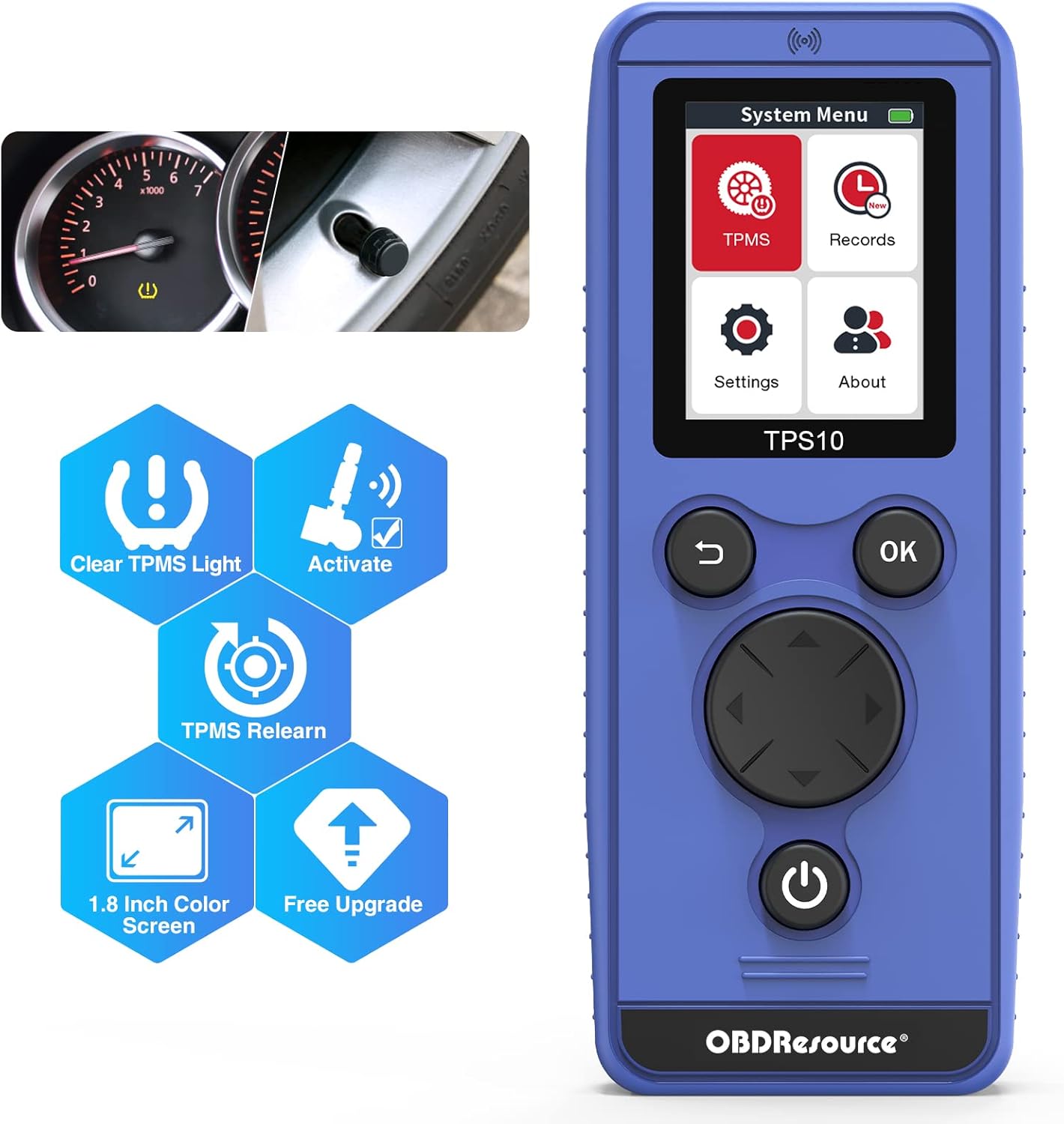
Figure 1.1: OBDResource TPS10 TPMS Relearn Tool
Característiques principals:
- Upgraded Chip and Antenna: Provides faster and stronger signal for efficient sensor activation.
- Pantalla a color d'1.8 polzades: Displays clear, on-screen instructions for guided operation.
- Àmplia cobertura de vehicles: Compatible with numerous car brands including Buick, Cadillac, Chevrolet, Ford, Lincoln, Mercury, Dodge, RAM, Subaru, Jeep, Hyundai, Nissan, Infiniti, Mazda, Volkswagen, Mercedes, BMW, and more.
- TPMS Relearn and Activation: Specifically designed to relearn and activate TPMS sensors, and clear TPMS DTCs.
- Actualitzacions de programari gratuïtes: Device can be upgraded via USB cable to ensure compatibility with new models.
- Suport multi-idioma: Admet 8 idiomes.

Figure 1.2: Essential functions of the TPS10 tool.

Figure 1.3: Broad vehicle compatibility of the TPS10.
Vídeo 1.1: Un overview of the OBDResource Universal TPMS Relearn Tool TPS10, highlighting its features and ease of use.
2. Configuració
2.1 Instal·lació de la bateria
The TPS10 requires three (3) AA batteries (not included). For optimal performance and signal strength, it is recommended to use brand new, good quality batteries.
- Locate the battery compartment on the back of the TPS10 device.
- Obriu la tapa de la bateria.
- Insert three (3) AA batteries, ensuring correct polarity (+/-) as indicated inside the compartment.
- Tanqueu la tapa de la bateria amb seguretat.

Figure 2.1: TPS10 device layout, including battery compartment.
2.2 Engegada inicial i selecció d'idioma
After installing batteries, press and hold the Power Key to turn on the device. You will be presented with the system menu. Navigate to 'Settings' to select your preferred language and vehicle region (e.g., America, Europe, Japan, Korea, Australia).
Video 2.1: Demonstrates how to select language and vehicle area on the TPS10.
3. Instruccions de funcionament
The TPS10 simplifies the TPMS relearn process. Follow these steps for successful sensor activation and resetting.
3.1 TPMS Relearn Procedure
- Enter TPMS System: From the main menu, select the 'TPMS' option.
- Seleccioneu el vehicle: Choose your car's brand, model, and year from the displayed list. The tool supports dual frequencies (315 MHz & 433 MHz).
- Set Car to Learning Mode: This is a crucial step. Refer to your vehicle's owner's manual or the 'Relearn Procedure' menu on the TPS10 for specific instructions on how to put your car into TPMS learning mode.
Note: Subaru, some Jeep, and Dodge vehicles may require an additional OBD2 scan tool to enter learning mode.
- Scan Single Sensor: Select 'Scan Single Sensor' on the TPS10.
- Activate Sensors: Place the TPS10 tool on the valve stem or near the tire sidewall of each tire. Press the 'OK' key to trigger the sensor. The car's horn will chirp once to confirm successful activation of a sensor.
- Follow Relearn Order: Activate sensors in the following sequence:
- Front Esquerre
- Davant dret
- Darrera Dreta
- Darrera Esquerra
- Torna al menú principal: Long press the 'Return' key to go back to the main menu.
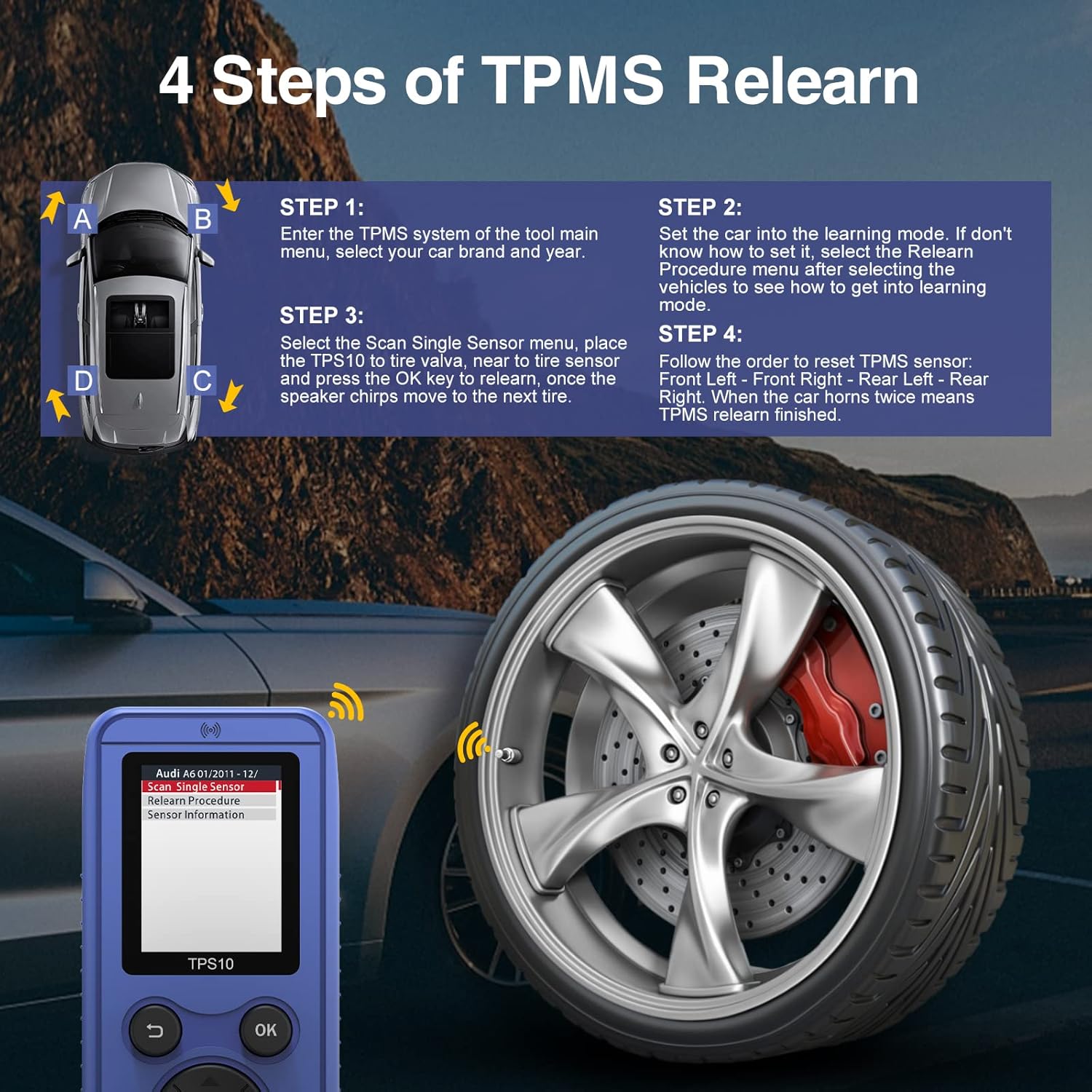
Figure 3.1: Visual guide to the 4-step TPMS relearn process.
Video 3.1: Detailed demonstration on how to use the TPS10 TPMS relearn tool, including setting the car to learning mode and activating sensors.
Vídeo 3.2: Un review of the TPS10 TPMS Relearn Tool, showcasing its functionality and ease of use in a real-world scenario.
3.2 Accessing Records
The 'Records' function allows you to quickly access the last tested vehicle's information, streamlining repeated operations.
- From the main menu, select 'Records'.
- Choose the desired record to view previous test data.
4. Manteniment
4.1 Actualitzacions de programari
The TPS10 supports free software updates to ensure compatibility with new vehicle models and improved functionality. Updates are performed via a Mini USB cable.
- Connect the TPS10 to your computer using the provided Mini USB cable.
- Visit the official OBDResource weblloc (www.el50448.com) to download the latest software updates and instructions.
- Follow the on-screen instructions on your computer to copy the update files to the device's removable disk.
4.2 Cura de la bateria
- Always use new, good quality AA batteries for reliable performance.
- Traieu les piles si no heu d'utilitzar el dispositiu durant un període prolongat per evitar fuites.
5. Solució De Problemes
- El dispositiu no s'encén: Ensure batteries are correctly installed and are new/charged.
- Problemes de senyal: Make sure the antenna is in the correct position when using the TPS10. The magnitude of the battery voltage can affect signal strength.
- Vehicle Not Entering Learning Mode: Consult your vehicle's owner's manual for specific instructions. For Subaru, some Jeep, and Dodge vehicles, an additional OBD2 scan tool might be required to initiate learning mode.
- Cannot Read/Program Sensors: The TPS10 is designed to relearn and activate TPMS sensors only. It cannot read sensor information or program new sensors.
- Heavy Trucks/Vans: This tool is not designed for heavy trucks and vans with more than 4 tires.
6. Especificacions
| Atribut | Valor |
|---|---|
| Marca | OBDResource |
| Número de model | TPS10 |
| Pes de l'article | 7.8 unces |
| Dimensions del paquet | 7.09 x 2.87 x 1.85 polzades |
| País d'origen | Xina |
| Número de peça del fabricant | TPS10 |
| UPC | 789513420566 |
| Data de primera disponibilitat | 10 d'agost de 2022 |
7. Què hi ha a la caixa
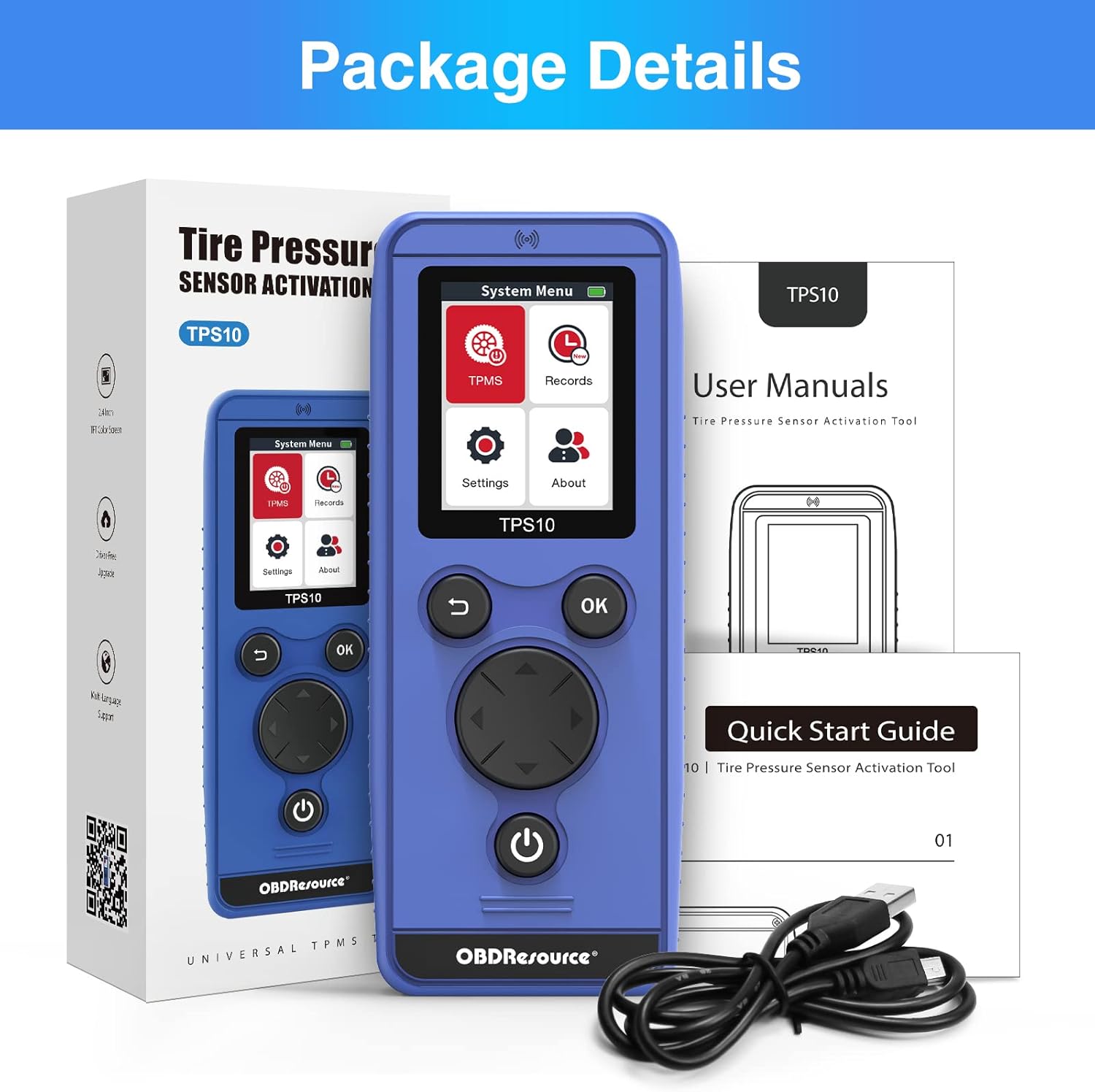
Figure 7.1: Contents included in the TPS10 package.
- 1 x OBDResource TPS10 TPMS Relearn Tool
- 1 x cable mini USB
- 1 x manual d'instruccions
8. Garantia i Suport
OBDResource is committed to providing professional support to global auto enthusiasts. For any questions, technical assistance, or warranty inquiries, please contact OBDResource customer support.
Oficial Weblloc: www.el50448.com
Note: Specific warranty terms and conditions may vary. Please refer to the product packaging or official weblloc per obtenir la informació de garantia més actualitzada.
Documents relacionatsTPS10

Ask a question about this manual
Ask about setup, troubleshooting, compatibility, parts, safety, or missing instructions. Manuals+ will review the question and use this page’s manual context to help answer it.