
1. Producte acabatview
The JALL Digital Alarm Clock V1021 is designed to provide clear time, date, and temperature display with adjustable brightness and alarm features. It includes a USB charging port for convenience and a battery backup system to maintain settings during power outages.

Imatge 1.1: Frontal view of the JALL Digital Alarm Clock with a smartphone connected for charging.
Característiques principals:
- 5.5-inch Large LED Display for time, date, and temperature.
- 6-Level Adjustable Brightness (5% to 100%).
- Adjustable Alarm Volume (30-85 dB) with 8 selectable ringtones.
- Snooze Function (9 minutes).
- Multiple Alarm Settings (up to 3 alarms, daily/weekday/weekend options).
- Built-in USB Charging Port for external devices.
- Battery Backup (CR2032, not included) for time memory during power loss.
- 12-hour / 24-hour Time Format.
- Indoor Temperature Display.
2. Instruccions de configuració
2.1 Connexió d'alimentació
- Connect the provided power cable to the DC 5V input port on the back of the alarm clock.
- Plug the other end of the power cable into a standard wall outlet or a USB power adapter.
- The clock display will illuminate, indicating it is powered on.
Nota: The clock requires continuous power via the power cable for operation. The backup battery only preserves time settings during power outages, it does not power the display.
2.2 Battery Backup Installation (Optional)
To ensure time and alarm settings are retained during a power interruption, install a CR2032 button cell battery (not included).
- Localitzeu el compartiment de la bateria a la part posterior del rellotge.
- Obriu la tapa del compartiment de la bateria.
- Insert one CR2032 button cell battery, observing the correct polarity (+/-).
- Tanqueu bé la tapa del compartiment de la bateria.
2.3 Configuració inicial de la data i l'hora
Refer to the specific buttons on your device for setting time, date, and other parameters. Typically, there are dedicated buttons for 'SET', 'UP', 'DOWN', or a rotary dial.
- Press the 'SET' button (or equivalent) to enter time setting mode. The hour display will typically flash.
- Use the 'UP' and 'DOWN' buttons (or rotary dial) to adjust the hour.
- Press 'SET' again to confirm the hour and move to minute adjustment.
- Repetiu el procés per a minuts, any, mes i dia.
- Press 'SET' one last time to exit the setting mode.
3. Instruccions de funcionament
3.1 Característiques de visualització
The clock features a large 5.5-inch LED display showing time, date (month-day), day of the week, and indoor temperature.

Image 3.1: The 5.5-inch display clearly shows all information.
3.2 Ajust de brillantor
The display brightness can be adjusted to 6 levels (5% to 100%) to suit your preference and environment.
- Locate the brightness control button (often labeled 'DIMMER' or a sun icon).
- Press the button repeatedly to cycle through the 6 brightness levels.

Image 3.2: Visual representation of adjustable brightness and volume levels.
3.3 Configuració d'alarma
The clock supports up to 3 independent alarms with adjustable volume and 8 distinct ringtones.
- Configuració d'una alarma:
a. Press the 'ALARM' button (or similar) to select Alarm 1, 2, or 3.
b. Press 'SET' to enter alarm time adjustment. The hour will flash.
c. Use 'UP'/'DOWN' to set the desired hour, then 'SET' for minutes.
d. After setting minutes, press 'SET' to choose the alarm mode (Daily, Weekday, Weekend).
e. Press 'SET' again to select a ringtone from the 8 available options.
f. Press 'SET' to confirm and exit alarm setting. - Ajust del volum de l'alarma:
a. While in alarm setting mode or when an alarm is sounding, use the dedicated volume buttons or 'UP'/'DOWN' to adjust the volume from 30dB to 85dB. - Funció de posposar:
a. When an alarm sounds, press the large 'SNOOZE' button on top of the clock.
b. The alarm will pause for 9 minutes and then sound again. This can be repeated. - Disabling an Alarm:
a. Press the 'ALARM' button to select the alarm you wish to disable.
b. Press the 'ON/OFF' or 'ALARM ON/OFF' button to toggle the alarm status. The alarm icon on the display will disappear when disabled.

Image 3.3: The clock supports multiple alarm settings including daily, weekday, and weekend modes.
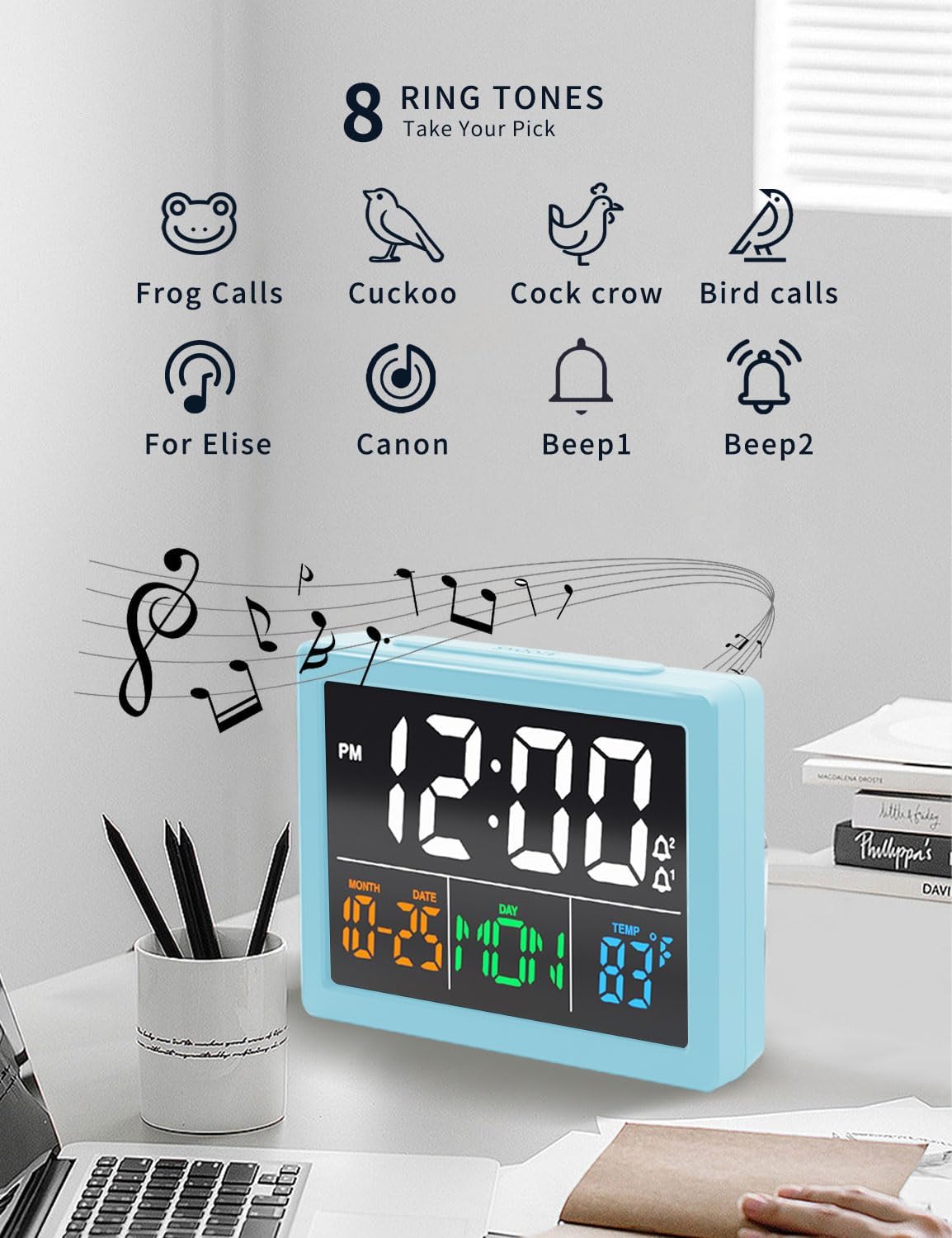
Image 3.4: Choose from 8 distinct ringtones for your alarm.
3.4 port de càrrega USB
The clock features a built-in USB charging port (5V) to charge compatible electronic devices.
- Connect your device's USB charging cable to the USB output port on the back of the clock.
- Ensure the clock is powered via its main power cable.
- El vostre dispositiu començarà a carregar-se.

Image 3.5: The clock provides two USB output ports for charging external devices.
4. Manteniment
To ensure the longevity and proper functioning of your JALL Digital Alarm Clock, follow these maintenance guidelines:
- Neteja: Wipe the clock with a soft, dry cloth. Do not use abrasive cleaners, solvents, or chemical sprays, as these may damage the finish or internal components.
- Medi ambient: Keep the clock away from direct sunlight, extreme temperatures, and high humidity. Avoid placing it near strong magnetic fields.
- Potència: Always use the provided power cable. If the clock will be stored for an extended period, remove the backup battery.
- Manipulació: Manipuleu el rellotge amb cura. Eviteu deixar-lo caure ni sotmetre'l a impactes forts.
5. Solució De Problemes
If you encounter issues with your JALL Digital Alarm Clock, refer to the following common problems and solutions:
| Problema | Causa possible | Solució |
|---|---|---|
| La pantalla del rellotge està apagada o parpelleja. | Sense corrent, connexió fluixa, adaptador de corrent defectuós. | Ensure the power cable is securely connected to both the clock and the power outlet. Try a different USB power adapter or outlet. |
| L'alarma no sona. | Alarm not activated, volume too low, incorrect alarm time. | Verify the alarm is enabled (alarm icon visible). Check alarm volume settings. Confirm the alarm time is set correctly. |
| Time is inaccurate (gains or loses time). | Internal clock drift, unstable power supply. | Unplug the clock for a few minutes, then plug it back in and reset the time. Ensure a stable power source. If the issue persists, contact customer support. |
| El port de càrrega USB no funciona. | Clock not powered, device cable faulty, device incompatible. | Ensure the clock is powered by its main cable. Try a different USB cable or device. The port is for charging only, not data transfer. |
| La funció de posposició no funciona. | Snooze button not pressed correctly. | Ensure the large 'SNOOZE' button on top is pressed firmly when the alarm is sounding. |
6. Especificacions
| Característica | Detall |
|---|---|
| Marca | JALL |
| Número de model | V1021 |
| Tipus de visualització | LED digital |
| Mida de la pantalla | 5.5 polzades |
| Dimensions del producte | 5.2 cm d'amplada x 3.2 cm d'alçada |
| Font d'alimentació | Corded Electric (USB), Battery Backup (CR2032) |
| Material | Acrilonitril butadiè estirè (ABS) |
| Característiques especials | Alarm, Snooze, Temperature Display, USB Charging Port, Adjustable Brightness, Adjustable Volume |
| Pes de l'article | 8.8 unces (0.25 quilograms) |
7. Garantia i Suport
7.1 Informació de la garantia
JALL proporciona una Garantia del dia 365 on products sold on Amazon. Please retain your proof of purchase for warranty claims.
7.2 Atenció al client
For further assistance, troubleshooting not covered in this manual, or warranty inquiries, please contact JALL customer support through the Amazon platform or visit the official JALL store:
Visita la botiga JALL a Amazon
Nota sobre els vídeos: No official product video URLs were provided in the product data for embedding in this manual.


