
1. Introducció
This manual provides detailed instructions for the installation, operation, and maintenance of the Tupavco TP1721 Rack Mount Fan. This 1U, 19-inch rack-mountable cooling system is designed to manage heat within server, network, music, and AV cabinets, ensuring optimal operating temperatures for sensitive equipment. It features two 120mm fans, a digital temperature monitor, and adjustable temperature control.
2. Informació de seguretat
- Llegiu totes les instruccions abans de la instal·lació i el funcionament.
- Assegureu-vos que la font d'alimentació coincideixi amb el voltagels requisits especificats per al dispositiu.
- Do not operate the device with damaged cords or plugs.
- Eviteu bloquejar les reixetes d'entrada o d'escapament del ventilador per garantir un flux d'aire adequat.
- Mantingueu el dispositiu allunyat de l'aigua o de la humitat excessiva.
- Només personal qualificat ha de fer la instal·lació i el manteniment.
3. Contingut del paquet
Verifiqueu que tots els elements siguin presents al paquet:
- Tupavco TP1721 Rack Mount Fan Unit
- Sonda del sensor de temperatura
- Cable d'alimentació
- Mounting Hardware (screws, cage nuts)
- Manual d'instruccions (aquest document)
4. Característiques del producte
- Control de temperatura ajustable: Allows setting specific temperature thresholds for fan activation.
- Quiet and Powerful Fans: Equipped with two 120mm ball bearing fans, providing 150 CFM airflow with noise control.
- Flux d'aire òptim: Designed for top exhaust, effectively removing hot air from the cabinet.
- Disseny compacte 1U: Standardized for 19-inch server racks, occupying only one unit of space.
- Programmable Thermostat Sensor: Digital display for real-time temperature monitoring and configuration.
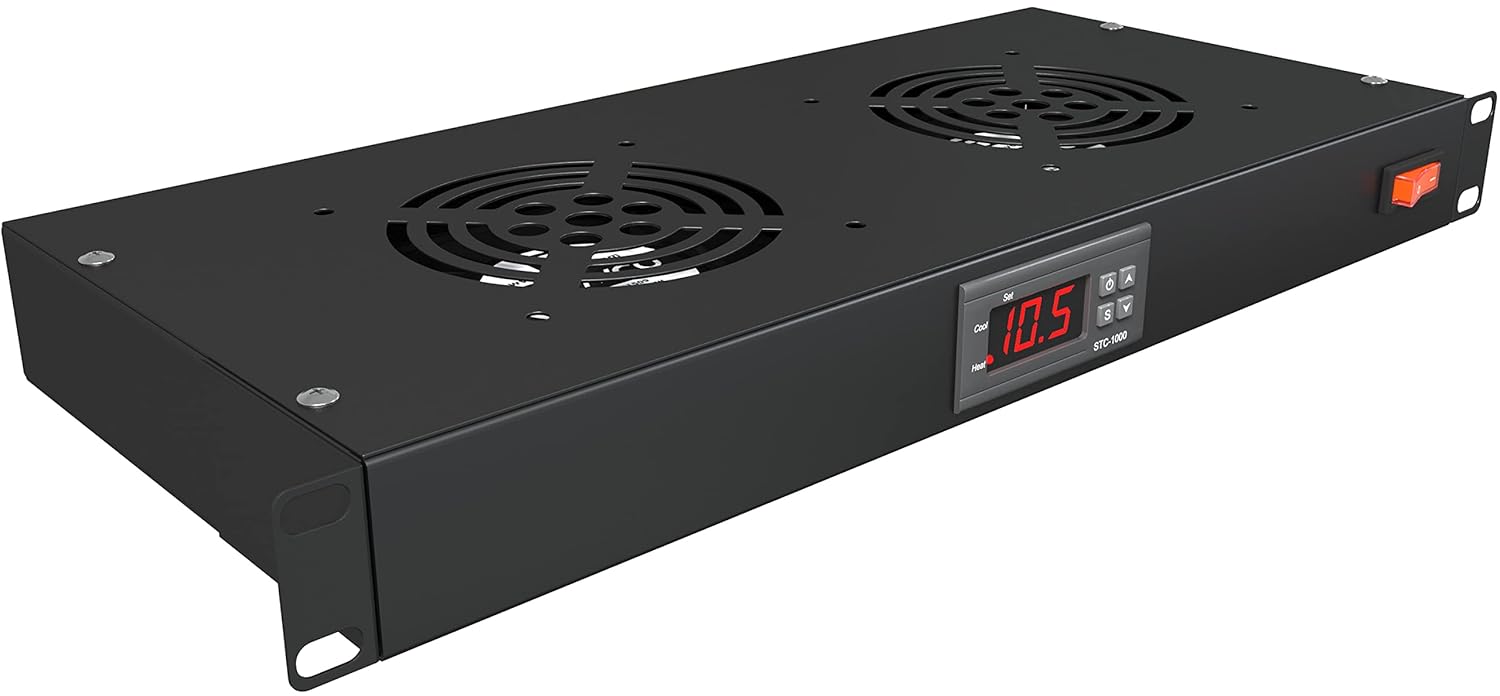
Figura 4.1: Davant-superior view of the Tupavco TP1721 Rack Mount Fan, showing the dual fans and digital display panel.
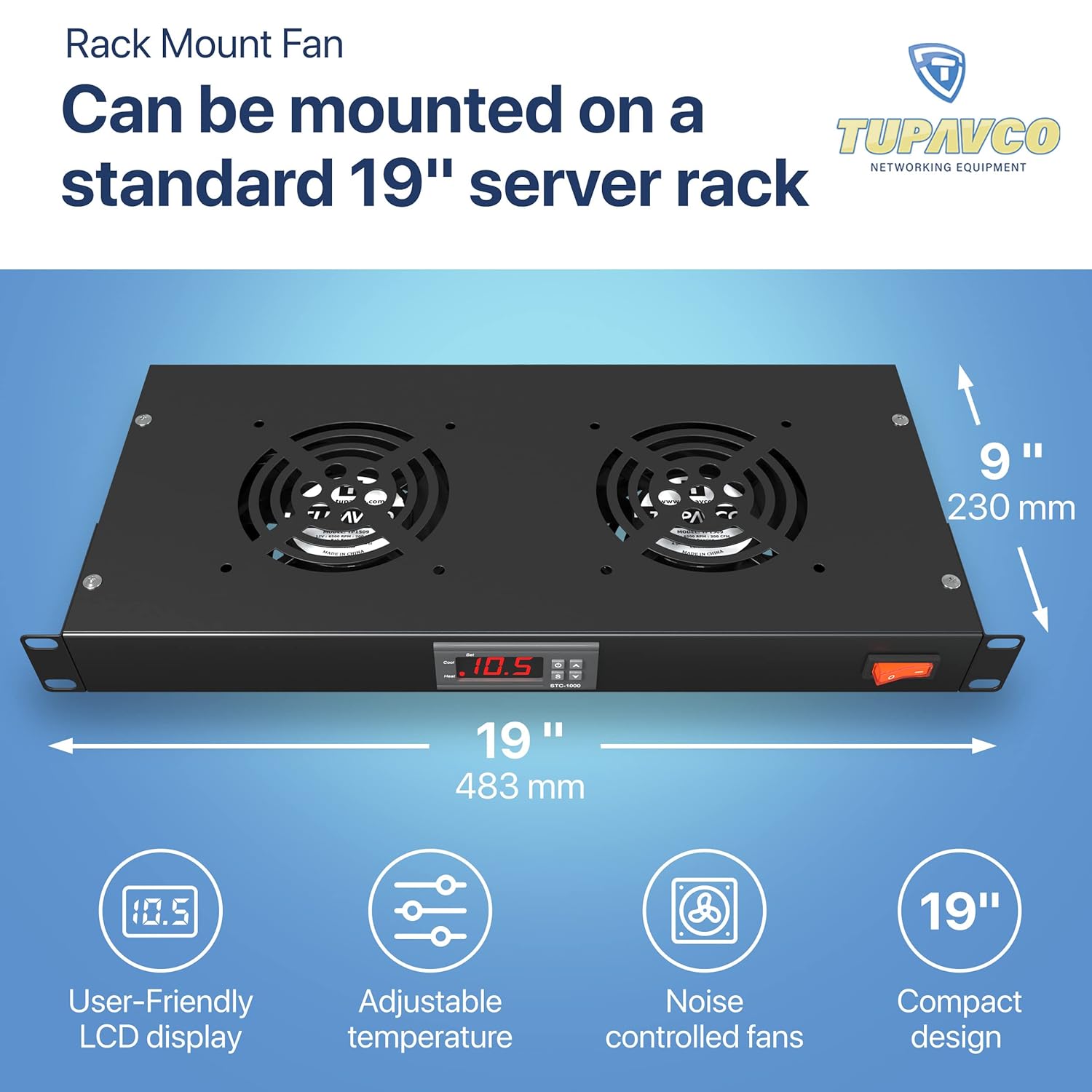
Figura 4.2: The TP1721 fan unit illustrating its 19-inch width and 1U height, along with icons representing its user-friendly LCD, adjustable temperature, noise-controlled fans, and compact design.
5. Configuració i instal·lació
5.1 Muntatge de la unitat
- Identify an available 1U space in your standard 19-inch server rack or cabinet.
- Align the mounting ears of the TP1721 unit with the rack posts.
- Secure the unit using the provided mounting hardware (screws and cage nuts). Ensure it is firmly attached.
- Ensure there is adequate clearance above and below the unit for optimal airflow.
5.2 Connecting the Temperature Sensor
The temperature sensor probe is connected via a cable extending from the unit. Position the sensor in the area where temperature monitoring is most critical, typically near the hottest equipment or exhaust path within the cabinet.
5.3 Connexió d'alimentació
Connect the provided power cable to the power inlet on the unit and then to a suitable AC power outlet. The unit operates on 12 Volts AC power.

Figura 5.1: posterior view of the TP1721 unit, showing the power input and the temperature sensor cable connection.

Figura 5.2: Illustration of the TP1721 unit installed in a server rack, demonstrating the upward airflow for heat exhaust.
6. Instruccions de funcionament
6.1 Engegada/apagada
Use the orange rocker switch located on the right side of the front panel to power the unit on or off.
6.2 Digital Display and Basic Operation
Upon powering on, the digital display will show the current temperature detected by the sensor probe. The unit features a user-friendly LCD display for monitoring and setting parameters.

Figura 6.1: The digital display showing the current temperature detected by the probe.
6.3 Setting Temperature Parameters
The unit allows for programmable temperature control. Follow these steps to adjust settings:
- Introduïu la configuració: Press and hold the 'S' button for 3 seconds to enter the parameter setting mode. The display will show 'F1'.
- Select Parameter: Use the 'Up' or 'Down' arrows to navigate through the parameters (F1, F2, F3, F4).
- View Valor del paràmetre: Press 'S' to display the current value of the selected parameter.
- Ajusta el valor: Mentre viewing a parameter's value, use the 'Up' or 'Down' arrows to adjust it.
- Desa la configuració: Press the power ON/OFF button to save the new value and exit the setting mode for that parameter.

Figura 6.2: Step-by-step guide for adjusting the temperature control parameters on the digital display.
Definicions dels paràmetres:
- F1 (Temperature Value): Sets the target temperature at which the fans will activate. Default: 97.0°F.
- F2 (Difference Set Value): Sets the temperature difference between the target temperature and the actual temperature before the fans turn off. Default: 3.0°F.
- F3 (Compressor Delay Time): Sets a delay before the fans start after the temperature threshold is met. Default: 2 minutes.
- F4 (Temperature Calibration Value): Allows for fine-tuning the temperature sensor reading if calibration is needed. Default: 0.0°F.

Figura 6.3: Setting the desired fan activation temperature (F1) on the digital display.

Figura 6.4: Visual representation of the adjustable temperature control system within a server rack, showing hot air being exhausted.
7. Manteniment
Regular maintenance ensures the longevity and efficient operation of your Tupavco TP1721 Rack Mount Fan.
- Neteja: Periodically clean the fan grilles and blades to prevent dust buildup, which can impede airflow and reduce cooling efficiency. Use a soft, dry cloth or compressed air.
- Inspecció: Regularly inspect the power cable and sensor cable for any signs of damage.
- Condicions ambientals: Ensure the operating environment is free from excessive dust, humidity, and extreme temperatures outside the specified range.
8. Solució De Problemes
| Problema | Causa possible | Solució |
|---|---|---|
| Fans not turning on | No power; Temperature below set point; F3 delay active | Check power connection and switch; Verify F1 setting; Wait for F3 delay to expire. |
| Lectura de temperatura inexacta | Sensor probe misplaced or damaged; F4 calibration needed | Reposition sensor; Check sensor cable for damage; Adjust F4 parameter for calibration. |
| Fans are excessively noisy | Dust buildup on fan blades; Loose mounting | Clean fan blades; Ensure unit is securely mounted in the rack. |
| Mal rendiment de refrigeració | Blocked airflow; Incorrect temperature settings | Ensure vents are clear; Adjust F1 and F2 parameters for optimal cooling. |
9. Especificacions
| Característica | Especificació |
|---|---|
| Número de model | TP1721 |
| Dimensions del producte | 19"L x 19"W x 1.75"H (1U) |
| Pes | 5.19 lliures |
| Mida del ventilador | 2 x 120 mm |
| Capacitat de cabal d'aire | 150 peus cúbics per minut (CFM) |
| Velocitat de rotació màxima | 1800 RPM |
| Voltage | 12 Volts |
| Tipus de connector d'alimentació | AC Power Cable with Plug |
| Mètode de refrigeració | Aire |
| Dispositius compatibles | Server, Network, AV Cabinets |
| Material | Alumini |
| UPC | 709401088166 |
10. Garantia i Suport
Tupavco products are designed for reliability and performance. This product is covered by a manufacturer's warranty. For specific warranty terms, technical support, or service inquiries, please refer to the official Tupavco weblloc web o contacteu directament amb el seu servei d'atenció al client. Conserveu el rebut de compra per a reclamacions de garantia.