
1. Introducció
This manual provides detailed instructions for the installation, operation, and maintenance of your Yunseity 1080P Full Smart Dash Camera. Please read this manual thoroughly before using the device to ensure proper function and to maximize its lifespan. Keep this manual for future reference.
2. Producte acabatview i contingut del paquet
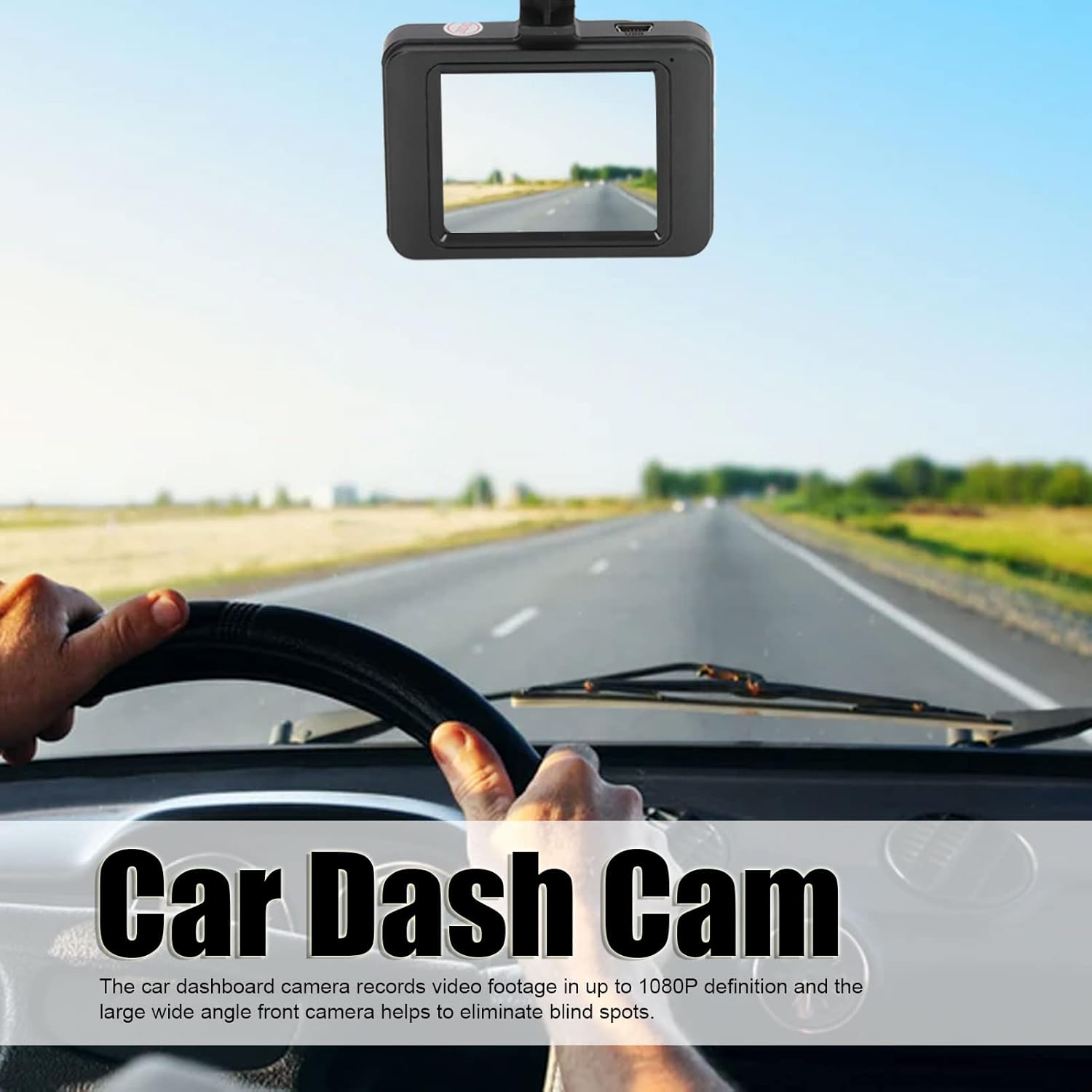
The Yunseity 1080P Full Smart Dash Camera is designed to record video footage while driving, providing security and evidence in case of incidents. It features a compact design and essential functions for vehicle surveillance.
2.1 Contingut del paquet
Verifiqueu que tots els elements siguin presents al vostre paquet:
- Dash Camera Unit
- Carregador de cotxe
- Mounting Bracket (Suction Cup Mount)
- Manual d'instruccions
- Memory Card (may be pre-installed or included separately)

3. Característiques clau
- 1080P Full HD Recording: Records high-definition video footage at 1080P resolution, capturing clear details on the road. The wide-angle front camera helps cover a broad view.
- Enregistrament en bucle: Ensures continuous recording by automatically overwriting the oldest unlocked video files when the memory card is full. This prevents recording from stopping due to a full card.
- Sensor G (sensor de gravetat): Automatically detects sudden shakes or collisions and locks the current video footage per evitar que se sobreescrigui, assegurant proves crítiques.
- Mode d'aparcament: Monitors your vehicle when parked. If motion or impact is detected, the camera will automatically start recording to capture potential incidents.
- Detecció de moviment: The camera can detect movement in its field of view and begin recording, useful for both driving and parking surveillance.
- Automatic Start/Stop Recording: The camera powers on and begins recording automatically when the car engine starts, and powers off when the engine is turned off.
- Reproducció View: Permet als usuaris view and play back recorded videos directly on the LCD screen, enabling quick review d'incidents.


4. Configuració i instal·lació
4.1 Inserció de la targeta de memòria
- Assegureu-vos que la càmera del salpicader estigui apagada.
- Localitzeu la ranura de la targeta de memòria al lateral de la càmera.
- Inseriu una targeta MicroSD compatible (classe 10 o superior, es recomana fins a 32 GB) a la ranura fins que encaixi al seu lloc.
- Per treure-la, premeu suaument la targeta fins que surti.
4.2 Muntatge de la càmera del cotxe
The dash camera uses a double-sided adhesive mounting base or a suction cup mount for easy installation.
- Clean the windshield area where you intend to mount the camera. Ensure it is free of dust and grease.
- Attach the suction cup mount to the camera.
- Press the suction cup firmly against the windshield, ideally behind the rearview mirall per evitar obstruir-vos view. Flip the lever on the suction cup to secure it.
- Ajusta l'angle de la càmera per garantir una visió clara view del camí per davant.
4.3 Connexió de potència
- Connect the car charger to the camera's power input port.
- Connecteu l'altre extrem del carregador de cotxe a la presa de corrent de 12 V del vostre vehicle (endoll de l'encenedor de cigarrets).
- Route the power cable neatly along the windshield trim to avoid interference with driving.
5. Instruccions de funcionament
5.1 Encès/Apagat
- Automàtic: The camera will power on and start recording automatically when the car engine starts and power is supplied. It will power off automatically when the engine is turned off.
- manual: Press and hold the Power button to manually turn the camera on or off.
5.2 Modes d'enregistrament
- Gravació normal: Once powered on, the camera automatically begins continuous loop recording.
- Enregistrament d'emergència (sensor G): In case of a sudden impact, the G-Sensor will trigger, and the current video segment will be locked and saved to a separate folder, preventing it from being overwritten.
- Supervisió del pàrquing: When the vehicle is parked and the camera is connected to a continuous power source (or has sufficient internal battery), it will activate parking mode. If motion or impact is detected, it will record a short video.
5.3 Navegació de menús
Use the buttons on the camera (usually labeled Menu, Up, Down, OK) to navigate through settings:
- Premeu el botó Menú button to enter the settings interface.
- Utilitza el Amunt/Avall buttons to scroll through options.
- Premeu el botó OK botó per seleccionar una opció o confirmar una configuració.
- Premeu el botó Menú button again to exit the settings.
5.4 Reproducció
- Stop recording if currently active.
- Enter playback mode via the menu or a dedicated button (if available).
- Use the Up/Down buttons to select the desired video file.
- Premeu D'acord per reproduir el vídeo.
6. Manteniment
- Neteja: Use a soft, dry cloth to clean the camera lens and screen. Avoid abrasive cleaners or solvents.
- Targeta de memòria: Format the memory card regularly (e.g., once a month) through the camera's settings to ensure optimal performance and prevent data corruption. Back up any important files abans de formatar.
- Temperatura: Avoid exposing the camera to extreme temperatures (very hot or very cold) for extended periods, as this can affect battery life and component integrity.
- Actualitzacions de firmware: Comproveu el del fabricant weblloc web periòdicament per a qualsevol actualització de firmware disponible per millorar el rendiment o afegir noves funcions.
7. Solució De Problemes
| Problema | Causa possible | Solució |
|---|---|---|
| La càmera no s'encén. | No power supply; faulty car charger; depleted internal battery. | Check car charger connection and vehicle's 12V outlet. Ensure the car engine is running. Charge the internal battery. |
| Recording stops or fails. | Memory card full; incompatible or faulty memory card; card not formatted. | Format the memory card. Replace with a Class 10 or higher MicroSD card (up to 32GB). |
| La qualitat del vídeo és deficient. | Lent bruta; pel·lícula protectora encara a la lent; condicions de poca llum. | Clean the lens. Remove any protective film. Ensure adequate lighting. |
| Camera keeps falling from windshield. | Suction cup not properly secured; dirty windshield surface. | Clean windshield and suction cup thoroughly. Ensure suction cup lever is fully engaged. |
| La bateria no manté la càrrega. | Normal battery degradation; faulty battery. | The internal battery is primarily for parking mode and saving files, not extended operation. Keep connected to power for continuous use. If issues persist, contact support. |
8. Especificacions del producte
- Model: Yunseitys90gxha4rc
- Resolució de captura de vídeo: 1080p
- Mida de la pantalla: 3 polzades
- Camp de View: 170 graus
- Tecnologia de connectivitat: USB
- Característiques especials: G-Sensor, Loop Recording, Motion Sensing, Parking Mode
- Tipus de muntatge: Adhesive Mount / Suction Cup Mount
- Targeta de memòria compatible: MicroSD (up to 32GB, Class 10 recommended)
- Tipus de bateria: Bateria de liti incorporada
- Velocitat de fotogrames: 30 FPS
- Tipus de visualització: LCD
- Fabricant: Yunseity
9. Garantia i Suport
9.1 Informació de la garantia
Your Yunseity Dash Camera is covered by a limited warranty against defects in materials and workmanship. The specific warranty period may vary by region and retailer. Please retain your proof of purchase for warranty claims.
9.2 Atenció al client
For technical assistance, troubleshooting, or warranty inquiries, please contact Yunseity customer support through the retailer where the product was purchased or visit the official Yunseity weblloc per obtenir informació de contacte.
Recursos en línia: Per obtenir més ajuda i preguntes freqüents, visiteu la Yunseity Store on Amazon.