
1. Introducció
This manual provides instructions for the HXSJ T300 2.4G Wireless Ergonomic Mouse. This device features 2.4 GHz wireless connectivity, adjustable DPI settings, a rechargeable battery, and an ergonomic design for comfortable use. Please read this manual carefully before using the product to ensure proper operation and maintenance.
2. Contingut del paquet
- HXSJ T300 Wireless Mouse
- Receptor USB 2.4G
- Cable de càrrega tipus C.
3. Producte acabatview
Familiarize yourself with the components of your HXSJ T300 wireless mouse:
A detailed diagram illustrating the various parts of the HXSJ T300 wireless mouse, including the left and right buttons, scroll wheel, DPI adjustment buttons, forward and backward buttons, Type-C charging port, power/light switch, optical sensor, and wireless receiver.
- Botó esquerre: Funció estàndard del clic esquerre.
- Botó dret: Funció estàndard del clic dret.
- Roda de desplaçament: Per a la funció de desplaçament i clic amb el botó central.
- DPI Loop+ Button: Increases DPI sensitivity.
- DPI Loop- Button: Decreases DPI sensitivity.
- Botó Endavant: Navega cap endavant web navegadors o file exploradors.
- Botó enrere: Navega cap enrere web navegadors o file exploradors.
- Type-C Charger Hole: Port for connecting the charging cable.
- Power Supply ON/OFF / Light Switch: Controls mouse power and lighting.
- Sensor òptic: Segueix el moviment del ratolí.
- Receptor sense fil: USB dongle for 2.4G wireless connection.
4. Configuració
4.1 Connexió del ratolí
- Locate the USB 2.4G receiver. It is typically stored in a compartment on the underside of the mouse.
- Inseriu el receptor USB en un port USB disponible de l'ordinador.
- Turn on the mouse using the Power Supply ON/OFF switch located on the underside of the mouse.
- The computer should automatically detect and install the necessary drivers. The mouse is ready for use once detected.

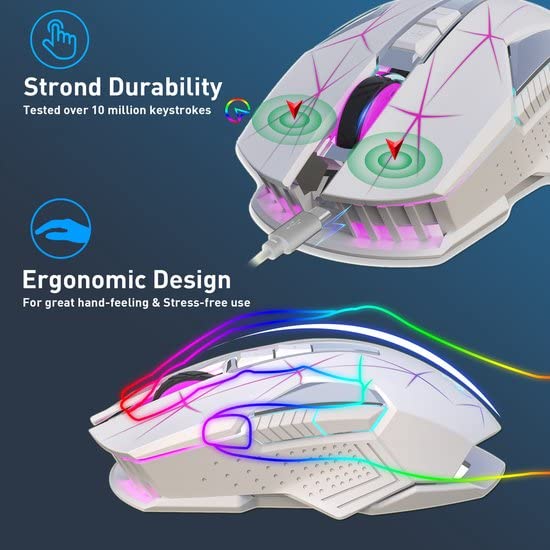
The HXSJ T300 wireless mouse in white, connected via its Type-C charging cable. The 2.4GHz wireless receiver is also visible, highlighting the charging and wireless connectivity features.
4.2 Càrrega del ratolí
The HXSJ T300 mouse is equipped with a built-in 600mAh rechargeable lithium battery.
- Connect the provided Type-C charging cable to the Type-C Charger Hole on the front of the mouse.
- Connecteu l'altre extrem del cable de càrrega a una font d'alimentació USB (per exemple, un port USB de l'ordinador o un adaptador de paret USB).
- The mouse will indicate charging status, typically through its lighting.
- Un cop estigui completament carregat, desconnecteu el cable de càrrega.

This image illustrates the Type-C charging interface of the HXSJ T300 mouse and its 2.4G wireless connection mode, indicating a 10-meter connection distance to a laptop.
5. Instruccions de funcionament
5.1 Ajust de DPI
The HXSJ T300 mouse offers three adjustable DPI (Dots Per Inch) settings to suit different tasks and preferences:
- 1000 DPI: Suitable for precise tasks or general use.
- 1600 DPI: A balanced setting for everyday use and moderate speed.
- 2400 DPI: Ideal for faster cursor movement, such as in gaming or large display setups.
To adjust the DPI, press the DPI Loop+ or DPI Loop- buttons located on the top of the mouse. Each press will cycle through the available DPI settings.

An illustration demonstrating the three adjustable DPI levels (1000, 1600, 2400) of the HXSJ T300 mouse, suitable for various tasks from office work to gaming.
5.2 Control de la il·luminació
The mouse features a colorful breathing light. The lighting can be controlled via the Power Supply ON/OFF / Light Switch on the underside of the mouse. Refer to the product overview diagram for its location.
5.3 Mode d'estalvi d'energia
The HXSJ T300 mouse incorporates an automatic sleep power-saving design. If the mouse is inactive for a period, it will enter a sleep mode to conserve battery. To wake the mouse, simply move it or click any button.
6. Manteniment
- Neteja: Feu servir un drap suau i sec per netejar el ratolí. Per a la brutícia persistent, feu un drap lleugerament sec.amp es pot utilitzar un drap, assegurant-se que no entri humitat als components interns.
- Emmagatzematge: Guardeu el ratolí en un lloc fresc i sec, allunyat de la llum solar directa i de temperatures extremes.
- Cura de la bateria: Avoid fully discharging the battery frequently. Charge the mouse when the battery indicator suggests low power.
- Receptor: When not in use, you may store the USB receiver in its designated compartment on the mouse to prevent loss.
7. Solució De Problemes
| Problema | Causa possible | Solució |
|---|---|---|
| El ratolí no respon | Mouse is off, low battery, receiver not connected, or driver issue. | Ensure mouse is turned on. Charge the mouse. Reinsert the USB receiver. Try a different USB port. Restart your computer. |
| Connexió endarrerida o intermitent | Interference from other wireless devices, distance from receiver, or low battery. | Move the mouse closer to the receiver. Remove obstacles between mouse and receiver. Charge the mouse. Avoid using near other 2.4GHz devices. |
| L'ajust de DPI no funciona | Buttons not pressed correctly or software conflict. | Ensure you are pressing the DPI buttons firmly. Restart your computer. |
| La il·luminació no funciona | Light switch is off or low battery. | Check the Power Supply ON/OFF / Light Switch. Charge the mouse. |
8. Especificacions
| Característica | Detall |
|---|---|
| Marca | HXSJ |
| Model | T300 |
| Tipus de connexió | Sense fil de 2.4 GHz |
| Mode d'operació | Optoelectrònica |
| Nombre de claus | 7 claus |
| Vida clau | 10 million times (sound switch) |
| Resolució DPI | 1000/1600/2400 DPI |
| Distància sense fils | Fins a 10 metres |
| Capacitat de la bateria | 600mAh (Rechargeable Lithium Battery) |
| Interfície de càrrega | Tipus-C |
| Longitud del cable de càrrega | 80 cm |
| Voltage / Actual | 3.7 V / 10 mA |
| Velocitat de moviment | 28 polzades/s |
| Freqüència d'actualització | 3000 FPS |
| Acceleració | 10G |
| Il·luminació | Colorful Breathing Light |
| Dimensions del producte | 8 x 5 x 0.1 cm |
| Pes de l'article | 150 g |
| Sistemes operatius compatibles | Windows XP and above (PC, Gaming Console, Smartphone, Tablet) |
9. Garantia i Suport
For warranty information or technical support, please refer to the documentation provided with your purchase or contact the HXSJ customer service directly. Keep your proof of purchase for any warranty claims.