
NETVIP WN519
NETVIP N300 WiFi Extender User Manual
Model: WN519
1. Introducció
Thank you for choosing the NETVIP N300 WiFi Extender. This device is designed to extend the coverage of your existing wireless network, eliminating Wi-Fi dead zones and providing a stable, high-speed internet connection throughout your home or office. It supports both Repeater Mode for extending wireless signals and Access Point (AP) Mode for converting a wired connection into a wireless hotspot.

Image 1.1: The NETVIP N300 WiFi Extender, a compact wall-plug device with indicator lights and an Ethernet port.
2. Informació de seguretat
- Do not expose the device to water or humidity.
- No intenteu desmuntar o reparar el dispositiu vosaltres mateixos.
- Use only the power adapter provided or specified by the manufacturer.
- Assegureu-vos una ventilació adequada al voltant del dispositiu per evitar el sobreescalfament.
- Mantingueu el dispositiu allunyat de la llum solar directa i de les fonts de calor.
3. Contingut del paquet
Si us plau, comproveu el paquet per veure si hi ha els elements següents:
- NETVIP N300 WiFi Extender (Model WN519)
- Manual d'usuari
- RJ45 Ethernet Cable (may vary by package)
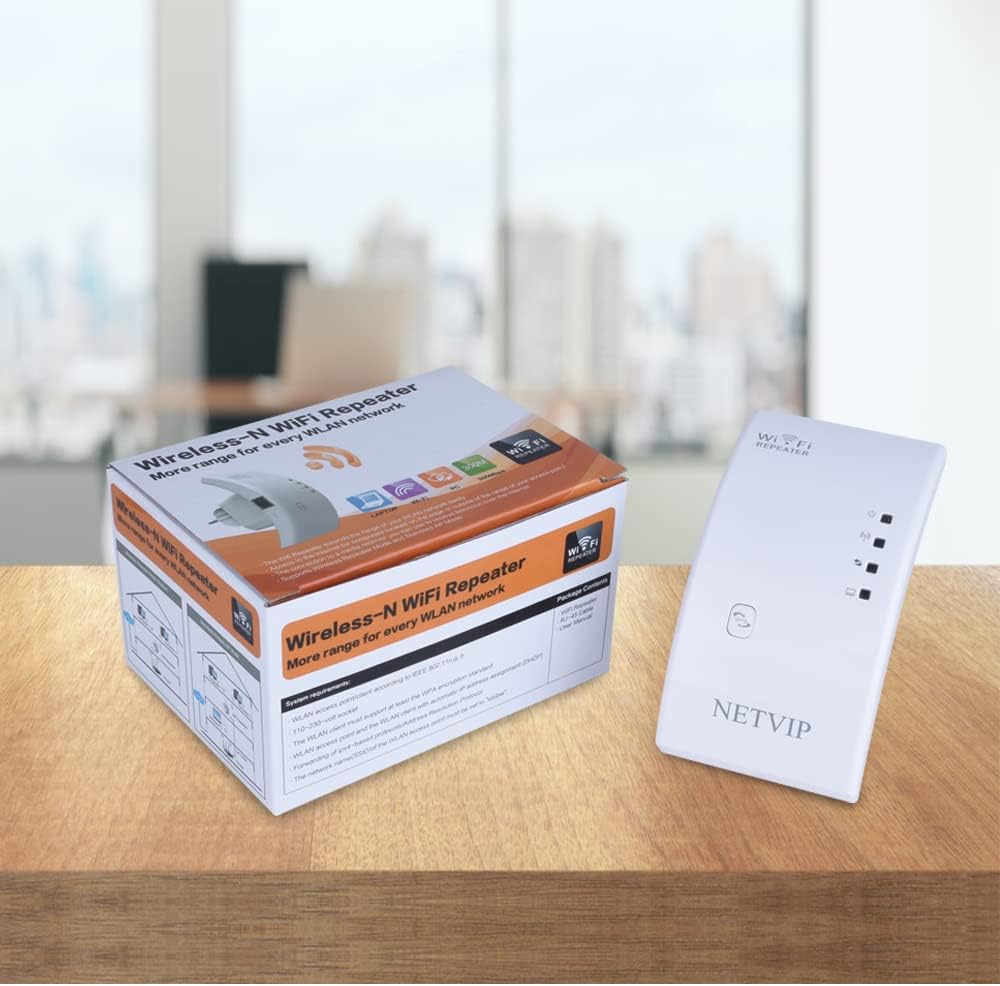
Image 3.1: The NETVIP N300 WiFi Extender and its retail packaging.
4. Producte acabatview
The NETVIP N300 WiFi Extender features a compact design with essential indicators and ports for easy operation.
4.1. Components del dispositiu
- LED d'alimentació: Indica l'estat d'alimentació.
- LED WLAN: Indicates wireless activity.
- LED LAN: Indica l'activitat del port Ethernet.
- Botó WPS: For quick setup with WPS-enabled routers.
- Botó de restabliment: S'utilitza per restaurar la configuració predeterminada de fàbrica.
- Port Ethernet: For wired connections in AP mode or for connecting a wired device in Repeater mode.

Image 4.1: Detail of the Ethernet port, Reset button, and WPS button on the extender.
5. Guia de configuració
The NETVIP N300 WiFi Extender can be set up in two main modes: Repeater Mode and Access Point (AP) Mode.
5.1. Repeater Mode Setup (Extending Existing WiFi)
Repeater Mode extends the range of your existing wireless network.
- Encès: Plug the extender into an electrical outlet near your main router. Wait for the Power LED to light up.
- Connectar-se a l'extensor: On your computer or mobile device, connect to the extender's default Wi-Fi network (e.g., "Wireless-N" or "NETVIP_Ext"). No password is required initially.
- Accés a la pàgina de configuració: Obre a web navegador i introduïu l'adreça IP predeterminada (p. ex., 192.168.10.1) or the default web address (e.g., wifi.repeater or netvip.cc) into the address bar. If the page doesn't load, try clearing your browser cache or using a different browser.
- Inici de sessió: Introduïu el nom d'usuari i la contrasenya predeterminats (normalment admin/administrador).
- Select Repeater Mode: On the setup page, select "Repeater Mode". The extender will scan for available Wi-Fi networks.
- Choose Network: Select your home Wi-Fi network (SSID) from the list.
- Introduïu la contrasenya: Enter the Wi-Fi password for your home network. You can also change the extender's SSID if desired (e.g., "YourNetwork_EXT").
- Aplica la configuració: Click "Apply" or "Save". The extender will restart.
- Canvia l'extensor: Once restarted, unplug the extender and move it to a location halfway between your router and the Wi-Fi dead zone. Ensure the signal strength from your router is still good at this location.
- Verifica la connexió: Connect your devices to the new extended Wi-Fi network.


Image 5.1: Visual guide for WPS setup, showing the steps to connect the extender to a router using the WPS button.
5.2. Access Point (AP) Mode Setup (Creating a New WiFi Hotspot)
AP Mode converts a wired internet connection into a wireless hotspot.
- Encès: Connecteu l’extensor a una presa de corrent.
- Connecteu el cable Ethernet: Connect an Ethernet cable from your router (or modem) to the Ethernet port on the extender.
- Connectar-se a l'extensor: On your computer or mobile device, connect to the extender's default Wi-Fi network.
- Accés a la pàgina de configuració: Obre a web browser and enter the default IP address or web adreça.
- Inici de sessió: Introduïu el nom d'usuari i la contrasenya predeterminats.
- Seleccioneu el mode AP: On the setup page, select "AP Mode".
- Configura el WiFi: Set a new SSID (Wi-Fi name) and password for your new wireless network.
- Aplica la configuració: Click "Apply" or "Save". The extender will restart.
- Verifica la connexió: Connect your devices to the new Wi-Fi network created by the extender.

Image 5.2: The Ethernet port of the extender, illustrating a wired connection for AP mode.
6. Modes de funcionament
The NETVIP N300 WiFi Extender offers versatile operating modes to suit various networking needs.
6.1. Mode repetidor
In Repeater Mode, the device acts as a wireless signal booster, taking an existing Wi-Fi signal from your main router and rebroadcasting it to extend its coverage area. This is ideal for eliminating Wi-Fi dead zones in larger homes or offices.

Image 6.1: Visual representation of Repeater Mode and Access Point Mode functionality.
6.2. Access Point (AP) Mode
In AP Mode, the device connects to a wired network (e.g., from a router or Ethernet wall port) and transforms it into a new wireless network. This is useful for adding Wi-Fi capability to a wired-only network or creating a separate Wi-Fi hotspot.
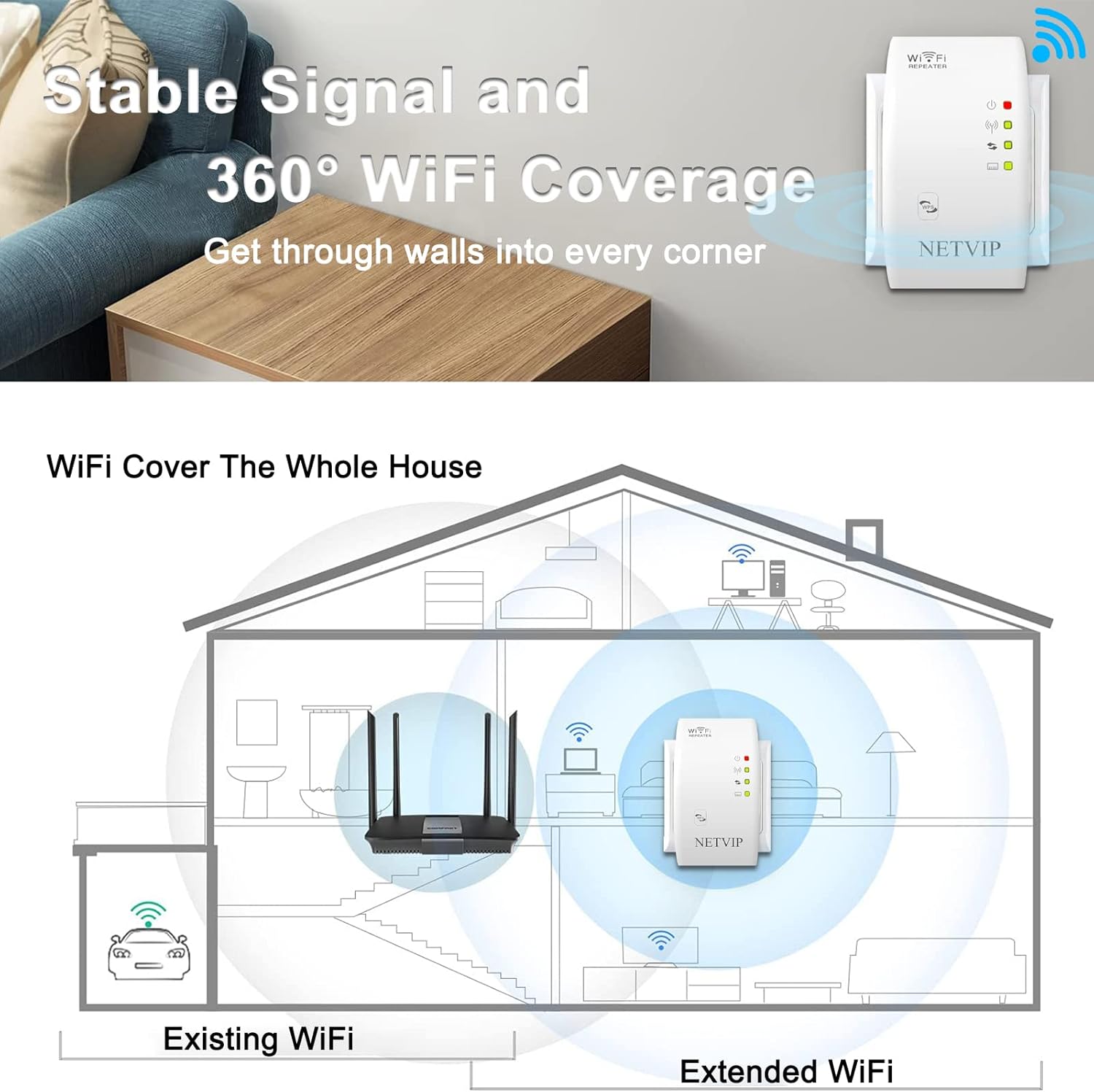
Image 6.2: Illustration of how the extender provides stable signal and 360° WiFi coverage throughout a home.
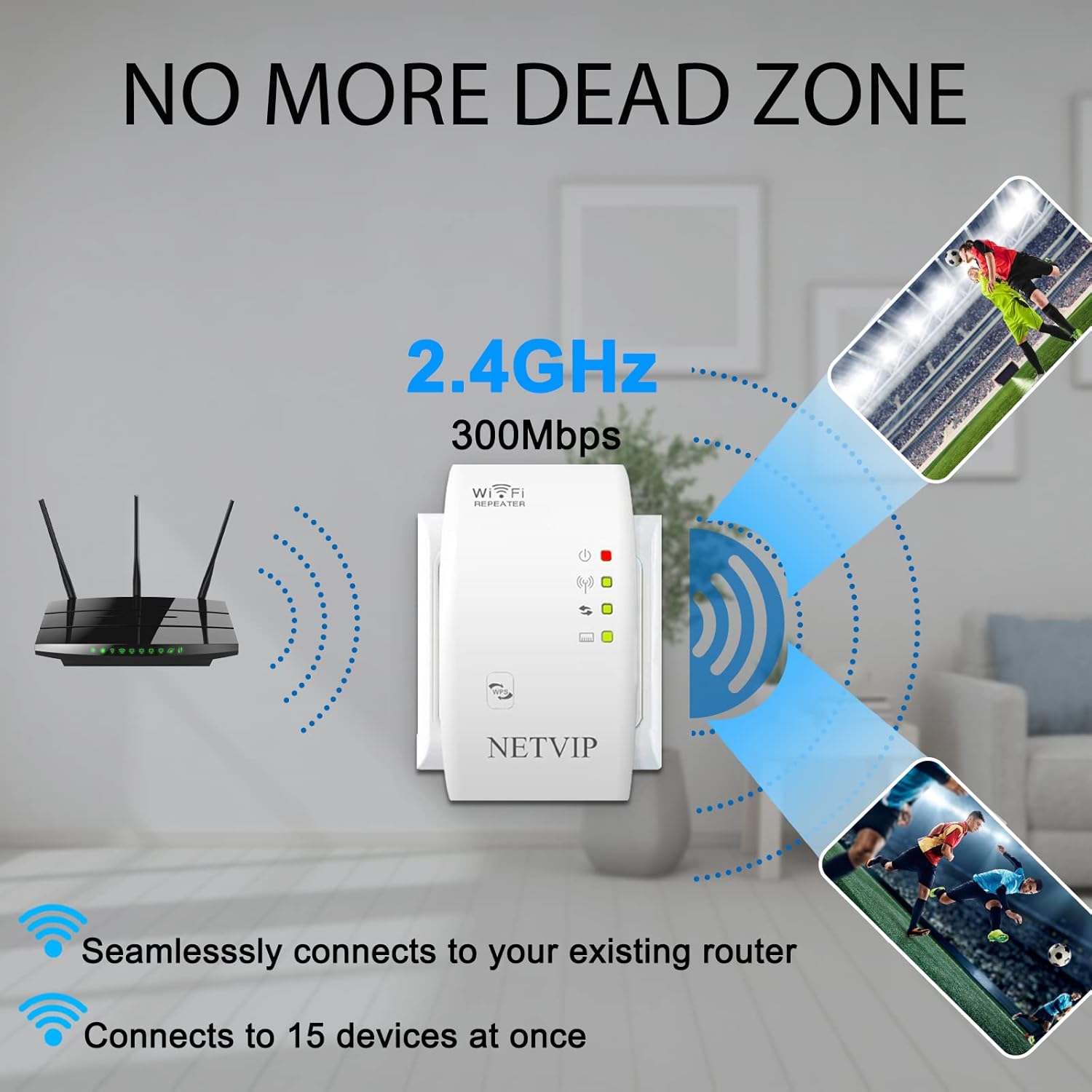
Image 6.3: The extender's ability to eliminate dead zones and connect multiple devices simultaneously.
7. Solució De Problemes
If you encounter issues with your NETVIP N300 WiFi Extender, please refer to the following common problems and solutions:
| Problema | Causa possible | Solució |
|---|---|---|
| Cannot access the setup page (192.168.10.1) | Incorrect IP address, device not connected to extender's Wi-Fi, IP conflict, browser cache issue. | Ensure your device is connected to the extender's default Wi-Fi. Try wifi.repeater or netvip.cc. Clear browser cache or try a different browser. Restart the extender. |
| Sense accés a Internet després de la configuració | Incorrect Wi-Fi password entered for the main router, extender placed too far from the router, main router issues. | Verify the Wi-Fi password for your main router. Relocate the extender closer to the main router. Check if your main router has internet access. |
| Weak signal or frequent disconnections | Extender placed too far from the main router or in an area with too many obstructions. | Move the extender to a location halfway between your router and the desired coverage area. Avoid placing it near large metal objects or thick walls. |
| Forgot login password for setup page | Custom password set and forgotten. | Perform a factory reset by pressing and holding the Reset button for 5-8 seconds. This will revert all settings to default. |

Image 7.1: Common Wi-Fi issues that the extender aims to resolve.
8. Especificacions
Technical specifications for the NETVIP N300 WiFi Extender (Model WN519):
| Característica | Detall |
|---|---|
| Número de model | WN519 |
| Estàndard sense fils | IEEE 802.11b/g/n |
| Banda de freqüència | 2.4 GHz |
| Velocitat de transferència de dades | Fins a 300 Mbps |
| Modes de funcionament | Repeater Mode, Access Point (AP) Mode |
| Port Ethernet | 1 x 10/100 Mbps LAN Port |
| Seguretat | Xifratge WPA-PSK/WPA2-PSK |
| Consum d'energia | Baix consum d'energia |
| Dimensions | Aprox. 5 x 3.7 x 2.91 polzades |
| Pes de l'article | Aprox. 5.6 unces |
9. Manteniment
To ensure optimal performance and longevity of your NETVIP N300 WiFi Extender, follow these maintenance guidelines:
- Neteja: Feu servir un drap suau i sec per netejar el dispositiu. No utilitzeu netejadors líquids ni aerosols.
- Ventilació: Ensure the device is placed in a well-ventilated area and that its ventilation holes are not blocked.
- Actualitzacions de firmware: Reviseu periòdicament el fabricant website for firmware updates. Updating firmware can improve performance and security.
- Reiniciant: If the device experiences performance issues, try restarting it by unplugging it from the power outlet for 10 seconds and then plugging it back in.
10. Garantia i Suport
NETVIP products are designed for reliability and performance. For specific warranty details, please refer to the warranty card included with your product or visit the official NETVIP weblloc.
If you require technical assistance or have questions about your product, please contact NETVIP customer support through the contact information provided on their official weblloc web o a través del vostre distribuïdor.
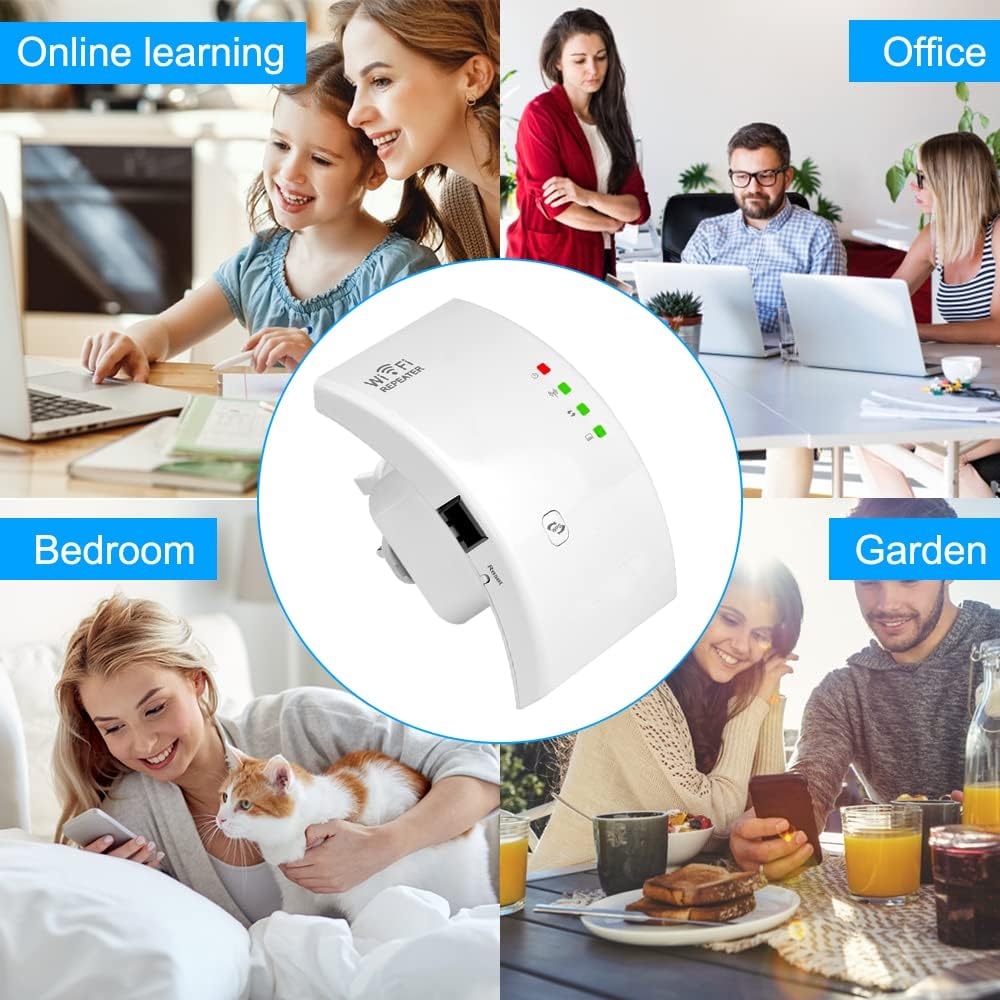
Image 10.1: The NETVIP N300 WiFi Extender supports various activities and environments.

Image 10.2: The extender enhances connectivity for various demanding online activities.
Documents relacionatsWN519


Ask a question about this manual
Ask about setup, troubleshooting, compatibility, parts, safety, or missing instructions. Manuals+ will review the question and use this page’s manual context to help answer it.