
Spigen ACS05468
Spigen Thin Fit Pro Case
Instruction Manual for iPad Pro 12.9-inch (2021/2022)
Introducció
Thank you for choosing the Spigen Thin Fit Pro Case for your iPad Pro 12.9-inch (5th/6th Generation). This case is designed to provide protection and enhance the functionality of your device, especially when used with the Apple Magic Keyboard or Smart Keyboard Folio. It features a slim profile, durable construction, and a built-in holder for your Apple Pencil 2nd Generation.
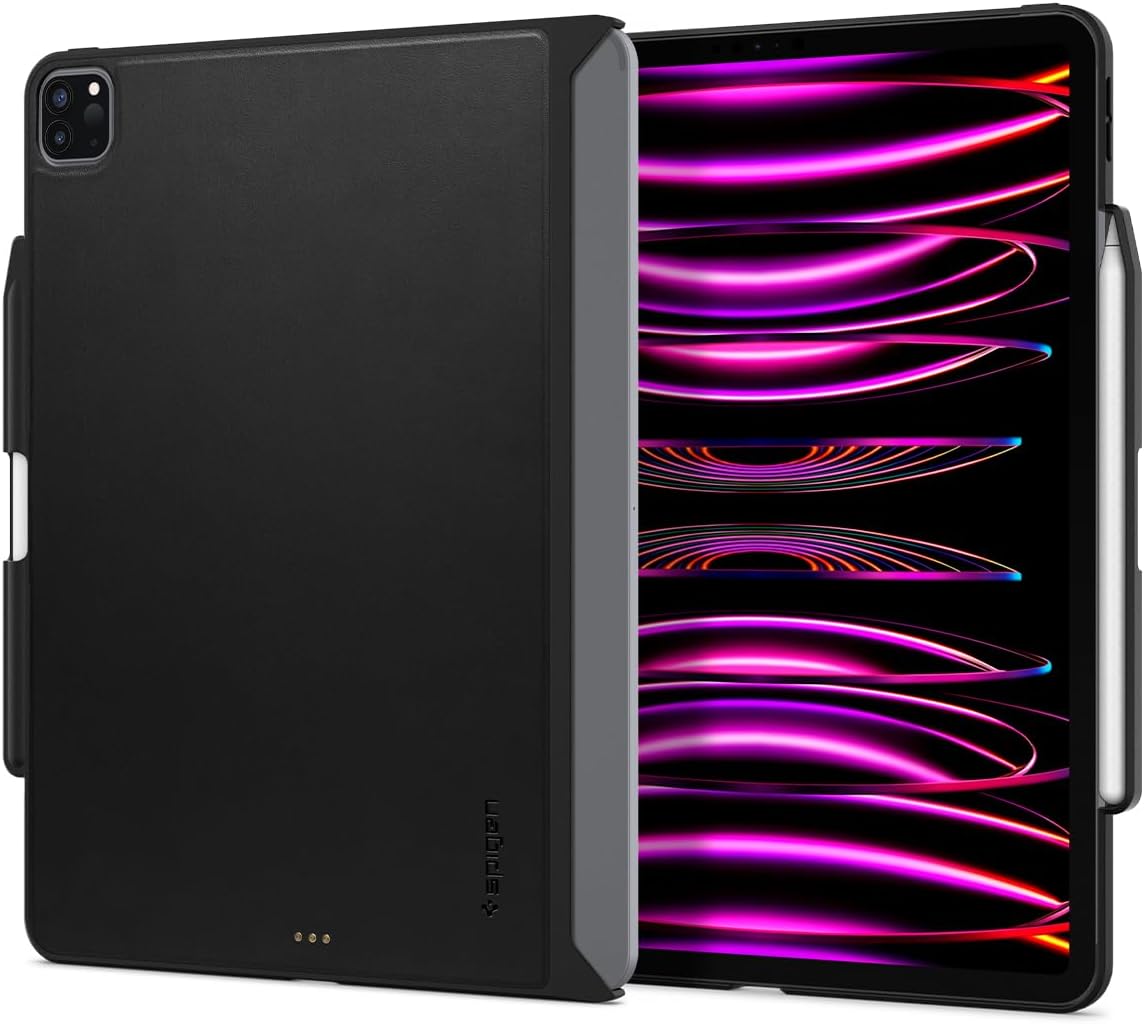
Image: The Spigen Thin Fit Pro case shown on an iPad Pro, illustrating its slim design and compatibility.
Característiques del producte
- Material de primera qualitat: The outer layer is crafted from premium vegan Velo leather for a comfortable grip and luxurious feel. The inner layer is made of durable PC for enhanced protection.
- Protecció de la càmera: Features a raised camera lip to safeguard your iPad's camera against bumps and scratches.
- Patented Magic Keyboard Compatibility: Utilizes Magic Ready Technology (US Patent No. 10,727,890) for seamless integration and charging with the Apple Magic Keyboard and Smart Keyboard Folio.
- Built-in Apple Pencil 2nd Gen. Holder: Securely stores and charges your 2nd Generation Apple Pencil. Includes a small cutout for easy removal.
- Broad Keyboard Compatibility: Fully compatible with Apple Magic Keyboard, Smart Keyboard Folio, and Apple Official Smart Folio.
Configuració
- Prepare your iPad: Ensure your iPad Pro 12.9-inch (2021 or 2022 model) is clean and free of dust or debris.
- Install the Case: Gently align your iPad with the Spigen Thin Fit Pro case. Press firmly around the edges until the iPad snaps securely into place. Ensure all corners are properly seated within the case's protective frame.
- Attach Apple Pencil (Optional): Place your Apple Pencil 2nd Generation into the dedicated holder on the side of the case. It will magnetically attach and begin charging.
- Connect to Keyboard (Optional): If using with an Apple Magic Keyboard or Smart Keyboard Folio, align the iPad (with the Spigen case installed) to the magnetic connectors of the keyboard. The case's design allows for seamless magnetic attachment and power transfer.

Image: Illustration of the case's seamless magnetic attachment to the Magic Keyboard, highlighting the "Magic Ready Technology".
Instruccions de funcionament
The Spigen Thin Fit Pro case is designed for intuitive use, maintaining full access to all iPad functions and ports.
- Accessing Ports and Buttons: Precision cutouts ensure unhindered access to the USB-C port, speakers, volume buttons, and power button.
- Ús de la càmera: The raised camera lip provides protection without obstructing the camera lenses or flash.
- Apple Pencil Charging: The integrated holder allows for wireless charging of your Apple Pencil 2nd Generation while securely stored.
- Integració del teclat: When attached to a compatible Apple keyboard, the case allows the keyboard to function normally, including trackpad and backlit keys. The case's design ensures the keyboard can close completely.
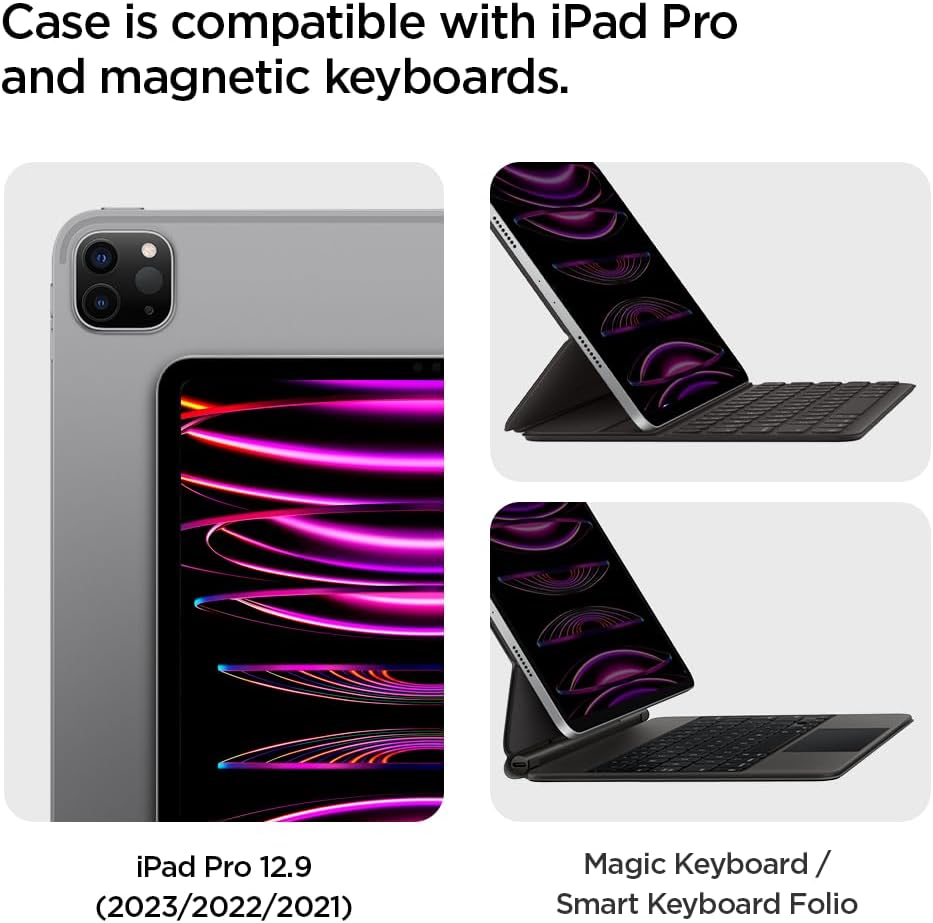
Image: Demonstrates the case's compatibility with both the iPad Pro and Apple's Magic Keyboard and Smart Keyboard Folio.
Manteniment
To ensure the longevity and appearance of your Spigen Thin Fit Pro case, follow these simple maintenance guidelines:
- Neteja: Netegeu la carcassa regularment amb un drap suauamp drap. Per a taques més difícils, es pot utilitzar una solució de sabó suau i, a continuació, netejar amb un drap net.amp drap. Eviteu productes químics agressius o netejadors abrasius.
- Eviteu condicions extremes: No exposeu la carcassa a temperatures extremes, a la llum solar directa durant períodes prolongats ni a una humitat excessiva.
- Manejar amb cura: While durable, avoid unnecessary bending or forceful removal of the iPad from the case to prevent damage to the case or device.

Image: Details about the Velo Vegan Faux Leather material, emphasizing its durability and low maintenance.
Resolució de problemes
| Problema | Causa possible | Solució |
|---|---|---|
| Case feels loose or falls off. | Improper installation; wear and tear on corner clips. | Ensure the iPad is fully snapped into all four corners of the case. If clips are damaged, consider replacing the case. |
| Magic Keyboard not connecting or charging. | Obstructed Smart Connector; damaged case connectors. | Verify the Smart Connector on the iPad and keyboard are clean and free of debris. Ensure the case's cutouts for the Smart Connector are clear. If the case's connectors appear damaged, contact customer support. |
| Keyboard does not close completely with case installed. | Incorrect positioning; foreign object. | Ensure the iPad is correctly seated within the case and aligned with the keyboard. Check for any objects obstructing the closing mechanism. The case is designed to allow full closure. |
| Apple Pencil not charging or staying in holder. | Pencil not properly seated; debris in holder. | Ensure the Apple Pencil is firmly placed in the designated holder. Clean the holder area and the side of the iPad to ensure proper magnetic connection and charging. |
Especificacions
| Característica | Detall |
|---|---|
| Dimensions del producte | 8.73 x 11.26 x 0.42 polzades |
| Pes de l'article | 5.2 unces |
| Número de model | ACS05468 |
| Color | Negre |
| Dispositius compatibles | iPad Pro 12.9 (2022) and iPad Pro 12.9 (2021) |
| Tipus de closca | Híbrid |
| Material | Vegan Velo leather (outer), PC (inner) |
Garantia i Suport
Spigen products are designed for durability and performance. For information regarding warranty coverage, product registration, or technical support, please visit the official Spigen weblloc web o contacteu directament amb el servei d'atenció al client. Conserveu el rebut de compra per a reclamacions de garantia.
Official Spigen Weblloc: www.spigen.com
Ask a question about this manual
Ask about setup, troubleshooting, compatibility, parts, safety, or missing instructions. Manuals+ will review the question and use this page’s manual context to help answer it.