
Amazon Basics DP-882
Amazon Basics 88-Key Semi-Weighted Digital Piano User Manual
Model: DP-882
Introducció
This manual provides detailed instructions for the setup, operation, maintenance, and troubleshooting of your Amazon Basics 88-Key Semi-Weighted Digital Piano. Designed for performance, this digital piano offers a realistic playing experience with its semi-weighted keys and a wide array of features to enhance your musical journey.
Les característiques clau inclouen:
- Realistic semi-weighted 88-key keyboard for authentic piano touch.
- Versatile 1/4" audio output for amplificadors i altaveus.
- Expansive music library with 140 tones, 200 rhythms, and 16 demonstration songs.
- Educational features like automatic chords, beginner split keyboard function, and dual timbre functions.
- User-friendly USB MIDI and USB-A ports for smart device connectivity and recording.
Configuració
Desembalatge i identificació de components
Carefully remove all components from the packaging. Ensure all parts are present:
- Amazon Basics 88-Key Digital Piano
- Pedal de sosteniment
- Adaptador d'alimentació
- Cables USB
- Atril de música

Image: All components included with the Amazon Basics 88-Key Digital Piano.
Secure and Easy Setup
The piano is packaged securely with styrofoam. The power adapter is attached within the styrofoam for quick access.

Image: Digital piano secured in packaging with power adapter.
Connecting the Sustain Pedal and Power Supply
Locate the sustain pedal port on the rear of the piano. Ensure the piano is powered off before connecting or disconnecting the sustain pedal. Connect the power supply adapter to the DC IN port and plug it into a wall outlet.

Imatge: Part posterior view of the piano showing connectivity ports.
Col·locació del pupitre
Insert the music stand into the designated slots on the top panel of the piano.
Instruccions de funcionament
Encès / apagat i control de volum
To power on the piano, press the 'ON/OFF Power' button. Adjust the master volume using the 'MIN/MAX Master Volume' knob to your desired level.

Image: Control panel with master volume and function buttons.
Selecting Tones and Rhythms
The piano offers 140 tones and 200 rhythms. Use the dedicated buttons on the control panel to select different instrument sounds (e.g., Piano, Electronic Church Organ, Guitar, Bass, Strings) and rhythms. The clear LED display will show your current selection.
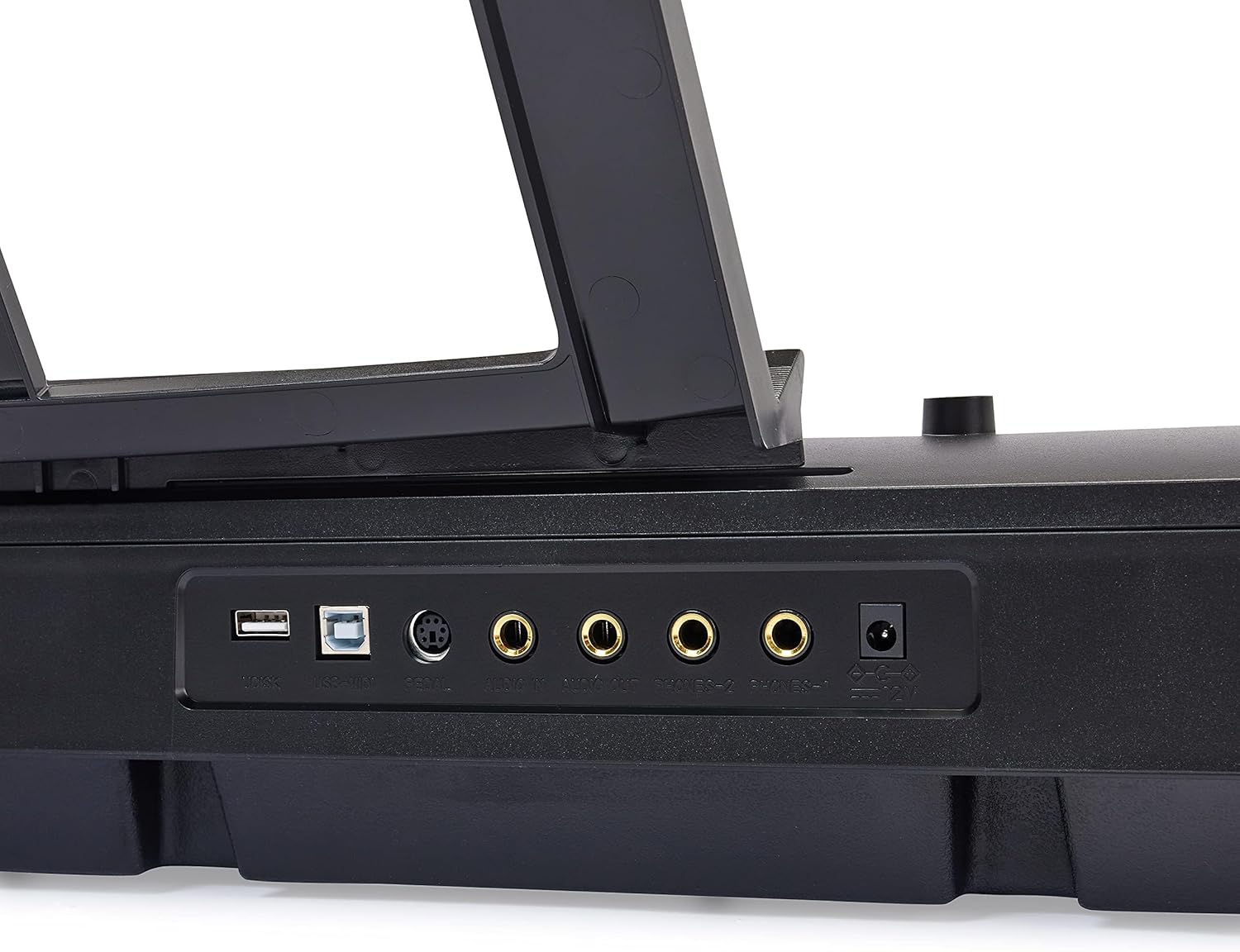
Image: Hand interacting with the piano keys and control panel.
Característiques educatives
Enhance your learning with features such as:
- Mode lliçó: Utilize the beginner split keyboard function for guided practice.
- Automatic Chords: Simplify chord playing for beginners.
- Dual Timbre: Layer two different instrument sounds simultaneously for richer tones.
- Metrònom: Use the built-in metronome for rhythm training.

Imatge: Més deview of learning tools and features.
Connectivitat USB
The piano features USB MIDI and USB-A ports, allowing for simple integration with smart devices. You can connect to compatible software for recording your music or expanding your creative possibilities.
Manteniment
Neteja
To clean the piano, use a soft, dry cloth. Do not use abrasive cleaners, waxes, or solvents as they may damage the finish. For stubborn marks, a slightly damp es pot fer servir un drap, seguit immediatament d'un drap sec.
Emmagatzematge
Store the piano in a cool, dry place away from direct sunlight, extreme temperatures, and high humidity. Avoid placing heavy objects on the keyboard.
Resolució de problemes
Sense so
- Ensure the piano is powered on and the power adapter is securely connected to both the piano and a working electrical outlet.
- Comproveu el botó de volum principal i assegureu-vos que estigui al màxim.
- If external speakers or headphones are connected, ensure they are properly plugged in and their volume is adjusted.
El pedal de sosteniment no funciona
- Verify that the sustain pedal is fully inserted into its designated port on the back of the piano.
- Always ensure the piano is powered OFF before connecting or disconnecting the sustain pedal to prevent potential issues.
Keys Not Responding or Incorrect Sound
- Try selecting a different instrument tone to see if the issue persists across all sounds.
- Power off the piano, wait a few seconds, and then power it back on to reset the system.
Especificacions
| Característica | Detall |
|---|---|
| Número de model | DP-882 |
| Nombre de claus | 88 |
| Tipus de clau | Semi-Weighted |
| Dimensions (P x A x A) | 11.22 "P x 51.1" W x 4.06" H |
| Pes de l'article | 14.77 lliures |
| Font d'alimentació | Elèctric amb cable |
| Tecnologia de connectivitat | USB (USB MIDI, USB-A) |
| Color | Negre |
| Nivell d'habilitat | Tots |
| Característica especial | Portàtil |
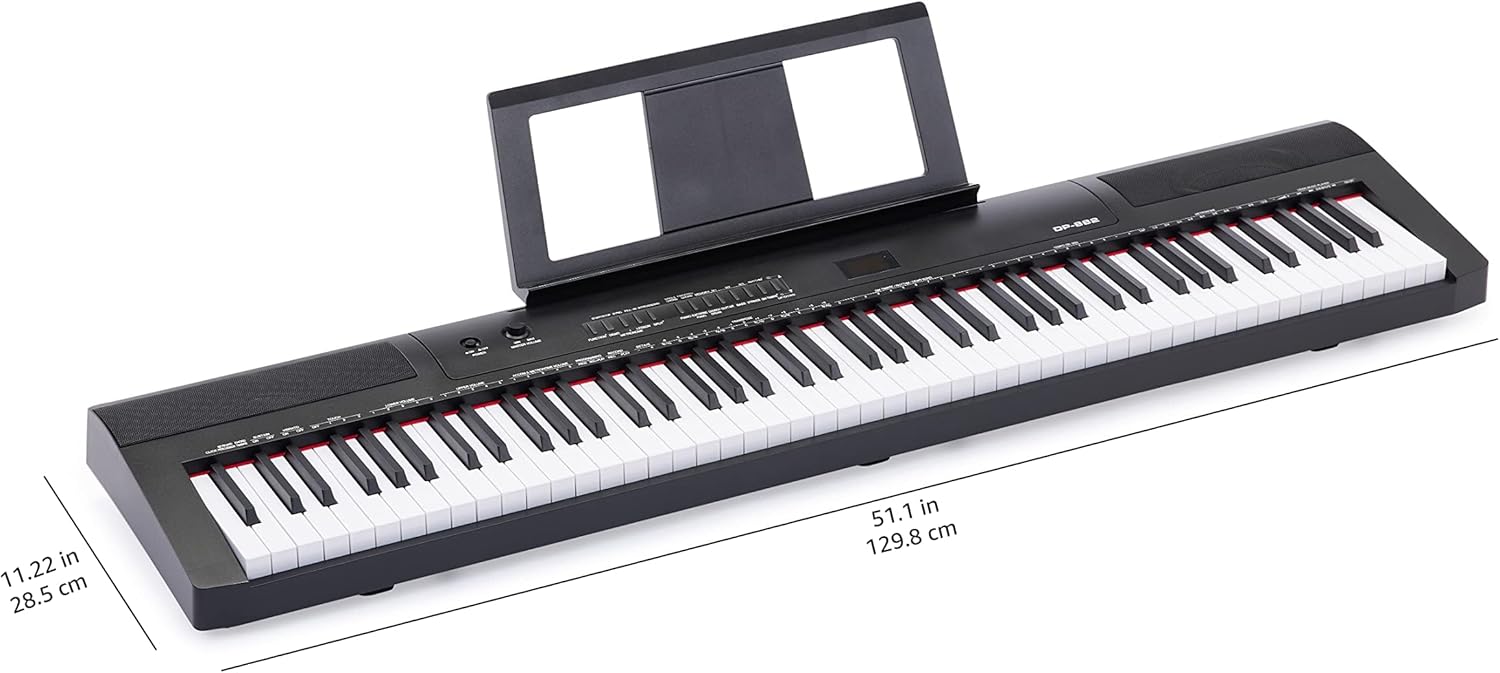
Image: Digital piano with key dimensions.
Garantia i Suport
Manual d'usuari i informació de garantia
For additional details and comprehensive warranty information, please refer to the official PDF documents:
Plans de protecció
Extended protection plans may be available for your product. Please check the product listing or your purchase documentation for details on available plans, such as 3-Year or 4-Year Protection Plans.
Atenció al client
Per a més ajuda, assistència tècnica o consultes de servei, visiteu la Botiga bàsica d'Amazon or contact Amazon customer service directly.
Ask a question about this manual
Ask about setup, troubleshooting, compatibility, parts, safety, or missing instructions. Manuals+ will review the question and use this page’s manual context to help answer it.