1. Introducció
Thank you for choosing the realme TechLife Portable Room Air Purifier. This manual provides essential information for the safe and efficient operation, maintenance, and troubleshooting of your device. Please read this manual thoroughly before use and retain it for future reference.
2. Instruccions de seguretat
Per reduir el risc de descàrrega elèctrica, incendi o lesions, observeu les següents precaucions de seguretat:
- Always unplug the air purifier before cleaning, performing maintenance, or when not in use.
- Do not operate the unit with a damaged cord or plug. If the cord or plug is damaged, contact customer support.
- No bloquegeu les entrades ni sortides d'aire. Assegureu-vos que hi hagi prou espai al voltant de la unitat per a un flux d'aire adequat.
- No utilitzeu el purificador d'aire en ambient humit o damp entorns, com ara banys o bugaderies.
- Mantingueu la unitat allunyada de fonts de calor, la llum solar directa i materials inflamables.
- Aquest aparell no està pensat per ser utilitzat per persones (inclosos nens) amb capacitats físiques, sensorials o mentals reduïdes, o amb manca d'experiència i coneixements, tret que hagin rebut la supervisió o instruccions sobre l'ús de l'aparell per una persona responsable de la seva seguretat.
- Only use genuine realme replacement filters.
3. Contingut del paquet
Verifiqueu que tots els elements siguin presents al paquet:
- realme TechLife Portable Room Air Purifier Unit
- HEPA H12 Filter (pre-installed or separate)
- Adaptador d'alimentació
- Manual d'usuari
4. Producte acabatview
4.1 Components
The image below illustrates the main components of the realme TechLife Portable Room Air Purifier.
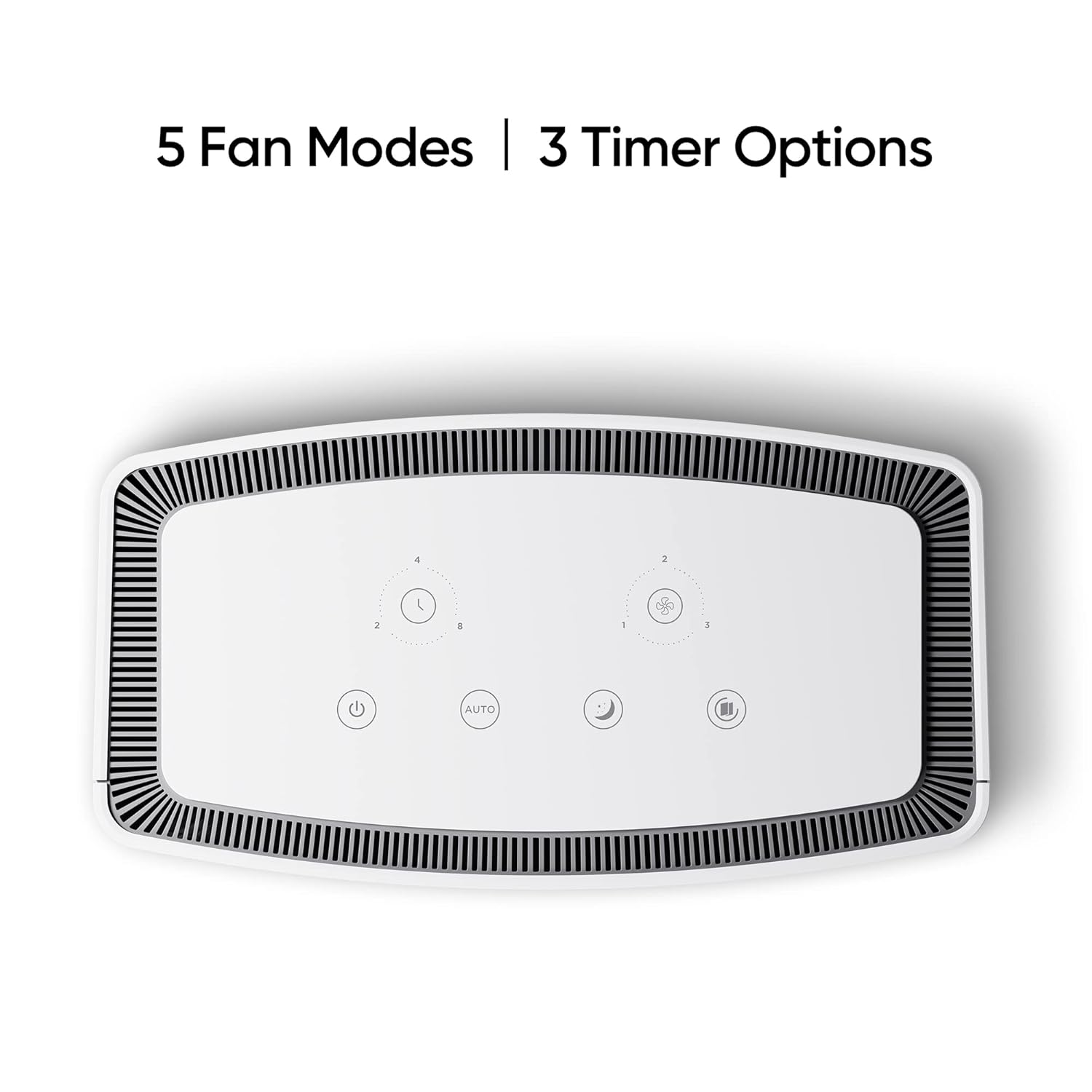
Figura 1: Frontal view of the realme TechLife Portable Room Air Purifier. The unit is white with a sleek, minimalist design.
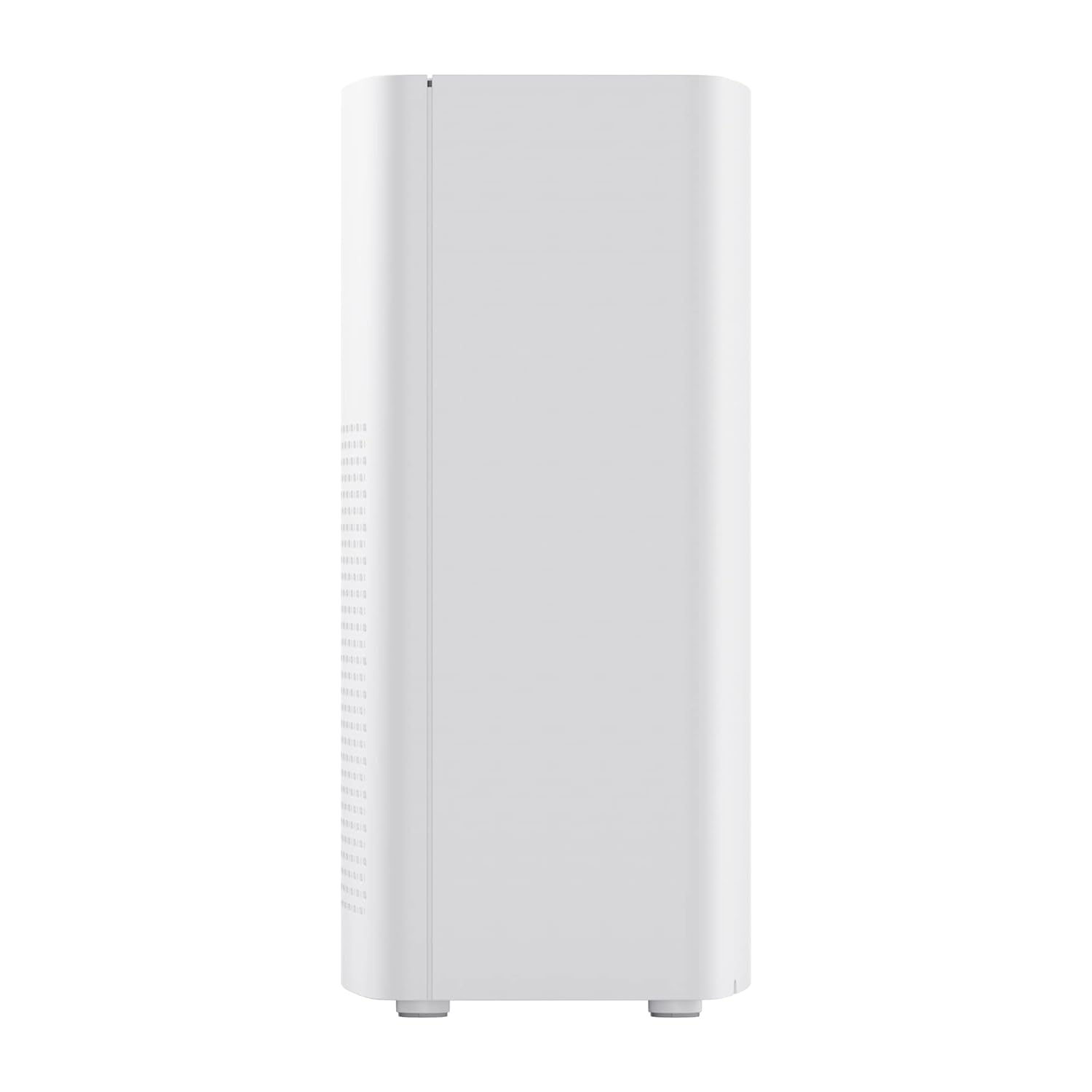
Figura 2: lateral view of the realme TechLife Portable Room Air Purifier, showing its compact and lightweight profile.
4.2 Tauler de control
The control panel is located on the top of the air purifier and features touch-sensitive buttons for various functions.

Figura 3: De dalt a baix view of the control panel, displaying touch buttons for power, auto mode, sleep mode, fan speed, and timer settings.
- Botó d'encesa: Encén o apaga la unitat.
- AUTO Mode Button: Activates automatic fan speed adjustment based on air quality.
- Botó de mode de repòs: Sets the fan to its lowest speed for quiet operation.
- Botó de velocitat del ventilador: Cycles through manual fan speed settings (e.g., Level 1, 2, 3).
- Botó del temporitzador: Sets the operating duration (e.g., 2, 4, 8 hours).
- Indicador de qualitat de l'aire: Displays current air quality (color-coded).
5. Configuració
5.1 Instal·lació del filtre
The HEPA filter may be pre-installed or require installation before first use.
- Unpack the air purifier and place it on a stable, flat surface.
- Locate the filter compartment cover, usually at the bottom or rear of the unit.
- Open the cover and remove any plastic packaging from the HEPA filter.
- Introduïu el filtre al compartiment, assegurant-vos que estigui ben col·locat.
- Tanqueu bé la tapa del compartiment del filtre.
5.2 Col·locació
For optimal performance, place the air purifier in a location with good air circulation, away from walls or furniture that might obstruct airflow. Avoid placing it near windows or vents.
5.3 Connexió d'alimentació
Connect the power adapter to the air purifier's power port, then plug the adapter into a standard electrical outlet.
6. Instruccions de funcionament
6.1 Encès/Apagat
Premeu el botó Botó d'engegada once to turn the air purifier on. Press it again to turn the unit off.
6.2 Fan Speed Modes
- Mode AUTOMÀTIC: Premeu el botó Botó AUTO. The purifier will automatically adjust its fan speed based on the detected air quality.
- Mode de repòs: Premeu el botó Botó de mode de repòs. The fan operates at its lowest speed for quiet purification, ideal for nighttime use.
- Velocitat manual del ventilador: Premeu el botó Botó de velocitat del ventilador repeatedly to cycle through different fan speed levels (e.g., Level 1, Level 2, Level 3).
6.3 Configuració del temporitzador
Premeu el botó Botó del temporitzador repeatedly to set the desired operating duration (e.g., 2 hours, 4 hours, 8 hours). The unit will automatically turn off after the set time expires.
6.4 Indicador de qualitat de l'aire
The air quality indicator light changes color to reflect the current air quality:
- Verd: Bona qualitat de l'aire
- Groc/Taronja: Qualitat de l'aire moderada
- Vermell: Mala qualitat de l'aire
7. Manteniment
7.1 Substitució del filtre
The HEPA filter has a limited lifespan and needs regular replacement to maintain purification efficiency. The filter life depends on usage and air quality. A filter replacement indicator light will typically illuminate when replacement is due.
- Desendolleu el purificador d'aire de la presa de corrent.
- Obriu la tapa del compartiment del filtre.
- Traieu el filtre vell i llenceu-lo correctament.
- Insert a new, genuine realme HEPA H12 replacement filter.
- Tanqueu bé la tapa del compartiment del filtre.
- Plug in the air purifier and reset the filter life indicator (refer to specific model instructions if available, usually by pressing and holding the filter button for a few seconds).
Note: Replacement filters may need to be purchased separately. Ensure availability of replacement filters for continued use of the product.
7.2 Neteja de la unitat
Regular cleaning helps maintain performance and appearance.
- Netegeu l'exterior de la unitat amb un drap suau i sec.
- No utilitzeu netejadors abrasius, ceres ni dissolvents.
- Aspireu suaument les reixetes d'entrada i sortida d'aire per eliminar l'acumulació de pols.
8. Solució De Problemes
Si teniu problemes amb el purificador d'aire, consulteu la taula següent per veure els problemes i les solucions més habituals.
| Problema | Causa possible | Solució |
|---|---|---|
| La unitat no s'encén | No power supply; Power adapter not connected; Unit damaged. | Check power cord and outlet; Ensure adapter is securely connected; Contact customer support if damaged. |
| Flux d'aire feble | Air inlets/outlets blocked; Filter clogged; Filter not installed correctly. | Clear obstructions; Replace filter; Reinstall filter correctly. |
| Soroll inusual | Foreign object inside; Unit not on a flat surface; Filter not seated correctly. | Unplug and check for obstructions; Place on a stable surface; Reinstall filter. |
| Indicador de qualitat de l'aire sempre vermell/taronja | High pollution level; Sensor dirty; Sensor malfunction. | Allow more time for purification; Clean the sensor area (if accessible); Contact customer support. |
Si el problema persisteix després de provar aquestes solucions, poseu-vos en contacte amb l'atenció al client de Realme.
9. Especificacions
Technical specifications for the realme TechLife Portable Room Air Purifier:
| Característica | Especificació |
|---|---|
| Marca | realme |
| Model | TechLife Portable Room Air Purifier |
| Color | Blanc |
| Tipus de filtre | HEPA H12 |
| Contaminant Filtration | 99.97% |
| Tipus de controlador | Control tàctil |
| Característiques especials | High Precision Air Quality Sensor, Lightweight |
| Pes de l'article | 5 kg 780 g |
| Font d'alimentació | Battery Powered (Please refer to product label for specific power input) |
10. Garantia i Suport
The realme TechLife Portable Room Air Purifier comes with a limited warranty. Please refer to the warranty card included with your product for detailed terms and conditions, including warranty period and coverage.
For technical support, service, or to purchase genuine replacement parts and filters, please visit the official realme website or contact realme customer service through the contact information provided in your warranty documentation.
Conserveu el rebut de compra com a comprovant de compra per a reclamacions de garantia.