
Aigital B0BBQ8MZSS
Manual d'usuari de l'extensor WiFi Aigital de 300 Mbps
Model: B0BBQ8MZSS
Introducció
This manual provides detailed instructions for the installation, operation, and maintenance of your Aigital 300Mbps WiFi Extender. This device is designed to extend the range of your existing wireless network, eliminate Wi-Fi dead zones, and provide stable internet access throughout your home or office. It supports multiple operating modes including Repeater, Router, and Access Point.

Imatge: Frontal view of the Aigital WiFi Extender, showing its compact design, two external antennas, and LED indicators for WLAN, WAN, LAN, Power, and WPS button.
Característiques clau
- Alta velocitat: Up to 300Mbps data transfer rate, ideal for streaming, gaming, and browsing.
- Àmplia cobertura: Equipped with 2x3dBi external antennas for improved range and stable signal.
- Múltiples modes: Supports Repeater Mode, Router Mode, and Access Point Mode for versatile use.
- Ports Ethernet: Includes Fast Ethernet ports (RJ45) for wired connections to devices like gaming consoles, Smart TVs, and PCs.
- Configuració fàcil: One-button WPS setup for quick and convenient connection to your existing router.
- Compatibilitat: Works with most standard routers and devices.
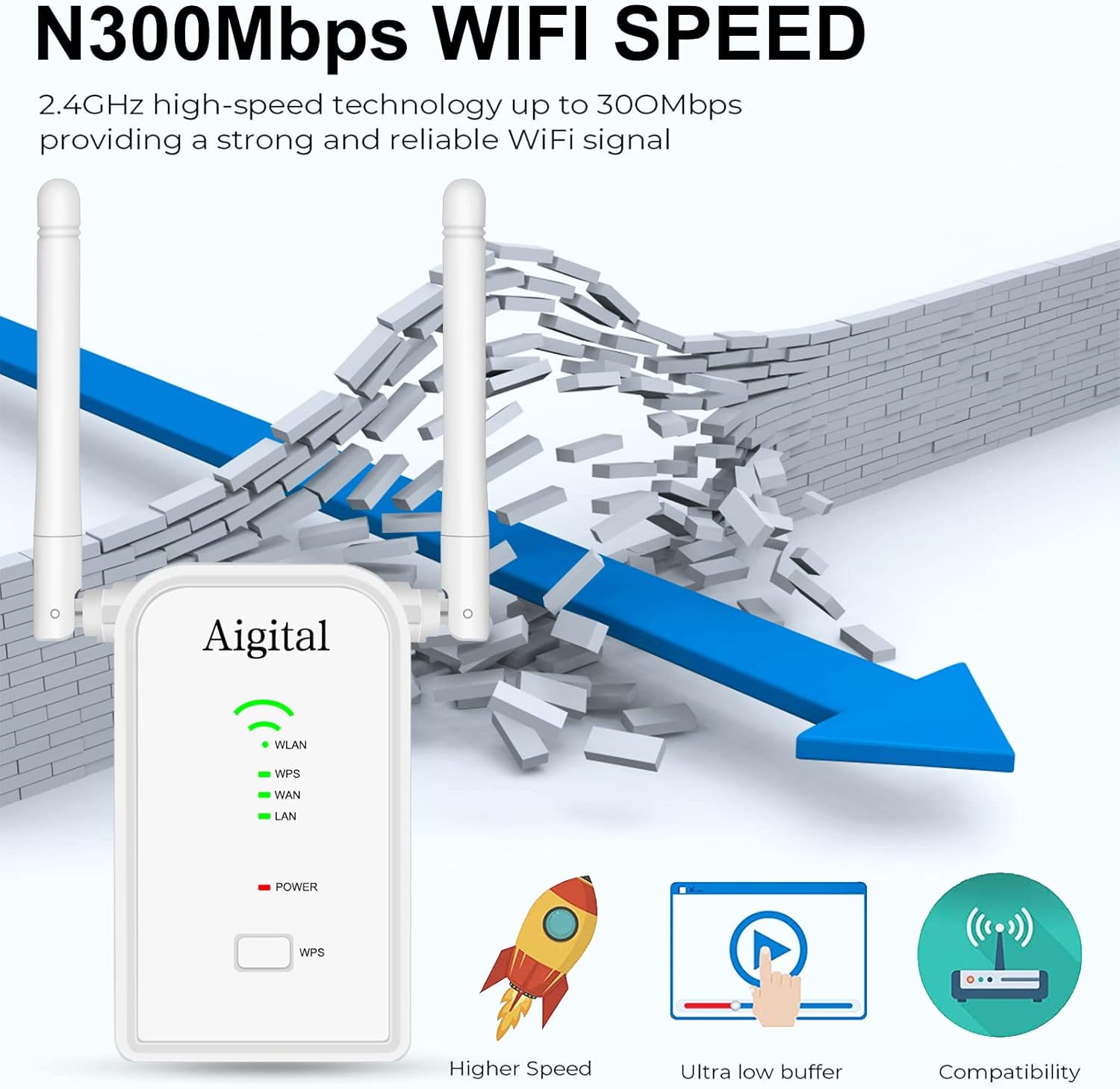
Image: Visual representation of the N300Mbps WiFi speed, illustrating its ability to provide a strong and reliable signal, breaking through barriers, and highlighting benefits like higher speed and ultra-low buffering.
Contingut del paquet
Si us plau, verifiqueu que tots els elements siguin presents al vostre paquet:
- Extensor WiFi Aigital de 300 Mbps
- Cable Ethernet
- Guia d'instal·lació ràpida

Image: The contents of the product package, showing the Aigital WiFi Extender, an Ethernet cable, and the quick installation guide booklet.
Configuració
1. WPS (Wi-Fi Protected Setup) Method
The WPS method allows for a quick and easy connection to your existing router without manual configuration.
- Plug the Aigital WiFi Extender into an electrical outlet near your router.
- Espereu que el LED d'engegada s'encengui fixament.
- Press the WPS button on the Aigital WiFi Extender.
- Within 2 minutes, press the WPS button on your main router.
- The WLAN LED on the extender will turn solid, indicating a successful connection.
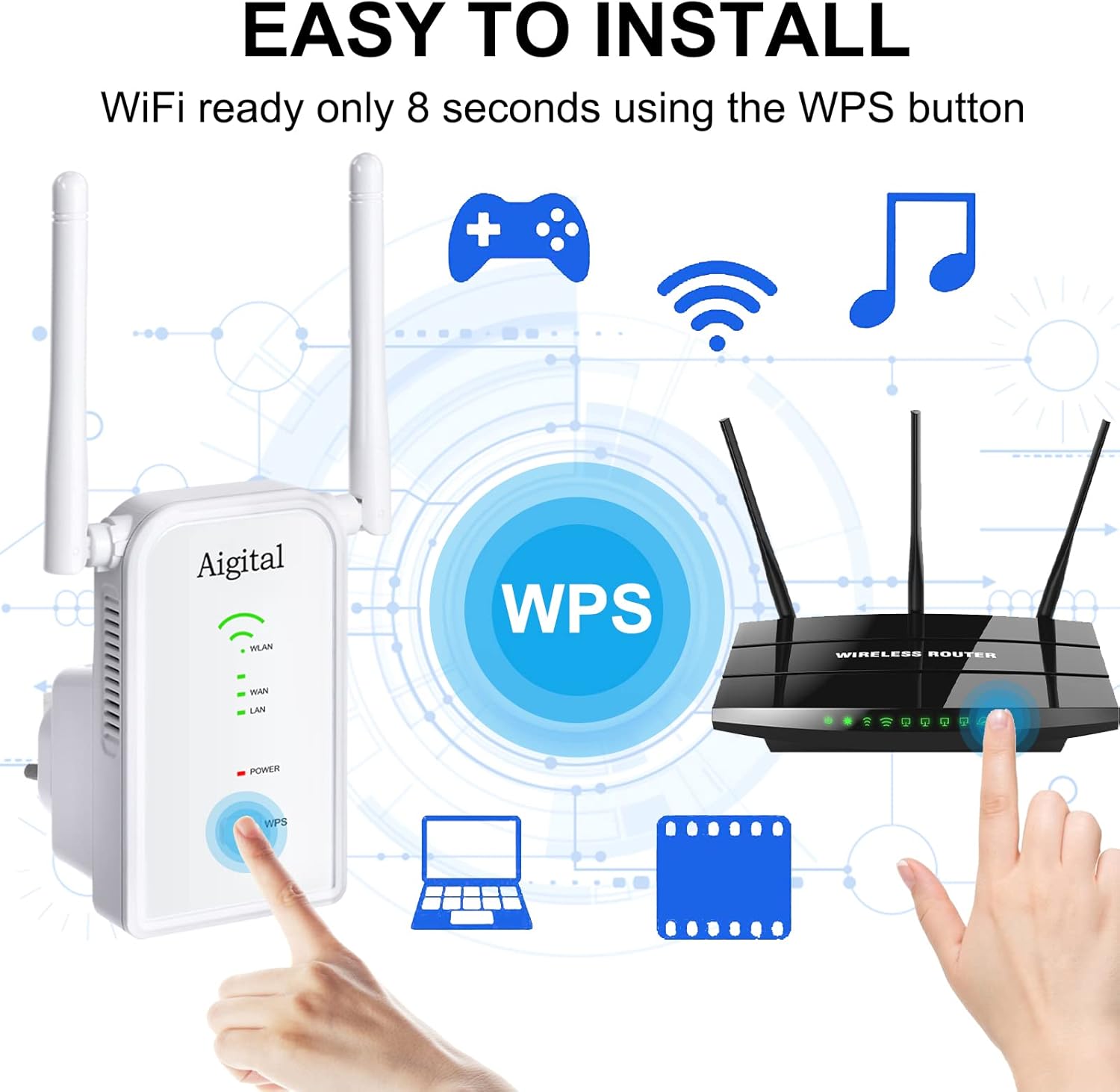
Image: A visual guide demonstrating the WPS setup process, showing a hand pressing the WPS button on the Aigital extender and another hand pressing the WPS button on a wireless router, indicating an 8-second setup time.
2. Web Browser Method (Manual Setup)
If your router does not support WPS or you prefer manual configuration, follow these steps:
- Plug the Aigital WiFi Extender into an electrical outlet.
- Connect your computer or mobile device to the extender's default Wi-Fi network (e.g., "Aigital_Ext"). No password is required initially.
- Obre a web navegador i tipus
192.168.10.1oraigital.wifia la barra d'adreces. - Inicieu la sessió amb el nom d'usuari i la contrasenya predeterminats (normalment
adminper a tots dos). - Follow the on-screen instructions to select your desired operating mode (Repeater, Router, or Access Point) and configure network settings.
Modes de funcionament
The Aigital WiFi Extender offers three distinct operating modes:
1. Mode repetidor
In Repeater Mode, the extender wirelessly connects to your existing router and amplifies its signal, extending Wi-Fi coverage to areas with weak or no signal. This is the most common mode for eliminating dead zones.
2. Router Mode
In Router Mode, the extender acts as a primary router, creating a new private wireless network. This mode is suitable if you have a modem but no router, or if you want to create a separate network.
3. Access Point (AP) Mode
In Access Point Mode, the extender connects to your existing wired network (e.g., via an Ethernet cable from your router) and broadcasts a new wireless signal. This is useful for adding Wi-Fi capability to a wired-only network or improving Wi-Fi coverage in a specific area by converting a wired connection to wireless.
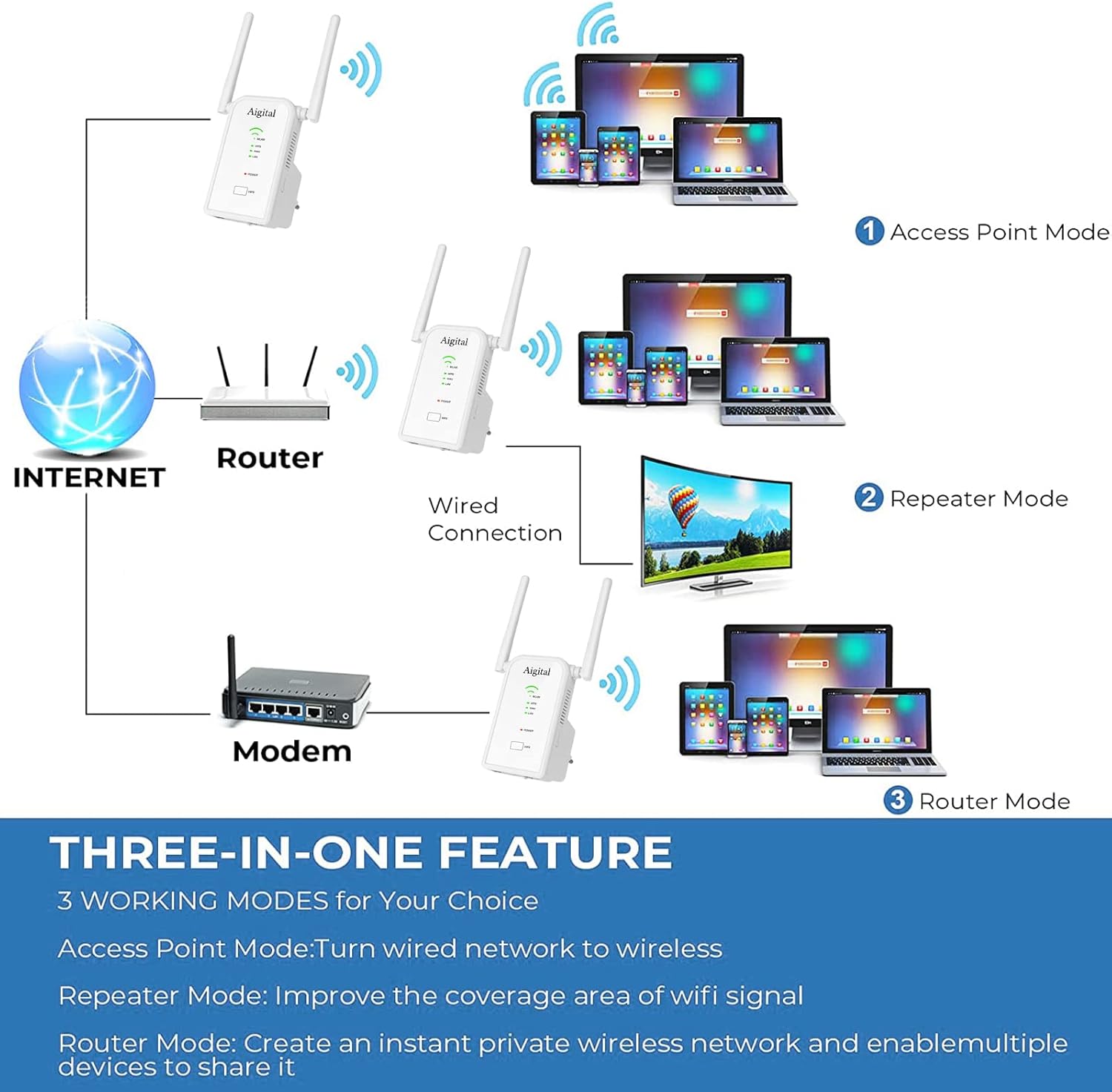
Image: A diagram titled 'THREE-IN-ONE FEATURE' illustrating the three working modes: Access Point Mode (wired network to wireless), Repeater Mode (improving WiFi signal coverage), and Router Mode (creating a private wireless network).
Instruccions de funcionament
Dispositius de connexió
Once the extender is set up in your desired mode, you can connect your wireless devices (smartphones, tablets, laptops) to the extended Wi-Fi network. The network name (SSID) will typically be your original network name followed by "_EXT" or similar, unless you configured a new name in Router or AP mode.
- Connexió sense fil: Cerca available Wi-Fi networks on your device and select the extender's network name. Enter the password if prompted (this will be the same as your main router's password in Repeater mode, or a new one you set in Router/AP mode).
- Connexió per cable: For devices like gaming consoles, Smart TVs, or desktop PCs, connect an Ethernet cable from the device to one of the RJ45 ports on the extender. This provides a stable, high-speed wired connection.

Image: The Aigital WiFi Extender plugged into a wall outlet, with an Ethernet cable connecting it to a gaming console, illustrating its use of Fast Ethernet Ports for wired devices like gaming consoles, 4K HDTVs, PCs, and printers.
Manteniment
To ensure optimal performance and longevity of your Aigital WiFi Extender, consider the following maintenance tips:
- Col·locació: Place the extender in a central location between your router and the area where you need extended coverage. Avoid placing it near large metal objects, concrete walls, or other electronic devices that may cause interference.
- Neteja: Netegeu suaument l'exterior del dispositiu amb un drap suau i sec. No utilitzeu netejadors líquids ni aerosols.
- Actualitzacions de firmware: Periodically check the Aigital support website for firmware updates. Keeping your device's firmware up-to-date can improve performance, security, and add new features.
- Ventilació: Assegureu-vos que els forats de ventilació del dispositiu no estiguin bloquejats per evitar el sobreescalfament.
Resolució de problemes
If you encounter issues with your Aigital WiFi Extender, refer to the following common problems and solutions:
| Problema | Possible solució |
|---|---|
| No internet access after setup. |
|
| Weak signal or slow speed from the extender. |
|
| No es pot accedir a web management page (192.168.10.1). |
|
| WPS connection fails. |
|
Especificacions
| Característica | Detall |
|---|---|
| Model | B0BBQ8MZSS |
| Comunicació sense fils estàndard | 802.11bgn |
| Velocitat de transferència de dades | 300 megabits per segon |
| Bandes de freqüència compatibles | 2.4 GHz |
| Antenes | 2 antenes externes de 3 dBi |
| Tipus de connector | RJ45 (Ethernet Ports) |
| Pes de l'article | 7 unces |
| Dimensions del paquet | 4.06 x 3.94 x 3.9 polzades |
Garantia i Suport
Aigital products come with a standard manufacturer's warranty. For specific warranty terms and conditions, please refer to the warranty card included in your product packaging or visit the official Aigital support weblloc.
If you require technical assistance, troubleshooting, or have questions about your Aigital WiFi Extender, please contact Aigital customer support through their official channels. Support contact information can typically be found on the Aigital website or in the quick installation guide.
Recursos en línia:
- Visita el Aigital Store on Amazon per a informació i actualitzacions del producte.
Ask a question about this manual
Ask about setup, troubleshooting, compatibility, parts, safety, or missing instructions. Manuals+ will review the question and use this page’s manual context to help answer it.