1. Introducció
Thank you for choosing the Roxicosly CR1023 Digital Alarm Clock. This user-friendly device features a large, mirrored display, dual alarms, adjustable brightness, a night light, and convenient charging ports. This manual provides detailed instructions to help you set up and operate your new alarm clock effectively.

Image: The Roxicosly Digital Alarm Clock, highlighting its mirrored display and key features such as large digital display, dimmer, snooze, night light, dual alarm, volume knob, 12/24H format, USB/Type-C charging, and DST indicator.
2. Contingut del paquet
- 1x Roxicosly CR1023 Digital Alarm Clock
- 1x DC Adapter & USB Cable
- 1 x manual d'usuari
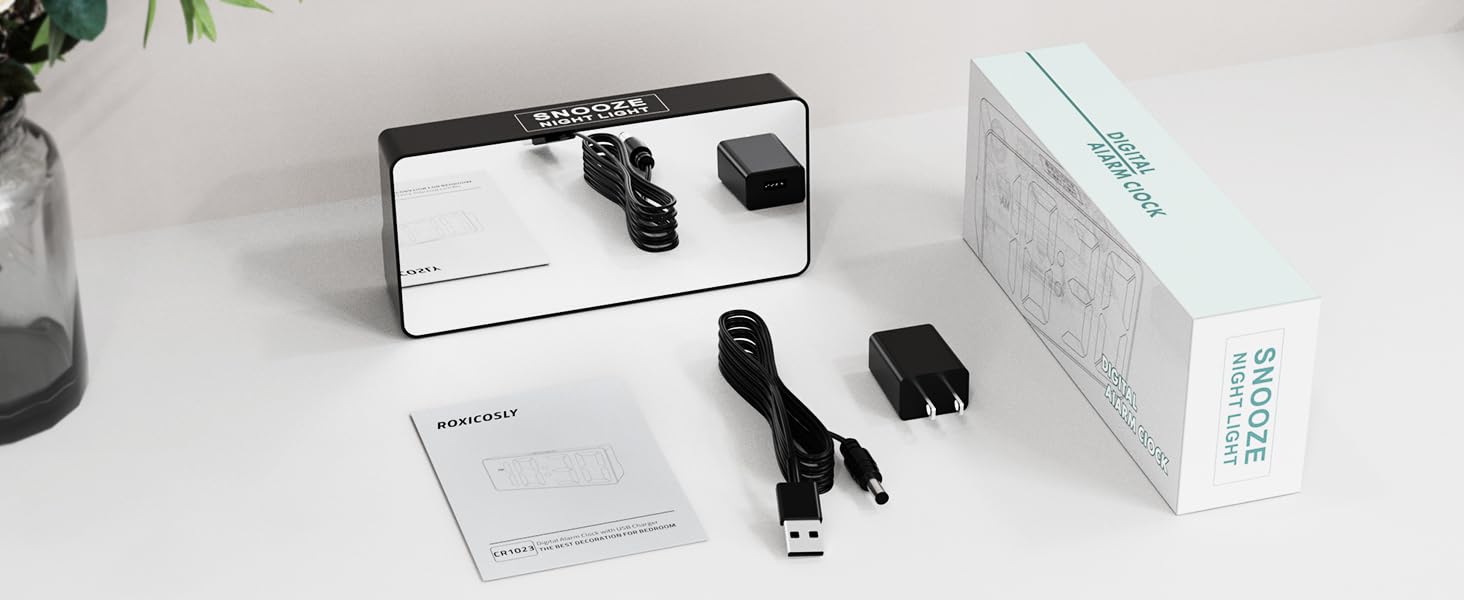
Image: The Roxicosly Digital Alarm Clock, its power adapter, and USB cable, laid out next to the product box and manual.
3. Configuració
3.1 Connexió d'alimentació
- Connect the provided DC adapter to the DC jack on the back of the alarm clock.
- Plug the DC adapter into a standard wall outlet. The clock display will illuminate.
3.2 Còpia de seguretat de la bateria (opcional)
Per a energia de reserva durant la sortidatages, install 2 AAA batteries (not included) into the reserved slot on the back of the clock. These batteries will preserve time and alarm settings. During a power outage, the screen will go blank, but the alarm function will remain active. The correct time will display once main power is restored.

Imatge: Part posterior view of the alarm clock with the battery compartment open, showing where to insert AAA backup batteries.
4. Instruccions de funcionament
4.1 Configuració de l'hora i la data
- Premeu el botó HORA/DST button on the back of the clock. The hour digits will flash.
- Utilitza el + or - botons per ajustar l'hora.
- Premeu HORA/DST again to set the minutes, then use + or - per ajustar-se.
- Continueu prement HORA/DST per anar ciclant per la configuració de l'any, el mes i el dia, ajustant cadascun amb + or -.
- Premeu HORA/DST one last time to confirm all settings.
4.2 12H/24H Format & DST
- To switch between 12-hour and 24-hour time formats, press the 12/24H botó.
- To activate or deactivate Daylight Saving Time (DST), press and hold the HORA/DST botó.

Image: The alarm clock displaying time in 12-hour, 24-hour, and with Daylight Saving Time (DST) activated.
4.3 Configuració d'alarmes (alarmes duals)
El rellotge admet dues alarmes independents (Alarma 1 i Alarma 2).
- Premeu el botó ALARMA 1 or ALARMA 2 button. The hour digits for the selected alarm will flash.
- Utilitza el + or - botons per ajustar l'hora de l'alarma.
- Premeu el botó corresponent ALARMA button again to set the minutes, then use + or - per ajustar-se.
- Premeu el botó ALARMA botó una darrera vegada per confirmar.
- To turn an alarm ON or OFF, use the dedicated ALM ON/OFF switch for Alarm 1 or Alarm 2.
4.4 Ajust del volum de l'alarma
Adjust the alarm volume using the physical twist knob located on the back of the clock. There are 7 volume levels (70-118 dB) to suit your preference.

Image: The alarm clock displaying two different alarm times (7:30 and 15:30) and illustrating the 7 adjustable increasing volume levels.
4.5 Display Brightness (0-100% Dimmer)
The digital display brightness can be adjusted from 0% to 100% using the physical twist knob on the back of the clock. This allows you to set a comfortable brightness level for day or night without disturbing your sleep.

Image: The alarm clock with large, bold numbers and a visual representation of the 0-100% full-range dimmer functionality.
4.6 Night Light & Snooze Function
- The clock features a built-in night light at the back with 3 adjustable brightness settings.
- To activate or adjust the night light, press the large button on the top of the clock.
- When an alarm sounds, press the large button on the top for a 9-minute snooze.
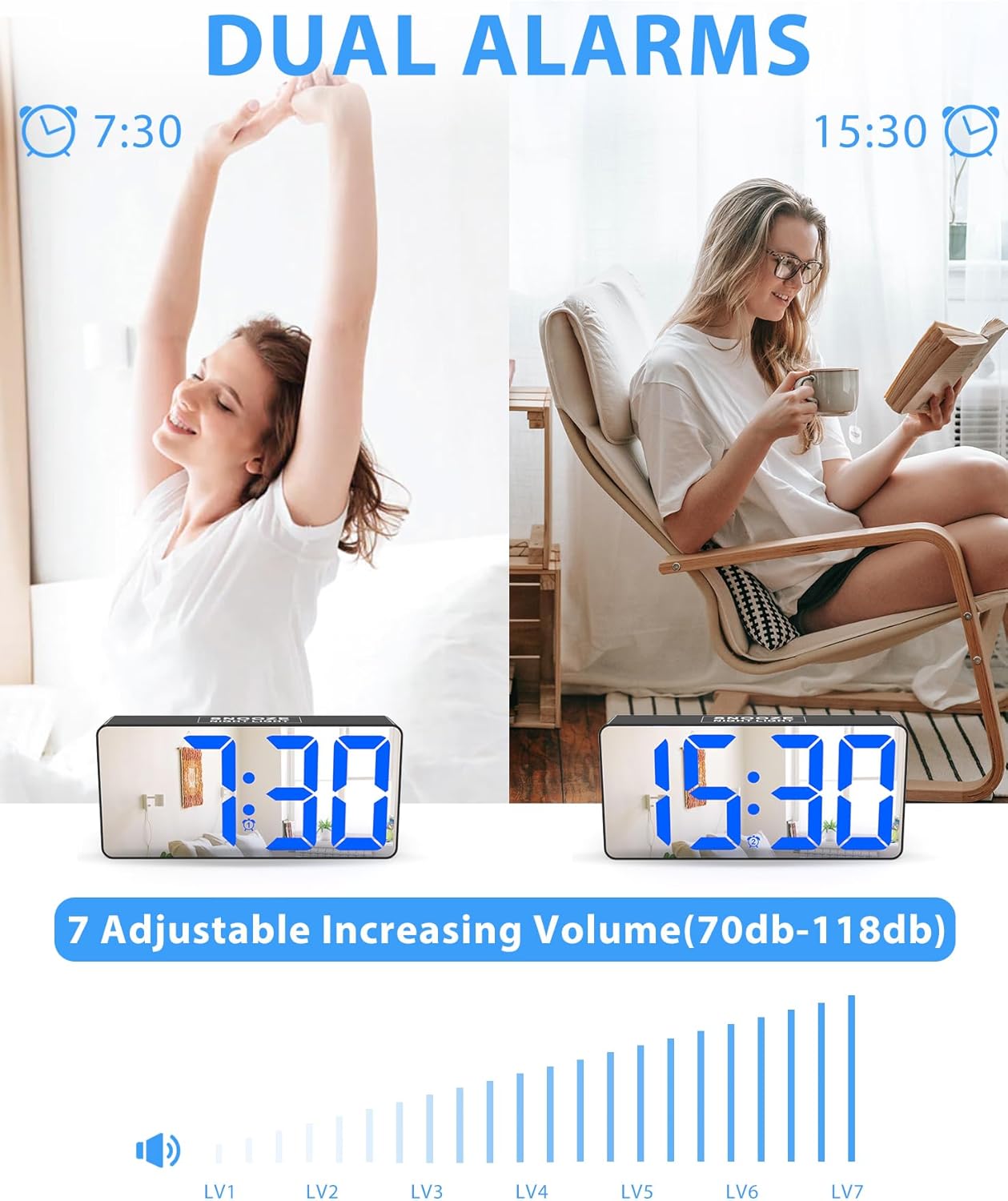
Image: The alarm clock on a nightstand, illustrating the night light feature with three brightness levels and the large top button for snooze.
4.7 Ports de càrrega
The clock is equipped with two charging ports on the back:
- 1x USB charging port
- 1x Type-C charging port
These ports allow you to charge up to two mobile devices simultaneously, making it ideal for overnight charging.

Image: The alarm clock on a desk, showing a smartphone and wireless earbuds charging via its USB and Type-C ports.
5. Manteniment
- Clean the clock's mirrored surface and body with a soft, dry cloth. Avoid abrasive cleaners or solvents.
- Assegureu-vos que el rellotge estigui desendollat abans de netejar-lo.
- Keep the clock away from water and high humidity.
6. Solució De Problemes
| Problema | Solució |
|---|---|
| La pantalla del rellotge està en blanc. | Ensure the DC adapter is securely plugged into both the clock and a working wall outlet. If using battery backup, the screen will be blank during a power outage, but the alarm will still function. |
| L'alarma no sona. | Check that the alarm is set correctly and the ALM ON/OFF switch is in the ON position. Verify the volume knob is not set to the lowest level. |
| Restabliment de l'hora/configuració després d'un apagadatage. | Install 2 AAA backup batteries (not included) to retain settings during power interruptions. |
| La pantalla és massa brillant/tenua. | Adjust the display brightness using the physical twist knob on the back of the clock. |
7. Especificacions
- Marca: Roxicosly
- Model: CR1023
- Tipus de visualització: Digital LED with Mirrored Face
- Mida de la pantalla: 7 inches (approx. 6.5"W x 3.03"H)
- Font d'alimentació: CC (endollable)
- Còpia de seguretat de la bateria: 2x AAA batteries (not included) for memory retention
- Atenuador: 0-100% Full Range Dimmer (adjustable via knob)
- Alarma: Dual Alarms with 7 Volume Levels (70-118 dB)
- Dormitar: 9 minuts
- Llum nocturna: Built-in, 3 adjustable brightness settings
- Ports de càrrega: 1x USB, 1x Type-C
- Format horari: 12H/24H selectable
- Característiques especials: DST (Daylight Saving Time) function
- Material: Acrilonitril butadiè estirè (ABS)
- Tipus de muntatge: Taula
8. Vídeo oficial del producte
Video: An official demonstration of the Roxicosly Digital Alarm Clock with Mirror Screen, showcasing les seves característiques i facilitat d'ús.
9. Garantia i assistència
If you have any questions or require assistance with your Roxicosly CR1023 Digital Alarm Clock, please feel free to contact us. Refer to your product packaging or purchase platform for specific warranty details and customer support contact information.