
1. Introducció
The TAKSTAR WPM-300 is a UHF wireless in-ear monitor receiver designed for professional audio monitoring applications. This device operates within the 520-600MHz frequency range, offering 10 selectable channels for stable signal reception. It is intended for use with a compatible TAKSTAR WPM-300 transmitter (sold separately) to provide clear, low-latency audio monitoring for performers, presenters, and audio engineers.
2. Contingut del paquet
Si us plau, comproveu el paquet per veure si hi ha els elements següents:
- 1 x WPM-300 Bodypack Receiver
- 1 x Pair of In-Earphones
3. Producte acabatview
Familiarize yourself with the components and controls of the WPM-300 receiver.

Figura 3.1: Labeled diagram of the WPM-300 receiver components.
- Indicador LED: Mostra l'estat de l'alimentació i de la connexió.
- Auriculars Jack: 3.5mm output for connecting in-earphones.
- Antena externa: For receiving UHF wireless signals.
- Botó d'encesa: Encén/apaga el receptor.
- Pantalla LED: Displays current channel, battery level, and connection status.
- Switch Frequency Button (SET): Used to enter channel selection mode.
- Control de volum (+/-): Adjusts the audio output level to the earphones.

Figura 3.2: The HD LED screen provides clear status information.
4. Configuració
4.1 Instal·lació de la bateria
The WPM-300 receiver operates on two AA batteries. To install:
- Locate the battery compartment cover on the back of the receiver.
- Feu lliscar la coberta oberta.
- Introduïu dues piles AA, assegurant-vos de la polaritat correcta (+/-) tal com s'indica a l'interior del compartiment.
- Tanqueu bé la tapa del compartiment de la bateria.
4.2 Connecting Earphones
Connect the provided in-earphones to the 3.5mm headphone jack on the top of the receiver.
4.3 Engegada inicial i emparellament
To power on the receiver and establish a connection with a compatible WPM-300 transmitter:
- Manteniu premut el botó Botó d'engegada on the side of the receiver until the LED screen illuminates.
- Ensure your WPM-300 transmitter is powered on and transmitting on a desired channel.
- On the receiver, press the SET button to enter channel selection mode. The channel number on the LED screen will flash.
- Utilitza el + i - buttons to select the same channel as your transmitter.
- Once the channels match, the receiver will automatically pair with the transmitter. The channel number on the LED screen will stop flashing, and the signal strength indicator will show activity.
- Ajusteu el volum amb el botó + i - buttons on the receiver to a comfortable listening level.
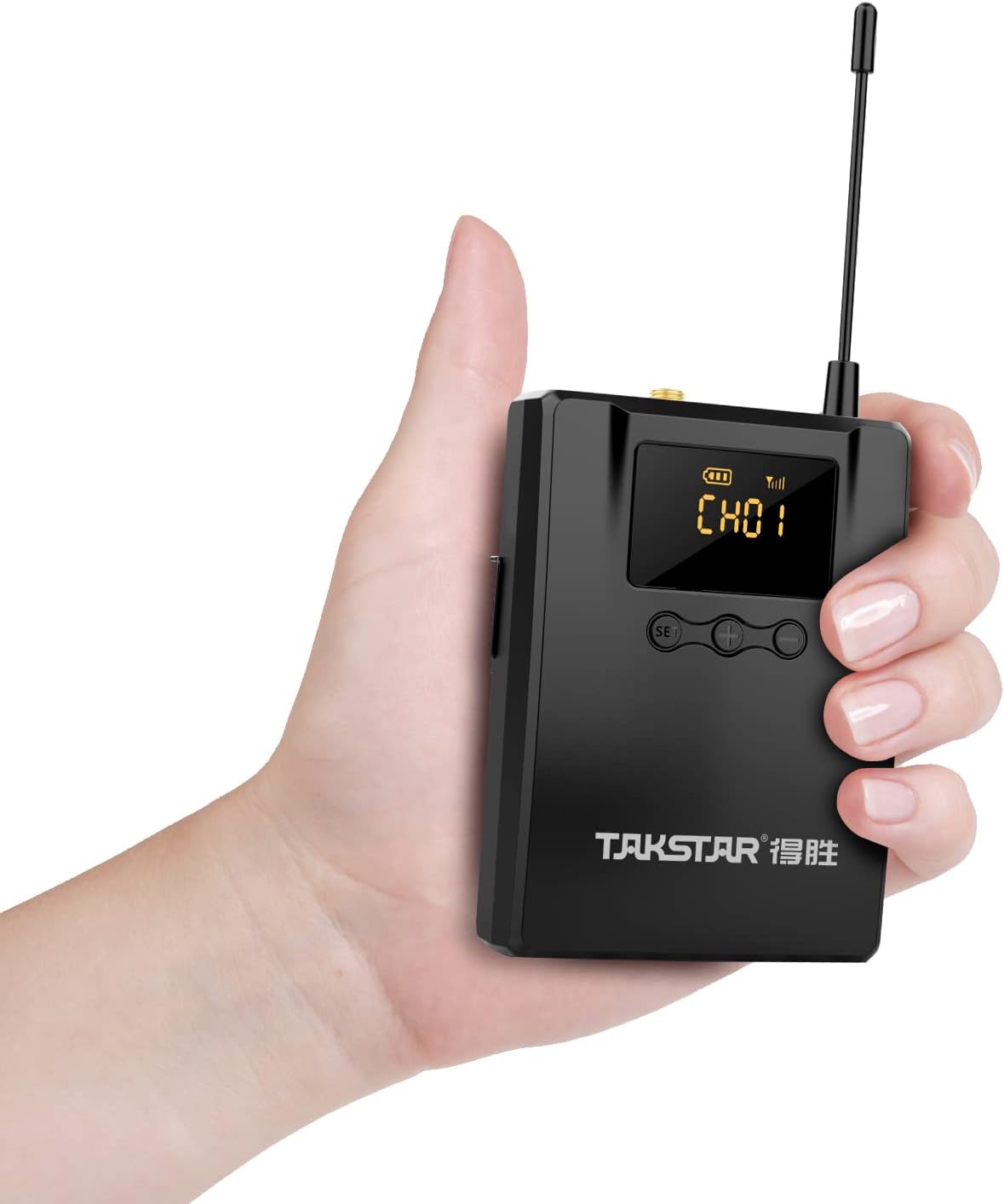
Figura 4.1: The lightweight bodypack receiver is designed for portability.
5. Instruccions de funcionament
5.1 Selecció de canals
To change the receiving channel:
- Premeu el botó SET button. The current channel number on the LED screen will begin to flash.
- Utilitza el + or - buttons to cycle through the available channels (CH01-CH10).
- Once the desired channel is displayed, wait a few seconds. The channel number will stop flashing, indicating the new channel is set and the receiver is attempting to connect.
5.2 Ajust de volum
Adjust the monitoring volume using the + i - buttons located next to the SET button. Press + per augmentar el volum i - per reduir el volum.
5.3 Apagat
To turn off the receiver, press and hold the Botó d'engegada until the LED screen turns off.
6. Manteniment
Proper care ensures the longevity and optimal performance of your WPM-300 receiver.
- Neteja: Use a soft, dry cloth to clean the exterior of the receiver. Avoid using harsh chemicals or abrasive materials.
- Emmagatzematge: Guardeu el receptor en un lloc fresc i sec, allunyat de la llum solar directa i de temperatures extremes.
- Cura de la bateria: Traieu les piles si no heu d'utilitzar el dispositiu durant un període prolongat per evitar fuites.
- Antena: Handle the external antenna with care to avoid bending or breaking.
7. Solució De Problemes
If you encounter issues with your WPM-300 receiver, refer to the following common problems and solutions:
| Problema | Causa possible | Solució |
|---|---|---|
| No hi ha so dels auriculars | Low battery; Incorrect channel; Earphones not connected; Transmitter off or out of range; Volume too low. | Replace batteries; Match receiver channel to transmitter; Ensure earphones are fully plugged in; Check transmitter status and range; Increase receiver volume. |
| Interferències o mala qualitat d'àudio | Other wireless devices on the same frequency; Receiver too far from transmitter; Obstructions between receiver and transmitter. | Change to a different channel on both receiver and transmitter; Move closer to the transmitter; Ensure a clear line of sight. |
| Receiver does not power on | Piles gastades o incorrectament inserides. | Replace batteries with fresh ones; Verify correct battery polarity. |
8. Especificacions tècniques
Detailed specifications for the WPM-300 receiver:
- Interval de freqüència: 520-600 MHz
- Vol. Operatiutage: DC 2.5V (2.2V-3.0V) / two AA batteries
- Corrent de funcionament: 115mA (TYP)
- Resposta de freqüència: 20Hz-15 kHz (-6dB intercept point)
- Relació S/N: > 60 dB
- Sensibilitat de recepció: Better than 8dBuV
- Separació estèreo: > 45 dB
- Dimensions: 169 mm × 64 mm × 30.95 mm
- Pes: Aprox. 123.5 g
- Durada de la bateria: Fins a 6 hores (amb piles AA)
- Tecnologia de connectivitat: Sense fil (RF)
- Presa per a auriculars: 3.5 mm Jack
- Tipus de control: Volume Control, Channel Selection
9. Garantia i Suport
TAKSTAR provides a 12-month manufacturer assurance for this product. For technical support, warranty claims, or further assistance, please contact TAKSTAR customer service through their official channels or the retailer from whom the product was purchased.


