
Eumspo G3
Eumspo G3 Bluetooth Headset User Manual
Model: G3 | Brand: Eumspo
1. Introducció
Thank you for choosing the Eumspo G3 Bluetooth Headset. This manual provides essential information for setting up, operating, and maintaining your headset. Please read it thoroughly to ensure optimal performance and longevity of your device.
2. Què hi ha a la caixa
Verifiqueu que tots els elements siguin presents al vostre paquet:
- Eumspo G3 Bluetooth Headset
- Estoig de càrrega (400 mAh)
- Cable de càrrega USB-C
- Replacement Eartips (various sizes)
- Manual d'usuari

Image: Contents of the Eumspo G3 Bluetooth Headset package.
3. Producte acabatview
Familiarize yourself with the main components and controls of your Eumspo G3 headset.
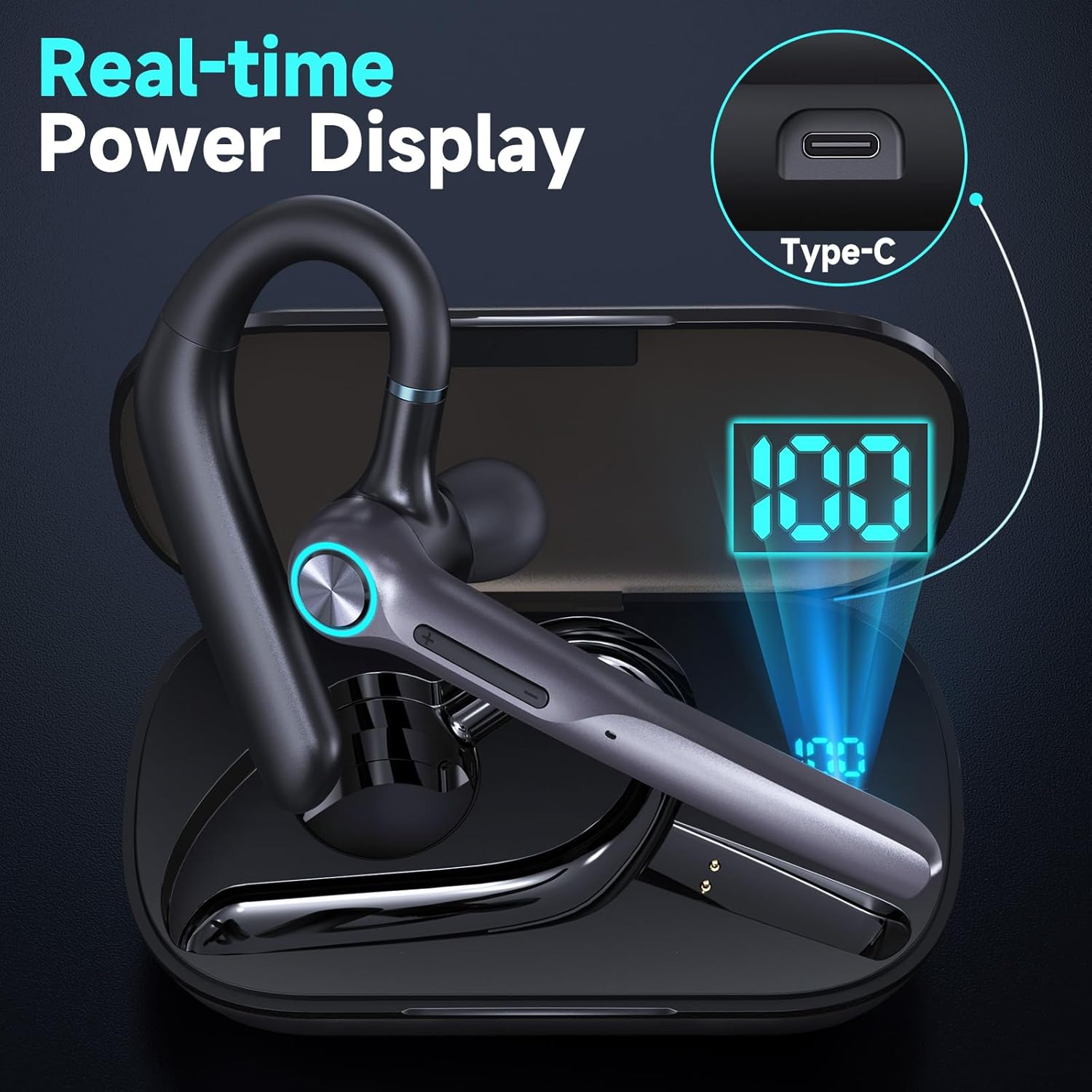
Image: Headset Features Showcase - MFB button, Power, Volume, and Dual Mic Noise Cancelling.
- Botó multifunció (MFB): Controls power, calls, and voice assistant.
- Botons de volum (+/-): Adjusts volume and navigates music tracks.
- Micròfon: Features dual noise-canceling microphones.
- Ganxo per a l'orella: Rotates for comfortable fit on either ear.
- Punta de l'orella: Soft silicone for in-ear comfort.
4. Configuració
4.1 Càrrega inicial
Before first use, fully charge your headset and charging case.
- Place the headset into the charging case.
- Connecteu el cable USB-C a la funda de càrrega i a una font d'alimentació.
- The LED display on the case will show the charging status. A full charge takes approximately 1.5 hours for the headset and 2 hours for the case.

Image: Real-time Power Display on the charging case.
4.2 Vinculació Bluetooth
Per connectar els auriculars a un dispositiu:
- Take the headset out of the charging case. It will automatically enter pairing mode.
- On your smartphone, tablet, or laptop, activate Bluetooth.
- Cerca "G3 Bluetooth Headset" (or similar, e.g., M53) in the list of available devices and select it to connect.
- Un missatge de veu confirmarà l'emparellament correcte.

Image: Dual Device Bluetooth Pairing with V5.3 chips.
4.3 Connexió de dispositiu dual
The Eumspo G3 supports connecting to two devices simultaneously:
- Pair the headset with the first device (e.g., Phone A).
- Turn off Bluetooth on Phone A. The headset will re-enter pairing mode.
- Pair the headset with the second device (e.g., Phone B).
- Turn on Bluetooth on Phone A. The headset will automatically connect to both devices.
5. Portar els auriculars
For optimal comfort and sound quality, adjust the headset to fit your ear.

Image: Comfortable for Both Ears - Ergonomic design minimizes ear strain.
- Select the appropriate eartip size for a secure and comfortable fit.
- Introduïu la punta de l'orella al canal auditiu.
- Position the ear hook over the back of your ear. The ear hook rotates 180 degrees, and the microphone boom rotates 270 degrees for use on either ear.
- Ajusteu el braç del micròfon perquè apunti cap a la boca per obtenir una captació clara de la veu.
Video: Instructions on how to install the ear hook for the headset.
6. Instruccions de funcionament
6.1 Encès/Apagat
- Encès: Manteniu premut el botó MFB durant 3 segons.
- Apagar: Manteniu premut el botó MFB durant 3 segons.
6.2 Gestió de trucades
- Respondre/Finalitzar la trucada: Feu clic al botó MFB una vegada.
- Rebutja la trucada: Manteniu premut el botó MFB durant 3 segons.
- Silencia/Activa el silenci: Press the power button for 2 seconds during a call. (Note: This function may not support PC calls).
6.3 Control de música
- Reproduir/pausa: Feu clic al botó MFB una vegada.
- Següent cançó: Premeu i manteniu premut el botó "+" durant 2 segons.
- Cançó anterior: Premeu i manteniu premut el botó "-" durant 2 segons.
6.4 Assistent de veu
- Activa l'assistent de veu (Siri/Google Voice): Click the MFB button 3 times.
Video: Demonstration of how to use the X01 Bluetooth headset, which shares similar functionalities with the G3 model.
7. Característiques clau
- Temps de joc llarg: Up to 12 hours talk/music time on a single charge, extended to 50 hours with the 400mAh charging case. 500 hours standby time.
- Dual Noise Cancelling Microphones: Built-in HD omnidirectional microphones with Bluetooth V5.3 technology for clear calls by blocking out ambient noise.
- Bluetooth V5.3: Ensures quick, stable, and low-latency connection up to 33 feet.
- Disseny ergonòmic: Rotatable ear hook and flip-boom microphone for comfortable wear on either ear, with multiple eartip sizes for a perfect fit.
- Assistència de veu: Quick activation of Siri/Google Voice for hands-free operation.

Image: Noise Cancelling Headset with Dual-Mic technology.
8. Especificacions
| Nom del model | Auriculars Bluetooth G3 |
| Tecnologia de connectivitat | Sense fil (Bluetooth V5.3) |
| Conector d'auriculars | USB-C |
| Temps de càrrega | Aprox. 2 hores |
| Durada mitjana de la bateria | 60 hores (amb estoig de càrrega) |
| Distància màxima de funcionament | 10 metres (33 peus) |
| Tipus de control | Touch, Siri |
| Control de soroll | Cancel·lació activa del soroll |
| Material | Plàstic |
| Pes de l'article | 72.6 grams |
| Nivell de resistència a l'aigua | Resistent a l'aigua |
9. Solució De Problemes
- Sense energia: Ensure the headset and charging case are fully charged.
- No es pot emparellar: Make sure the headset is in pairing mode (flashing indicator). Turn off and on Bluetooth on your device, then try pairing again. Ensure the headset is within 10 meters of your device.
- Qualitat de so baixa: Check the headset's fit in your ear and try different eartip sizes. Ensure there are no obstructions between the headset and your device.
- El micròfon no funciona: Ensure the microphone is not muted during a call. Check device settings for microphone input.
10. Manteniment
- Clean the eartips and headset regularly with a soft, dry cloth.
- Eviteu exposar els auriculars a temperatures extremes, humitat o líquids corrosius.
- Store the headset in its charging case when not in use to protect it and keep it charged.
11. Informació de seguretat
- No desmunteu ni modifiqueu els auriculars.
- Mantenir fora de l'abast dels nens.
- Avoid using the headset at high volumes for extended periods to prevent hearing damage.
- Use caution when driving or engaging in activities that require your full attention.
12. Garantia i assistència
For warranty information or technical support, please refer to the contact details provided with your purchase or visit the official Eumspo weblloc web. Conserveu el comprovant de compra per a qualsevol reclamació de garantia.
Ask a question about this manual
Ask about setup, troubleshooting, compatibility, parts, safety, or missing instructions. Manuals+ will review the question and use this page’s manual context to help answer it.