
Benro Polaris Astro Module Add-On
Benro Polaris Astro Module Add-On User Manual
Model: Polaris Astro Module Add-On
Brand: Benro
1. Introducció
The Benro Polaris Astro Module Add-On is designed to expand the capabilities of your Benro Polaris Smart Tripod Head (Timelapse Edition), enabling advanced astrophotography features. This module integrates seamlessly with the Polaris system, providing precise control and tracking for capturing stunning images of the night sky.
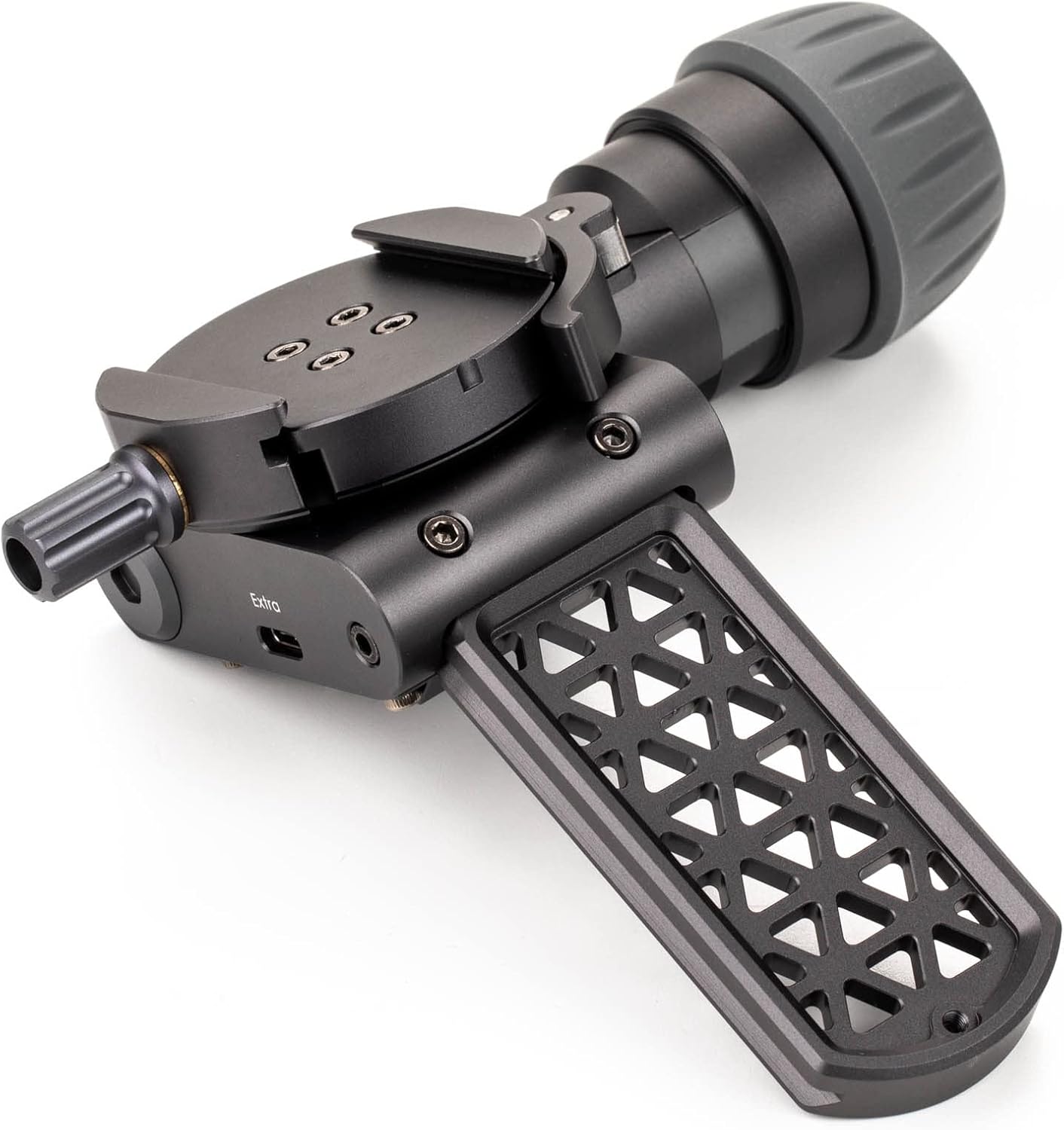
Figura 1: Frontal view of the Benro Polaris Astro Module Add-On.
2. Producte acabatview
The Astro Module is an essential accessory for users looking to transition their Polaris Smart Tripod Head from timelapse photography to dedicated astrophotography. It features a rotating Arca clamp specifically designed for star tracking, ensuring your camera remains precisely aligned with celestial objects.
- Integració perfecta: Designed to fit directly into the quick release clamp of the Benro Polaris Smart Tripod Head.
- Seguiment de precisió: Equipped with a rotating Arca clamp for accurate star tracking.
- Kit d'ampliació: Part of the Astro Expansion Kit, providing all necessary components to upgrade your Polaris.
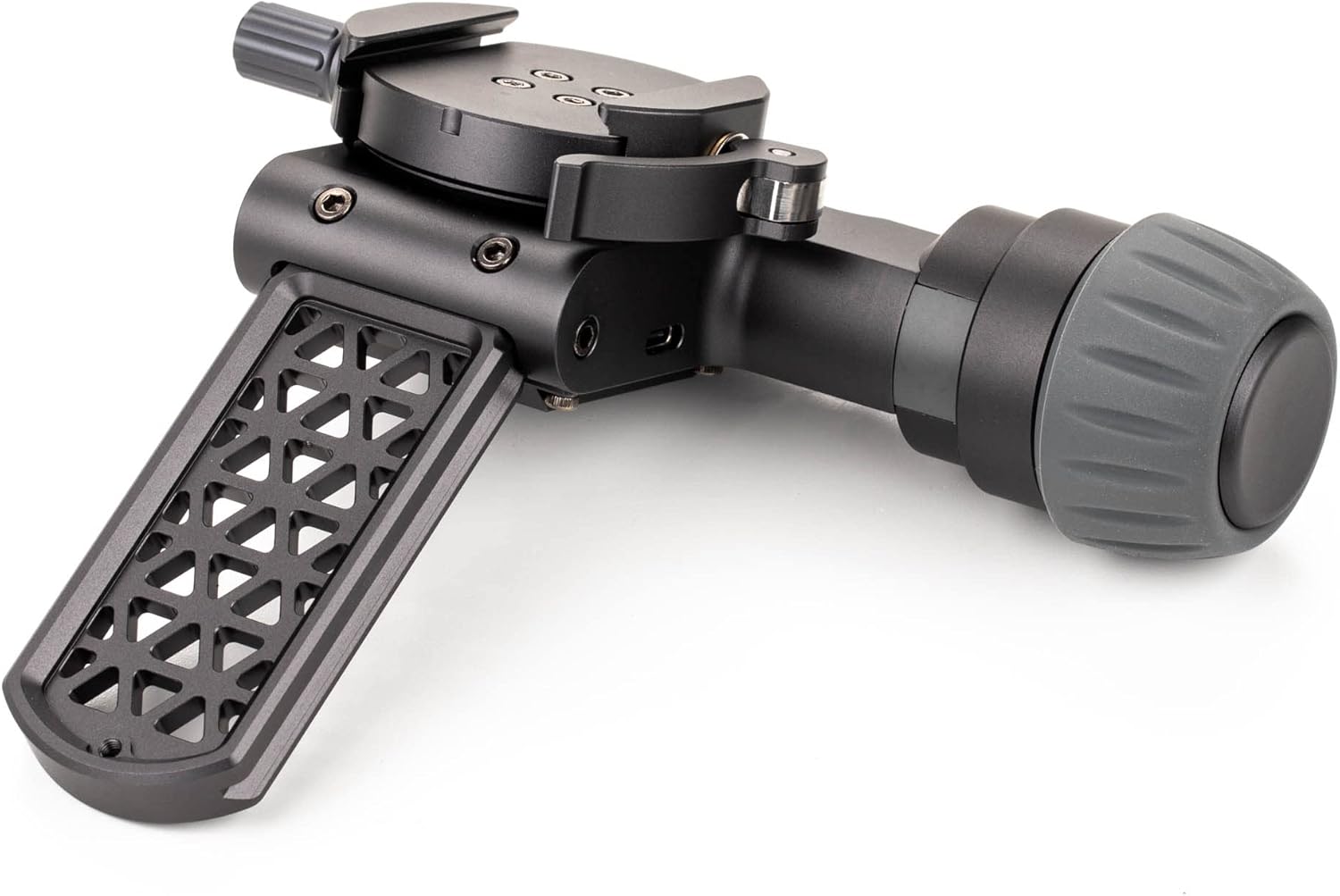
Figura 2: lateral view of the Benro Polaris Astro Module Add-On, highlighting the Arca clamp.
3. Característiques clau
- Construcció robusta: CNC machined for exceptional strength and rigidity, supporting camera rigs up to 15 lbs (6.8 kg).
- High Precision Movement: Capable of adjustments as small as 0.0025 degrees, allowing for incredibly precise composition and tracking.
- Durada de la bateria ampliada: Over 24 hours of operation, ensuring long shooting sessions without interruption.
- Potència de sortida: Internal battery can charge and power your camera simultaneously via USB-C.
- Resistència a la intempèrie: IPX6 waterproof rating for reliable performance in various outdoor conditions.
- Comandament a distància: Wireless and cellular capabilities (cellular on specific versions) allow for remote control and live view access from anywhere.
- Advanced Astrophotography Modes: Features like "Go-To Star" function and Astro Panorama mode simplify complex astrophotography tasks without requiring polar alignment.
Vídeo 1: Acabatview of the Benro Polaris Smart Tripod Head, demonstrating its various features including astrophotography capabilities.
4. Configuració
- Connectar al trípode: Securely mount your Benro Polaris Smart Tripod Head (with the Astro Module attached) onto a stable tripod. Ensure the tripod is level for optimal performance.
- Muntar la càmera: Attach your camera to the Arca-Swiss compatible quick release plate on the Astro Module. Ensure it is securely fastened.
- Connecteu el cable de control de la càmera: Connect the appropriate camera control cable (e.g., USB-C to Mini-USB, USB-C to Micro-USB) from your camera to the Polaris unit. This enables remote shutter control and other functions.
- Encès: Press and hold the power button on the Polaris unit until the indicator lights illuminate.
- Descarregar l'aplicació: Download the Benro Polaris companion smartphone application from your device's app store.
- Parella el dispositiu: Open the app and follow the on-screen instructions to pair your smartphone with the Polaris unit via Bluetooth or Wi-Fi.
- Calibració inicial: Perform any initial calibration steps prompted by the app, such as setting your current location for accurate celestial tracking.
5. Operating the Astro Module
5.1 Astrophotography Modes
- Go-To Star Function:
Within the app, navigate to the astrophotography section. Select the "Go-To Star" option. You can search for specific celestial objects (stars, constellations, planets) or choose from a list of visible objects based on your location and time. The Polaris will automatically orient your camera to the selected object.
- Astro Panorama Mode:
This mode allows you to capture wide-field astrophotography panoramas. The Polaris will automatically move the camera to capture multiple overlapping images, which can then be stitched together in post-processing to create a high-resolution panoramic image of the night sky.
- Fotografia de llarga exposició:
The precise tracking capabilities of the Astro Module are ideal for long exposure astrophotography, minimizing star trails and allowing for greater light collection from faint celestial objects.
5.2 Control remot i monitorització
The smartphone app provides comprehensive control over the Polaris and connected camera. You can adjust settings, monitor live view, and initiate captures remotely. This is particularly useful for astrophotography in cold environments or for maintaining a stable setup.
- Viu View: Access your camera's live feed directly on your smartphone.
- Ajust de configuració: Control exposure settings, ISO, aperture, and other camera parameters from the app.
- Precise Movement: Use the app's interface for fine-tuning camera position with extreme accuracy.
6. Manteniment
- Neteja: Use a soft, dry cloth to clean the exterior of the Astro Module. Avoid abrasive materials or harsh chemicals.
- Emmagatzematge: Store the module in a dry, cool place away from direct sunlight and extreme temperatures.
- Actualitzacions de firmware: Regularly check the Benro Polaris app for firmware updates to ensure optimal performance and access to new features.
- Cura de la bateria: For long-term storage, ensure the internal battery is charged to approximately 50-70% to maintain battery health.
7. Solució De Problemes
| Problema | Causa possible | Solució |
|---|---|---|
| El mòdul no s'encén | Bateria baixa; el botó d'engegada no s'ha mantingut premut prou estona. | Charge the unit via USB-C; Press and hold the power button for 3-5 seconds. |
| No es pot connectar a l'aplicació per a telèfons intel·ligents | Bluetooth/Wi-Fi off; App not updated; Interference. | Ensure Bluetooth/Wi-Fi is enabled on phone; Update app to latest version; Move away from sources of interference. |
| Inaccurate star tracking | Incorrect location data; Module not level; Obstructions. | Verify location settings in app; Ensure tripod is level; Clear any line-of-sight obstructions. |
| La càmera no respon als controls | Incorrect camera control cable; Cable not fully connected; Camera settings. | Ensure correct cable for your camera model; Re-seat cable connections; Check camera's remote control settings. |
8. Especificacions
| Característica | Detall |
|---|---|
| Model | Polaris Astro Module Add-On |
| Dimensions del producte | 5.74 x 2.36 x 1.1 polzades |
| Pes de l'article | 12.7 unces |
| Material | Alumini |
| Capacitat de càrrega útil | Fins a 15 lliures (6.8 kg) |
| Precision of Movement | 0.0025 graus |
| Durada de la bateria | Més de 24 hores |
| Classificació impermeable | IPX6 |
| Connectivitat | Wireless (Wi-Fi), Bluetooth, Cellular (on specific versions) |
| Potència d'entrada/sortida | USB-C |
| Fabricant | Benro |
| País d'origen | Xina |
9. Garantia i Suport
For detailed warranty information and technical support, please refer to the official Benro website or contact Benro customer service directly. Keep your proof of purchase for warranty claims.
Benro Official Weblloc: www.benro.com
Atenció al client: Consulteu la secció de contacte del lloc web oficial weblloc web per obtenir detalls de suport regional.
Ask a question about this manual
Ask about setup, troubleshooting, compatibility, parts, safety, or missing instructions. Manuals+ will review the question and use this page’s manual context to help answer it.