
Introducció
The Benro Polaris Timelapse Edition (2-Axis) is an advanced smart tripod head designed for photographers and videographers seeking precision and versatility in capturing various types of imagery, including motion timelapses, panoramas, focus-stacked images, and long exposures. Its robust construction and intelligent app control make it suitable for both amateur and seasoned professionals, offering unparalleled control and creative possibilities.
Guia de configuració
Contingut del paquet

The Benro Polaris Timelapse Edition package typically includes the Polaris smart tripod head, a durable carrying case, and various connection cables for camera and power. Please verify that all components are present before proceeding with the setup.
Mounting the Polaris Head
Attach the Polaris smart tripod head securely to a compatible tripod using the standard 3/8"-16 screw mount. Ensure the head is level and stable on the tripod before mounting your camera to prevent any instability during operation.

The quick release plate provides a secure and easy way to attach your camera to the Polaris head. Ensure the plate is firmly attached to your camera's tripod socket, then slide it into the head's receiver until it audibly clicks into place, indicating a secure lock.
Connectant la teva càmera

Connect your camera to the Polaris head using the appropriate shutter release cable. The Polaris features dedicated ports for 'Extra', 'Flash', and 'Shutter' control. Consult your camera's manual for the correct cable type and connection point to ensure proper functionality.
Additional ports include 'Camera' and 'Mini HDMI' for advanced connectivity and live view monitoring. Always ensure all connections are secure and properly seated to avoid interruptions during shooting.
Powering On and Initial Connection

Press and hold the power button (the red button with the power symbol) to turn on the Polaris head. Download the companion smartphone app (Benro Polaris App) from your device's app store. Follow the in-app instructions to connect your smartphone to the Polaris via Wi-Fi or cellular (if applicable to your specific model).

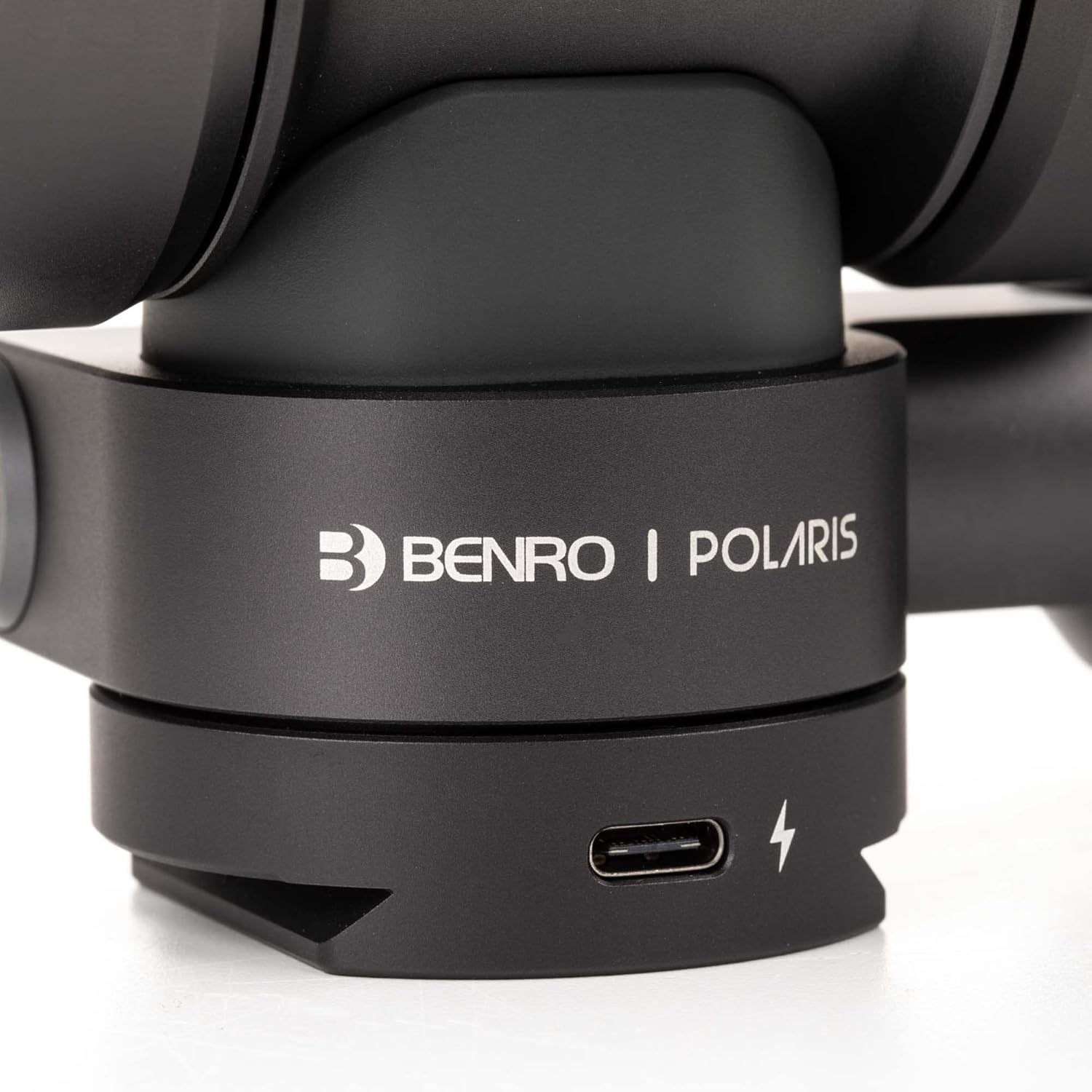
The Polaris can be charged via its USB-C port. It features an internal battery with over 24 hours of operational life and is capable of simultaneously charging and powering your camera during extended use.
Instruccions de funcionament
Control d'aplicacions per a telèfons intel·ligents
All intelligent functions of the Polaris are easily controllable via the dedicated smartphone application. The app provides a comprehensive and intuitive interface for setting up and managing various shooting modes and parameters, offering real-time feedback and control.
This video demonstrates the various features and functionalities of the Benro Polaris Smart Tripod Head, including its app control for capturing different types of photos and videos.
Key Features and Modes
- Motion Timelapses: Program complex camera movements over time to create dynamic and engaging timelapse sequences. The app allows for precise control over intervals, duration, and movement paths.
- Panoramas: Capture multiple images with precise overlaps, which can then be seamlessly stitched together to form high-resolution panoramic photos. The Polaris ensures accurate alignment for flawless results.
- Focus Stacking: Ideal for macro and landscape photography, this mode captures multiple images at different focus points. These images can then be combined in post-processing to create a single image with an extended depth of field, ensuring sharpness throughout the scene.
- Exposure Stacking (HDR): Combine multiple exposures of the same scene to create High Dynamic Range (HDR) images. This captures detail in both the brightest highlights and the deepest shadows, overcoming the limitations of a single exposure.
- Long Exposures: Achieve stunning long exposure shots, particularly effective for night sky photography or capturing light trails, with the Polaris's precise tracking capabilities minimizing star trails or motion blur.
- People Remover: An advanced feature that captures a series of images of a scene and intelligently removes moving subjects, such as people or vehicles, resulting in a clean, unobstructed image of the static background.
Astro-Photography Functions
The Polaris excels in astro-photography with features like the Go-To Star function and Astro Panorama mode. It can be set up to accurately track celestial objects and capture the night sky in minutes without the traditional need for a polar alignment, thanks to its advanced algorithms and integrated location data.
Especificacions
| Característica | Detall |
|---|---|
| Dimensions del producte | 5.71 x 5.47 x 4.29 polzades |
| Pes de l'article | 2.49 lliures (1.13 quilograms) |
| Material | Alumini |
| Maximum Weight Recommendation (Payload) | 15 lliures (6.8 quilograms) |
| Durada de la bateria | Més de 24 hores |
| Ajust de precisió | As small as 0.0025 degrees |
| Classificació impermeable | IPX6 |
| Connectivitat | Wireless, Cellular (model dependent) |
Cura i Manteniment
- Keep the Polaris head clean from dust, dirt, and debris. Use a soft, dry cloth for general cleaning. For stubborn marks, a slightly damp es pot utilitzar un drap, seguit d'assecat immediat.
- Avoid exposing the device to extreme temperatures (both hot and cold) or direct sunlight for prolonged periods, as this can affect internal components and battery life.
- Always store the Polaris in its provided durable carrying case when not in use. This protects it from physical impacts, scratches, and environmental elements like moisture and dust.
- Ensure all ports (USB-C, HDMI, Shutter, etc.) are covered with their respective caps or plugs when not in use, especially when operating in dusty or wet conditions, to maintain the IPX6 waterproof rating and prevent internal damage.
Resolució de problemes
Problemes de connexió
- No es pot connectar a l'aplicació: Ensure Bluetooth and Wi-Fi are enabled on your smartphone. Restart both the Polaris head and your smartphone. Check for the latest app updates in your device's app store. Some users have reported success by temporarily disabling cellular data on their smartphone for the initial connection.
- Connexió intermitent: Move closer to the Polaris head to ensure a strong and stable wireless signal. Minimize potential interference from other electronic devices operating on similar frequencies.
Operational Issues
- Camera not triggering: Verify that the shutter release cable is correctly and securely connected to both the Polaris and your camera. Ensure your camera's settings are configured appropriately for remote triggering. Consult the Polaris app for camera compatibility and specific cable requirements for your camera model.
- Inaccurate tracking/movement: Ensure the Polaris head is perfectly level and securely mounted on a stable tripod. Perform any in-app calibration steps as recommended. For astro-photography, ensure accurate geographical location data is provided to the app for precise celestial tracking.
- La bateria s'esgota ràpidament: Ensure the Polaris is fully charged before each use. If you are powering an external camera or other accessories through the Polaris, this will naturally consume more battery power. For extended shoots, consider using an external power bank connected to the Polaris's USB-C port.
Actualitzacions de firmware
Regularly check the Benro Polaris app for available firmware updates. These updates often include critical bug fixes, performance improvements, and sometimes introduce new features. Always follow the in-app instructions carefully and ensure a stable power source when performing firmware updates to avoid interruption.
Garantia i Suport
For detailed warranty information regarding your Benro Polaris Timelapse Edition, please refer to the warranty card included with your product packaging. Alternatively, you can visit the official Benro website for the most up-to-date warranty terms and conditions. For technical support, troubleshooting assistance, or service inquiries, please contact Benro customer service through their official channels. It is advisable to retain your purchase receipt as proof of purchase for any warranty claims.
Benro Official Weblloc: www.benro.com