
1. Introducció
Thank you for choosing the KRUX Atax Pro RGB Wired Gaming Keyboard. This manual provides essential information for setting up, operating, maintaining, and troubleshooting your new keyboard. Please read it carefully to ensure optimal performance and longevity of your device.
2. Contingut del paquet
- KRUX Atax Pro RGB Wired Gaming Keyboard (KRX0040)
- Manual d'usuari
3. Configuració
Follow these steps to set up your KRUX Atax Pro RGB keyboard:
- Desembaleu el teclat del seu embalatge.
- Localitzeu un port USB-A disponible al vostre ordinador.
- Connecteu el connector USB-A del cable del teclat al port USB-A de l'ordinador.
- El vostre sistema operatiu hauria de detectar i instal·lar automàticament els controladors necessaris. Aquest procés pot trigar uns instants.
- Once the drivers are installed, the keyboard's RGB lighting will illuminate, indicating it is ready for use.
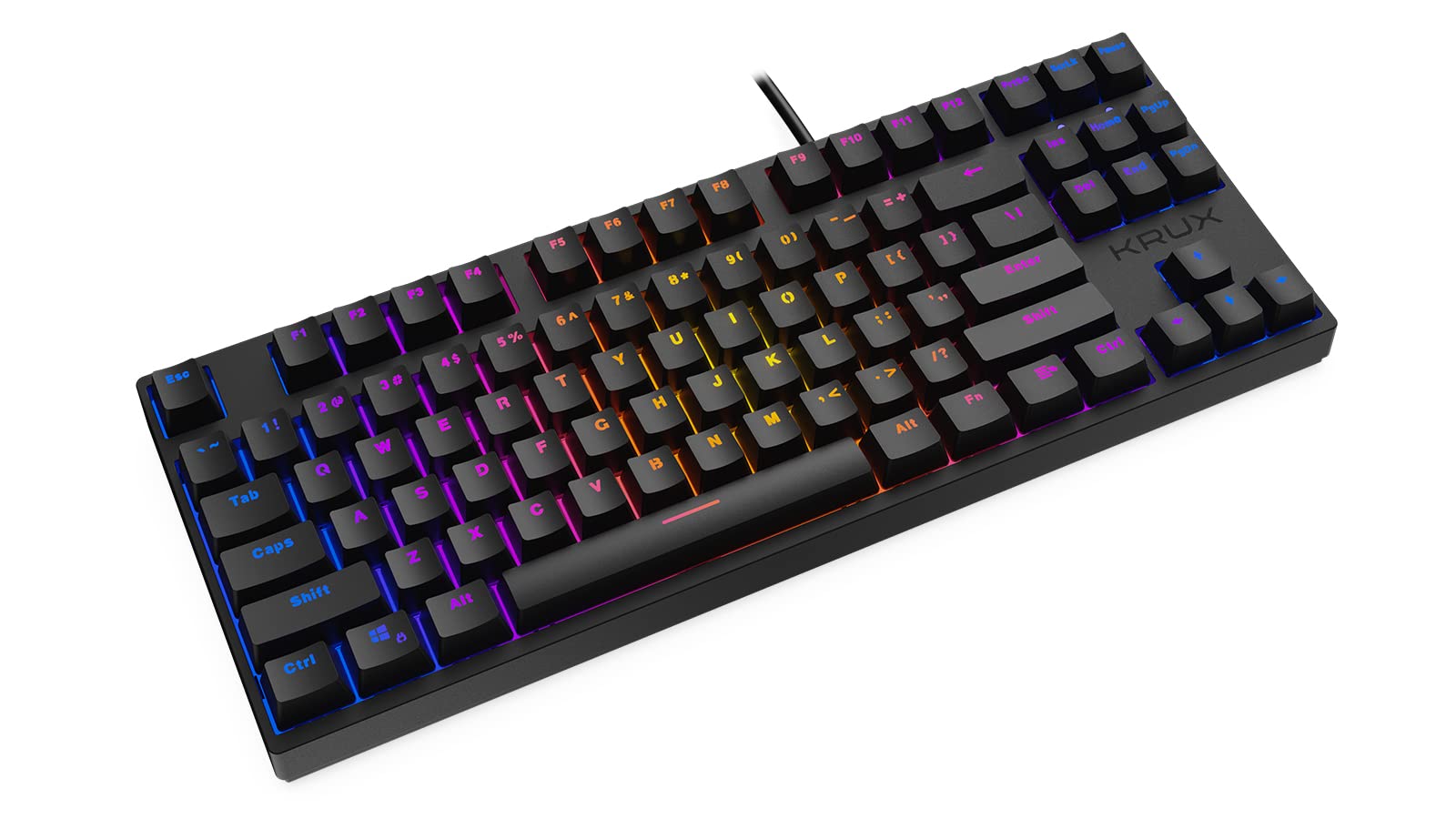
The keyboard is a plug-and-play device and does not require additional software for basic functionality.
4. Instruccions de funcionament
4.1 Funcions bàsiques del teclat
The KRUX Atax Pro RGB keyboard features a standard QWERTY layout with dedicated function keys and a numeric keypad. All keys function as standard keyboard inputs unless modified by specific key combinations.

4.2 Control d'il·luminació RGB
The keyboard features customizable RGB backlighting. Use the following key combinations with the Fn (Function) key to adjust lighting effects:
- Fn + Ins: Cycle through various preset RGB lighting modes.
- Fn + Inici: Activate or change reactive lighting modes (lights up on key press).
- Fn + Pàg: Adjust the brightness of the RGB backlighting (typically 5 levels).
- Fn + PgDn: Adjust the speed of dynamic RGB lighting effects.
- Fn + Del: Change the color of static RGB lighting modes or specific zones.
- Fn + Final: Turn RGB backlighting On/Off.
- Fn + Arrow Keys (Up/Down): Adjust brightness.
- Fn + Arrow Keys (Left/Right): Adjust effect speed or direction.
Specific lighting modes and their exact controls may vary. Experiment with these combinations to find your preferred settings.

5. Manteniment
Un manteniment adequat garanteix la longevitat i el rendiment del teclat.
5.1 Neteja
- Eliminació de pols: Feu servir una llauna d'aire comprimit per treure la pols i les restes que hi ha entre les tecles.
- Neteja de superfícies: Gently wipe the keycaps and keyboard surface with a soft, slightly damp, lint-free cloth. Avoid using harsh chemicals or abrasive materials.
- Deep Cleaning (Optional): For a more thorough clean, you may carefully remove keycaps using a keycap puller (not included) to clean underneath. Ensure the keyboard is disconnected before doing so.
5.2 Emmagatzematge
Quan no l'utilitzeu durant períodes prolongats, guardeu el teclat en un lloc sec i fresc, allunyat de la llum solar directa i de temperatures extremes.
6. Solució De Problemes
If you encounter issues with your KRUX Atax Pro RGB keyboard, refer to the following common solutions:
- El teclat no respon:
- Assegureu-vos que el cable USB estigui ben connectat tant al teclat com a l'ordinador.
- Prova de connectar el teclat a un port USB diferent de l'ordinador.
- Reinicieu l'ordinador.
- Prova el teclat en un altre ordinador per determinar si el problema és del teclat o del sistema.
- La il·luminació RGB no funciona o és incorrecta:
- Ensure the lighting is not turned off (try Fn + Final).
- Canvieu pels modes d'il·luminació utilitzant Fn + Ins.
- Ajusta la brillantor amb Fn + Pàg or Fn + Fletxa amunt.
- If a specific key's LED is not working, it might indicate a hardware issue.
- Claus que no es registren:
- Clean the affected key area as described in the Maintenance section.
- Ensure no debris is lodged under the keycap.
- Si el problema persisteix, poseu-vos en contacte amb el servei d'atenció al client.
7. Especificacions
| Característica | Especificació |
|---|---|
| Marca | Krux |
| Número de model | KRX0040 |
| Tecnologia de connectivitat | USB-A (amb cable) |
| Tipus de canvi | Outemu Red Mechanical Switches |
| Il·luminació de fons del teclat | RGB |
| Característiques especials | Ergonòmic, retroil·luminat |
| Dispositius compatibles | Portàtil, PC |
| Color | Negre |
| Material | Plàstic |

8. Garantia i Suport
For warranty information and technical support, please refer to the documentation provided with your purchase or visit the official KRUX weblloc web. Conserveu el comprovant de compra per a reclamacions de garantia.
Official KRUX Weblloc: www.krux.tech