Introducció
This manual provides comprehensive instructions for the installation, operation, maintenance, and troubleshooting of your Schlage S-6500 Digital Door Lock. Please read this manual thoroughly before installation and use to ensure proper function and security.
The Schlage S-6500 is a state-of-the-art digital door lock offering multiple access methods for enhanced security and convenience.
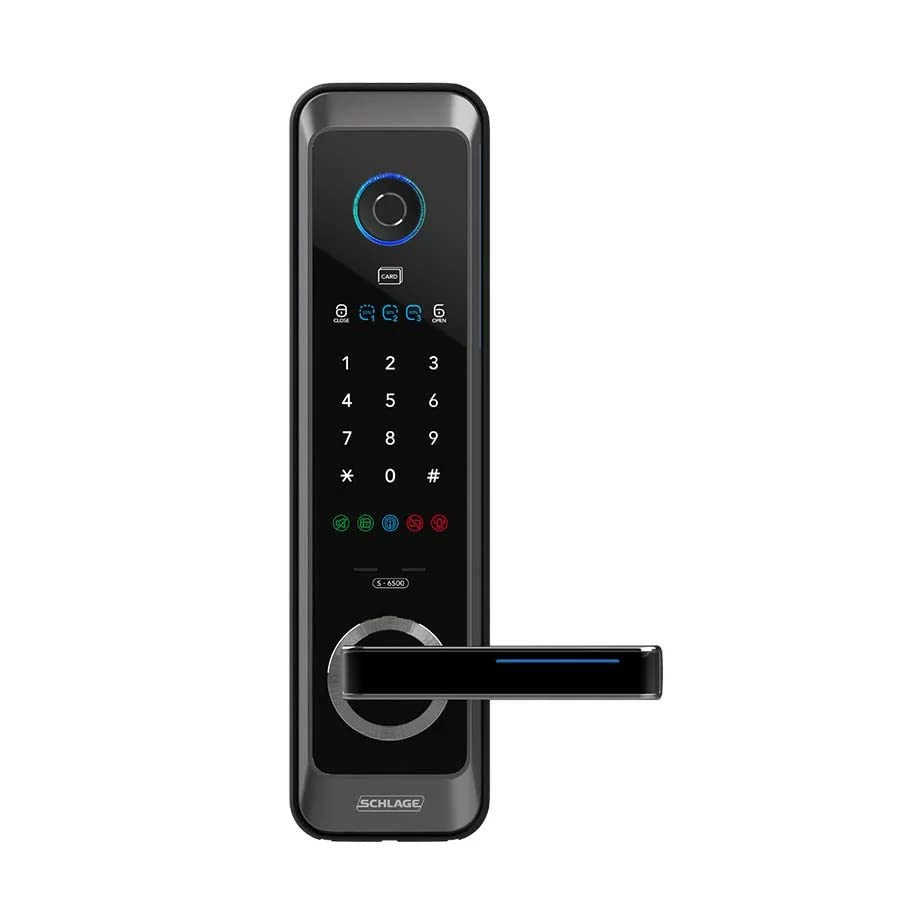
Figura 1: Frontal view of the Schlage S-6500 Digital Door Lock, showing the keypad, fingerprint scanner, and handle.
Característiques clau
- Mètodes d'accés múltiple: Fingerprint, PIN code, RFID card, and mechanical key.
- Capacitat d'empremta digital: Supports registration of up to 50 unique fingerprints.
- RFID Tag Capacitat: Supports registration of up to 20 RFID tags.
- Codi PIN: Supports 6-12 digit access codes.
- Guia de veu: Built-in voice prompts for easy operation and setup.
- Resistent a la intempèrie: Dissenyat per suportar diferents condicions meteorològiques.

Figure 2: Visual representation of the multiple access methods available with the Schlage S-6500 lock.
Configuració i instal·lació
The Schlage S-6500 Digital Door Lock is designed for installation on wooden main doors in various residential settings, including HDB, BTO, Condo, and Landed properties.
Contingut del paquet
Abans de començar la instal·lació, assegureu-vos que hi hagi tots els components:
- Schlage S-6500 Digital Lock Unit (Front and Rear Assemblies)
- Cos de tancament
- Placa de vaga i caixa
- Cargols i accessoris de muntatge
- Mechanical Keys (Included Components: Key)
- RFID Tags (Quantity as per package)
- Manual d'usuari (Aquest document)
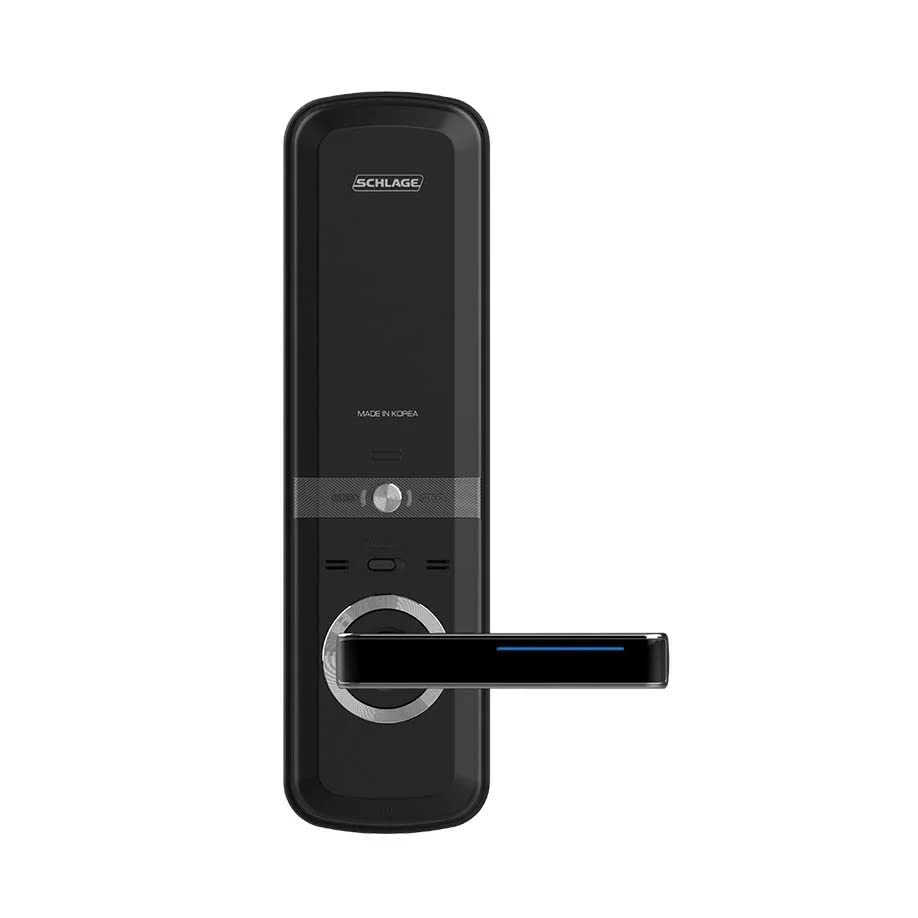
Figura 3: posterior view of the Schlage S-6500 Digital Door Lock, showing the battery compartment and internal mechanism.
Llista de verificació prèvia a la instal·lació
- Verify door thickness and backset compatibility.
- Ensure necessary tools are available (e.g., drill, screwdriver, measuring tape).
- Llegiu atentament totes les instruccions abans de començar.
Basic Installation Steps (Overview)
For detailed installation, refer to the separate installation guide provided with your lock. This section provides a general overview.
- Prepare the door: Mark and drill holes according to the provided template.
- Install the mortise lock body into the door edge.
- Mount the front and rear lock assemblies, connecting the necessary cables.
- Secure the lock with mounting screws.
- Install batteries (not included) into the rear assembly.
- Test the lock's mechanical and electronic functions.

Figure 4: Illustration of the Schlage S-6500 lock being installed on a wooden main door, highlighting its suitability for various residential door types.
Instruccions de funcionament
Initial Setup and Master PIN Registration
Upon first power-up, you will need to register a Master PIN. This PIN is essential for managing user registrations and lock settings.
- Press the 'Register' button (usually located on the inside unit).
- Follow the voice prompts to enter a new 6-12 digit Master PIN.
- Confirm the Master PIN.
Registre d'empremtes dactilars
The lock supports up to 50 fingerprints.
- Enter Master PIN, then press '#'.
- Select the 'Fingerprint Registration' option via voice guide.
- Place the finger to be registered on the scanner multiple times as prompted.
- Repetiu per a empremtes dactilars addicionals.
Registering RFID Cards
The lock supports up to 20 RFID tags.
- Enter Master PIN, then press '#'.
- Select the 'RFID Card Registration' option.
- Place the RFID card on the card reader as prompted.
- Repeat for additional RFID cards.
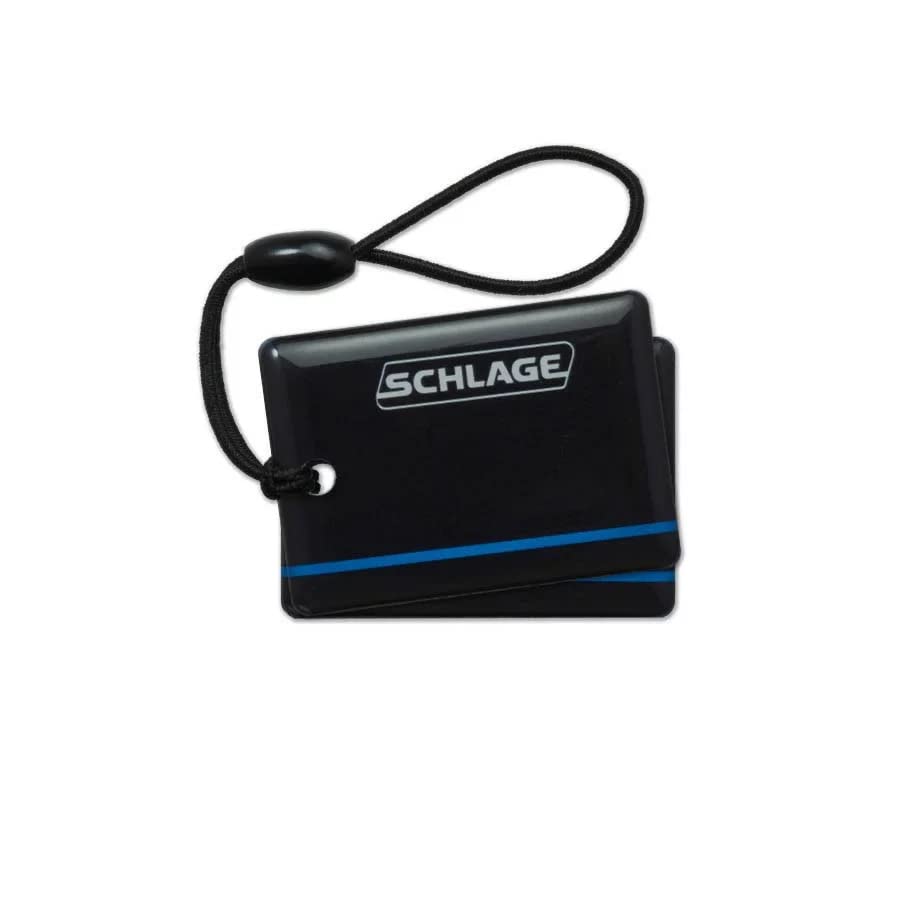
Figura 5: Un example of an RFID tag used with the Schlage S-6500 Digital Door Lock for convenient access.
Using Access Methods to Unlock
- Empremta digital: Place registered finger on the scanner.
- Codi PIN: Enter registered PIN code, then press '#'.
- Targeta RFID: Place registered RFID card on the card reader.
- Clau mecànica: Insert and turn the mechanical key in the emergency keyhole.
Tancant la porta
The lock typically auto-locks after closing. Manual locking can be done by pressing the lock button on the keypad or by lifting the handle (depending on installation type).
Manteniment
Canvi de bateria
The lock will provide a low battery warning. Replace all batteries simultaneously with new, high-quality alkaline batteries. Do not mix old and new batteries or different battery types.
- Locate the battery compartment on the inside unit.
- Obriu la tapa de la bateria.
- Remove old batteries and insert new ones, observing polarity (+/-).
- Tanqueu la tapa de la bateria amb seguretat.
Neteja
Netegeu l'exterior del pany amb un drap suau iamp drap. Eviteu netejadors abrasius, dissolvents o productes químics agressius, ja que poden danyar l'acabat i els components electrònics.
Mechanical Key Usage
Keep the mechanical keys in a safe, accessible location outside the property for emergency access in case of battery failure or electronic malfunction.
Resolució de problemes
| Problema | Causa possible | Solució |
|---|---|---|
| El bloqueig no respon. | Bateries esgotades. | Replace all batteries. Use mechanical key for emergency access. |
| Empremta digital no reconeguda. | Finger dirty/wet, improper placement, fingerprint not registered. | Clean and dry finger. Ensure full contact. Re-register fingerprint if necessary. |
| El codi PIN no funciona. | Incorrect PIN, not registered, keypad malfunction. | Verify PIN. Re-register PIN. Check for keypad damage. |
| RFID card not working. | Card not registered, card damaged. | Re-register card. Try a different registered card. |
| El pany fa sons estranys. | Mechanical obstruction, internal issue. | Comproveu si hi ha obstruccions al voltant del pestell/forrellat. Poseu-vos en contacte amb el servei d'atenció al client si els sons persisteixen. |
Especificacions
| Característica | Detall |
|---|---|
| Número de model | S-6500 |
| Tipus de bloqueig | Biometric Digital Lock |
| Mètodes d'accés | Fingerprint, PIN Code, RFID Card, Mechanical Key |
| Capacitat d'empremta digital | Fins a 50 |
| RFID Tag Capacitat | Fins a 20 |
| Longitud del codi PIN | 6-12 dígits |
| Dimensions (L x A x A) | 10 x 10 x 10 Centimeters (approximate, based on product data) |
| Pes | 4 kg 110 g |
| Color | Negre |
| Ús recomanat | Security for wooden main doors (HDB, BTO, Condo, Landed) |
| Mètode de control | Voice Guide, Key Control |
| País d'origen | Índia |
Garantia i Suport
The Schlage S-6500 Digital Door Lock comes with a 2 any de garantia des de la data de compra. Aquesta garantia cobreix defectes de fabricació i avaries en condicions d'ús normal.
For warranty claims, technical support, or service inquiries, please contact your authorized dealer or the manufacturer's customer service. Please have your purchase receipt and product model number (S-6500) ready when contacting support.
Nota: Unauthorized repairs or modifications may void the warranty.


