
JEYI I9-Seal
JEYI I9-Seal M.2 NVMe SSD Enclosure User Manual
Model: I9-Seal
Introducció
This manual provides comprehensive instructions for the installation, operation, and maintenance of your JEYI I9-Seal M.2 NVMe SSD Enclosure. This device converts an NVMe M.2 solid-state drive into a portable external storage solution with high-speed USB 3.2 Gen 2 connectivity.
Contingut del paquet
Si us plau, verifiqueu que tots els elements que s'enumeren a continuació estiguin inclosos al vostre paquet:
- JEYI M.2 NVMe SSD Enclosure
- Coixinets tèrmics
- Tornavís
- USB-A to USB-C Cable (10Gbps)
- USB-C to USB-C Cable (10Gbps)
- Corda

Instruccions de configuració
Follow these steps to install your NVMe M.2 SSD into the JEYI I9-Seal enclosure:
- Prepareu el recinte: Gently slide open the enclosure to reveal the internal PCB.
- Aplicar coixinet tèrmic: Peel off the protective films from both sides of a thermal pad and carefully place it onto the NVMe SSD chip area. This aids in heat dissipation.
- Insert NVMe SSD: Align your NVMe M.2 SSD (2280 form factor only) with the M-Key slot on the PCB. Insert the SSD firmly but gently into the slot at an angle.
- Assegureu l'SSD: Once inserted, gently push down the SSD and secure it with the provided screw using the included screwdriver. Ensure the SSD is flat and securely fastened.
- Tanca el recinte: Carefully slide the enclosure cover back into place until it clicks securely.


Instruccions de funcionament
Once your NVMe SSD is securely installed, connect the enclosure to your device:
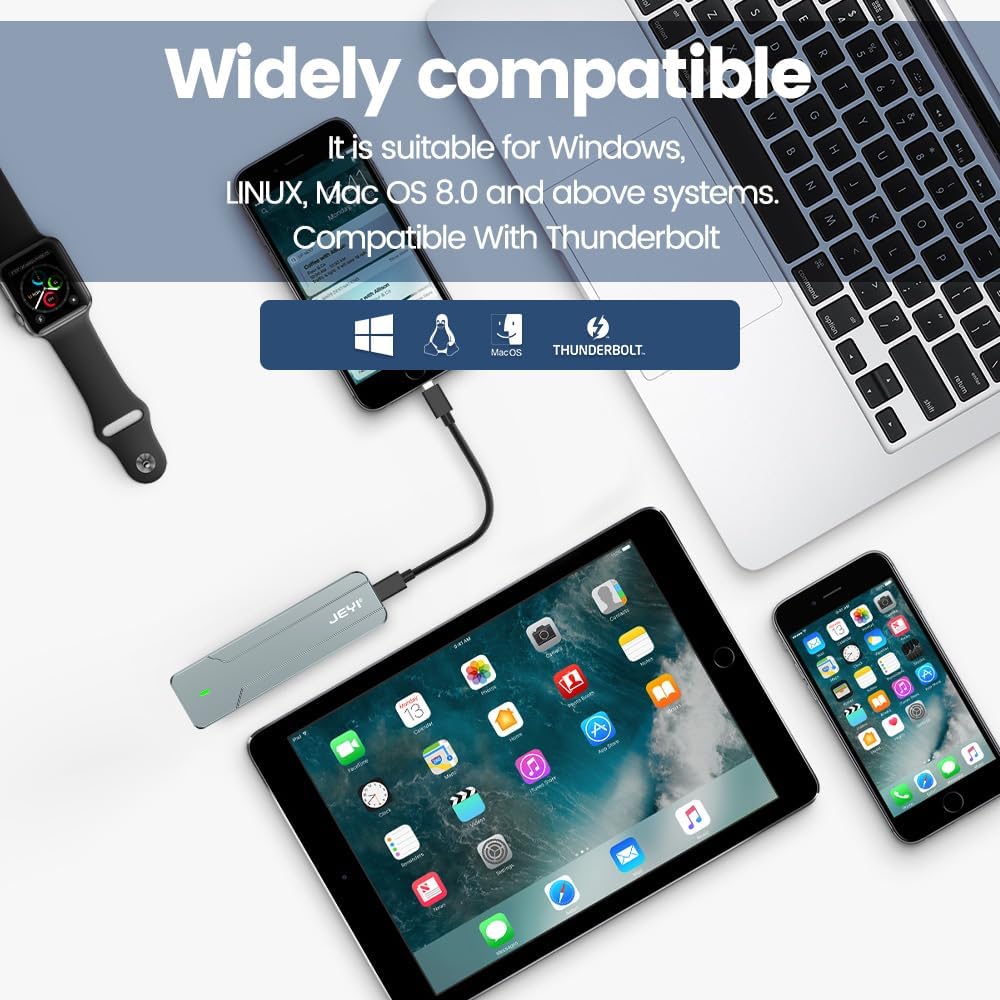
- Connecta't al dispositiu: Use either the provided USB-C to USB-C cable or the USB-A to USB-C cable to connect the enclosure to a compatible USB port on your computer, smartphone, tablet, or game console.
- Indicador d'alimentació: A small LED indicator on the enclosure will illuminate, signifying that the device is powered on and connected.
- Disk Recognition: Your operating system (Windows, macOS, Linux, Android, iOS) should automatically detect the new storage device. If it's a new SSD, you may need to initialize and format it through Disk Management (Windows) or Disk Utility (macOS) before use.
- Transferència de dades: You can now perform data backup, file transfers, disk upgrades, data recovery, or use it for storage expansion. The enclosure supports USB 3.2 Gen 2 speeds up to 10Gbps.

Manteniment
To ensure optimal performance and longevity of your JEYI I9-Seal enclosure:
- Gestió de la calor: L'alumini casing and thermal pads are designed for efficient heat dissipation. During prolonged high-speed data transfers, the enclosure may become warm to the touch. This is normal and indicates effective heat transfer from the SSD.
- Neteja: Use a soft, dry cloth to clean the exterior of the enclosure. Avoid using liquid cleaners or solvents.
- Emmagatzematge: Quan no estigui en ús, guardeu la carcassa en un lloc fresc i sec, allunyat de la llum solar directa i de temperatures extremes.
- Cura del cable: Handle the USB cables carefully. Avoid sharp bends or excessive pulling to prevent damage.
Resolució de problemes
| Problema | Causa possible | Solució |
|---|---|---|
| L'ordinador no ha detectat la carcassa. |
|
|
| Velocitats de transferència de dades lentes. |
|
|
| Enclosure gets very hot. |
|
|
Especificacions
| Característica | Detall |
|---|---|
| Model | I9-Seal |
| Marca | JEYI |
| Interfície del maquinari | USB 3.2 Gen 2 (USB-C) |
| Velocitat de transferència de dades | Fins a 10 Gbps |
| Compatible SSD Type | NVMe M.2 (PCI-E M-Key) |
| Supported SSD Form Factor | 2280 (80mm) only |
| Capacitat màxima d'emmagatzematge | 4 TB |
| Chipset | JMS583 A3 |
| Característiques | UASP Support, TRIM Support, Win to Go (WTG) Support |
| Material | Aliatge d'alumini |
| Color | Plata |
| Dimensions del producte | 4.06 x 1.02 x 0.39 polzades (103 x 26 x 10 mm) |
| Pes de l'article | 0.317 unces (9 grams) |
| Sistemes operatius compatibles | Windows, macOS, Linux, iOS, Android |

Garantia i Suport
For warranty information or technical support, please refer to the official JEYI weblloc web o contacteu directament amb el seu servei d'atenció al client. Els detalls sobre els períodes de garantia específics i els canals d'assistència normalment es proporcionen amb la documentació de compra o a la fitxa del fabricant. weblloc.
Fabricant: JEYI
Weblloc: Visit the JEYI Store on Amazon
Ask a question about this manual
Ask about setup, troubleshooting, compatibility, parts, safety, or missing instructions. Manuals+ will review the question and use this page’s manual context to help answer it.