Introducció
The IMICE T97 RGB Honeycomb Gaming Mouse is designed to provide a precise and comfortable experience for gaming and general computer use. It features a high-precision 4800 DPI sensor, a durable and ergonomic design, and is compatible with various operating systems. This manual will guide you through the setup, operation, and maintenance of your new gaming mouse.
- Marca: IMICE
- Tipus: Ratolí
- Compatibilitat: Ordinadors i Portàtils
- Característiques principals: High precision 4800 DPI, comfortable and durable design, anti-sweat design, precise positioning.
- Color: Negre
Instruccions de configuració
1. Connectar el ratolí
The IMICE T97 mouse uses a standard USB connection for plug-and-play functionality. No additional drivers are typically required for basic operation on supported operating systems.
- Localitzeu un port USB disponible al vostre ordinador o portàtil.
- Insert the USB connector of the IMICE T97 mouse firmly into the USB port.
- El vostre sistema operatiu hauria de detectar i instal·lar automàticament els controladors necessaris. Aquest procés pot trigar uns instants.
- Un cop instal·lat, el ratolí estarà llest per al seu ús.
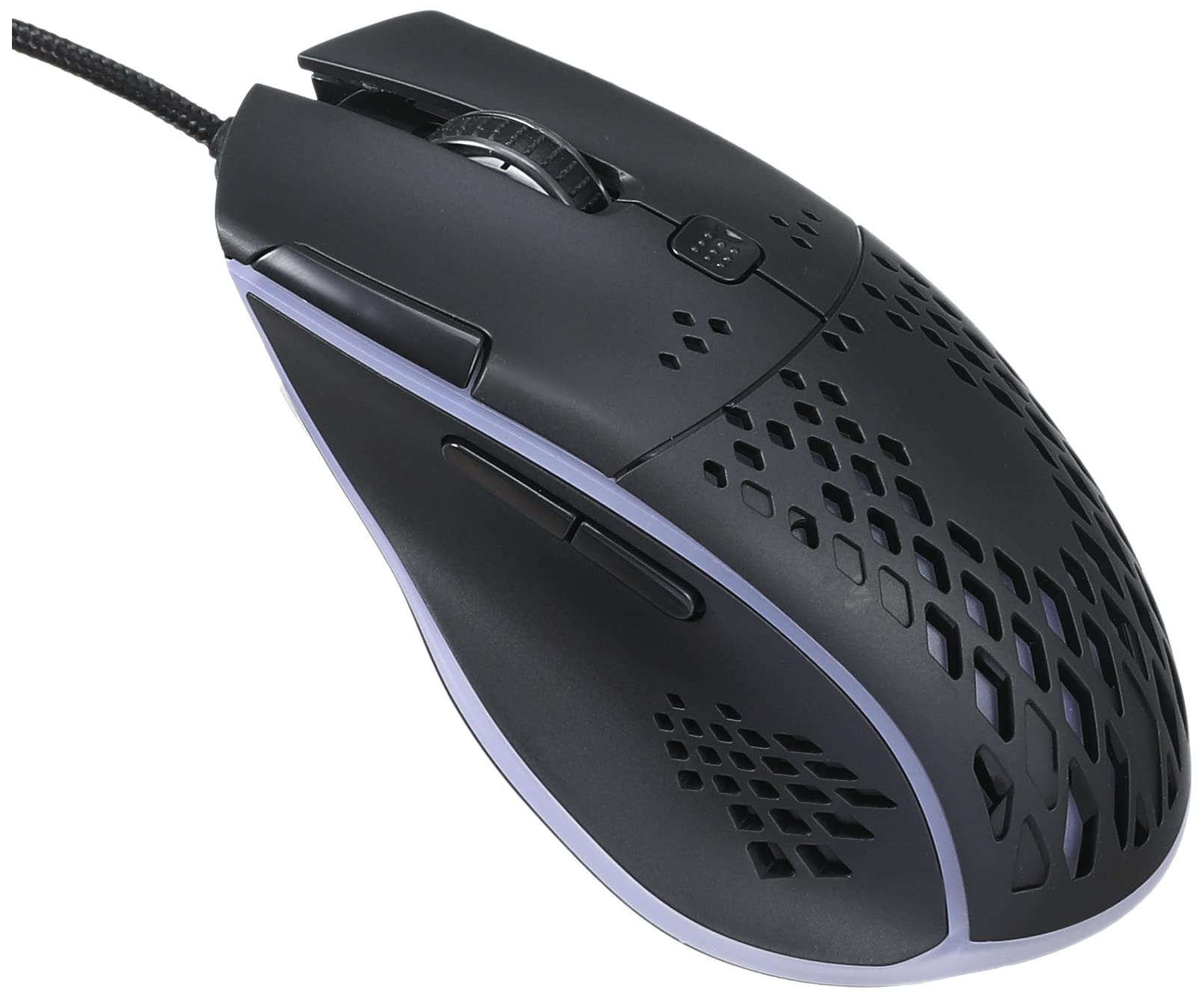
Imatge: Part superior frontal view of the IMICE T97 RGB Honeycomb Gaming Mouse, showing its ergonomic shape and honeycomb shell design.
Funcionament del ratolí
Funcions bàsiques
- Clic esquerre: Acció primària, selecció, activació.
- Clic dret: Menú contextual, accions secundàries.
- Roda de desplaçament: Desplaça't amunt/avall pels documents i web pàgines. També es pot fer clic amb el botó central per a la funcionalitat de clic.
- Botons laterals: (If present, typically for forward/back navigation in browsers or custom functions in games). The T97 model typically includes two side buttons.
Ajust de DPI
The IMICE T97 mouse features adjustable DPI (Dots Per Inch) settings, allowing you to change the cursor sensitivity. This mouse supports up to 4800 DPI. There is usually a dedicated button, often located behind the scroll wheel, to cycle through different DPI levels. Press this button to switch between sensitivity settings to find your preferred speed.
Il·luminació RGB
The mouse features RGB lighting, which typically cycles through various colors automatically. There may not be user-configurable software for lighting control, and it operates as a default aesthetic feature.

Imatge: Part inferior view of the IMICE T97 RGB Honeycomb Gaming Mouse, showing the optical sensor, product label with model T97, and regulatory marks.
Manteniment
Neteja
- Desconnecteu el ratolí de l'ordinador abans de netejar-lo.
- Feu servir un drap suau, sec i sense borrissol per netejar la superfície del ratolí.
- Per a la brutícia persistent, lleugerament dampen the cloth with water or a mild cleaning solution (avoid harsh chemicals).
- Feu servir un bastonet de cotó o aire comprimit per netejar els voltants dels botons i la roda de desplaçament.
- Assegureu-vos que no entri líquid als components interns del ratolí.
Emmagatzematge
Guardeu el ratolí en un lloc fresc i sec, allunyat de la llum solar directa i de temperatures extremes quan no l'utilitzeu durant períodes prolongats.
Resolució de problemes
| Problema | Solució |
|---|---|
| El ratolí no respon. |
|
| El moviment del cursor és erràtic o irregular. |
|
| Buttons or scroll wheel are not working. |
|
| Cannot find software for customization. | The IMICE T97 mouse is primarily designed for plug-and-play operation. Dedicated software for advanced customization (like button remapping or detailed RGB control) may not be available or easily accessible for this model. Most functions are hardware-controlled. |
Especificacions
| Marca | IMICE |
| Model | T97 |
| Color | Negre |
| Tecnologia de connectivitat | USB |
| DPI (màx.) | 4800 DPI |
| Característiques especials | Comfortable design, RGB lighting, honeycomb shell |
| Orientació de la mà | Ambidextre |
| Usos recomanats | Jocs |
| Dispositius compatibles | Ordinador personal, portàtil |
| Compatibilitat de sistemes operatius | Linux, Windows XP (i versions més recents) |
| Pes de l'article | 120 grams |
| Dimensions d'enviament | 15 x 11 x 5 cm |
| Piles incloses | No (Wired USB mouse) |
| ASIN | B0BD2DDWNQ |
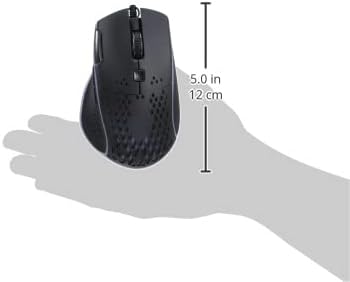
Imatge: Lateral view of the IMICE T97 RGB Honeycomb Gaming Mouse held in a hand, illustrating its compact size (approximately 5.0 inches or 12 cm in length).
Informació de la garantia
Please refer to the retailer or your purchase documentation for specific warranty terms and conditions. IMICE products typically come with a limited warranty against manufacturing defects. Keep your proof of purchase for warranty claims.
Atenció al client
For technical assistance or further inquiries, please contact your retailer or visit the official IMICE website for support resources. Ensure you have your product model (T97) and purchase details ready when contacting support.