
1. Introducció
This manual provides detailed instructions for the proper use and maintenance of your Obbug Bluetooth Headset, Model YYK-530. Please read this manual thoroughly before using the product to ensure optimal performance and longevity.
2. Contingut del paquet
Verifiqueu que tots els elements siguin presents al vostre paquet:
- 1 x Obbug Bluetooth Headset
- 1 x funda de càrrega
- 1 x cable de càrrega USB tipus C
- 1 x Ear Hat (replacement ear tip)
- 1 x Manual d'usuari
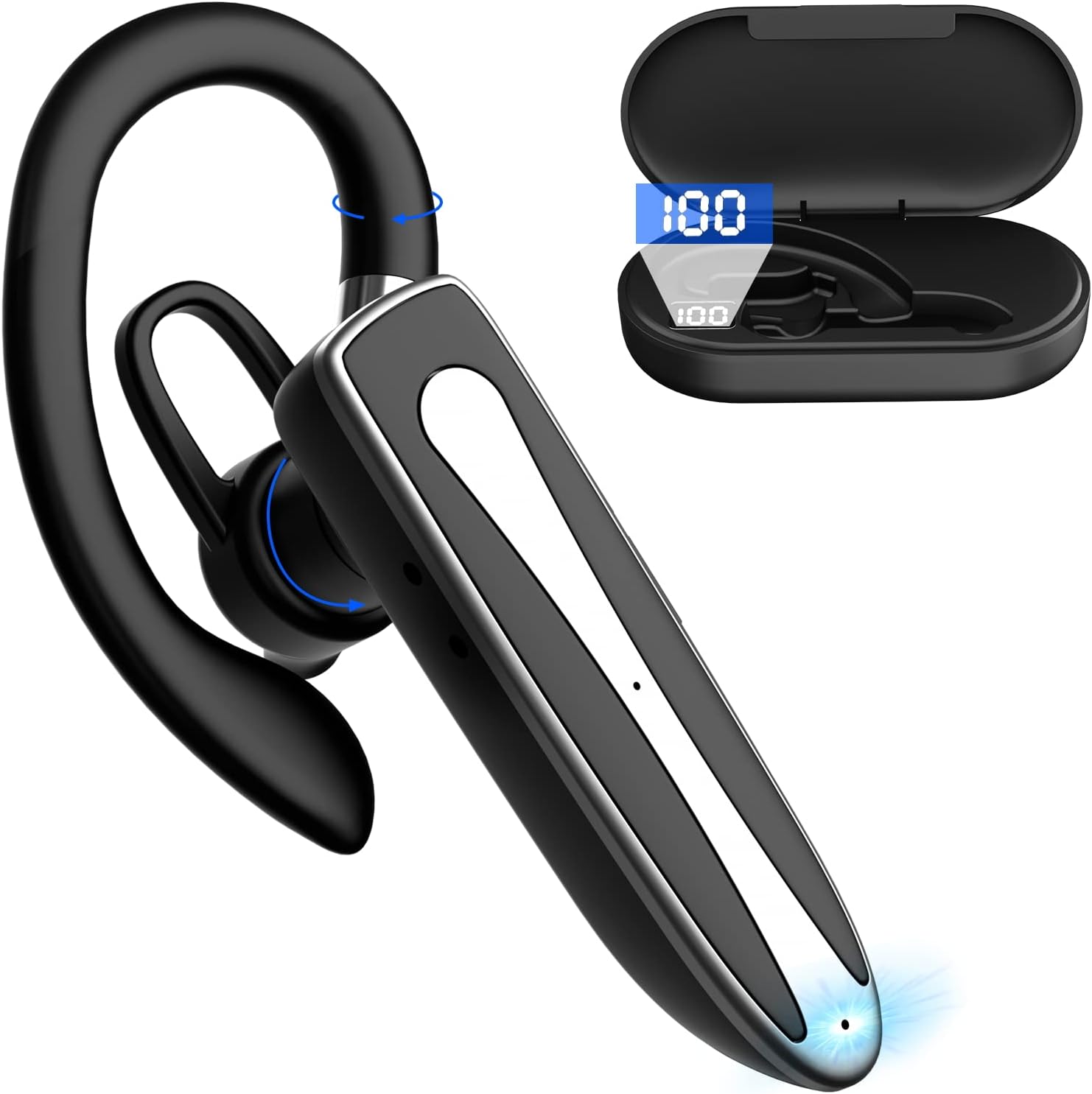
Image 2.1: Obbug Bluetooth Headset YYK-530 and its charging case.
3. Característiques del producte
- Tecnologia Bluetooth 5.1: Provides stable connection and clear audio.
- Durada de la bateria ampliada: Up to 80 hours of continuous use with the charging case.
- Disseny còmode i ajustable: Flexible earhook and rotatable boom mic for left or right ear wear.
- CVC8.0 Noise Reduction: Millora la claredat de les trucades reduint el soroll de fons.
- Àmplia compatibilitat: Connects with most Bluetooth-enabled devices including smartphones, tablets, and computers.
- Trucades mans lliures: Integrated microphone for convenient communication.

Image 3.1: Illustration of CVC8.0 Noise Reduction for clear audio.
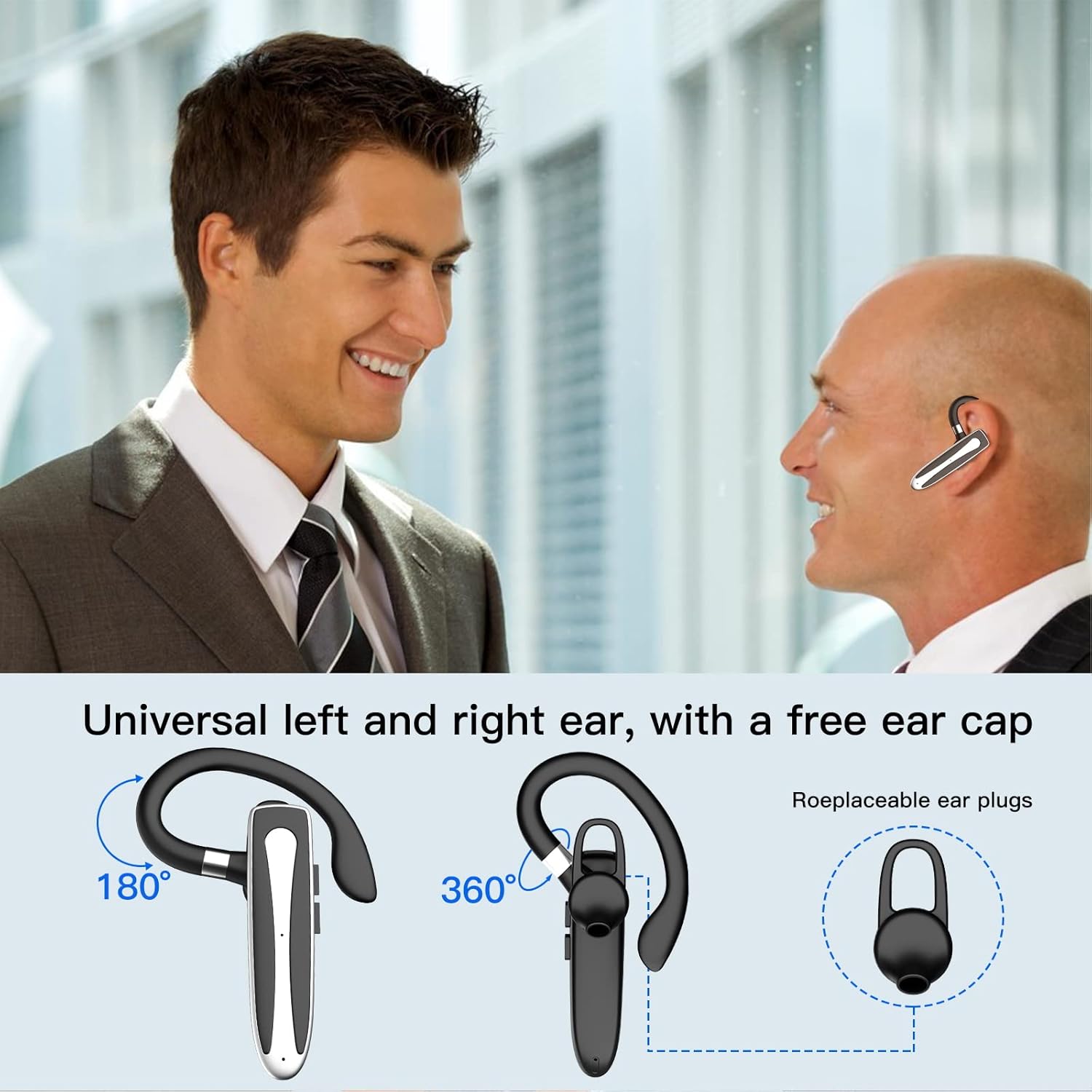
Image 3.2: Diagram illustrating the dual microphone noise reduction processing.
4. Configuració
4.1 Charging the Headset and Case
Before first use, fully charge the headset and its charging case.
- Place the headset into the charging case.
- Connecteu el cable USB tipus C al port de càrrega de la carcassa i a una font d'alimentació (per exemple, un adaptador de paret USB, un port USB de l'ordinador).
- The charging indicator on the case will show charging status. A full charge typically takes 1.5 hours.

Image 4.1: The Type-C charging port on the charging case.

Image 4.2: Battery life and charging time information for the headset and case.
4.2 Vinculació amb un dispositiu
The headset uses Bluetooth 5.1 for wireless connection.
- Encès: Take the headset out of the charging case, or press and hold the Multi-function Button until the indicator light flashes blue and red, indicating pairing mode.
- Activa el Bluetooth: Al dispositiu (telèfon intel·ligent, tauleta, etc.), aneu a la configuració de Bluetooth i activeu el Bluetooth.
- Seleccioneu el dispositiu: In the list of available devices, select "YYK-530".
- Confirmeu la connexió: Once connected, the headset indicator light will flash blue slowly, and your device will show "Connected".

Image 4.3: Illustration of optimal Bluetooth connection distance (within 10 meters).
4.3 Connecting to Two Devices Simultaneously
The headset supports connecting to two Bluetooth devices at the same time.
- Connect the headset to the first device (e.g., Phone A) as described in Section 4.2.
- Turn off Bluetooth on the first device. The headset will re-enter pairing mode.
- Connect the headset to the second device (e.g., Phone B) as described in Section 4.2.
- Turn on Bluetooth on the first device. The headset should automatically reconnect to both devices.
You can now answer calls or play music from either connected device.

Image 4.4: Step-by-step guide for connecting the headset to two devices.
4.4 Com portar els auriculars
The headset is designed for comfortable wear on either the left or right ear.
- The earhook can rotate 360° vertically and 360° horizontally to fit your preferred angle.
- The retractable earhook can be adjusted to fit the shape of your ear.

Image 4.5: The headset's adjustable design for left or right ear wearing.
5. Instruccions de funcionament
5.1 Encès/Apagat
- Encès: Take the headset out of the charging case, or press and hold the Multi-function Button for approximately 3 seconds until the indicator light flashes blue.
- Apagar: Place the headset back into the charging case, or press and hold the Multi-function Button for approximately 5 seconds until the indicator light flashes red and then turns off.
5.2 Gestió de trucades
- Respondre/Finalitzar la trucada: Premeu el botó multifunció una vegada.
- Rebutja la trucada: Premeu i manteniu premut el botó multifunció durant aproximadament 2 segons.
- Torna a marcar l'últim número: Premeu dues vegades el botó multifunció.
5.3 Reproducció de música
- Reproduir/pausa: Premeu el botó multifunció una vegada.
- Pista següent: Premeu i manteniu premut el botó de pujar el volum.
- Pista anterior: Manteniu premut el botó de baixar el volum.
5.4 Control de volum
- Augmenta el volum: Premeu el botó Pujar volum.
- Disminueix el volum: Premeu el botó per baixar el volum.
5.5 Activació de l'assistent de veu
Activate your device's voice assistant (Siri, Google Assistant) directly from the headset.
- Activa l'Assistent de veu: Triple-press the Multi-function Button.

Image 5.1: The headset supports activation of Siri and Google Assistant.
6. Manteniment
- Clean the headset and charging case regularly with a soft, dry cloth.
- Eviteu exposar el dispositiu a temperatures extremes, humitat o substàncies corrosives.
- Store the headset in its charging case when not in use to protect it and keep it charged.
- No intenteu desmuntar o reparar el dispositiu vosaltres mateixos. Poseu-vos en contacte amb el servei d'atenció al client per obtenir ajuda.
7. Solució De Problemes
7.1 Els auriculars no s'encenen
- Ensure the headset is fully charged. Place it in the charging case and connect the case to a power source.
- Press and hold the Multi-function Button for 3-5 seconds to power on.
7.2 No es pot emparellar amb el dispositiu
- Ensure the headset is in pairing mode (indicator flashes blue and red).
- Desactiva el Bluetooth del dispositiu i torna'l a activar.
- Ensure the headset is within 10 meters of your device and there are no significant obstacles.
- Esborreu la llista d'emparellament Bluetooth del dispositiu i torneu a intentar l'emparellament.
7.3 Sense so o mala qualitat de so
- Ajusteu el volum tant als auriculars com al dispositiu connectat.
- Assegureu-vos que els auriculars estiguin connectats correctament al dispositiu.
- Apropa't al dispositiu per assegurar-te que ets dins de l'abast del Bluetooth.
- Comproveu si hi ha interferències d'altres dispositius sense fil.
8. Especificacions
| Característica | Especificació |
|---|---|
| Nom del model | YYK-530 |
| Marca | Obbug |
| Tecnologia de connectivitat | Sense fil (Bluetooth) |
| Versió Bluetooth | 5.1 |
| Interval Bluetooth | Fins a 33 peus (10 metres) |
| Control de soroll | Sound Isolation (CVC8.0 Noise Reduction) |
| Forma de l'auricular | Ganxo per l'orella |
| Durada de la bateria (auriculars) | 5 hores (aprox.) |
| Durada de la bateria (amb estoig de càrrega) | Up to 80 Hours (approx.) |
| Temps de càrrega | 1.5 hores |
| Port de càrrega | USB tipus C |
| Nivell de resistència a l'aigua | Impermeable |
| Pes de l'article | 4.9 unces (0.14 quilograms) |
| Interval de freqüència | 20 Hz - 20,000 Hz |
| Dispositius compatibles | Cellphones, Desktops, Laptops, Telephones |

Image 8.1: The headset is compatible with a wide range of Bluetooth-enabled devices.
9. Garantia i atenció al client
The Obbug Bluetooth Headset comes with a 1-month replacement warranty.
For any questions, issues, or support needs, please contact our customer service. We offer 24-hour customer service to assist you.
Si us plau, consulteu la documentació de compra per obtenir les dades de contacte específiques.