
1. Introducció
This manual provides essential information for the setup, operation, maintenance, and troubleshooting of your Apple Watch Ultra GPS + Cellular 49mm Smart Watch. Designed for endurance athletes, outdoor adventurers, and water sports enthusiasts, the Apple Watch Ultra combines robust features with advanced technology to support your active lifestyle.
2. Producte acabatview
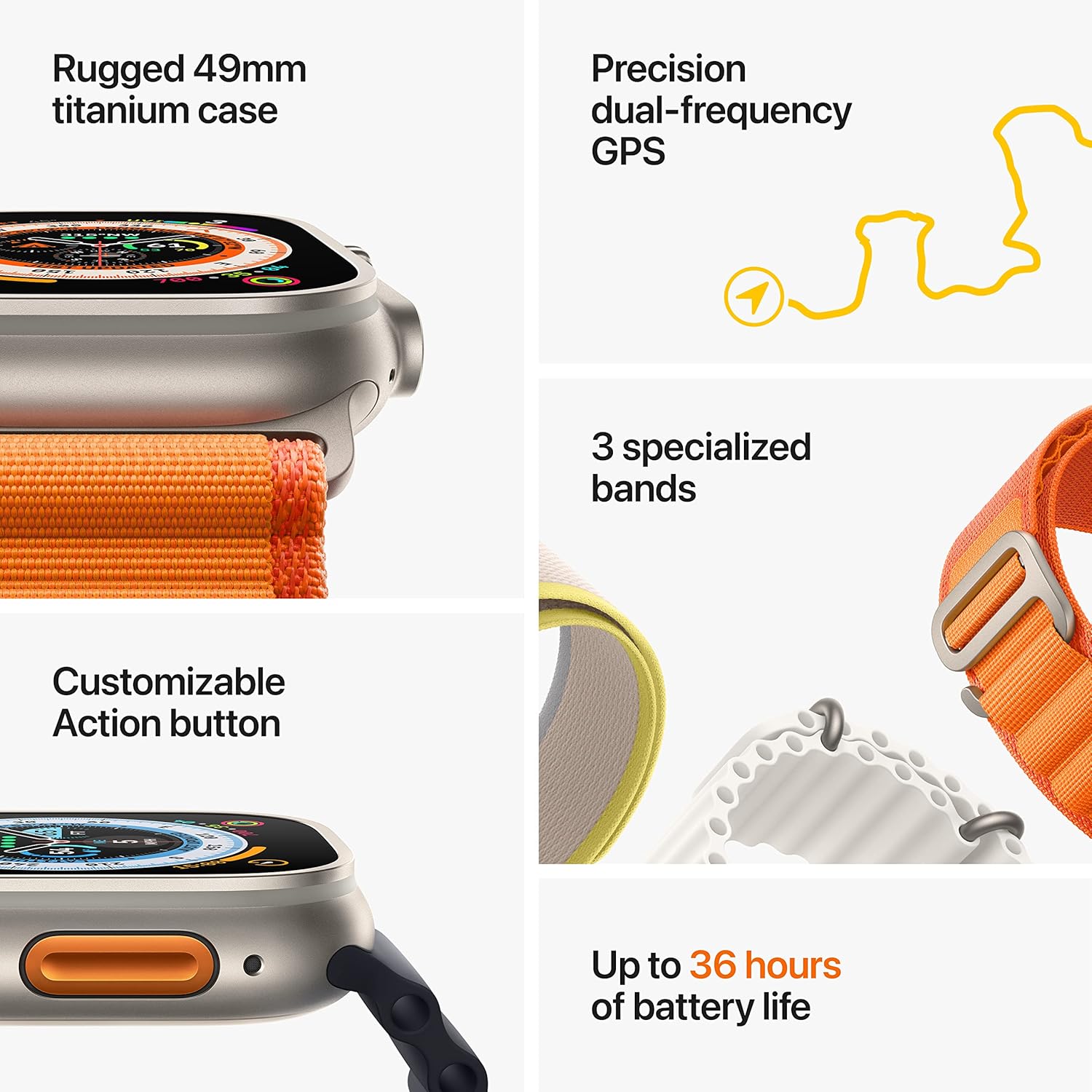
The Apple Watch Ultra features a rugged 49mm titanium case, a bright Always-On Retina display, and a customizable Action button. It is equipped with precision dual-frequency GPS and advanced health sensors.
Característiques principals:
- Rugged Titanium Case: 49mm corrosion-resistant titanium case for enhanced durability.
- Pantalla Retina sempre activada: Bright and easy to read, even in direct sunlight.
- Botó d'acció personalitzable: Proporciona control físic instantani sobre diverses funcions.
- GPS de precisió de doble freqüència: For accurate distance, route, and pace calculations.
- Sensors de salut avançats: Includes Heart Rate Zones, ECG, Blood Oxygen (SpO2), and temperature sensing.
- Resistència a l'aigua: Rated for 100m, suitable for high-impact water sports and recreational diving (with Oceanic+ app).
- Connectivitat cel·lular: Stay connected, make calls, and send texts without your iPhone.
- Durada de la bateria ampliada: Up to 36 hours of typical use.
- Característiques de seguretat: Fall Detection, Crash Detection, and an 86-decibel Siren.
Components:


Què hi ha a la caixa:
- Apple Watch Ultra Case (49mm Titanium)
- Midnight Ocean Band
- Cable de càrrega ràpida magnètica USB-C (1 m)

3. Configuració
3.1 Charging Your Apple Watch Ultra
- Connect the USB-C Magnetic Fast Charging Cable to a USB-C power adapter (sold separately) and plug it into a power outlet.
- Place the back of your Apple Watch Ultra on the magnetic charger. The charger will snap into place.
- The watch display will show a charging indicator. Allow the watch to charge until it has sufficient power to begin setup.
3.2 Pairing with Your iPhone
- Assegura't que el teu iPhone estigui actualitzat a la darrera versió d'iOS i que tingui el Bluetooth i el Wi-Fi activats.
- Turn on your Apple Watch Ultra by pressing and holding the Side Button until the Apple logo appears.
- Acosta l'iPhone a l'Apple Watch. Apareixerà una pantalla d'emparellament a l'iPhone. Toca "Continua".
- Col·loca l'iPhone de manera que l'Apple Watch aparegui a la viewcercador a l'aplicació Apple Watch.
- Follow the on-screen instructions on both your iPhone and Apple Watch to complete the pairing process, including setting up a passcode, cellular plan (if applicable), and other preferences.
4. Instruccions de funcionament
4.1 Navegació bàsica
- Corona digital: Gira per desplaçar-te, fer zoom o ajustar els valors. Prem una vegada per anar a l'esfera del rellotge o a la llista d'aplicacions. Prem dues vegades per canviar entre les aplicacions utilitzades recentment. Mantén premut per a Siri.
- Botó lateral: Press once to open the Dock (recently used apps). Press and hold to access emergency services, Medical ID, or power options.
- Botó d'acció: Customizable orange button on the left side. By default, it can start a workout, mark a Compass Waypoint, or begin a dive. Customize its function in Settings.
- Pantalla tàctil: Tap to select, swipe to navigate, force press for additional options (Force Touch).
4.2 Fitness Tracking and Workouts
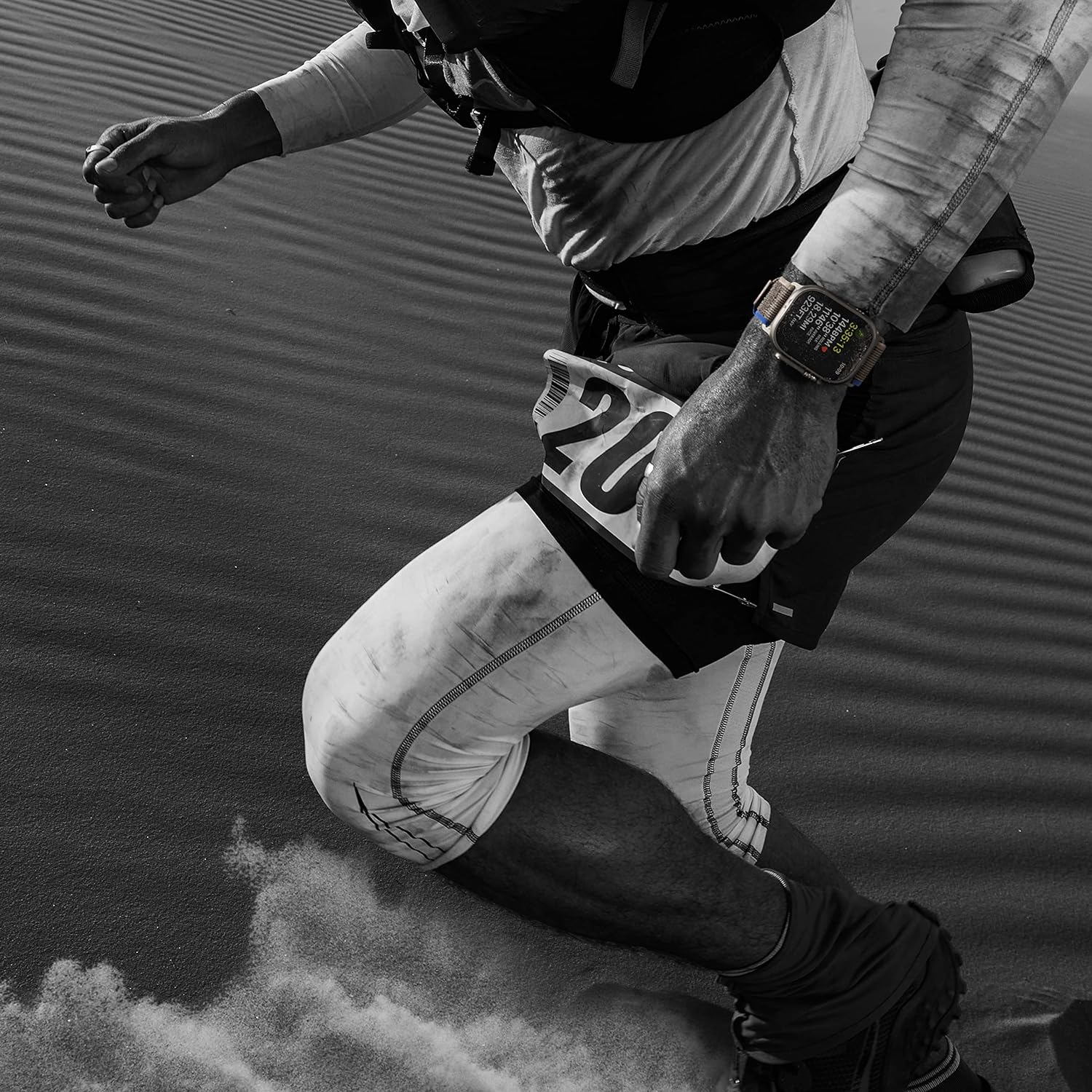
The Workout app provides advanced metrics for various activities. Use the Action button for quick workout starts.
- Obriu el Workout app per seleccionar una activitat.
- Monitor Heart Rate Zones, Running Form, and other data during your exercise.
- Precision dual-frequency GPS enhances accuracy for outdoor activities.
4.3 Navigation and Outdoor Features
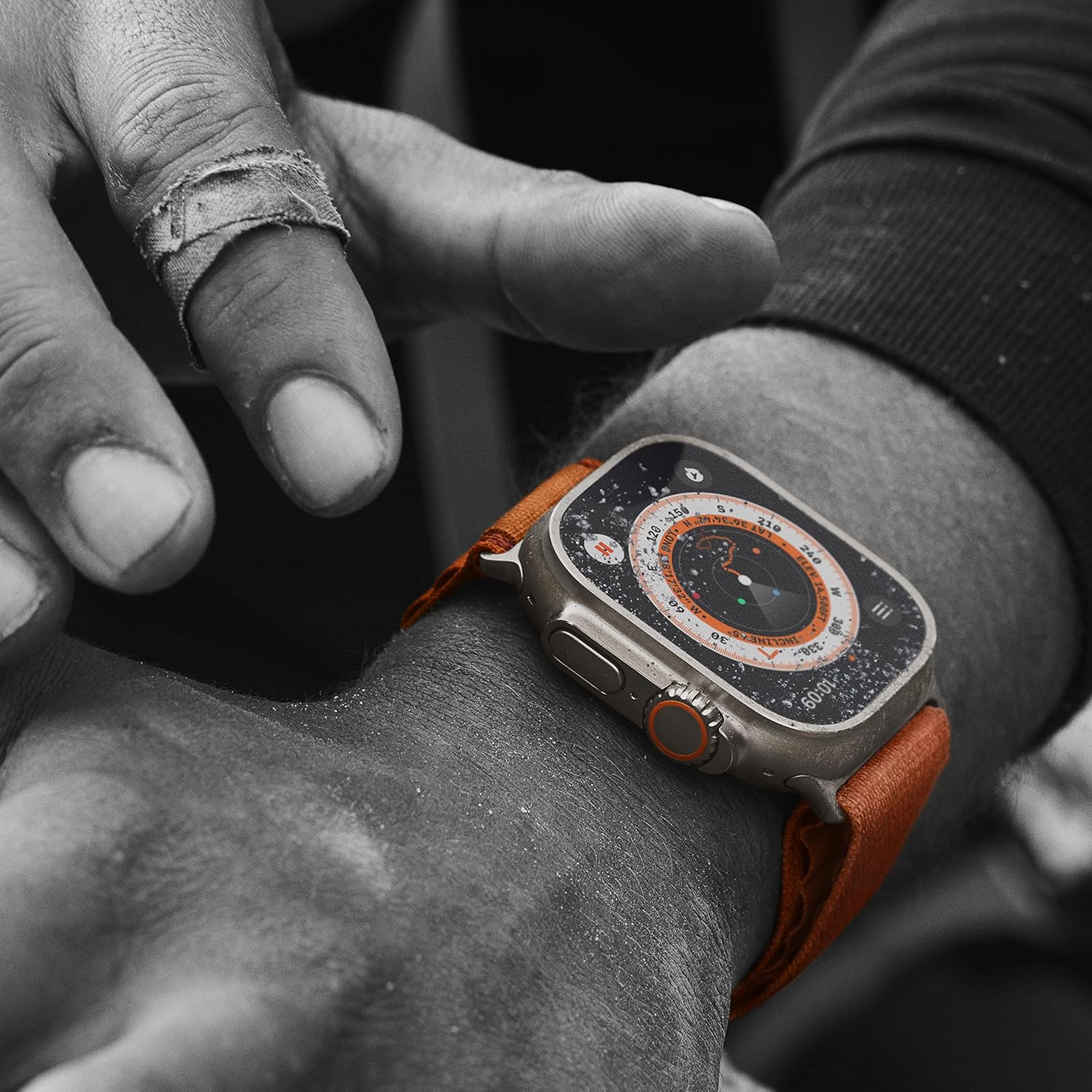
The redesigned Compass app offers enhanced navigation tools.
- Ús Compass Waypoints to mark locations.
- El Tornar enrere feature uses GPS to retrace your steps.
- The watch provides real-time altitude and environmental data.
4.4 Water Sports and Diving
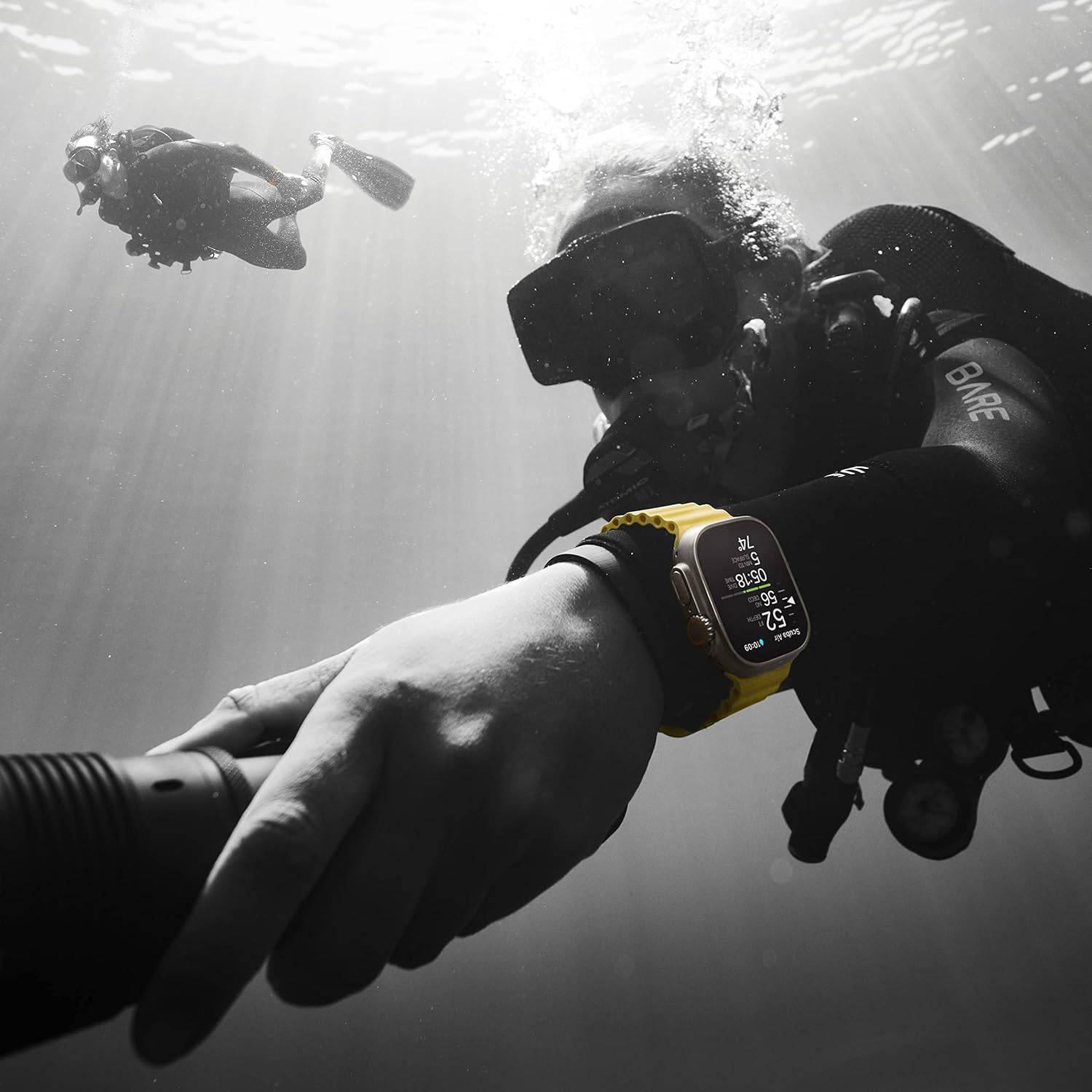
The Apple Watch Ultra is designed for water sports, including recreational diving.
- El Oceanic+ app (available separately) turns your watch into a dive computer.
- Ensure the watch is properly sealed before engaging in water activities.
4.5 Característiques de salut i seguretat
- Heart Rate Monitor & ECG: Track heart rate and perform ECG readings via the ECG app.
- Oxigen en sang (SpO2): Measure blood oxygen levels using the Blood Oxygen app.
- Detecció de temperatura: Provides retrospective ovulation estimates and advanced cycle tracking features.
- Detecció de caigudes i detecció d'accidents: Automatically contacts emergency services in the event of a severe fall or car crash.
- Sirena: Hold the Action button to activate an 86-decibel siren audible up to 600 feet away for emergency situations.
5. Manteniment
5.1 Cleaning Your Apple Watch Ultra
- Apaga el teu Apple Watch i treu-lo del carregador.
- Clean the watch and band with a non-abrasive, lint-free cloth. If necessary, lightly dampen el drap amb aigua fresca.
- For the Ocean Band, rinse with fresh water after exposure to salt water or sweat, then dry thoroughly.
- No utilitzeu productes de neteja, materials abrasius ni aire comprimit.
5.2 Resistència a l'aigua
The Apple Watch Ultra has a water resistance rating of 100 meters (WR100) under ISO standard 22810:2010. It is suitable for high-speed water sports and recreational diving to 40 meters. However, water resistance is not a permanent condition and may diminish over time. Avoid:
- Deixar caure el rellotge o sotmetre'l a altres impactes.
- Exposing the watch to soap or soapy water (e.g., showering, bathing).
- Exposing the watch to perfume, solvents, detergents, acids, or acidic foods, insect repellent, lotions, sunscreens, oil, or hair dye.
5.3 Cura de la bateria
- Charge your watch regularly using the provided magnetic fast charging cable.
- Eviteu temperatures extremes, que poden degradar el rendiment de la bateria.
- For optimal battery health, avoid fully discharging the battery frequently.
6. Solució De Problemes
6.1 Problemes comuns
- El rellotge no s'encén: Ensure the watch is charged. Connect it to the charger for at least 30 minutes.
- Problemes d'aparellament: Ensure Bluetooth is enabled on your iPhone and both devices are close. Restart both devices.
- La bateria s'esgota ràpidament: Check for background app refresh, excessive notifications, or cellular usage. Adjust settings in the Apple Watch app on your iPhone.
- Aplicacions que no responen: Force quit the app by pressing and holding the Side Button until the power off slider appears, then press and hold the Digital Crown.
6.2 Restarting and Resetting
- Reinicia: Press and hold the Side Button until the power off slider appears, then drag the slider. To turn back on, press and hold the Side Button again.
- Força el reinici: If the watch is unresponsive, press and hold both the Side Button and the Digital Crown for at least 10 seconds until you see the Apple logo.
- Erase All Content and Settings: On your Apple Watch, go to Settings > General > Reset > Erase All Content and Settings. This will unpair your watch and erase all data.
7. Especificacions
| Nom del model | Apple Watch Ultra |
| Número de model de l'article | MQET3LL/A |
| Marca | Apple |
| Mida de la caixa | 49 mil·límetres |
| Material de la caixa | Titani |
| Tipus de banda | Ocean Band (Midnight) |
| Sistema operatiu | WatchOS |
| Capacitat d'emmagatzematge de memòria | 32 GB |
| Tecnologia de connectivitat | USB-C, GPS, Cellular |
| Resistència a l'aigua | 100m (WR100) |
| Durada de la bateria (típica) | Fins a 36 hores |
| Característiques especials | Activity Tracker, Heart Rate Monitor, Sleep Monitor, GPS, Fall Detection, Distance Tracker, ECG, Oxymeter (SpO2), Cycle Tracking, Body Temperature Monitor, Phone Call, Notification, SOS Button, Elevation Tracker, Accelerometer |
| Dimensions del producte | 1.93 x 1.93 x 1.93 polzades |
| Pes de l'article | 15.2 unces |
8. Informació de la garantia
The Apple Watch Ultra is covered by Apple's standard limited warranty. This warranty typically covers manufacturing defects for a period of one year from the original purchase date. For detailed terms and conditions, including coverage specifics and limitations, please refer to the official Apple warranty documentation provided with your product or visit the Apple Support weblloc.
Es requereix un comprovant de compra per al servei de garantia.
9. Suport
Per obtenir més ajuda, assistència tècnica o servei, visiteu el lloc web oficial d'Apple Support. weblloc web o poseu-vos en contacte amb el servei d'atenció al client d'Apple.
- Assistència en línia: support.apple.com/watch
- Apple Store: Visit your local Apple Store for in-person assistance.