
1. Producte acabatview
The ZGCINE ZG-V99 is a compact and powerful 99Wh (6800mAh, 14.8V) V-Mount Li-ion battery designed for professional photographic equipment, including cameras and DSLRs. It features multiple output ports for versatile power supply to various devices, an OLED display for real-time battery information, and intelligent battery management for safe operation.

Imatge 1.1: Frontal view of the ZGCINE ZG-V99 V-Mount Battery, highlighting its capacity, voltage, and integrated safety features.
Característiques principals:
- Compacte i lleuger: Designed for portability, weighing approximately 1.1 lbs, making it suitable for travel (please check local airline regulations).
- Alta capacitat: 99Wh (6800mAh, 14.8V) provides extended power for your devices.
- Ports de sortida múltiples: Equipped with D-TAP, BP, USB-C, and USB-A output ports to power a wide range of devices simultaneously.
- Càrrega ràpida PD: Supports PD USB-C charging at 45W or 60W, allowing a full charge in approximately 3.5 hours.
- Pantalla OLED: Real-time display of battery information, including charge status.
- Gestió intel·ligent de la bateria: Incorporates overcurrent, overpower, overvoltage, overcharge, short circuit, temperature, and reset protection for safe and reliable operation.
- Cèl·lules d'alta qualitat: Utilizes imported high-quality battery cells for optimal performance and safety.
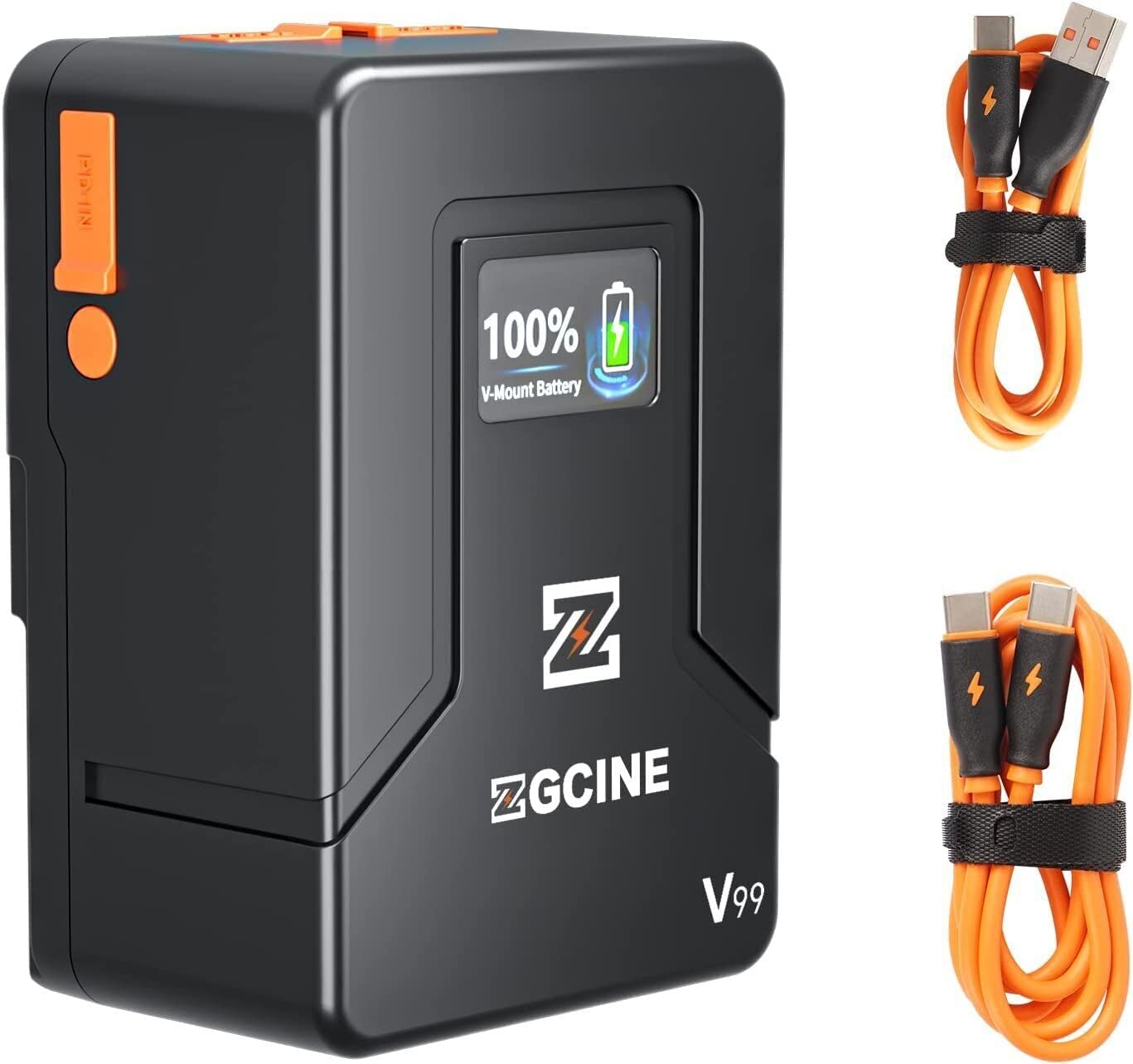
Image 1.2: The ZGCINE ZG-V99 battery demonstrating its compact size and portability, fitting easily into a bag.
2. Especificacions
| Característica | Especificació |
|---|---|
| Model | ZG-V99 |
| Tipus de bateria | Bateria de muntatge en V d'ió de liti |
| Capacitat | 99 Wh / 6800 mAh |
| Voltage | 14.8 V |
| Pes de l'article | 1.1 lliures (aprox. 0.5 kg) |
| Entrada/sortida USB-C | PD 45W/60W (Input), 24W (Output) |
| Sortida USB-A | 24W |
| D-Tap Input/Output | 133.2W |
| BP Charging Port | 133.2W |
| Dimensions (L x A x A) | Aprox. 4.33 x 2.2 x 2.95 polzades (108 x 55 x 74 mm) |
| Charging Time (PD 45W/60W) | Aprox. 3.5 hores |
| Característiques de protecció | Overcurrent, Overpower, Overvoltage, Overcharge, Short Circuit, Temperature, Reset, Circuit Protection |
3. Contingut del paquet
Si us plau, comproveu el paquet per veure si hi ha els elements següents:
- Bateria ZGCINE ZG-V99 V-Mount
- Manual d'usuari
Note: Charging cables and power adapters are typically sold separately.
4. Informació de seguretat
To ensure safe operation and prolong the lifespan of your ZGCINE ZG-V99 V-Mount Battery, please read and adhere to the following safety guidelines:
- No desmunteu, aixafeu, perforeu ni curtcircuiteu la bateria.
- Eviteu exposar la bateria a temperatures elevades (superiors a 60 °C / 140 °F) o a la llum solar directa.
- Mantingueu la bateria allunyada de l'aigua, el foc i les substàncies corrosives.
- Feu servir només carregadors i cables compatibles.
- If the battery shows signs of swelling, leakage, or damage, discontinue use immediately.
- Desfeu-vos de la bateria d'acord amb la normativa local per a bateries de liti-ió.
- Mantenir fora de l'abast dels nens.

Imatge 4.1: acabatview of the intelligent battery management system and its various protection mechanisms.
5. Primers passos
5.1 Càrrega de la bateria
The ZG-V99 battery supports PD fast charging via its USB-C port. To charge the battery:
- Connect a compatible USB-C PD charger (45W or 60W recommended) to the USB-C port on the battery.
- The OLED display will show the charging status and current battery level.
- Charging typically takes about 3.5 hours for a full charge with a 45W/60W PD charger.

Image 5.1: The ZG-V99 battery being charged via its USB-C port using a PD charger.
5.2 Muntatge de la bateria
The ZG-V99 is a V-Mount battery and can be attached to any device or rig equipped with a standard V-Mount plate.
- Align the V-Mount plate on the battery with the V-Mount receiver on your camera or accessory.
- Feu lliscar la bateria cap avall fins que sentiu un clic i encaixi fermament al seu lloc.
- To remove, press the release button (usually orange) on the side of the battery and slide it upwards.

Image 5.2: The ZG-V99 battery mounted on a camera rig, demonstrating its integration into a professional setup.
5.3 Connexió de dispositius
The ZG-V99 offers various ports to power multiple devices simultaneously:
- Port D-Tap: For devices requiring D-Tap power input.
- BP Port: For devices compatible with BP power input.
- Port USB-C: Can be used as an output to charge devices like laptops, tablets, or smartphones.
- Port USB-A: For charging smartphones and other USB-powered accessories.

Imatge 5.3: Detallada view of the ZG-V99's various input/output ports.
6. Funcionament
6.1 Engegada/apagada
To power on the battery, press and hold the power button located on the side. The OLED display will illuminate. To power off, press and hold the power button again until the display turns off.
6.2 Ús dels ports de sortida
Once the battery is powered on, connect your devices to the appropriate output ports (D-Tap, BP, USB-C, USB-A). The battery can supply power to multiple devices simultaneously.

Image 6.1: The ZG-V99 battery powering a laptop and a smartphone simultaneously.
6.3 Informació de la pantalla OLED
The integrated OLED display provides real-time information about the battery's status, including:
- Percentatge de bateria actualtage.
- Charging status (when connected to a charger).
- Output status (when powering devices).
7. Manteniment
Proper maintenance ensures the longevity and optimal performance of your ZG-V99 battery:
- Neteja: Use a soft, dry cloth to clean the battery's exterior. Do not use harsh chemicals or abrasive materials.
- Emmagatzematge: Store the battery in a cool, dry place, away from direct sunlight and extreme temperatures. For long-term storage, it is recommended to keep the battery charged to approximately 50-70%.
- Cicles de càrrega: Eviteu descarregar completament la bateria amb freqüència, ja que això pot reduir-ne la vida útil total.
- Protecció del port: Keep the dust-proof caps on unused ports to prevent dust and debris accumulation.
8. Solució De Problemes
If you encounter issues with your ZGCINE ZG-V99 battery, refer to the following table:
| Problema | Causa possible | Solució |
|---|---|---|
| La bateria no es carrega | Incompatible charger; Loose connection; Faulty cable/charger | Ensure using a PD 45W/60W USB-C charger. Check all connections. Try a different cable or charger. |
| Battery not powering devices | Battery is off; Low battery level; Device incompatibility; Loose connection | Press the power button to turn on. Charge the battery. Verify device compatibility. Check cable connections. |
| La pantalla OLED no funciona | Battery is off; Malfunction | Press the power button. If still unresponsive, contact customer support. |
| Sobreescalfament de la bateria | Overload; Poor ventilation; Environmental temperature too high | Disconnect devices immediately. Allow battery to cool down. Ensure proper ventilation. Avoid use in high ambient temperatures. |
9. Vídeo oficial del producte
Vídeo 9.1: Presentació oficial del producte en vídeoasing the ZGCINE ZG-V99 V-Mount Battery's features, ports, and mounting process on a camera rig.
10. Garantia i Suport
The ZGCINE ZG-V99 V-Mount Battery comes with a 1 any de garantia del fabricant des de la data de compra. Aquesta garantia cobreix els defectes de materials i de mà d'obra en ús normal.
La garantia no cobreix:
- Danys causats per mal ús, abús, accident o negligència.
- Reparacions o modificacions no autoritzades.
- Desgast normal.
For warranty claims or technical support, please contact ZGCINE customer service through your retailer or the official ZGCINE website. Please have your proof of purchase and product model number ready.

