
1. Producte acabatview
The Infinix Hot 12i (X665B) is a dual-SIM smartphone designed for reliable communication and multimedia use. It features 4GB of RAM and 64GB of internal storage, running on Android 11.0. This manual provides essential information for setting up, operating, maintaining, and troubleshooting your device.

Image: Infinix Hot 12i smartphone, showcasinel seu disseny i la seva marca.
2. Guia de configuració
2.1. Inserció de targetes SIM i targeta MicroSD
Your Infinix Hot 12i supports dual SIM cards and a MicroSD card for expanded storage. Follow these steps to insert them correctly:
- Localitza la safata de la targeta SIM al lateral del dispositiu.
- Feu servir l'eina d'expulsió de la SIM proporcionada per obrir la safata.
- Col·loca les targetes Nano-SIM a les ranures designades, assegurant-te que els contactes daurats estiguin mirant cap avall.
- If using a MicroSD card, place it into its dedicated slot.
- Torneu a inserir la safata al telèfon amb cura.
2.2. Engegada inicial i configuració bàsica
Per encendre el dispositiu per primera vegada:
- Mantingueu premut el botó d'engegada fins que aparegui el logotip d'Infinix.
- Segueix les instruccions que apareixen a la pantalla per seleccionar l'idioma i la regió i connectar-te a una xarxa Wi-Fi.
- Inicia la sessió amb el teu compte de Google o crea'n un de nou per accedir als serveis de Google i a Play Store.
2.3. Càrrega del dispositiu
Before first use, it is recommended to fully charge your device. Use only the charger and cable provided with your phone.
- Connecteu el cable USB al port de càrrega que es troba a la part inferior del telèfon.
- Connecteu l'altre extrem del cable a l'adaptador de corrent i després a una presa de corrent.
- L'indicador de càrrega apareixerà a la pantalla.
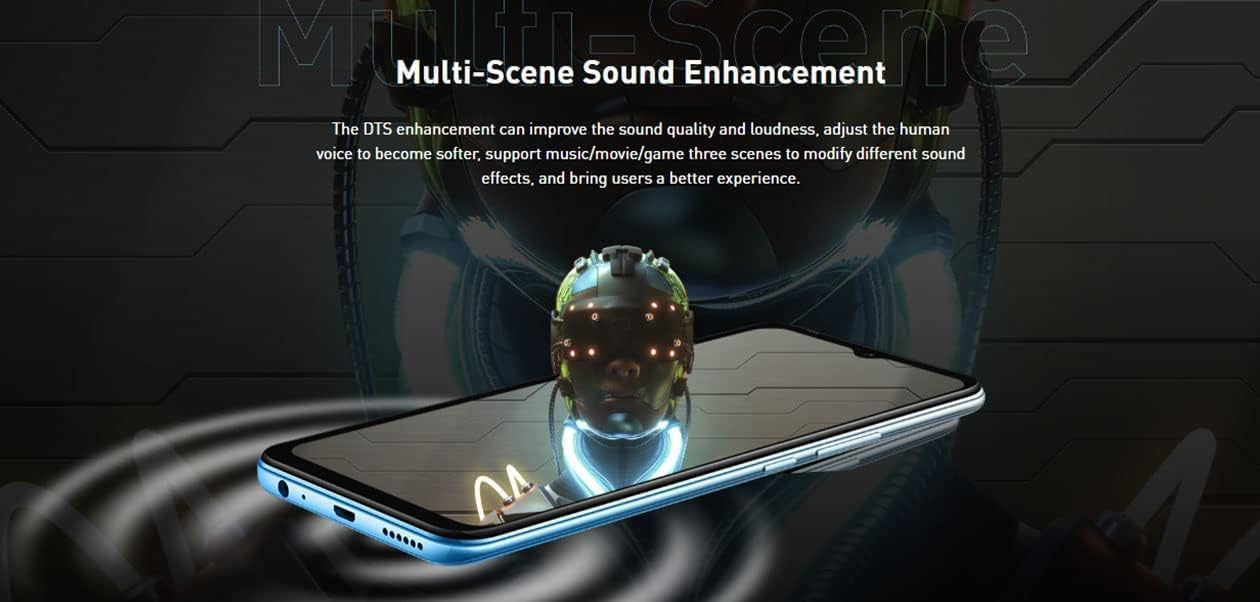
Image: Infinix Hot 12i smartphone connected to its charging cable, illustrating the charging process.
3. Instruccions de funcionament
3.1. Navegació i visualització
The Infinix Hot 12i features a 6.6-inch HD+ Super Bright Display, offering clear visuals even in bright conditions. Navigate the device using touch gestures:
- Toca: Selecciona un element o obre una aplicació.
- Llisca: Desplaçar-se per pantalles o llistes.
- Pessigar: Apropa o allunya les fotos i web pàgines.

Image: The Infinix Hot 12i display showcasing a vibrant racing game, highlighting its 6.6-inch HD+ Super Bright Display.
3.2. Trucades i missatges
To make a call, open the Phone app and dial the number or select a contact. For messaging, use the Messages app to send and receive SMS/MMS.
3.3. Connectivitat
Connect to the internet via Wi-Fi or 4G mobile data. Enable Bluetooth for connecting to wireless accessories like headphones or speakers.
- Wi-Fi: Ves a Configuració > Xarxa i internet > Wi-Fi per connectar-te a les xarxes disponibles.
- Bluetooth: Go to Settings > Connected devices > Bluetooth to pair with devices.
3.4. Característiques de la càmera
The Hot 12i is equipped with an 8MP AI front camera and a 13MP AI triple rear camera. Open the Camera app to capture photos and videos. Utilize AI features for enhanced image quality and portrait blurring.

Image: A group of people sitting on a wall, demonstrating the camera's ability to capture detailed images with AI enhancements.
3.5. Audio Enhancement
The device features DTS Multi-Scene Sound Enhancement, which improves sound quality and loudness. It supports music, movie, and game modes to optimize your audio experience.
Image: Infinix Hot 12i with visual representations of sound waves, highlighting the Multi-Scene Sound Enhancement feature.
3.6. Gestió de la bateria
The Hot 12i is equipped with a 5000mAh battery. The 'Power Marathon' feature provides approximately a 25% comprehensive battery life increase with one click, and offers 8 main battery-preserving settings to customize your power-saving plan.

Image: Infinix Hot 12i displaying battery percentage and estimated usage times for music, calling, gaming, and standby.

Image: Graphic illustrating the 'Power Marathon' feature, indicating a 25% comprehensive battery life increase and 8 battery-preserving settings.
3.7. App Lock and Privacy
Utilize the App Lock feature to protect your applications and personal data from unauthorized access. This enhances your privacy by requiring a password or pattern to open selected apps.

Image: Two Infinix Hot 12i screens demonstrating the 'App Lock' feature, showing how to lock individual applications for privacy.
4. Manteniment
4.1. Neteja del dispositiu
To keep your phone clean, gently wipe the screen and body with a soft, lint-free cloth. Avoid using harsh chemicals or abrasive materials.
4.2. Actualitzacions de programari
Comproveu i instal·leu regularment si hi ha actualitzacions de programari per garantir un rendiment i una seguretat òptims. Aneu a Configuració > Sistema > Actualització del sistema.
4.3. Cura de la bateria
To prolong battery life, avoid extreme temperatures, do not overcharge, and use the provided charger. For long-term storage, charge the battery to about 50%.
4.4. Gestió de l'emmagatzematge
Netegeu periòdicament els innecessaris files and apps to free up storage space and improve performance. You can check storage usage in Settings > Storage.
5. Solució De Problemes
If you encounter issues with your Infinix Hot 12i, refer to the following common solutions:
- El dispositiu no s'encén: Assegureu-vos que la bateria estigui carregada. Premeu i manteniu premut el botó d'engegada durant almenys 10 segons per forçar un reinici.
- Les aplicacions es bloquegen o es bloquegen: Close the problematic app and reopen it. If the issue persists, clear the app's cache (Settings > Apps & notifications > App info > [App Name] > Storage & cache > Clear cache).
- Problemes de connectivitat (Wi-Fi/Bluetooth): Turn Wi-Fi or Bluetooth off and on again. Restart your phone. For Wi-Fi, try restarting your router.
- Qualitat de trucada baixa: Check your network signal strength. Move to an area with better reception.
- El dispositiu no respon: Perform a force restart by pressing and holding the Power button for about 10-15 seconds.
- Restabliment de fàbrica (últim recurs): Si els problemes persisteixen, és possible que hàgiu de restablir les dades de fàbrica. Avís: Això esborrarà totes les dades del telèfon. Back up important data before proceeding. Go to Settings > System > Reset options > Erase all data (factory reset).
6. Especificacions
| Característica | Detall |
|---|---|
| Sistema operatiu | Android 11.0 |
| Dimensions del producte | 5 x 9.5 x 19.5 cm |
| Pes de l'article | 195 grams |
| Número de model de l'article | 61158 |
| Tecnologies de comunicació sense fil | Wi-Fi |
| Tecnologies de connectivitat | USB, Bluetooth, Wi-Fi |
| GPS | És cert |
| Característiques especials | GPS, Touchscreen, Camera, Bluetooth Enabled, Wi-Fi |
| Altres funcions de visualització | Sense fil |
| Interfície del dispositiu: principal | Dialing, Optical Character Recognition (OCR), Touchscreen, Microphone |
| Resolució de l'escàner | 1080 x 2280 |
| Altres funcions de la càmera | Davant, darrere |
| Factor de forma | Pissarra |
| Color | Or |
| ASIN | B0BFLTDR3Z |
| Data de primera disponibilitat | 20 de gener de 2023 |
7. Garantia i Suport
For warranty information and customer support, please refer to the warranty card included with your product or visit the official Infinix weblloc.
You can also visit the Infinix store on Amazon for more product information and support: Infinix Amazon Store