
TOMZON A23
Manual d'instruccions del mini dron TOMZON A23
Model: A23
1. Introducció
The TOMZON A23 Mini Drone is designed for ease of use and enjoyment, featuring dazzling LED lights, multiple speed modes, and various flight functions. This manual provides essential information for safe operation, setup, and maintenance of your drone.
2. Què hi ha a la caixa
Si us plau, verifiqueu que hi hagi tots els components en desembalar-los:
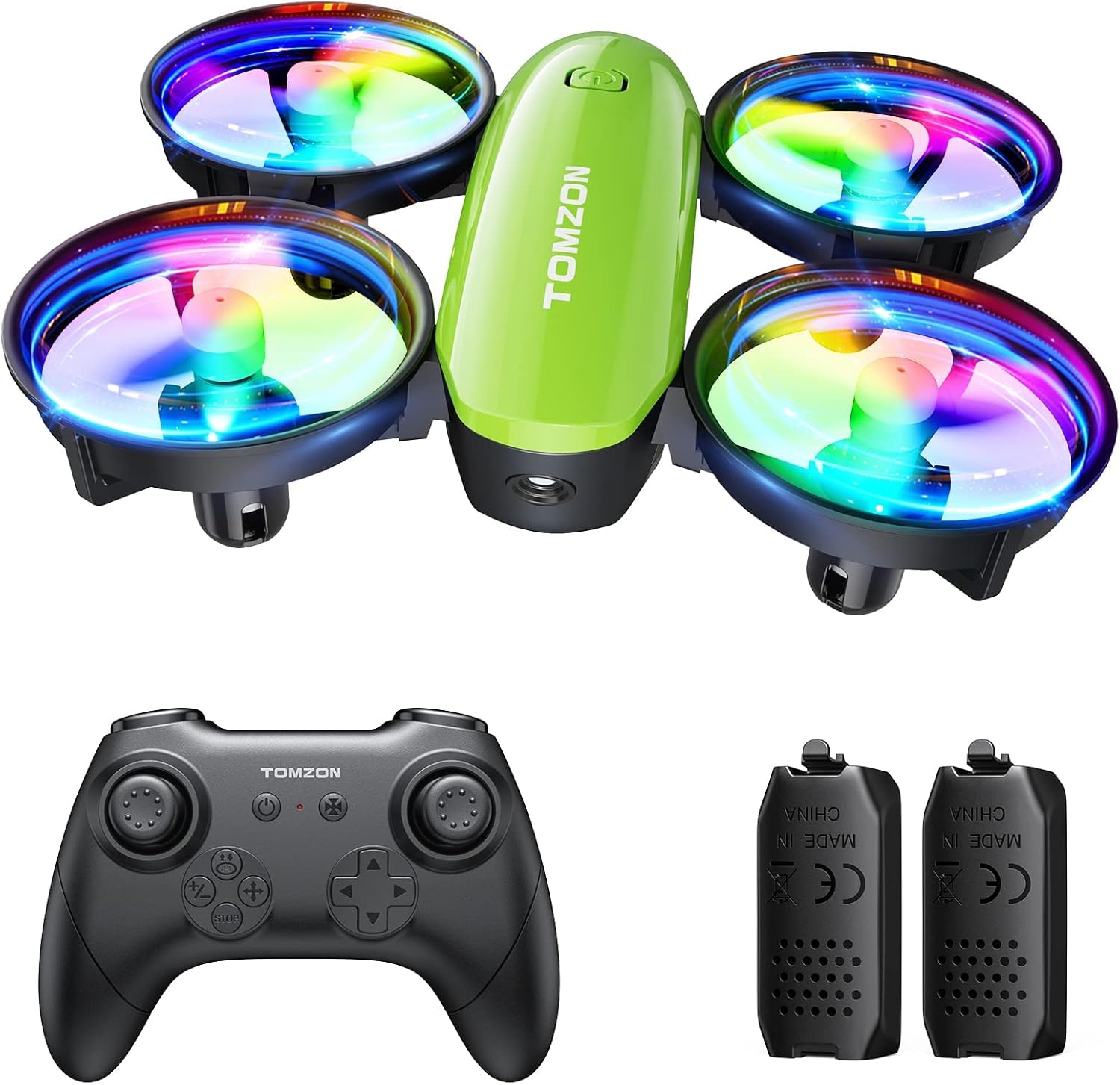
- TOMZON A23 Mini Drone x 1
- Control remot x 1
- Modular Battery x 2
- Cable de càrrega x 1
- Spare Propellers x 4
- Manual d'usuari x 1
3. Configuració
3.1 Instal·lació de la bateria
To install the modular battery into the drone:
- Assegureu-vos que el drone estigui apagat.
- Align the battery with the battery compartment on the underside of the drone.
- Empenyeu suaument la bateria dins del compartiment fins que encaixi fermament al seu lloc.
To remove the battery, press the buckle on the back of the drone body and pull out the battery. Refer to the tutorial video in Section 2 for a visual guide.
3.2 Connecting Drone to Remote Control
To connect the drone and remote control:
- Insert batteries into the remote control (not included, typically AAA).
- Col·loqueu el drone sobre una superfície plana i plana.
- Press and hold the power button on the drone until its LED lights begin to flash.
- Turn on the remote control. The drone and remote will automatically connect. The drone's lights will flash rapidly during connection and then become solid once connected.
Refer to the tutorial video in Section 2 for a visual guide.
3.3 Calibració horitzontal
For stable flight, calibrate the drone after connecting or if it drifts during flight:
- Col·loqueu el drone sobre una superfície plana i plana.
- Short press the calibration button on the remote control.
- The drone's lights will flash rapidly and then become solid, indicating successful calibration.
Refer to the tutorial video in Section 2 for a visual guide.
4. Instruccions de funcionament
4.1 Take-off Methods
The TOMZON A23 offers multiple ways to initiate flight:
- Enlairament manual: Push both joysticks inward 45 degrees simultaneously to start the motors. Then, push up the left throttle joystick to take off.
- Enlairament amb un sol botó: Short press the "takeoff" button on the remote control. The drone will automatically ascend and hover.
- Llançar per anar: With the drone and remote connected, simply toss the drone gently into the air. It will automatically stabilize and begin hovering.
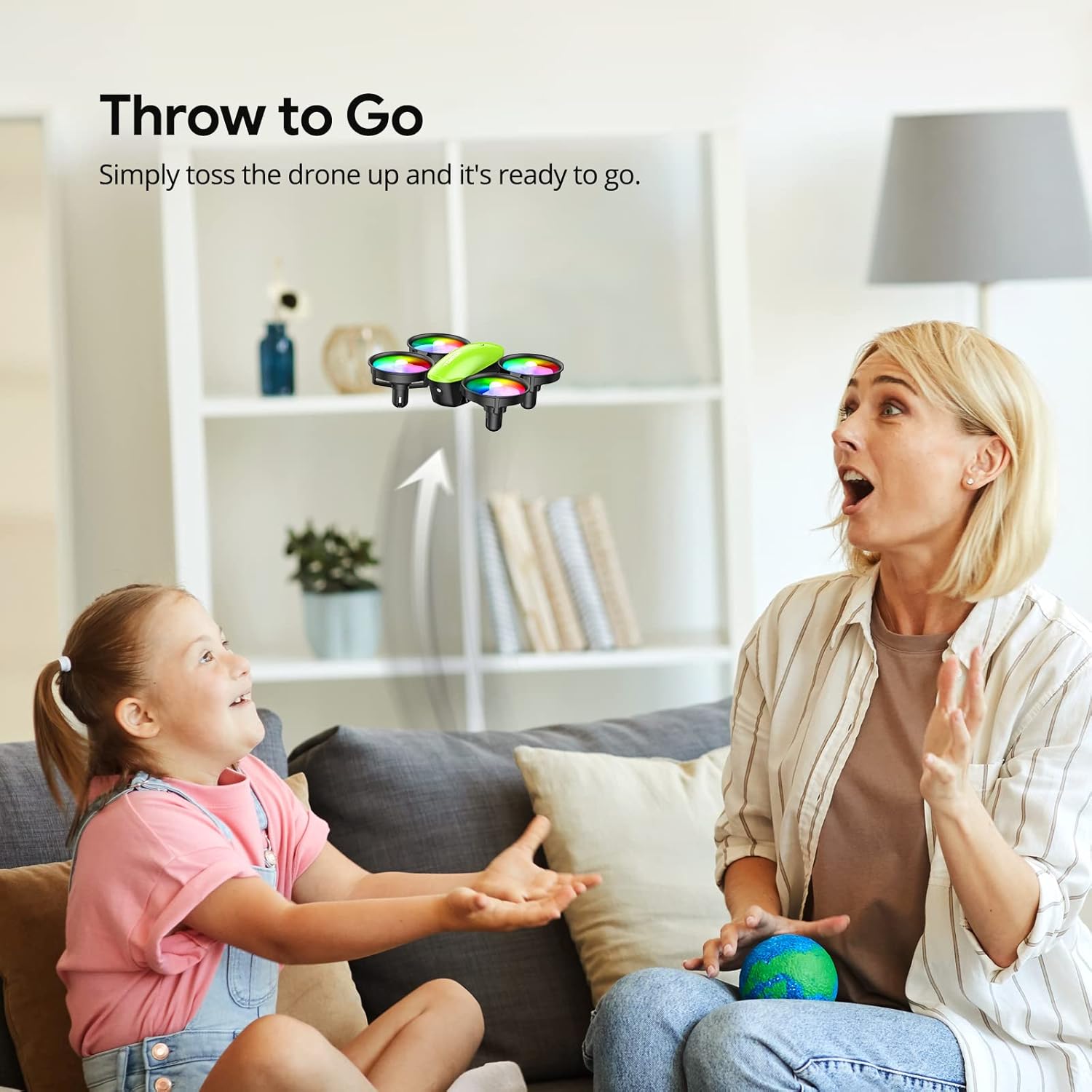
Refer to the tutorial video in Section 2 for visual demonstrations of these take-off methods.
4.2 Controls bàsics de vol
- Joystick esquerre (accelerador/guinyada):
- Push up/down: Increase/decrease altitude.
- Push left/right: Yaw (rotate) the drone left/right.
- Right Joystick (Direction):
- Push up/down: Fly forward/backward.
- Push left/right: Fly left/right.
4.3 Funcions especials de vol
- Flip 3D: Press the "3D Flip" button on the remote, then push the direction joystick in the desired flip direction. The drone will perform a 360-degree flip. Refer to the tutorial video in Section 2 for a visual guide.
- Mosca circular: Short press the "circle flight" button on the remote control. The drone will automatically fly in a circular path. Refer to the tutorial video in Section 2 for a visual guide.
- Rotació d'alta velocitat: Short press the "rotation" button on the remote control. The drone will rotate rapidly in place. Refer to the tutorial video in Section 2 for a visual guide.
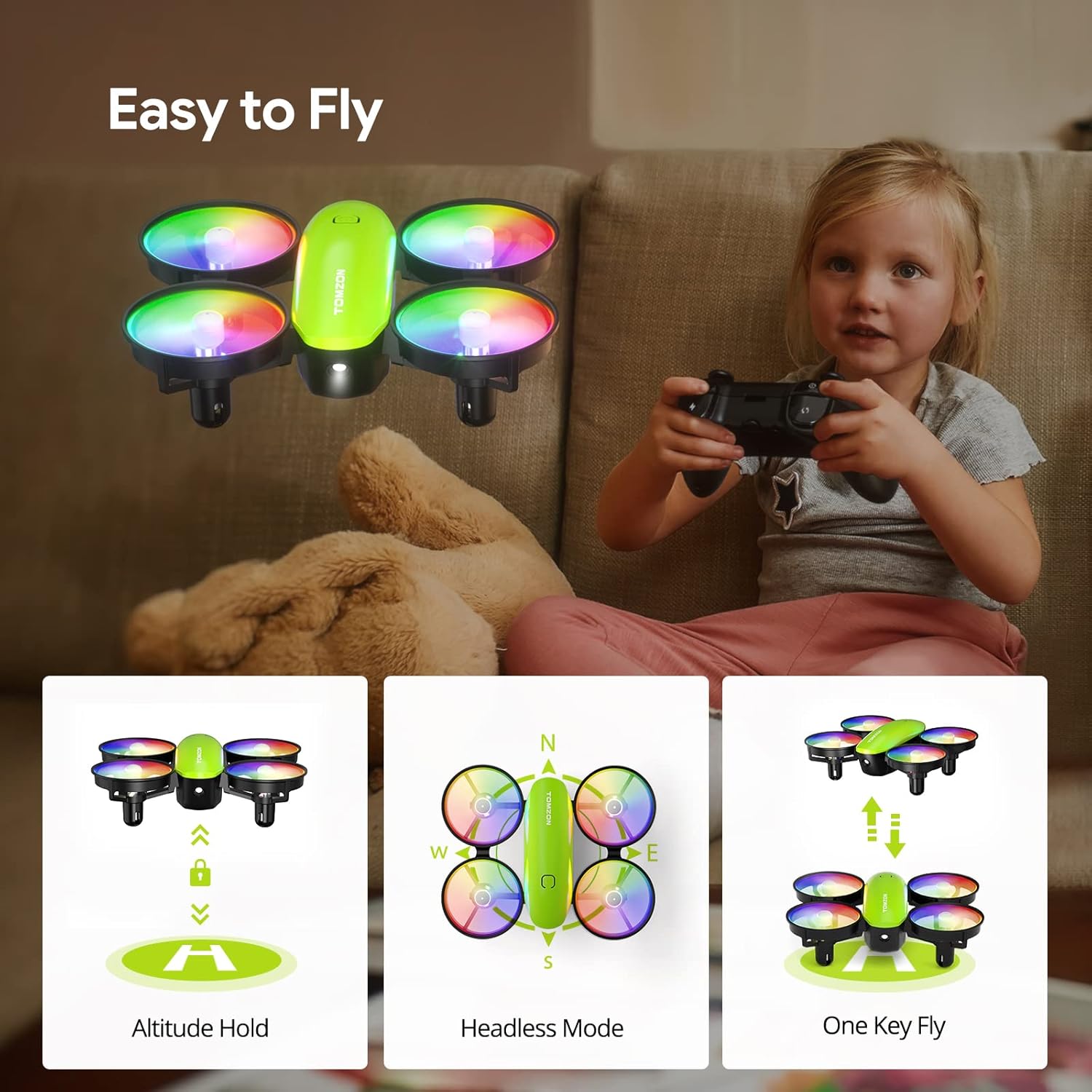
- Mode sense cap: Activate Headless Mode via the remote control. In this mode, the drone's orientation is relative to the pilot, making it easier to control without worrying about the drone's front/back.
- Manteniment d'altitud: The drone maintains its current altitude automatically, allowing for stable hovering.
- Modes de velocitat: The drone features 3 adjustable speed modes (Low, Mid, High) to suit different skill levels and environments. Adjust via the speed button on the remote.
- Llums LED: The drone has dazzling 7-color LED lights with 2 light modes. Short press the light button on the remote to turn them on/off or switch modes. Refer to the tutorial video in Section 2 for a visual guide.



5. Manteniment
5.1 Càrrega i cura de la bateria
The drone comes with 2 modular rechargeable batteries, providing a total of 18 minutes of flight time. Modular batteries ensure safer charging and easier installation.
- Use the provided dual-port charging cable to charge both batteries simultaneously, saving time.
- A red light on the charging cable indicates charging; the light turns off when fully charged.
- Feu servir sempre el cable de càrrega original.
- No sobrecarregueu les bateries.
- Guardeu les piles en un lloc fresc i sec, allunyat de la llum solar directa i de la calor.

5.2 Substitució de l'hèlix
If a propeller is damaged, replace it with a spare from the package:
- Gently pull off the damaged propeller.
- Ensure the new propeller is correctly oriented (A or B, usually marked on the propeller and drone arm).
- Press the new propeller firmly onto the motor shaft.
5.3 Neteja general
Wipe the drone with a clean, dry cloth to remove dust or debris. Avoid using liquids or harsh chemicals.
6. Solució De Problemes
| Problema | Solució |
|---|---|
| El dron no respon al comandament a distància. | Ensure both drone and remote are powered on and successfully paired (solid lights). Re-pair if necessary. Check remote control batteries. |
| El dron es desplaça durant el vol. | Perform Horizontal Calibration on a flat surface. Adjust trim settings on the remote control. |
| Drone has insufficient power/short flight time. | Fully charge the drone batteries. Ensure propellers are not obstructed or damaged. |
| Les hèlixs no giren. | Check for obstructions around propellers. Ensure batteries are charged and correctly installed. If a propeller is damaged, replace it. |
| Emergency Stop function. | In case of emergency, press the "STOP" button on the remote control to immediately halt the drone's motors. |
7. Especificacions
- Marca: TOMZON
- Nom del model: A23
- Dimensions del producte: 3.54 cm de llargada x 3 cm d'amplada x 1.25 cm d'alçada
- Pes de l'article: 10.6 unces
- Material: Plàstic
- Capacitat de la bateria: 380 milionsamp Hores (LiPo)
- Temps de vol: Fins a 18 minuts (amb 2 piles)
- Tipus de control: Remote Control (Radio Frequency)
- Nivell d'habilitat: Principiant
- Característiques especials: 360 Degree Flip, Throw to Go, Headless Mode, Altitude Hold, 3 Speed Modes, Dazzling LED Lights
8. Pautes de seguretat
- Always operate the drone in open, clear areas, free from obstacles, people, and animals.
- Do not fly near water, power lines, or busy roads.
- Supervise children during drone operation.
- Eviteu volar amb vents forts.
- Regularly inspect the drone for any damage before and after each flight.
- No modifiqueu el dron ni els seus components.
- In case of a crash or malfunction, use the one-button emergency stop function.
9. Garantia i Suport
For warranty information, technical support, or replacement parts, please refer to the contact details provided on the product packaging or visit the official TOMZON weblloc web. Conserveu el rebut de compra com a comprovant de compra.
També podeu visitar el TOMZON Store on Amazon per a més informació.
Ask a question about this manual
Ask about setup, troubleshooting, compatibility, parts, safety, or missing instructions. Manuals+ will review the question and use this page’s manual context to help answer it.