
Introducció
Thank you for choosing the Perixx PERIMICE-802 Wireless Bluetooth Mouse. This manual provides essential information for setting up, operating, and maintaining your new mouse. Please read these instructions carefully before use to ensure optimal performance and longevity of your device.
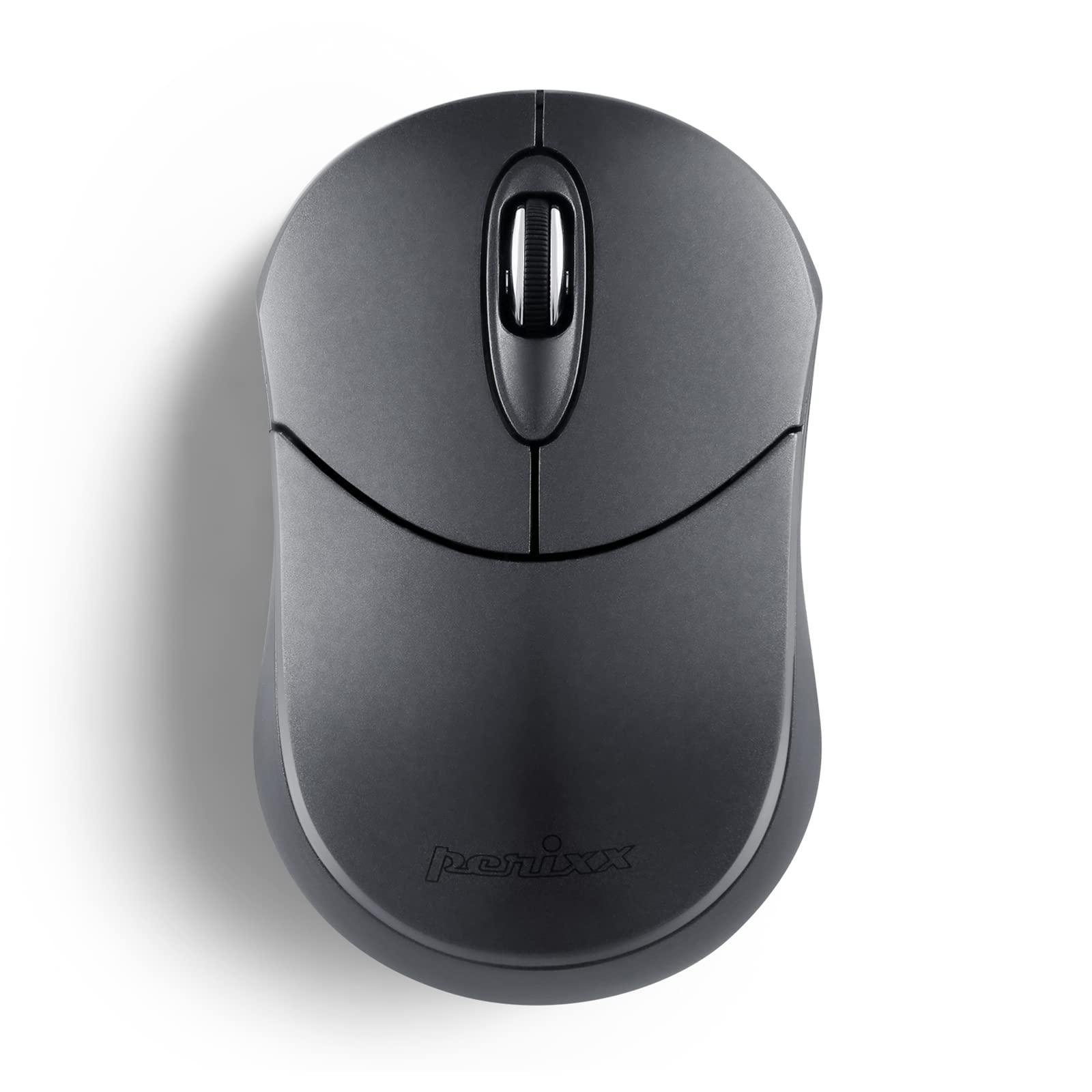
Image: The Perixx PERIMICE-802 Wireless Bluetooth Mouse in Graphite Gray, showcasing el seu disseny compacte i ergonòmic.
Contingut del paquet
- Ratolí Bluetooth sense fil Perixx PERIMICE-802
- Manual d'instruccions
Nota: Es necessiten 2 piles AAA i no estan incloses en el paquet.

Image: Contents of the Perixx PERIMICE-802 package, including the mouse, its retail box, and the instruction manual.
Configuració
1. Instal·lació de la bateria
- Localitzeu el compartiment de la bateria a la part inferior del ratolí.
- Gently slide the battery cover open.
- Introduïu dues (2) piles AAA, assegurant-vos de la polaritat correcta (+/-).
- Tanqueu la tapa de la bateria amb seguretat.

Imatge: La part inferior view of the mouse, indicating the battery compartment and the ON/OFF switch.
2. Emparellament Bluetooth
- Engegueu el ratolí amb l'interruptor ON/OFF que es troba a la part inferior.
- Manteniu premut el botó botó de vinculació on the bottom of the mouse for 3-5 seconds until the LED indicator starts blinking, indicating it is in pairing mode.
- On your device (PC, Laptop, Tablet, Smartphone), navigate to the Bluetooth settings.
- Activa el Bluetooth i cerca els dispositius disponibles.
- Select "PERIMICE-802" from the list of found devices.
- Follow any on-screen prompts to complete the pairing process. The LED indicator on the mouse will stop blinking once successfully paired.

Image: An illustration demonstrating the Bluetooth connectivity feature and highlighting the pairing button on the mouse's underside.
Instruccions de funcionament
Funcions bàsiques
- Botó esquerre: Standard click function for selection and activation.
- Botó dret: Accesses contextual menus and secondary functions.
- Roda de desplaçament: Desplaça verticalment pels documents i web pàgines. També pot funcionar com a botó del botó central.

Image: A hand comfortably resting on the Perixx PERIMICE-802 mouse, illustrating its ergonomic sculpted shape designed for palm support during use.
DPI (punts per polzada)
The PERIMICE-802 features a fixed optical sensor with 1000 DPI for smooth and precise tracking. This sensitivity is suitable for general computing tasks.

Image: The Perixx PERIMICE-802 mouse, emphasizing its 1000 DPI optical sensor for smooth and accurate cursor movement.
Mode d'estalvi d'energia
To conserve battery life, the mouse will automatically enter a power-saving sleep mode after a period of inactivity. To wake the mouse, simply move it or click any button.

Image: A visual representation of the mouse's power-saving function, which helps extend battery life.
Manteniment
Neteja
- Utilitzeu un drap suau i sec per netejar la superfície del ratolí.
- Per a la brutícia persistent, lleugerament dampNetegeu el drap amb aigua o una solució de neteja suau. Eviteu productes químics agressius.
- Do not immerse the mouse in water or allow liquids to enter the internal components.
Canvi de bateria
When the mouse performance degrades or it stops responding, it is likely time to replace the batteries. Follow the battery installation steps outlined in the Configuració secció.
Resolució de problemes
- El ratolí no respon:
- Assegureu-vos que el ratolí estigui encès.
- Comproveu i substituïu les piles si cal.
- Torneu a emparellar el ratolí amb el dispositiu.
- Cannot pair the mouse:
- Make sure the mouse is in pairing mode (LED blinking).
- Assegureu-vos que el Bluetooth estigui habilitat al vostre dispositiu.
- Apropa el ratolí al dispositiu.
- Remove any existing "PERIMICE-802" entries from your device's Bluetooth list and try pairing again.
- For Linux systems or devices without built-in Bluetooth, an additional Bluetooth adapter is required.
- Connexió intermitent:
- Assegureu-vos que no hi hagi fonts d'interferències fortes (per exemple, encaminadors Wi-Fi o altres dispositius Bluetooth) a prop.
- Keep the operating range within 34.8 feet (10 meters).
- Comproveu el nivell de la bateria.
Especificacions
| Marca | Perixx |
| Nom del model | PERIMICE-802 |
| Número de model | 12177 |
| Color | Grafit |
| Tecnologia de connectivitat | Bluetooth |
| Detecció de moviment | Òptic |
| Mouse Sensitivity (DPI) | 1000 DPI |
| Quantitat de botons | 3 (esquerra, dreta, roda de desplaçament) |
| Orientació de la mà | Ambidextre |
| Dispositius compatibles | PC, portàtil, tauleta, telèfon intel·ligent |
| Suport del sistema operatiu | Windows 7/8/10/11, macOS, iOS 13+, Android 4.0+, Linux |
| abast sense fils | Fins a 34.8 peus (10 metres) |
| Font d'alimentació | Battery Powered (2 x AAA batteries, not included) |
| Durada mitjana de la bateria | Fins a 10 mesos (segons l'ús) |
| Pes de l'article | 50 grams |
| Dimensions de l'article (L x A) | 3.86" x 2.40" (98 x 61 mm) |

Image: The Perixx PERIMICE-802 mouse with its dimensions clearly marked, highlighting its mini and portable size.
Garantia i Suport
Informació de la garantia
The Perixx PERIMICE-802 comes with a Garantia limitada de 12 mesos for items directly sold by Perixx. This includes a 30-day return policy. Please retain your proof of purchase for warranty claims.
Atenció al client
For technical assistance, troubleshooting, or warranty inquiries, please contact Perixx customer support through their official weblloc web o la informació de contacte proporcionada amb la compra.