
Introducció
Thank you for choosing MIDOLA Kids Headphones. These headphones are designed with your child's safety and comfort in mind, featuring volume-limiting technology, a durable foldable design, and versatile connectivity options. Please read this manual carefully to ensure proper use and maintenance of your headphones.
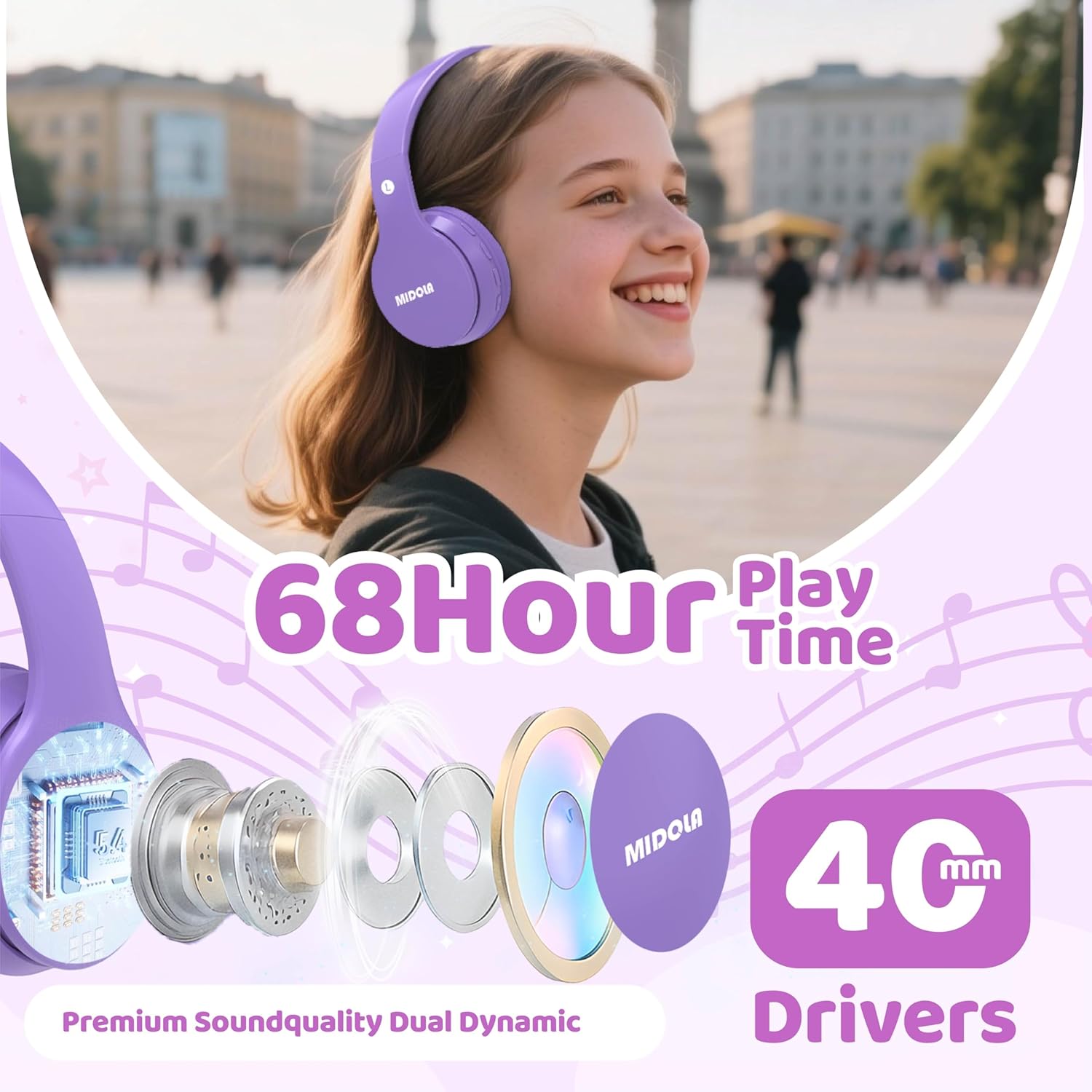
Image: MIDOLA Kids Headphones in Light Purple, showcasing their over-ear design and vibrant color.
Què hi ha a la caixa
- MIDOLA Kids Headphones (Model: MIDOLA-B01)
- 3.5 mm Aux cord
- Cable de càrrega tipus C.
- Manual d'usuari
- Stickers decoratius

Image: MIDOLA Kids Headphones in Light Purple, accompanied by sheets of decorative stickers for personalization.
Configuració
1. Càrrega dels auriculars
Abans del primer ús, carregueu completament els auriculars. Feu servir el cable de càrrega tipus C inclòs.
- Connect the Type-C end of the cable to the charging port on the left earcup.
- Connecteu l'extrem USB-A a una font d'alimentació USB compatible (per exemple, un ordinador, un adaptador de paret).
- L'indicador LED mostrarà l'estat de càrrega. Una càrrega completa triga aproximadament 2 hores.
2. Encès / apagat
- To power on, press and hold the Power button on the left earcup until the LED indicator lights up.
- Per apagar l'aparell, premeu i manteniu premut el botó d'engegada de nou fins que l'indicador LED s'apagui.
3. Emparellament Bluetooth
The headphones will automatically enter pairing mode when powered on for the first time or if not connected to a device. The LED indicator will flash blue.
- Ensure Bluetooth is enabled on your device (smartphone, tablet, PC).
- Cerca available Bluetooth devices and select "MIDOLA-B01" from the list.
- Un cop vinculat, l'indicador LED deixarà de parpellejar i es mantindrà de color blau continu.
4. Connexió amb cable (opcional)
If the battery runs out or for devices without Bluetooth, you can use the 3.5mm Aux cord.
- Plug one end of the 3.5mm Aux cord into the AUX port on the left earcup.
- Plug the other end into your audio device's 3.5mm audio jack.

Imatge: Un primer pla view of the left earcup, showing the USB-C charging port, AUX input, and LED indicator.
Instruccions de funcionament
1. Control de volum
The headphones feature volume control buttons on the left earcup.
- Press the "V+" button to increase volume.
- Press the "V-" button to decrease volume.
2. Track Control
- To skip to the next track, press and hold the "V+" button for 2 seconds.
- To go to the previous track, press and hold the "V-" button for 2 seconds.
3. Reproducció/Pausa
- Press the Play/Pause button (usually the middle button) once to play or pause audio.
4. Volume Limiting Feature
These headphones offer adjustable volume limits to protect hearing, as recommended by the World Health Organization.
- The default volume limit is 85dB (suitable for kids).
- To switch between 85dB (Kids) and 110dB (Adult), press and hold the Play/Pause button for 3 seconds.
- Additional modes for 74dB (Toddler) and 94dB (Travel) are also available, selectable via the Mode button.

Image: Illustration of the Safe Volume Mode feature, showing 74dB (Toddler), 85dB (Study), and 94dB (Travel) options.

Image: Three children of different ages wearing MIDOLA Kids Headphones, demonstrating suitability for various age groups (2-15 years).
Manteniment
1. Neteja
- Netegeu els auriculars amb un drap suau i sec.
- No utilitzeu productes químics ni productes de neteja abrasius.
- Ensure no liquid enters the ports.
2. Emmagatzematge
The headphones feature a foldable design for easy storage and portability.
- Doblegueu els auriculars cap a dins per minimitzar l'espai.
- Emmagatzemar en un lloc fresc i sec, lluny de la llum solar directa i de temperatures extremes.
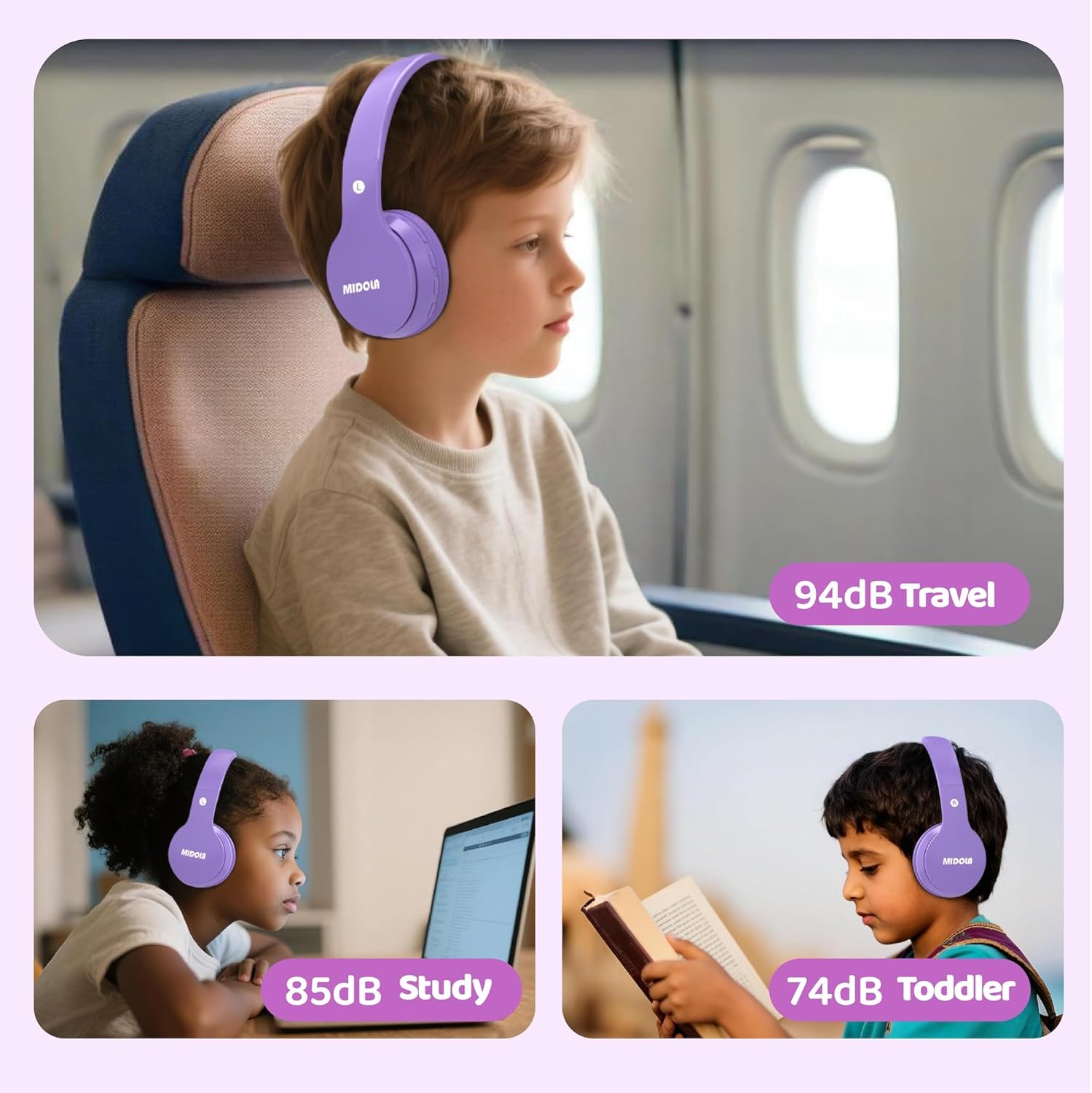
Image: MIDOLA Kids Headphones shown in their compact, folded position, highlighting portability.
Resolució de problemes
- Sense energia: Assegureu-vos que els auriculars estiguin carregats. Connecteu-los a una font d'alimentació amb el cable tipus C.
- No es pot emparellar Bluetooth: Make sure the headphones are in pairing mode (flashing blue LED). Turn off and on your device's Bluetooth, then try re-pairing. Ensure headphones are not connected to another device.
- Sense so: Check the volume levels on both the headphones and your connected device. If using wired mode, ensure the 3.5mm Aux cord is fully inserted into both ports.
- Distorsió del so: Move closer to your Bluetooth device to avoid interference. Ensure the audio source is of good quality.
Especificacions
| Característica | Detall |
|---|---|
| Nom del model | MIDOLA-B01 |
| Tecnologia de connectivitat | Wireless (Bluetooth 5.4) / Wired (3.5mm Aux) |
| Durada de la bateria | Up to 68 Hours Play Time |
| Temps de càrrega | 2 hores (càrrega ràpida tipus C) |
| Límit de volum | 85dB (Kids), 110dB (Adult), 74dB (Toddler), 94dB (Travel) |
| Col·locació de l'orella | Sobre l'orella |
| Mida del controlador d'àudio | 40 mil·límetres |
| Control de soroll | Aïllament acústic |
| Material | Plàstic |
| Pes de l'article | 10.2 unces |
| Dimensions del producte | 7.09 x 3.15 x 7.09 polzades |
| Dispositius compatibles | Telèfons intel·ligents, tauletes, ordinadors portàtils |

Image: Highlights of the headphones' features, including 68 hours of play time and 40mm dynamic drivers for premium sound quality.

Image: Details on the 'Real Over-Ear' design, emphasizing soft and breathable ear-cups for comfort.
Garantia i suport
MIDOLA Kids Headphones typically come with a 1-year warranty from the date of purchase. For warranty claims, technical support, or any questions regarding your product, please contact MIDOLA customer service through the retailer where you purchased the headphones or visit the official MIDOLA weblloc.
Si us plau, conserveu el comprovant de compra per motius de garantia.