
1. Introducció
This manual provides essential information for setting up, operating, maintaining, and troubleshooting your Beelink SEI10 Mini PC. Please read this manual thoroughly before using the device to ensure optimal performance and longevity.
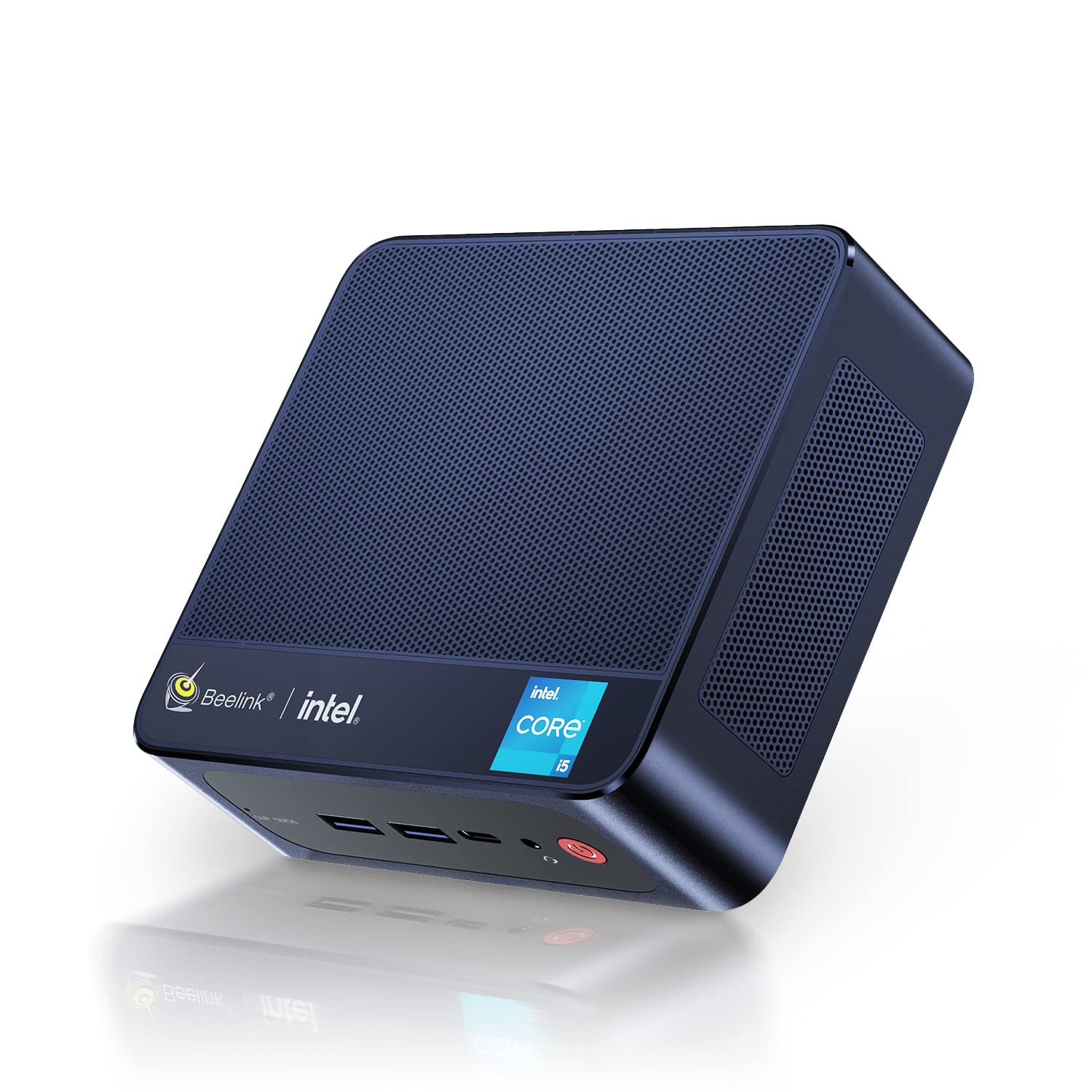
Figure 1: Beelink SEI10 Mini PC
The Beelink SEI10 is a compact and powerful mini PC designed for various computing tasks, from home entertainment to office productivity. It features an Intel Core i5-1035G4 processor, 16GB DDR4 RAM, and a 500GB SSD, offering efficient performance in a small form factor.
2. Contingut del paquet
Verifiqueu que tots els elements siguin presents al paquet:
- 1 × Beelink SEI10 Mini PC
- 2 × HDMI Cables (25cm and 100cm)
- 1 × adaptador de corrent
- 1 × suport de muntatge
- 1 × Manual d'usuari (aquest document)
3. Producte acabatview i Ports
The Beelink SEI10 Mini PC offers a range of connectivity options for various peripherals and displays.

Figura 2: Frontal view of the Beelink Mini PC, highlighting its support for WiFi 6 and Bluetooth 5.2 connectivity.
Ports i connectors:
- 1 × DC Jack Port (for power input)
- 4 × Ports USB 3.0
- 2 × RJ45 Ports (Gigabit LAN)
- 2 × HDMI Ports (supports dual 4K display output)
- 1 × Audio Jack Port (for headphones and microphone)
- 1 × Type-C Port (supports video output)
4. Configuració
Follow these steps to set up your Beelink SEI10 Mini PC:
- Connect to a Display: Use one of the provided HDMI cables to connect the Mini PC to your monitor or TV. If your display supports Type-C video input, you can use the Type-C port.
- Connecteu els perifèrics: Connecteu el teclat i el ratolí USB als ports USB 3.0.
- Connecteu-vos a l'alimentació: Connect the power adapter to the DC Jack port on the Mini PC, then plug the adapter into a power outlet.
- Encès: Press the power button located on the front of the Mini PC. The device will boot up, and you should see the operating system on your display.
- Configuració inicial: Seguiu les instruccions que apareixen a la pantalla per completar la configuració del Windows 11 Pro, incloent-hi l'idioma, la regió, la connexió de xarxa i la creació del compte d'usuari.
5. Funcionament
Encès/apagat:
- Per encendre: Premeu el botó d'encesa.
- Per apagar: Feu clic al botó Inici del Windows i, a continuació, seleccioneu Energia > Apagar.
- Per reiniciar: Feu clic al botó Inici del Windows i, a continuació, seleccioneu Energia > Reiniciar.
Connectivitat de xarxa:
- Wi-Fi: The Mini PC supports Wi-Fi 6 (802.11ax). To connect, click the Wi-Fi icon in the taskbar, select your network, enter the password, and click Connect.
- Ethernet: For a wired connection, connect an Ethernet cable from your router to one of the RJ45 ports on the Mini PC.
- Bluetooth: The Mini PC supports Bluetooth 5.0. To pair devices, go to Windows Settings > Bluetooth & devices, and follow the instructions to add a new device.
Configuració de pantalla múltiple:
The Beelink SEI10 supports dual 4K display output via its two HDMI ports and an additional display via the Type-C port, allowing for a triple display setup. Connect your monitors to the available ports, and Windows will automatically detect them. You can configure display settings (extend, duplicate, etc.) in Windows Settings > System > Display.
6. Expansió d'emmagatzematge i memòria
The Mini PC comes with 16GB DDR4 RAM and a 500GB M.2 NVMe SSD. You can expand the storage and memory as follows:
- Memòria (RAM): The system supports configurable memory up to 16GB with a single card and 32GB with dual cards.
- SSD M.2 NVMe: The M.2 2280 NVMe SSD can be upgraded to up to 2TB.
- 2.5-inch SATA Drive: An additional 2.5-inch SATA drive (HDD/SSD) can be installed for further storage expansion.

Figura 3: Intern view of the Beelink Mini PC's cooling system, showing the fan, heatsink, and hard drive cooler, along with a table of noise levels.
7. Manteniment
Neteja:
- Regularly clean the exterior of the Mini PC with a soft, dry cloth.
- Use compressed air to clear dust from ventilation openings to ensure proper airflow and cooling.
- Do not use liquid cleaners or solvents directly on the device.
Actualitzacions de programari:
Keep your Windows operating system and drivers updated to ensure optimal performance and security. Windows Update can be accessed via Settings > Update & Security > Windows Update.
Gestió de la calor:
The Beelink SEI10 is equipped with an efficient cooling system, including a quiet fan and dual heat pipes. Ensure the Mini PC is placed in a well-ventilated area and that its vents are not obstructed to prevent overheating.
8. Solució De Problemes
Sense energia:
- Assegureu-vos que l'adaptador de corrent estigui connectat correctament tant al Mini PC com a una presa de corrent que funcioni.
- Verifiqueu que la presa de corrent funciona connectant-hi un altre dispositiu.
Sense pantalla:
- Check that the HDMI or Type-C cable is securely connected to both the Mini PC and the monitor.
- Assegureu-vos que el monitor estigui encès i configurat a la font d'entrada correcta.
- Prova un port o cable HDMI diferent si està disponible.
Problemes de connectivitat de xarxa:
- For Wi-Fi, ensure your router is working and the Wi-Fi password is correct.
- For Ethernet, check the cable connection and ensure your router's LAN port is active.
- Reinicieu el router i el mini PC.
Rendiment lent:
- Tanca les aplicacions innecessàries que s'executen en segon pla.
- Ensure the system has sufficient free storage space.
- Comproveu i instal·leu les actualitzacions pendents de Windows.
- Ensure proper ventilation to prevent thermal throttling.
9. Especificacions
The following table details the technical specifications of the Beelink SEI10 Mini PC:
| Característica | Especificació |
|---|---|
| Marca | Beelink |
| Nom del model | SEI10 |
| Sistema operatiu | Windows 11 Pro (Windows 10 Pro also possible, upgradeable) |
| Model de CPU | Intel Core i5-1035G4 (10th Gen) |
| CPU Base Frequency | 1.1 GHz |
| CPU Max Turbo Frequency | 3.70 GHz (4 Cores / 8 Threads) |
| Cache intel·ligent | 6 MB |
| Gràfics | Intel Iris Plus Graphics (Integrated) |
| RAM | 16 GB de DDR4 (3200 MHz) |
| Capacitat màxima de RAM | 32GB (via dual slots) |
| Emmagatzematge | 500GB M.2 2280 NVMe SSD |
| Ampliació d'emmagatzematge | Up to 2TB M.2 NVMe SSD, 2.5-inch SATA HDD/SSD slot |
| Ethernet | 1000Mbps LAN (2x RJ45 ports) |
| Wi-Fi | Wi-Fi 6 (802.11ax) |
| Bluetooth | Bluetooth 5.0 |
| Sortida de vídeo | 2x HDMI (4K support), 1x Type-C (video output) |
| Ports USB | 4x USB 3.0 |
| Port d'àudio | 1x Audio Jack (HP & Mic) |
| Relació d'aspecte | 16:9 |
| Resolució | 3840 x 2160 (4K) |
| Any de fabricació | 2022 |
| UPC | 810056048167 |
Note: Some images in this manual may depict features or specifications of similar Beelink models or general Intel processor capabilities. The specifications listed above are specific to the Beelink SEI10 model with the Intel Core i5-1035G4 processor.

Figure 4: An illustration detailing processor specifications, showing an Intel Core i5-11320H processor. Note: This specific model (SEI10) features an Intel Core i5-1035G4 processor.

Figure 5: A table comparing power consumption and performance metrics between different Intel Core i5 processors.

Figure 6: Performance comparison chart for different Intel Core i5 processors, illustrating benchmark scores.
10. Garantia i Suport
Beelink provides lifetime technical support for the SEI10 Mini PC. If you encounter any issues or require assistance, please contact our support team. We offer 7-day/24-hour service to address your concerns.
All Beelink products, including this Mini PC, are certified by FCC, CE, and RoHS, ensuring compliance with quality and safety standards.
If your device was shipped with Windows 10 Pro, you can contact us for a free upgrade to Windows 11 Pro.