
1. Producte acabatview
The AOPUTTRIVER AP-6000GH is a high-precision HVAC anemometer designed for measuring wind speed, wind temperature, and air volume. Featuring a waterproof touch-screen, rechargeable battery, and various measurement units, it is suitable for a wide range of applications including HVAC installation, CFM calculations, duct ventilation, shooting, boat sailing, kite flying, climbing, and drone operation.
Característiques principals:
- Measures wind speed in 5 units: m/s, km/h, ft/min, mph, Knots.
- Measures wind temperature: -10-45°C (14-113°F) with °C/°F units.
- Air volume range: 0-999900 m³/min, configurable for CMM/CMS/CMF.
- Touch-screen interface with anti-interference buttons for ease of use.
- Waterproof and dustproof design.
- Backlight for improved visibility in low-light conditions.
- Adjustable auto-off time (default 5 minutes without operation) to save battery.
- Rechargeable 400mAh battery (40 mins full charge, approx. 30 hours continuous use) via Type-C interface.
- Llum indicador de bateria baixa.
- Integrated tripod hole for hands-free operation (tripod not included).
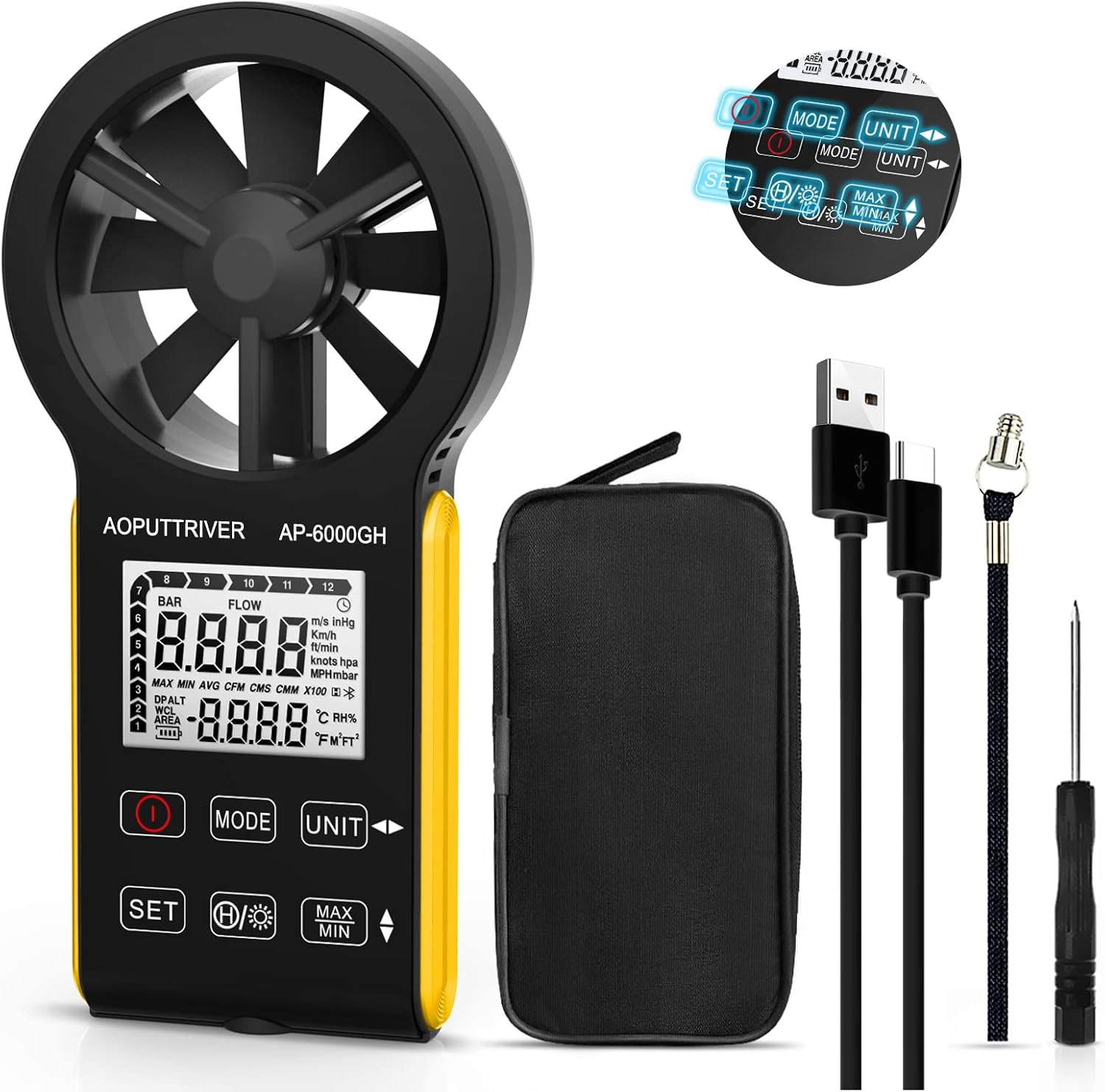
Figure 1: AOPUTTRIVER AP-6000GH HVAC Anemometer
2. Contingut del paquet
En obrir el paquet, comproveu que tots els elements que s'enumeren a continuació hi són presents i que es troben en bon estat:
- 1 x AP-6000GH CFM Anemometer
- 1 x Manual d'usuari
- 1 x cable tipus C
- 1 tornavís petit
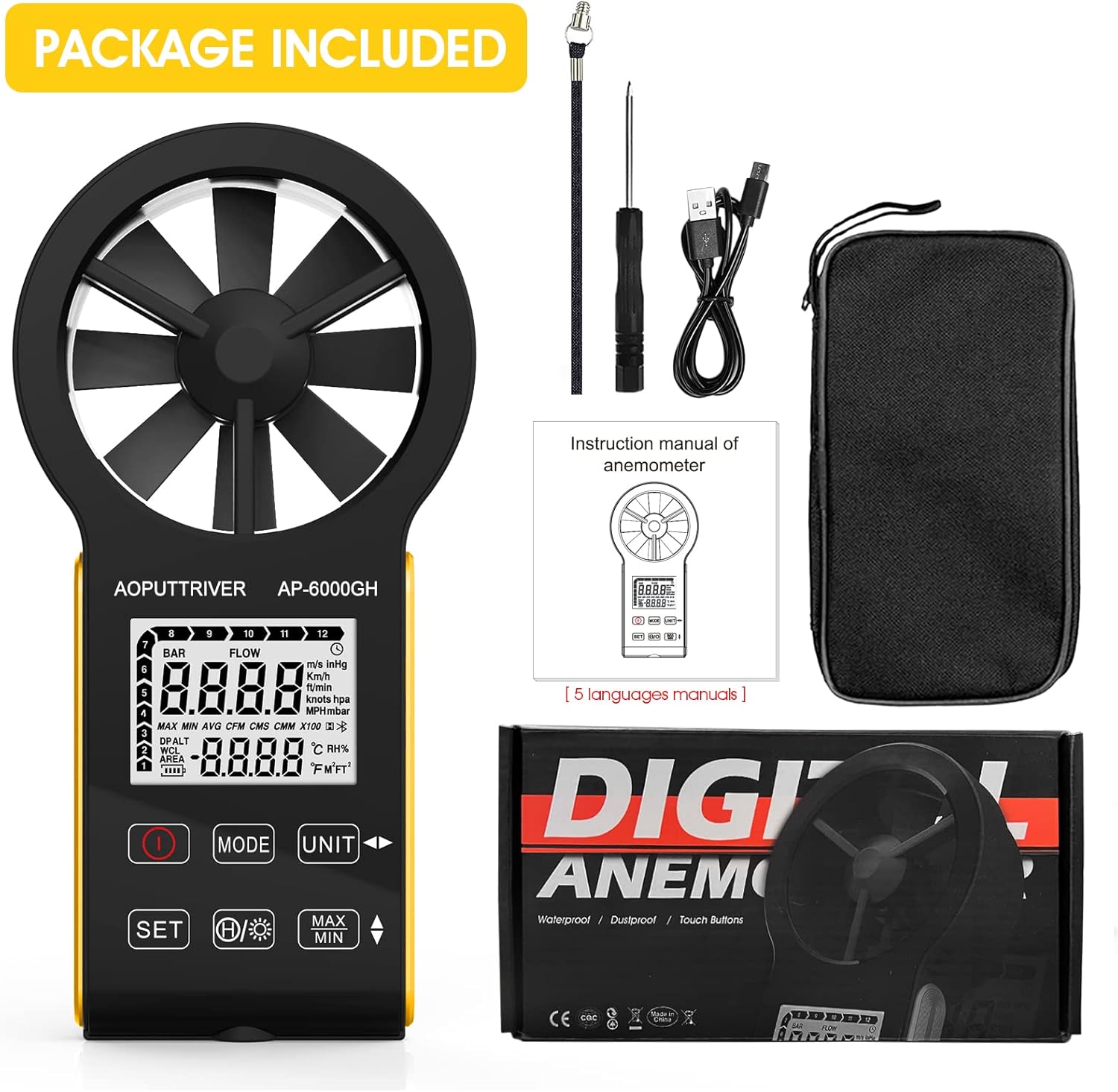
Figure 2: All items included in the AP-6000GH package.
3. Configuració
3.1 Instal·lació de la bateria
The AP-6000GH anemometer comes with a pre-installed rechargeable battery. However, for initial use, you may need to connect the battery line interface.
- Use the provided small screwdriver to unscrew the battery cover on the back of the device.
- Connect the battery line interface if it is disconnected.
- Tighten the battery cover securely.

Figure 3: Steps for connecting the battery line interface.
3.2 Càrrega del dispositiu
The device features a fast-charging 400mAh battery. A full charge takes approximately 40 minutes and provides about 30 hours of continuous use.
- Connect the provided Type-C cable to the charging port on the device and to a suitable USB power source.
- The battery sign on the display will flash while charging. It will stop flashing when fully charged.
- A low battery indicator light will notify you when charging is needed.

Figure 4: Charging the AP-6000GH anemometer via Type-C cable.
4. Instruccions de funcionament
4.1 Encès/Apagat
Premeu el botó Poder button (usually marked with a circle and a vertical line) to turn the device on or off.
4.2 Funcions clau anteriorsview

Figura 5: Mésview of AP-6000GH display and button functions.
- Tecla d'engegada: Encén/apaga el dispositiu.
- Tecla MODE: Switches between wind speed/air volume modes.
- UNIT Key: Cycles through different measurement units for wind speed (m/s, km/h, ft/min, mph, Knots).
- Clau SET: Used to set air volume area or temperature units (°C/°F).
- Data Hold/Backlight Key: Short press to hold current data on display. Long press to activate/deactivate backlight.
- MAX/MIN Keys: Displays maximum or minimum recorded values during a measurement session.
4.3 Unit Switching and Backlight Demonstration
The following video demonstrates how to switch between different measurement units for wind speed and activate the backlight feature on the anemometer.
Video 1: Demonstration of unit switching and backlight activation on a handheld wind speed meter.
4.4 Basic Operation and Applications
Aquest vídeo ofereix una ràpida explicacióview of the anemometer's ease of use and its suitability for various tasks.
Video 2: Quick demonstration of the anemometer's easy operation.
4.5 Hands-Free Operation with Tripod
The anemometer includes a tripod hole at the bottom, allowing for stable, hands-free measurements. This is particularly useful for HVAC installations, CFM calculations, or outdoor activities where continuous monitoring is required.

Figure 6: Tripod mounting hole located at the bottom of the anemometer.

Figura 7: Examples of applications for the AP-6000GH anemometer.
5. Especificacions
| Especificació | Valor |
|---|---|
| Dimensions del producte | 6.69 x 3.39 x 1.3 polzades |
| Pes de l'article | 5.3 unces (150 grams) |
| Fabricant | AOPUTTRIVER |
| Material | Plàstic |
| Necessites piles | No (Rechargeable) |
| Components inclosos | Bossa |
6. Manteniment
To ensure the longevity and accuracy of your AOPUTTRIVER AP-6000GH anemometer, please follow these maintenance guidelines:
- Mantingueu el dispositiu net netejant-lo amb un drap suau i sec. Eviteu utilitzar productes de neteja o dissolvents abrasius.
- Ensure the fan blades are free from dust and debris to maintain accurate readings.
- Store the device in its protective carrying case when not in use to prevent damage.
- Eviteu exposar el dispositiu a temperatures extremes o a la llum solar directa durant períodes prolongats.
- Carregueu la bateria regularment, fins i tot si el dispositiu no s'utilitza amb freqüència, per mantenir-ne l'estat.
7. Solució De Problemes
If you encounter any issues with your AP-6000GH anemometer, please refer to the following common troubleshooting steps:
- El dispositiu no s'encén: Assegureu-vos que la bateria estigui ben connectada i completament carregada.
- Lectures inexactes: Check if the fan blades are obstructed or dirty. Ensure the device is held correctly in the airflow direction.
- Problemes de visualització: If the display is dim, activate the backlight. If the display is unresponsive, try restarting the device.
- CFM/Air Volume calculation errors: Double-check the entered air area settings. Refer to the user manual for detailed instructions on setting air area.
Si el problema persisteix, poseu-vos en contacte amb l'atenció al client per obtenir més ajuda.
8. Suport i garantia
The AOPUTTRIVER AP-6000GH anemometer comes with 365 days of technical support. If you experience any problems with your product, please contact AOPUTTRIVER customer service. They are committed to responding and resolving issues as quickly as possible.
For support, please refer to the contact information provided in your product packaging or visit the official AOPUTTRIVER weblloc.