
Introducció
This manual provides comprehensive instructions for the setup, operation, and maintenance of your Varmilo Minilo VXH67 Eucalyptus 65% Wired Hotswap White LED Mechanical Keyboard. Please read this manual thoroughly before using the product to ensure optimal performance and longevity.

Image: The Varmilo Minilo VXH67 mechanical keyboard, featuring a compact 65% layout with white, light blue, and light green keycaps, resting on a dark table. Books and a small lamp are visible in the background.
Contingut del paquet
- Varmilo Minilo VXH67 Mechanical Keyboard
- Cable USB-C
- Keycap Puller (for switch and keycap replacement)
- Switch Puller (for switch replacement)
- Manual d'usuari (aquest document)
Configuració
1. Connexió del teclat
The Varmilo Minilo VXH67 supports both wired and Bluetooth connectivity.
Connexió per cable:
- Localitza el port USB-C al teclat.
- Connecteu un extrem del cable USB-C proporcionat al teclat.
- Connecteu l'altre extrem del cable USB-C a un port USB disponible de l'ordinador.
- El sistema operatiu reconeixerà automàticament el teclat.
Connexió Bluetooth:
- Ensure the keyboard is charged or connected via USB-C initially.
- Turn on Bluetooth on your device (PC, tablet, smartphone).
- Put the keyboard into Bluetooth pairing mode (refer to the specific key combination for Bluetooth pairing, usually Fn + a number key for different profiles).
- On your device, search for available Bluetooth devices and select "Varmilo Minilo VXH67".
- Seguiu les indicacions de la pantalla per completar el procés de vinculació.
2. Ajust de l'alçada del teclat
The keyboard features adjustable kickstands on the underside to customize typing angle. There are typically multiple levels of adjustment.
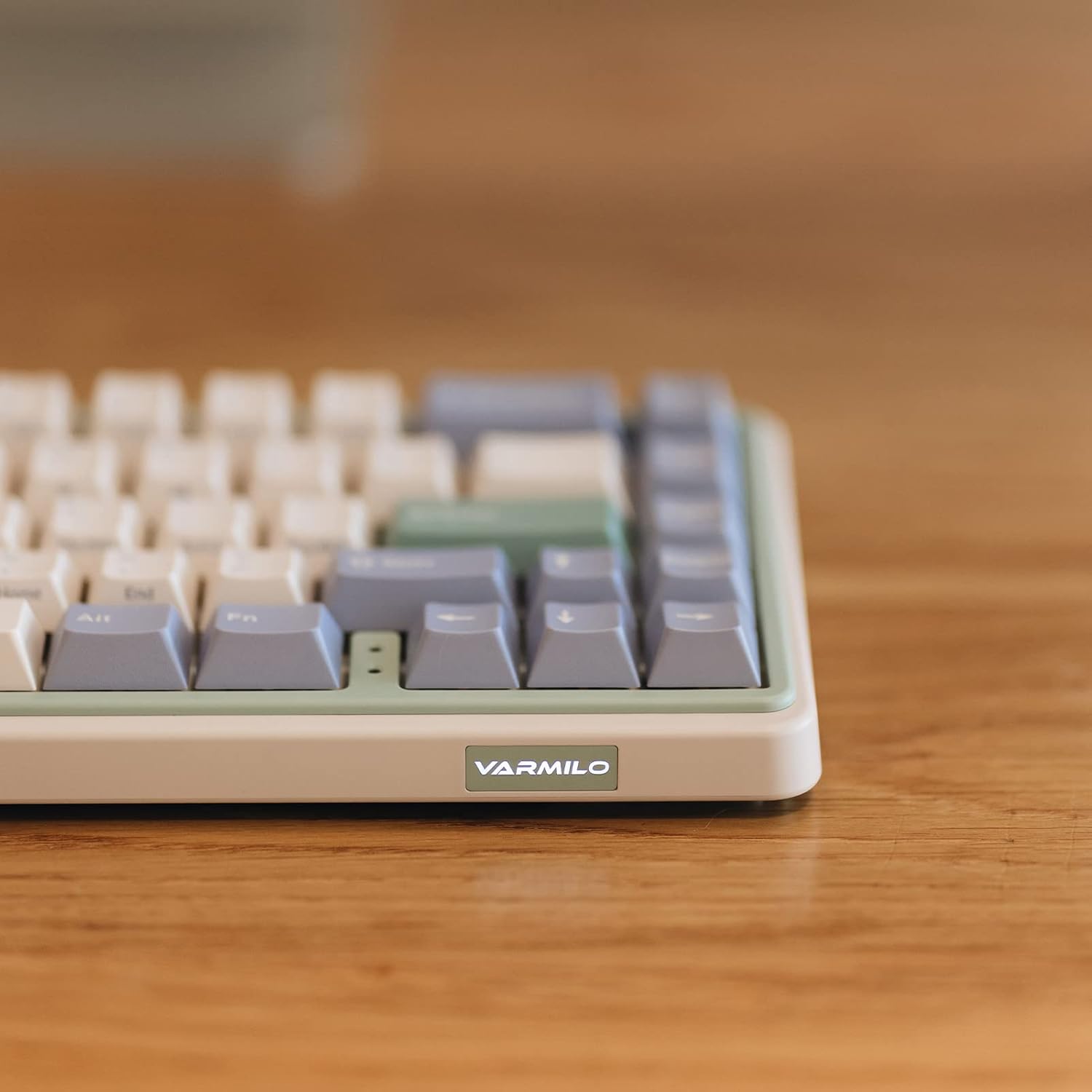
Imatge: Un primer pla view of the Varmilo Minilo VXH67 keyboard's side, highlighting the illuminated "VARMILO" logo on the front edge. The keyboard's light green and beige casing és visible.
Instruccions de funcionament
Disposició i funcions de les tecles
The Varmilo Minilo VXH67 features a compact 65% layout with 67 keys. Many functions are accessed via the Fn clau en combinació amb altres tecles.
- Indicador de bloqueig de majúscules: Indicator lights are located next to the arrow keys.
- F-row Functions: Access F1-F12 functions using the Fn key in combination with the number row keys.
- Controls de mitjans: Specific key combinations with Fn allow for media playback control (play/pause, volume up/down, track skip). Refer to the keycap legends for specific functions.
- Retroil·luminació LED blanca: Adjust brightness and lighting effects using Fn combinacions de tecles.

Image: The Varmilo Minilo VXH67 keyboard positioned on a wooden desk, with a computer monitor displaying "10:13 AM" in the background. A glass of water and a small lamp are also on the desk.
Interruptors d'intercanvi en calent
The Varmilo Minilo VXH67 features hot-swappable sockets, allowing you to change mechanical switches without soldering. This model comes with Cherry MX Silver switches, which have a 45gf operation force, faster trigger speed, and shorter travel compared to red switches.
- Treure la tapa de les tecles: Feu servir l'extractor de tecles proporcionat per treure suaument la tecla desitjada.
- Treure l'interruptor: Feu servir l'extractor d'interruptors proporcionat per subjectar amb cura els clips superior i inferior de l'interruptor i estireu-lo cap amunt.
- Insereix un nou interruptor: Align the pins of the new switch with the holes on the PCB. Gently press the switch down until it clicks into place. Ensure the pins are not bent.
- Substitueix la tapa de les tecles: Place the keycap onto the new switch stem and press down firmly.

Image: A diagram illustrating the internal structure of a Cherry MX Silver mechanical switch and its force-travel characteristics, indicating a 45gf operation force.
Manteniment
Neteja del teclat
- Desconnecteu el teclat de l'ordinador abans de netejar-lo.
- Use a keycap puller to remove keycaps for thorough cleaning.
- Wipe keycaps with a damp cloth and mild soap solution, then dry completely.
- Feu servir aire comprimit per eliminar la pols i les restes que hi hagi entre els interruptors.
- Wipe the keyboard case with a soft, dry cloth. Avoid harsh chemicals.
Keycap and Switch Care
The keyboard features 1.5mm thick ABS Double Shot keycaps, known for their durability. Handle keycaps and switches carefully during removal and installation to prevent damage to the stems or switch pins.
Resolució de problemes
- El teclat no respon:
- Assegureu-vos que el cable USB-C estigui connectat correctament tant al teclat com a l'ordinador.
- If using Bluetooth, verify the keyboard is paired and selected as the active device.
- Try connecting the keyboard to a different USB port or a different computer to rule out port issues.
- Claus que no es registren o s'escriuen dues vegades:
- Remove the keycap and switch for the affected key. Inspect the switch pins for bends or damage. Straighten bent pins carefully if possible.
- Clean any debris from the switch socket.
- Test with a different switch if available.
- Problemes de connexió Bluetooth:
- Assegureu-vos que el teclat estigui completament carregat.
- Elimina el teclat de la llista de Bluetooth del dispositiu i intenta tornar-lo a emparellar.
- Assegureu-vos que cap altre dispositiu interfereixi amb el senyal Bluetooth.
- LED backlighting not working:
- Check if the LED brightness is set to minimum or turned off via Fn key combinations.
- Ensure the keyboard is receiving sufficient power (especially in wired mode).
Especificacions
| Característica | Detall |
|---|---|
| Marca | Varmilo |
| Número de model | VXH67A046SL |
| Disposició del teclat | 65% (67 Keys), QWERTY |
| Tipus de canvi | Cherry MX Silver (Tactile) |
| Connectivitat | USB-C (Wired), Bluetooth |
| Característica especial | Sòcols intercanviables en calent |
| Taps de claus | 1.5mm thick ABS Double Shot |
| Il·luminació de fons | LED blanc |
| Material | Acrilonitril butadiè estirè (ABS) |
| Font d'alimentació | Alimentat per USB |
| Dispositius compatibles | PC |
Garantia i Suport
For warranty information and technical support, please refer to the official Varmilo weblloc web o poseu-vos en contacte amb el vostre distribuïdor. Conserveu el rebut de compra per a reclamacions de garantia.
Official Varmilo Weblloc: www.varmilo.com