
1. Introducció
This manual provides essential information for the proper use and maintenance of your OUKITEL WP18 Pro Rugged Smartphone. Please read it carefully to ensure optimal performance and longevity of your device. The OUKITEL WP18 Pro is designed for durability and extended use, featuring a large battery and robust construction.
2. Producte acabatview
Familiarize yourself with the physical components and controls of your OUKITEL WP18 Pro smartphone.

Figura 2.1: Davant View del Dispositiu

Figura 2.2: Enrere View del Dispositiu

Figura 2.3: lateral View with Buttons and Ports
The device features a 5.93-inch HD+ display on the front. The rear houses the camera module and the OUKITEL branding. On the sides, you will find the power button, volume controls, and a customizable button, along with the SIM/SD card slot and charging port.
3. Configuració
3.1. Instal·lació de la targeta SIM i la targeta SD
The OUKITEL WP18 Pro supports dual Nano SIM cards or one Nano SIM card and one TF (microSD) card for expandable storage up to 1TB.
- Localitza la safata de la targeta SIM al lateral del dispositiu.
- Feu servir l'eina d'expulsió de la SIM proporcionada per obrir la safata.
- Carefully place your Nano SIM card(s) and/or TF card into the designated slots. Ensure the gold contacts are facing down.
- Empenyeu suaument la safata cap enrere dins del dispositiu fins que quedi alineada amb el lateral.
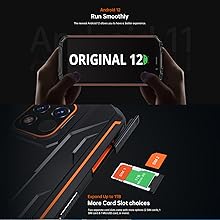
Figura 3.1: SIM/SD Card Tray
3.2. Càrrega inicial i engegada
Abans del primer ús, es recomana carregar completament el dispositiu.
- Connecteu el cable USB tipus C al port de càrrega de la part inferior del telèfon.
- Connect the other end of the cable to a compatible power adapter and plug it into a wall outlet.
- The charging indicator will appear on the screen. Allow the phone to charge until it reaches 100%.
- To power on, press and hold the Power button (usually on the right side) until the OUKITEL logo appears.

Figura 3.2: Càrrega del dispositiu
4. Instruccions de funcionament
4.1. Basic Phone Functions
- Encès/apagat: Press and hold the Power button. Select 'Power off' or 'Restart' from the menu.
- Control de volum: Use the Volume Up and Volume Down buttons on the side to adjust media, call, and alarm volumes.
- Bloqueig/desbloqueig de pantalla: Premeu breument el botó d'engegada per bloquejar o desbloquejar la pantalla.
- Desbloqueig de les empremtes digitals: Register your fingerprint in the Security settings to unlock the device using the side-mounted fingerprint sensor.
4.2. Funcionament de la càmera
The OUKITEL WP18 Pro is equipped with a 13MP main camera, a 5MP auxiliary camera, and a 5MP front camera. It also features an underwater mode.
- Obre l'aplicació Càmera des de la pantalla d'inici o des del calaix d'aplicacions.
- Select your desired mode (Photo, Video, Portrait, Underwater, etc.).
- Tap the screen to focus on a specific area.
- Premeu el botó de l'obturador per capturar una foto o iniciar/aturar la gravació de vídeo.

Figura 4.1: Camera Module Details

Figura 4.2: Càmera Sample Images
4.3. Característiques robustes
The OUKITEL WP18 Pro is built to withstand harsh environments, meeting IP68, IP69K, and MIL-STD-810G standards for water, dust, and drop resistance.
- Impermeable: Can be immersed in up to 1.5 meters of water for 30 minutes. Ensure all port covers are securely closed before exposure to water.
- A prova de pols: Totalment protegit contra l'entrada de pols.
- A prova de caigudes: Designed to withstand drops from up to 1.5 meters.
- Resistència a la temperatura: Operates in temperatures ranging from -10°C to 70°C.

Figura 4.3: Capacitat impermeable

Figura 4.4: Resistència a la temperatura
Vídeo 4.1: Demonstrating the Ruggedness of OUKITEL WP18 Pro. This video shows the phone being subjected to water, dust, and drop tests, highlighting its durable design.
Vídeo 4.2: OUKITEL WP18 Pro Rugged Phone Features. This video provides a detailed overview of the phone's robust construction and features designed for extreme conditions.
4.4. Battery and OTG Functionality
The device is powered by a massive 12500mAh battery, offering extended usage times. It also supports OTG (On-The-Go) functionality, allowing it to act as a power bank for other devices.
- Durada de la bateria: Up to 37 days standby, 70 hours calling, 48 hours music, and 22 hours video playback.
- Càrrega inversa OTG: Connect other devices via a compatible OTG cable to charge them using your WP18 Pro's battery.

Figura 4.5: 12500mAh Battery Performance
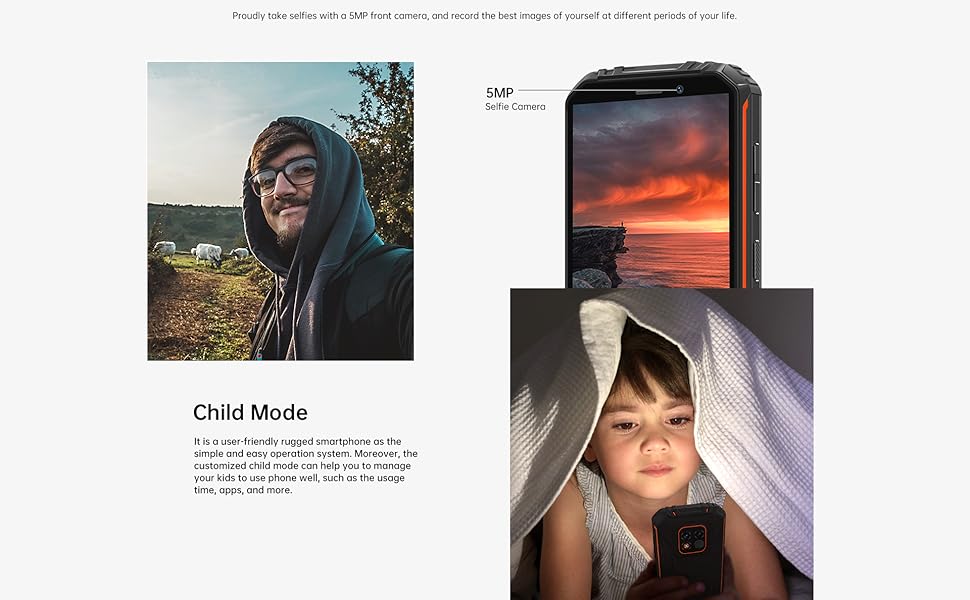
Figura 4.6: Càrrega inversa OTG
4.5. Android 12 System
The OUKITEL WP18 Pro runs on Android 12, offering a clean interface, enhanced privacy features, and a smooth user experience.
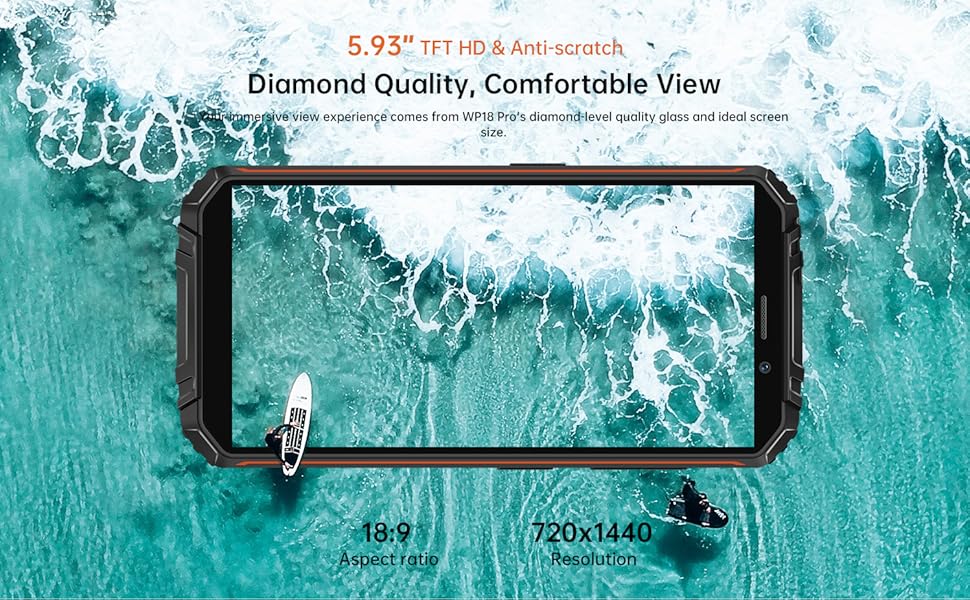
Figura 4.7: Interfície d'Android 12
5. Manteniment
To ensure the longevity and optimal performance of your OUKITEL WP18 Pro, follow these maintenance guidelines:
- Neteja: Utilitzeu un suau, damp cloth to wipe the device. Avoid harsh chemicals or abrasive materials.
- Atenció al Port: Ensure all port covers (USB, SIM tray) are securely closed, especially before exposing the phone to water or dust. Regularly check ports for debris and clean gently with a soft brush if necessary.
- Protecció de pantalla: While the screen is made of Corning Gorilla Glass, using an additional screen protector can provide extra defense against scratches.
- Actualitzacions de programari: Comproveu i instal·leu regularment si hi ha actualitzacions del sistema per assegurar-vos que el vostre dispositiu tingui els pegats de seguretat i les millores de rendiment més recents.
6. Solució De Problemes
If you encounter issues with your OUKITEL WP18 Pro, try the following solutions:
- El dispositiu no s'encén: Assegureu-vos que la bateria estigui carregada. Connecteu el carregador i espereu uns minuts abans d'intentar tornar-lo a engegar.
- Pantalla que no respon: Try restarting the device by holding down the Power button for about 10-15 seconds until it reboots.
- Senyal de xarxa deficient: Check if your SIM card is correctly inserted. Move to an area with better network coverage.
- Les aplicacions es bloquegen/es bloquegen: Clear the cache of the problematic app in Settings > Apps. If the issue persists, try reinstalling the app.
- Esgotament ràpid de la bateria: Close unused apps running in the background. Reduce screen brightness. Check battery usage in Settings to identify power-hungry apps.
- Exposició a l'aigua/pols: If the device has been exposed to water or dust, ensure all ports are dry before charging. Do not open the device.
If these steps do not resolve the issue, please contact OUKITEL customer support.
7. Especificacions
| Característica | Especificació |
|---|---|
| Marca | OUKITEL |
| Model | WP18 Pro |
| Capacitat d'emmagatzematge de memòria | 64 GB (ampliable fins a 1 TB mitjançant microSD) |
| RAM | 4 GB |
| Mida de la pantalla | 5.93 Inches HD+ (720*1440 resolution, 400NIT brightness) |
| Compatibilitat amb operadors sense fil | T-Mobile, Metro by T-Mobile, Mint Mobile, Republic Wireless (4G Dual SIM) |
| Tecnologia cel·lular | 4G |
| Tecnologia de connectivitat | Bluetooth, NFC, USB |
| Color | Taronja |
| Dimensions de l'article (L x A x A) | 6 x 3 x 0.8 polzades |
| Sistema operatiu | Android 12 |
| Capacitat de la bateria | 12500 mAh |
| Càmera posterior | 13MP Main Camera + 5MP Auxiliary Camera |
| Càmera frontal | 5MP |
| Durability Standards | IP68, IP69K, MIL-STD-810G |
8. Garantia i Suport
OUKITEL provides comprehensive support for your WP18 Pro device:
- Política de devolució de 30 dies: Gaudeix d'un període de devolució sense motiu de 30 dies a partir de la data de compra.
- One-Year Free Warranty: Your device is covered by a one-year warranty for manufacturing defects.
- Long-Term Technical Support: OUKITEL offers ongoing technical assistance for your product.
- Servei d'atenció al client en línia les 24 hores: Dedicated customer service is available 24/7 to address your inquiries and concerns.
For warranty claims or technical assistance, please visit the official OUKITEL weblloc web o contacteu directament amb el seu servei d'atenció al client.