
Introducció
This manual provides instructions for the VJIANGER 4K Digital Camera, Model W02. This camera is designed for photography and video recording, featuring 4K resolution, a 48-megapixel sensor, Wi-Fi connectivity, and a 180-degree flip screen. Please read this manual thoroughly before using the camera to ensure proper operation and to maximize its capabilities.
Contingut del paquet
Verifiqueu que tots els elements siguin presents al vostre paquet:
- VJIANGER 4K Digital Camera (W02)
- Lent gran angular
- Lent macro
- 2 x NP-40 Lithium-ion Batteries
- Carregador de bateria dual
- Cable USB
- Targeta TF de 32 GB (preinstal·lada o per separat)
- Manual d'usuari (aquest document)

Image: VJIANGER 4K Digital Camera W02 with its complete set of accessories.
Configuració
1. Carregant la bateria
The camera uses NP-40 lithium-ion batteries. Before first use, fully charge both batteries using the provided dual charger and USB cable. A full charge typically takes 2-3 hours.
- Insert the batteries into the dual charger.
- Connect the USB cable to the charger and a power source (e.g., USB wall adapter, computer USB port).
- El llum indicador del carregador mostrarà l'estat de càrrega.
2. Inserció de la targeta TF
A 32GB TF (Micro SD) card is included. The camera supports TF cards up to 256GB (Class 10 recommended).
- Localitzeu la ranura per a targetes TF a la càmera.
- Insert the TF card with the metal contacts facing down until it clicks into place.
- Important: Format the memory card through the camera's menu the first time you use it to ensure compatibility and optimal performance.
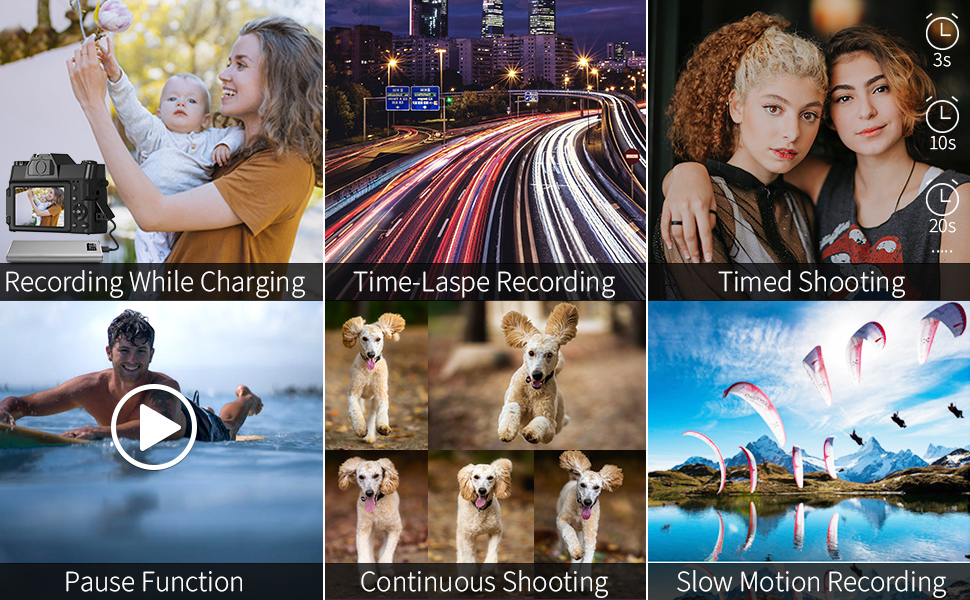
Image: Illustration of battery and TF card insertion points, and included charging accessories.
3. Attaching Lenses
The camera comes with a wide-angle lens and a macro lens. These can be screwed onto the front of the camera's fixed lens.
- Align the threads of the accessory lens with the threads on the camera's main lens.
- Gently rotate clockwise until securely attached.
Instruccions de funcionament
Encès/Apagat
Premeu i manteniu premut el botó d'engegada per encendre o apagar la càmera.
Selecció del mode
Rotate the mode dial located on the top-left of the camera to select between different functions:
- Mode de fotografia: For taking still images.
- Interval Photography: For time-lapse photos.
- Mode d'enregistrament: For shooting videos.
- Gravació a càmera lenta: For slow-motion video capture.
- Gravació per lapse de temps: Per a vídeos amb time-lapse.
- Mode de reproducció: Per reviewfent fotos i vídeos.
Fotografia
In Photo Mode, press the shutter button to capture a 48-megapixel image.
- Zoom digital: Use the zoom controls (usually 'W' and 'T' buttons) to apply up to 16X digital zoom. Note that digital zoom may reduce image quality.
- Timed Shooting: Set a timer for delayed photo capture.
- Tret continu: Capture a series of photos rapidly.

Image: Demonstrates 48MP shooting and 16X digital zoom capability.
Gravació de vídeo
In Recording Mode, press the shutter button to start/stop 4K video recording at 30 frames per second.
- Funció de pausa: During recording, press the appropriate button (refer to camera interface) to pause and resume recording without creating a new file.
- Micròfon extern: Connect a 3.5mm external microphone to the dedicated jack for improved audio quality.
- Sabata calenta: Attach an external flash or LED light to the hot shoe for additional lighting.

Imatge: Example of 4K video recording at 30fps.
Enfocament manual (MF)
The camera supports manual focus. To use:
- Gently press the shutter button halfway down.
- A focusing logo frame will appear on the display.
- Adjust the focus ring on the lens until your subject is sharp.
- Fully press the shutter button to capture the image or start recording.

Image: Visual guide for using the manual focus feature.
Connectivitat Wi-Fi
Connect your camera to a smartphone via Wi-Fi for remote control and instant file transferència.
- Download the "XDV PRO" app on your smartphone (available for iOS and Android).
- On the camera, enable the Wi-Fi function through the menu.
- On your smartphone, connect to the camera's Wi-Fi network (SSID: 4K_WIFI, Password: 12345678).
- Open the "XDV PRO" app to control the camera or transfer photos/videos.

Image: Steps for connecting the camera to a smartphone via Wi-Fi.
Webcam Functionality / Live Streaming
The camera can function as a webcàmera per a videotrucades o transmissió en directe.
- Connect the camera to your PC using the provided USB cable.
- On the camera, select "Camera mode" when prompted.
- L'ordinador hauria de reconèixer la càmera com a weblleva.
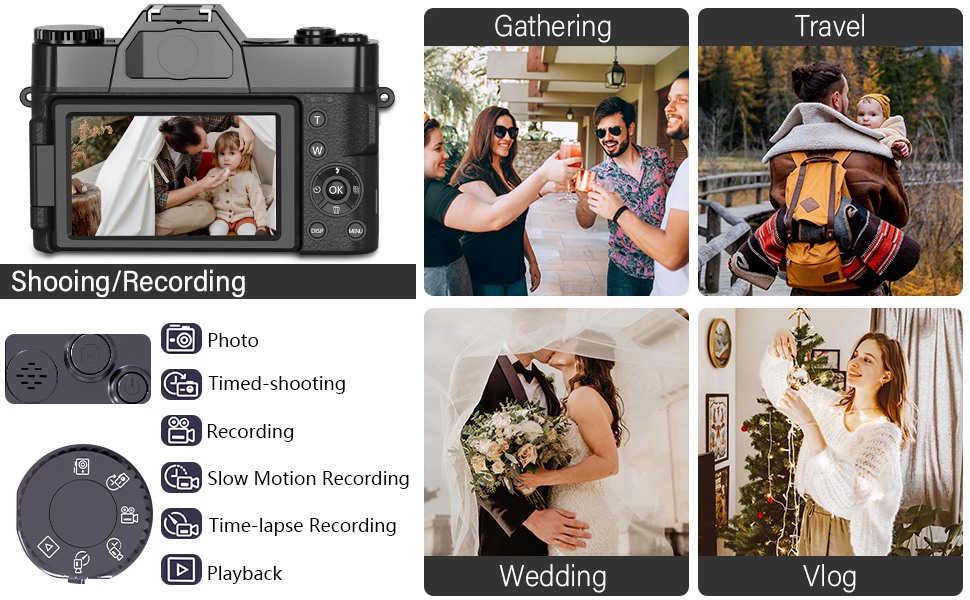
Image: Camera configured for live streaming or webús de la càmera.
Reproducció i Viewing
Pots tornarview your captured content directly on the camera or on external devices.
- A la càmera: Rotate the mode dial to "Playback Mode" to view photos and videos on the 180-degree flip screen.
- Al PC: Connect the camera to your PC via USB cable and select "Mass Storage" mode to access files directly from the TF card.
- A la televisió: Connect the camera to a TV using an HDMI cable (not included) for viewen una pantalla més gran.

Image: Various methods for playing back recorded content.
Manteniment
- Neteja de la lent: Feu servir un drap suau i sense borrissol dissenyat específicament per a objectius de càmera. Eviteu productes químics agressius.
- Neteja de la pantalla: Use a microfiber cloth to gently wipe the flip screen.
- Emmagatzematge: When not in use, store the camera in a dry, cool place away from direct sunlight and extreme temperatures. Remove batteries if storing for extended periods.
- Resistència a l'aigua: This camera is not water-resistant. Avoid exposure to water or high humidity.
Resolució de problemes
Q: Can I transfer pictures to my phone with WiFi?
A: Yes. Enable the Wi-Fi option on the camera, connect your phone to the camera's Wi-Fi network, and use the free "XDV PRO" camera app to transfer pictures directly.
Q: What type of lenses can be used with this camera?
A: This camera has fixed primary lenses and does not support interchangeable lenses. However, it supports the included 52mm 0.45X super wide-angle lens and macro lens, which attach to the front of the fixed lens.
Q: What does it mean when it shows "TF card not detected"?
A: This indicates the Transflash (Micro SD) memory card is not properly inserted or recognized. Ensure the card is fully inserted until it locks into place. If the issue persists, try reformatting the card in the camera (if it contains no important data) or using a different compatible TF card.
Q: Do I need an external microphone for this camera?
A: The camera has a built-in microphone. However, for enhanced audio quality, you can connect any external microphone with a 3.5mm plug to the camera's microphone jack.
Q: Does it include a memory card? What kind of card should I purchase?
A: Yes, a 32GB TF card is included. The camera supports a maximum of 256GB TF card (Class 10 or higher recommended).
Especificacions
| Característica | Especificació |
|---|---|
| Model | W02 |
| Resolució fotogràfica | 48 megapíxels |
| Resolució de vídeo | 4K (3840x2160) @ 30FPS |
| Zoom digital | 16X |
| Pantalla de visualització | 3.0 inch Ultra HD 180° Flip Screen |
| Tipus de lent | Fixed Lens F/3.2, f=7.36mm (52mm filter size) |
| External Lenses | 52mm Wide Angle Lens, Macro Lens (included) |
| Emmagatzematge | TF Card (up to 256GB, Class 10 recommended) |
| Connectivitat | Wi-Fi, USB |
| Bateria | NP-40 / 1500mAh Lithium-ion (2 included) |
| Durada de la bateria | Aprox. 2-3 hores |
| Dimensions (L x A x A) | 4.3 x 2.96 x 1.2 polzades |
| Pes | Approx. 0.57 lbs (camera body) |
| Estabilització d'imatge | Digital |
| Tipus d'enfocament | Enfocament manual (MF) |
| Entrada d'àudio | Jack de micròfon de 3.5 mm |
| Sabata calenta | Yes, for external lighting |
Garantia i Suport
For any questions, technical assistance, or warranty inquiries, please contact VJIANGER customer support through the platform where you purchased the product. Refer to your purchase documentation for specific warranty terms and contact details.
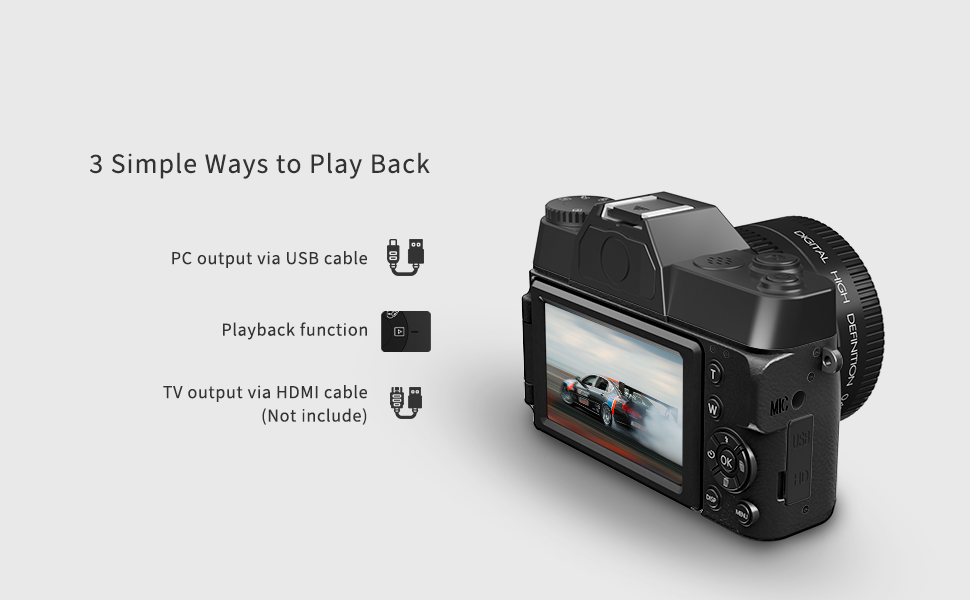
Image: VJIANGER customer support information.