
Producte acabatview
The Andis 04685 Professional Outliner II Trimmer is designed for precise outlining, dry shaving, and fading. It features ultra-sharp, carbon-steel T-blades for close and exact cuts. The magnetic motor operates at 7,200 strokes per minute (SPM) for efficient performance. Its contoured, gunmetal grey body is designed for comfortable handling during extended use.

Image: The Andis 04685 Professional Outliner II Trimmer, showcasing its ergonomic design and square blade.
Característiques principals:
- Close-Cutting Blade: 0mm bald hair clipper ideal for close cutting, fading, clean lines, and detailed work.
- Motor d'alta velocitat: Delivers 7,200 SPM for sharp performance with minimal noise.
- Durable T-Blade: Self-sharpening, quality carbon steel blade that is waterproof and simple to remove.
- Disseny ergonòmic: Weighs approximately 0.7 pounds with an engraved all-metal body, compact, portable, and comfortable to hold.
- Cordó llarg: Heavy-duty 8-foot power cable with a hanger loop for ampl'espai de treball.

Image: Diagram highlighting key features of the Outliner II Square Blade Hair & Beard Trimmer, including its precise outlining capability, magnetic motor, and contoured body.
Informació de seguretat
Please read and understand all safety instructions before using this electric hair trimmer.
- Seguretat de l'aigua: Keep this electric hair trimmer away from water sources. Do not use it near bathtubs, showers, basins, o altres recipients que contenen aigua.
- Infant Use: No utilitzeu aquest producte en nadons.
- Precaució de la fulla: Be cautious around sharp blades to avoid skin irritation and eye injury. Always handle the blades with care.
- Manteniment: Always follow recommended cleaning and maintenance procedures to ensure safe operation and longevity of the device.
- Cable d'alimentació: Inspect the power cord regularly for any damage. Do not use the trimmer if the cord is damaged.
Configuració
Before first use, ensure the trimmer is properly prepared.
- Desembalatge: Carefully remove the trimmer and all accessories from the packaging.
- Inspeccioneu les fulles: Verify that the blade is properly attached and free from any visible damage. The blades are factory-set for optimal performance.
- Lubricació inicial: Apply a few drops of clipper oil (not included) to the blades before the first use. This ensures smooth operation and extends blade life.
- Connexió d'alimentació: Plug the heavy-duty 8-foot power cord into a suitable electrical outlet.
Instruccions de funcionament
Follow these steps for effective use of your Andis Outliner II Trimmer.
- Preparació: Ensure hair is clean and dry before trimming for best results.
- Encès: Turn on the trimmer using the power switch located on the side of the unit.
- Retall: For precise outlining, dry shaving, and fading, hold the trimmer at an angle against the skin and move it slowly and steadily. Use light pressure.
- Blade Zero Gapping (Advanced): The square blade is designed for close cutting. For advanced users seeking an even closer cut (zero-gapping), refer to professional guides or consult a qualified technician. Improper zero-gapping can lead to skin irritation or cuts.
- Apagar: After use, turn off the trimmer and unplug it from the electrical outlet.
Video: Official product video demonstrating the features and use of the Andis 04685 Pro Outliner II Square Blade Beard Trimmer. This video provides a visual guide to the trimmer's capabilities.
Manteniment
Un manteniment adequat garanteix la longevitat i el rendiment de la teva desbrossadora.
- Neteja de fulles: After each use, brush hair clippings from the blades using a small cleaning brush (often included).
- Fulles d'oli: To extend the life of your blades and maintain cutting efficiency, apply a few drops of clipper oil to the blades before every use. Turn the trimmer on for a few seconds to allow the oil to distribute.
- Neteja del cos: Wipe the trimmer body with a clean, dry cloth. Do not use harsh chemicals or abrasive cleaners.
- Emmagatzematge: Store the trimmer in a dry place, away from moisture and extreme temperatures. Use the hanger loop on the cord for convenient storage.
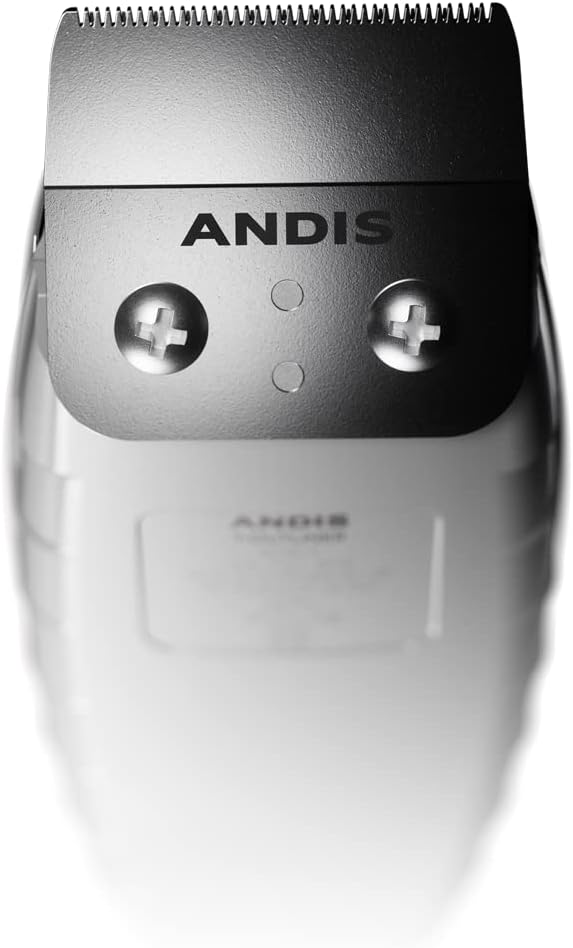
Imatge: Primer pla view of the Andis Outliner II Trimmer's square blade, emphasizing the importance of regular cleaning and oiling for optimal performance.
Resolució de problemes
If you encounter issues with your trimmer, refer to the following common solutions:
- Trimmer Does Not Turn On:
- Assegureu-vos que el cable d'alimentació estigui ben connectat a una presa de corrent que funcioni.
- Check the power switch to ensure it is in the 'ON' position.
- Inspect the power cord for any visible damage. If damaged, discontinue use and contact customer support.
- Rendiment de tall baix:
- Netegeu les fulles a fons per eliminar qualsevol pèl o residus acumulats.
- Apply clipper oil to the blades. Dry blades can cause pulling or inefficient cutting.
- Ensure the blades are properly aligned. Misaligned blades can affect cutting precision.
- If blades are dull, they may need to be replaced.
- Trimmer Gets Hot:
- Excessive heat can occur during prolonged use. Allow the trimmer to cool down.
- Ensure blades are clean and well-oiled. Friction from dry or dirty blades can generate heat.
For issues not resolved by these steps, please contact Andis customer support.
Especificacions
| Característica | Detall |
|---|---|
| Número de model | 04685 |
| Dimensions | 8.11 x 5.2 x 2.91 polzades |
| Pes de l'article | 11.2 unces |
| Material de la fulla | Acer al carboni, acer inoxidable |
| Font d'alimentació | Elèctric amb cable |
| Velocitat del motor | 7200 SPM |
| Color | Gris |
| Usos recomanats | Beard, Outlining, Dry Shaving, Fading |
| Tipus de cabell | Tots |
Garantia i Suport
The Andis 04685 Professional Outliner II Trimmer comes with a manufacturer's warranty. For specific details regarding the warranty period and coverage, please refer to the documentation included with your product or visit the official Andis weblloc.
For customer support, technical assistance, or to purchase replacement parts, please visit the Andis Store or contact Andis directly through their official channels.