
Introducció
This manual provides detailed instructions for the setup, operation, maintenance, and troubleshooting of your IOGEAR MECHLITE Nano 65% Mechanical Keyboard (GKB610R). Please read this manual thoroughly before using the product to ensure proper functionality and to prevent damage.
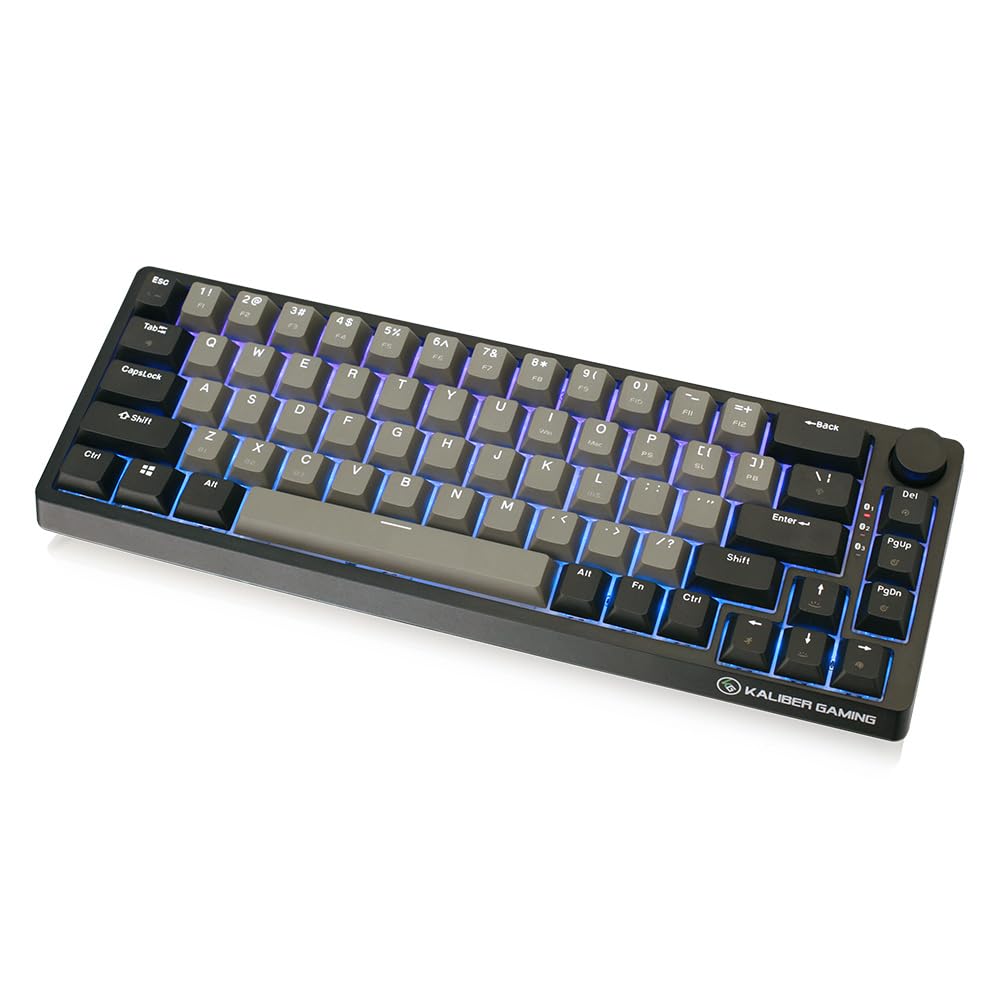
Image: The IOGEAR MECHLITE Nano 65% Mechanical Keyboard, showcasinel seu disseny compacte i la retroiluminació RGB.
Contingut del paquet
Verifiqueu que tots els elements siguin presents al paquet:
- IOGEAR MECHLITE Nano 65% Mechanical Keyboard (GKB610R)
- USB-C to USB-A Cable (Detachable)
- Manual d'usuari (aquest document)
- Targeta de garantia
Producte acabatview
Característiques clau
- Disseny compacte al 65%: 67-key design, retaining essential keys.
- Connectivitat dual: Wireless Bluetooth 5.0 and wired USB-C.
- Interruptors mecànics: Red linear mechanical switches for smooth keystrokes.
- Retroil·luminació RGB: Per-key customizable RGB effects.
- Tecles duradors: Premium PBT double-shot keycaps resist wear.
- Control de volum: Integrated tactile volume knob.
- Suport multidispositiu: Connects up to 3 Bluetooth devices.
- Compatibilitat universal: Supports Windows, macOS, iOS, Android, and gaming consoles.

Imatge: Més deview of the keyboard highlighting its compact design, Bluetooth, and USB-C connectivity.
Components
Familiarize yourself with the keyboard's components:
- Claus: 67 PBT double-shot keycaps with laser-etched secondary functions.
- Pom de volum: Located on the top right for audio control.
- Port USB-C: For wired connection and charging, located on the rear edge.
- Llums indicadores: For Bluetooth pairing status and battery.
- Fold-in Stands: On the underside for adjustable typing angle.

Imatge: Detallada view of the PBT keycaps and red mechanical switches.

Image: The integrated volume control knob.

Image: The USB-C port for wired connection and charging.
Configuració
Connexió per cable
- Connecteu el cable USB-C proporcionat al port USB-C del teclat.
- Connect the USB-A end of the cable to an available USB port on your computer or device.
- The keyboard will be automatically detected and ready for use. The keyboard will also charge in wired mode.
Connexió sense fil Bluetooth
El teclat admet la connexió de fins a tres dispositius Bluetooth.
- Ensure the keyboard is powered on and sufficiently charged.
- Turn on the keyboard's power switch (usually located on the underside or side).
- To enter pairing mode for a specific slot (1, 2, or 3), press and hold the Fn clau i una de les claus Bluetooth (1, 2, o 3) until the corresponding indicator light flashes rapidly.
- Al dispositiu (ordinador, tauleta, telèfon), activa el Bluetooth i cerca dispositius nous.
- Select "IOGEAR MECHLITE Nano" from the list of available devices.
- Follow any on-screen prompts to complete the pairing process. The indicator light will become solid when successfully paired.
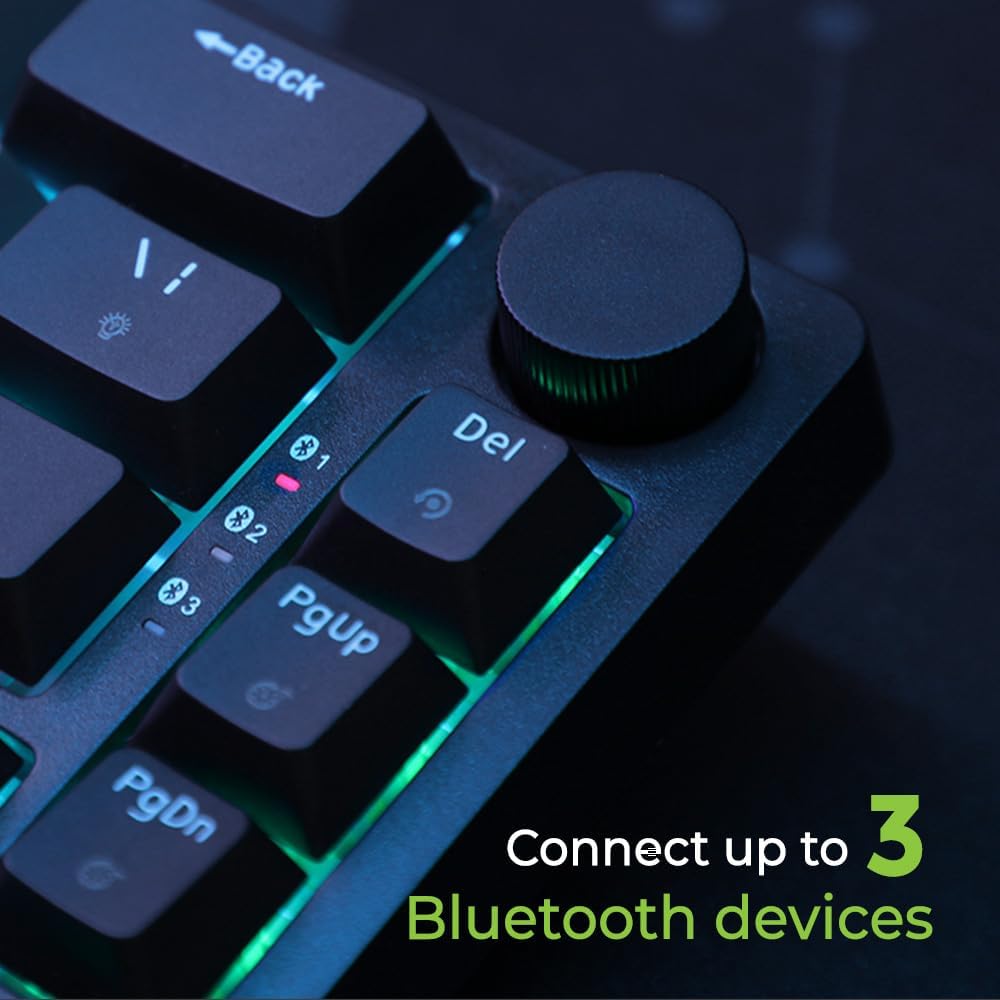
Image: Bluetooth indicator lights for multi-device pairing.
Instruccions de funcionament
Switching Between Devices (Bluetooth)
Once multiple devices are paired, you can switch between them by pressing the Fn key and the corresponding Bluetooth key (1, 2, o 3) briefly. The indicator light will show which device is currently active.
Control de retroil·luminació RGB
The keyboard features per-key RGB backlighting. Use the following key combinations to control the lighting effects:
- Fn + \ |: Cicle entre diferents efectes d'il·luminació.
- Fn + [ { or Fn + ] }: Ajustar els nivells de brillantor.
- Fn + ; : or Fn + ' ": Adjust effect speed.
- Fn + , < or Fn + . >: Change backlight colors (for static modes).
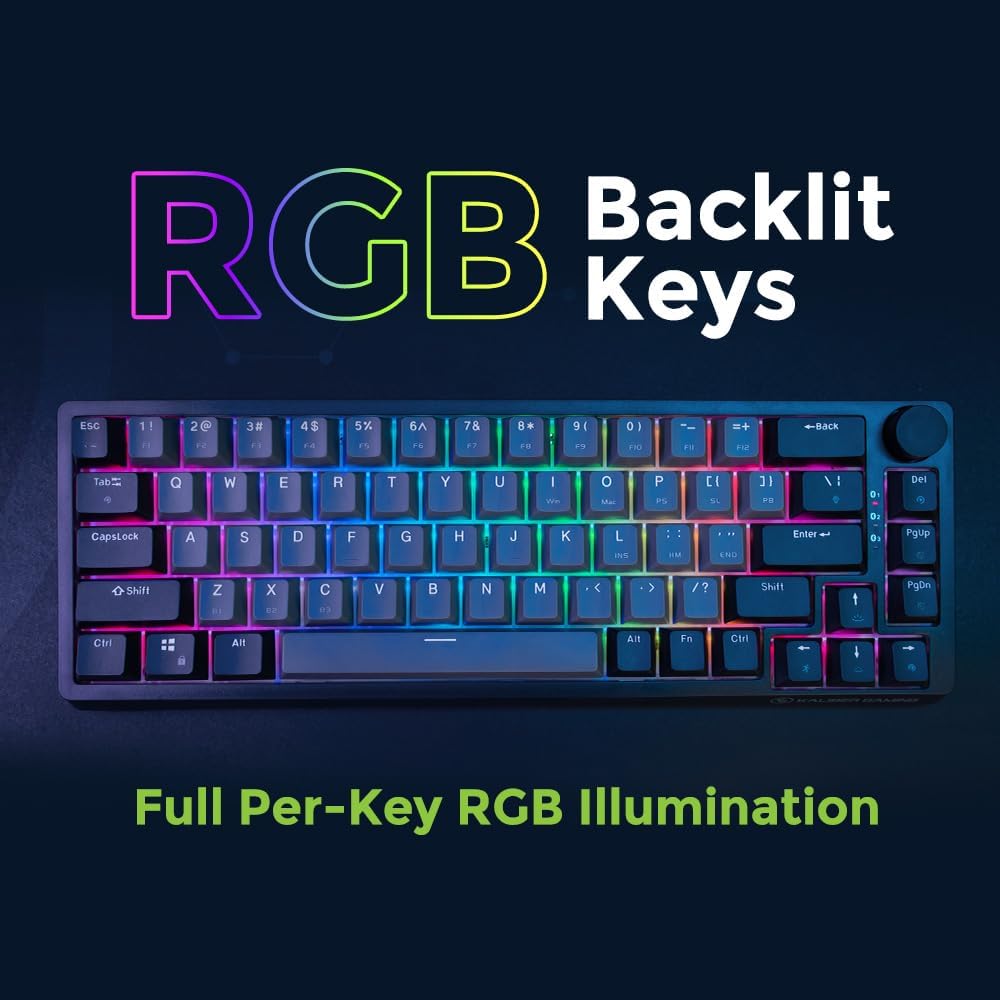
Image: The keyboard displaying its vibrant RGB backlighting.
Pom de control de volum
The dedicated volume knob allows for quick audio adjustments:
- Girar en sentit horari: Augmenta el volum.
- Girar en sentit antihorari: Disminuir el volum.
- Prémer: Silencia/activa el so de l'àudio.
Manteniment
Per garantir la longevitat i el rendiment òptim del teclat, seguiu aquestes pautes de manteniment:
- Neteja: Use a soft, dry cloth to wipe the keyboard surface. For deeper cleaning, use compressed air to remove dust and debris from between the keycaps. Avoid using liquid cleaners directly on the keyboard.
- Eliminació de la tapa de les tecles: If necessary, keycaps can be carefully removed using a keycap puller (not included) for thorough cleaning or switch replacement. Exercise caution to avoid damaging the switches.
- Emmagatzematge: Guardeu el teclat en un lloc fresc i sec, allunyat de la llum solar directa i de temperatures extremes quan no l'utilitzeu durant períodes prolongats.
- Cura de la bateria: For optimal battery life, avoid fully discharging the keyboard frequently. Charge the keyboard regularly, especially if it will be stored for a long time.
Resolució de problemes
Si teniu problemes amb el teclat, consulteu les solucions habituals següents:
| Problema | Solució |
|---|---|
| El teclat no respon (amb cable) |
|
| El teclat no es connecta per Bluetooth |
|
| La retroiluminació RGB no funciona o s'ha quedat enganxada |
|
| Les claus no es registren o s'escriuen dues vegades |
|
Especificacions
| Característica | Detall |
|---|---|
| Número de model | GKB610R |
| Marca | IOGEAR |
| Disseny | 65% Compact (67 Keys), QWERTY |
| Connectivitat | Bluetooth 5.0, USB-C Wired |
| Interruptors | Red Linear Mechanical Switches (Cherry MX Red equivalent) |
| Taps de claus | PBT Doble Tret |
| Il·luminació de fons | RGB per clau |
| Característiques especials | Volume Control Knob, Multi-Device Pairing (up to 3 Bluetooth devices) |
| Compatibilitat | Windows, macOS, iOS, Android, Gaming Consoles |
| Font d'alimentació | Battery Powered (Internal), USB-C Charging |
| Durada de la bateria | Up to 60 hours (with RGB backlight disabled) |
| Material | Polybutylene Terephthalate (Keycaps) |
| Pes | Aproximadament 2 lliures |
Garantia i Suport
The IOGEAR MECHLITE Nano 65% Mechanical Keyboard (GKB610R) comes with a Garantia limitada de maquinari d'2 any i Suport tècnic de per vida from IOGEAR.
For warranty claims, technical assistance, or additional product information, please visit the official IOGEAR website or contact their customer support. Refer to the included Warranty Card for specific terms and conditions.
Online resources and FAQs may also be available on the IOGEAR support page: www.iogear.com/support