
Producte acabatview
The ASHATA 5-Inch Portable Digital Television is a compact and versatile device designed for entertainment on the go. It supports ATSC digital television standards, allowing reception of both analog and digital TV broadcasts. Equipped with a 1500mAh rechargeable battery, it offers extended use for outdoor activities, travel, and more. Its multimedia capabilities include USB and TF card playback, supporting various video and audio formats.
- Model: ASHATA 5-Inch Portable Digital Television
- ASIN: B0BJ7MRPWV
- Fabricant: ASHATA

Imatge: Frontal view of the ASHATA 5-Inch Portable Digital Television with its telescopic antenna extended.
Què hi ha a la caixa
El paquet inclou els articles següents:
- ASHATA 5-Inch Portable Digital Television
- Control remot
- Antena
- Adaptador d'alimentació
- User Manual (included in packaging)

Image: The ASHATA 5-Inch Portable Digital Television displayed alongside its remote control, power adapter, and external magnetic base antenna.
Característiques del producte
- ATSC Standard Compliance: Supports ATSC digital television, enabling reception of both analog and digital broadcasts.
- Reproducció multimèdia: Features a USB port and TF card slot for playing content from external storage. Supports 1080p video, MKV, MOV, AVI, WMV, MP4, FLV, MPEG1-4, and MP3 audio.
- Disseny portàtil: Compact size with a 5-inch LED screen, ideal for travel, camping, and outdoor use. Includes a built-in stand for convenient viewing.
- Bateria recarregable: Integrated 1500mAh lithium battery provides long-lasting power for portable operation.
- High Sensitivity Tuner: Enhanced signal reception capability for clearer picture quality.
- Accessoris inclosos: Comes with a remote control, antenna, and power adapter for immediate use.

Image: The portable television being used outdoors in a tent, highlighting its rechargeable battery and suitability for travel.

Image: The portable television mounted on a car dashboard, demonstrating its use for in-vehicle entertainment.
Configuració
1. Càrrega del dispositiu
Connecteu l'adaptador de corrent proporcionat a DC IN port on the television and plug it into a standard electrical outlet. Allow the device to fully charge before first use. The charging indicator will typically change color or turn off when charging is complete.
2. Connexió de l'antena
For digital TV reception, connect the included antenna to the antenna input port on the television. For optimal reception, position the antenna in an area with clear line of sight to broadcast towers. Nota: Some users may find improved reception with a larger, external antenna.
3. Engegada inicial
Press the power button on the device or the remote control to turn on the television.
Video: A short demonstration of the ASHATA 5-Inch Portable Digital Television, showcasing its features and portability.
Instruccions de funcionament
1. Encendre/apagar
Premeu el botó PODER button on the remote control or the side of the TV to turn the unit on or off.
2. Escaneig de canals
Upon first use, or if channels are not found, navigate to the "Menu" > "Channel Search" or "Auto Scan" option. Select "Start Scan" to automatically search for available digital and analog channels. This process may take several minutes. Ensure the antenna is properly connected and positioned during the scan.
3. Selecció d'entrada
Premeu el botó ENTRADA button on the remote or the TV to cycle through available input sources (e.g., TV, USB, TF Card).
4. Control de volum
Utilitza el VOL+ i VOL- buttons on the remote or the TV to adjust the audio volume.
5. Navegació del menú
Utilitzeu els botons de fletxa (UP, ABAIX, ESQUERRA, DRET) i el ENTRAR button on the remote to navigate through the on-screen menu options. Press MENÚ to access the main menu and TORNAR per tornar enrere.
6. Ús del control remot
Point the remote control directly at the infrared sensor on the television. Ensure there are no obstructions between the remote and the TV.
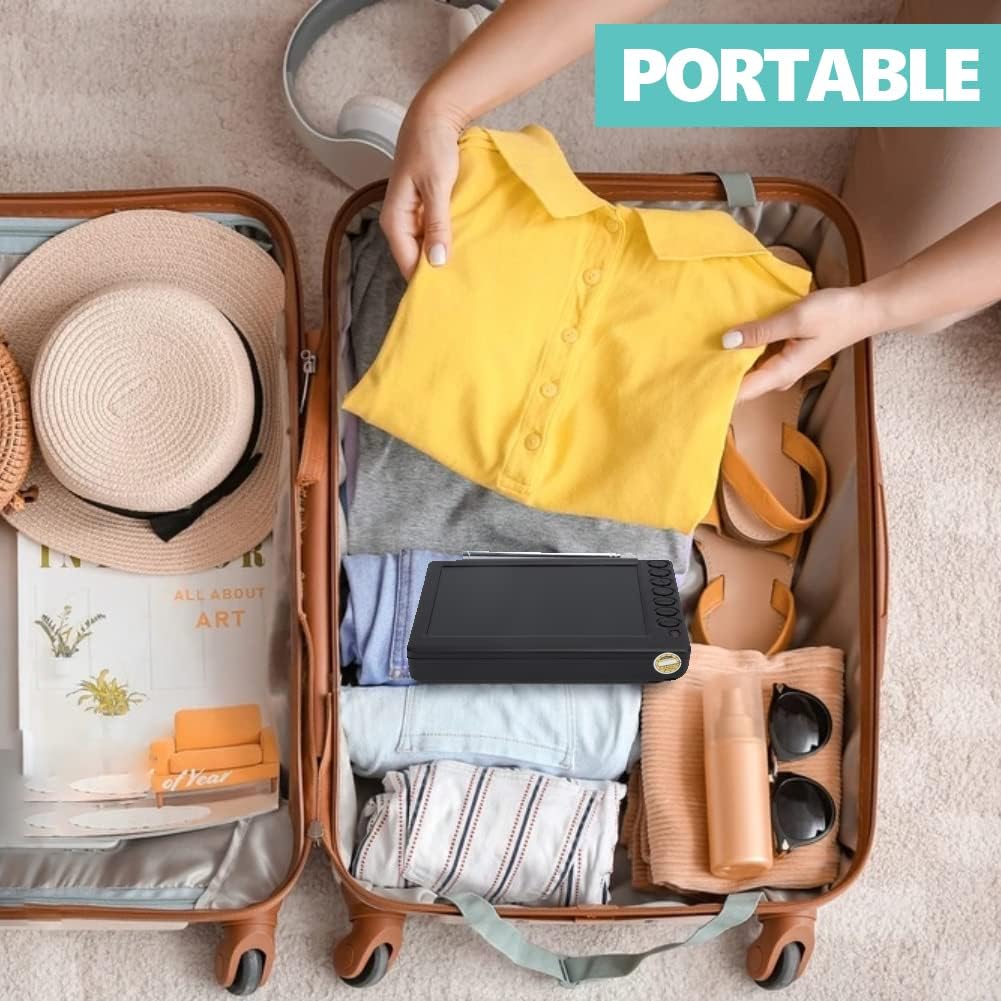
Image: The remote control unit for the ASHATA portable television, showing all buttons and functions.
Media Playback (USB/TF Card)
Inseriu una unitat flaix USB al USB port or a TF (Micro SD) card into the TARGETA TF slot. Press the ENTRADA button to select "USB" or "TF Card" as the source. Navigate through the folders and files using the remote control's arrow and ENTRAR botons.
Formats admesos:
- Vídeo: 1080p, MKV, MOV, AVI, WMV, MP4, FLV, MPEG1-4
- Àudio: MP3

Imatge: Lateral view of the television, highlighting the USB and TF card input slots for media playback.
Manteniment
Neteja:
Use a soft, dry cloth to clean the screen and exterior of the television. Do not use liquid cleaners or abrasive materials.
Cura de la bateria:
To prolong battery life, avoid fully discharging the battery frequently. Charge the device regularly, even when not in use for extended periods. Store in a cool, dry place.
Emmagatzematge:
When storing the TV for a long time, ensure it is turned off and disconnected from power.
Resolució de problemes
- Sense energia:
- Ensure the power adapter is securely connected and plugged into a working outlet.
- Comproveu si la bateria està carregada. Si no, carregueu el dispositiu durant almenys 30 minuts.
- Premeu el botó d'encesa amb fermesa.
- Sense senyal/Recepció deficient:
- Verify the antenna is correctly connected to the TV.
- Adjust the antenna's position and direction.
- Perform a channel scan again.
- Consider using an external antenna for better signal strength, especially in areas with weak reception.
- Sense so:
- Comproveu el nivell de volum.
- Ensure the "Mute" function is not activated.
- La targeta USB/TF no funciona:
- Assegureu-vos que la unitat USB o la targeta TF estigui inserida correctament.
- Verifiqueu que els mitjans de comunicació files are in supported formats (MKV, MOV, AVI, WMV, MP4, FLV, MPEG1-4 for video; MP3 for audio).
- Prova una altra unitat USB o targeta TF.
- Ensure the correct input source (USB or TF Card) is selected.
- El control remot no funciona:
- Reviseu i substituïu les piles del comandament a distància.
- Assegureu-vos que no hi hagi obstacles entre el comandament a distància i el sensor d'infrarojos del televisor.
- Apunta el comandament a distància directament al televisor.
Especificacions
| Mida de la pantalla | 5 polzades |
| Tecnologia de visualització | LED |
| Resolució | 1080p |
| Freqüència d'actualització | 60 Hz |
| Connectivitat | USB |
| Tipus de bateria | Rechargeable Lithium-ion, 1500mAh |
| Consum d'energia | 2 watts |
| Entrada Voltage | 100-240 VAC 50-60 Hz |
| Tipus de sintonitzador | ATSC (supports digital and analog signals) |
| Mode de sortida d'àudio | estèreo |
| Potència de sortida dels altaveus | 2 watts (màxim) |
| Components inclosos | Batteries, Remote Control, TV |
| Any model | 2018 |
| Tipus de muntatge | Muntatge de taula |
Garantia i Suport
This product comes with a limited warranty. Please refer to the warranty card included in your package for specific terms and conditions.
For further assistance or support, please visit the ASHATA store on Amazon: ASHATA Store.