
1. Introducció i finalview
The SVS Prime Wireless Pro Powered Speaker System delivers high-fidelity audio with versatile connectivity options. Designed for immersive sound, this 2-channel active/passive stereo speaker array features a powerful 200-watt amplifier (50 watts x 4) and a 24-bit/192kHz DAC for ultra high-resolution audio streaming.
Les característiques clau inclouen:
- Precision-tuned electronic crossover for powerful dynamics, deep bass, and stunning clarity.
- Wireless Hi-Res audio streaming via WiFi, Apple Airplay 2, and Chromecast.
- Bluetooth with aptX for high-quality wireless audio.
- Ample connectivity options: HDMI (ARC/eARC), Line Level (RCA), Optical, 3.5mm AUX, and Ethernet inputs.
- Subwoofer output for enhanced bass.
- Control via smartphone/desktop app, front panel, and IR remote.

Figure 1: SVS Prime Wireless Pro Powered Speaker System (Piano Gloss White).
2. Què hi ha a la caixa
Your SVS Prime Wireless Pro Powered Speaker System package includes the following components:
- SVS Prime Wireless Pro Powered Speaker Pair (one active, one passive)
- Cable d'alimentació
- Inter-speaker cable (USB-C)
- Comandament a distància amb piles
- Guia d'inici ràpid
- Informació de la garantia

Figure 2: Included components with the SVS Prime Wireless Pro system.
3. Configuració
Follow these steps to set up your SVS Prime Wireless Pro speakers:
- Col·locació: Position the active (primary) speaker and passive (secondary) speaker in your desired stereo configuration. Ensure adequate space for optimal sound dispersion.
- Connectar els altaveus: Use the supplied USB-C inter-speaker cable to connect the primary and secondary speakers. This cable ensures proper compatibility and performance.
- Connexió d'alimentació: Connect the power cable to the primary speaker and then to a wall outlet.
- Descarregar l'aplicació: Download the SVS app (or compatible control app like DTS Play-Fi) on your smartphone or desktop device.
- Configuració de la xarxa: Follow the in-app instructions to connect your speakers to your Wi-Fi network. This enables streaming features like Airplay 2 and Chromecast.
- Emparellament Bluetooth: If using Bluetooth, activate Bluetooth on your device and select the SVS Prime Wireless Pro from the list of available devices.
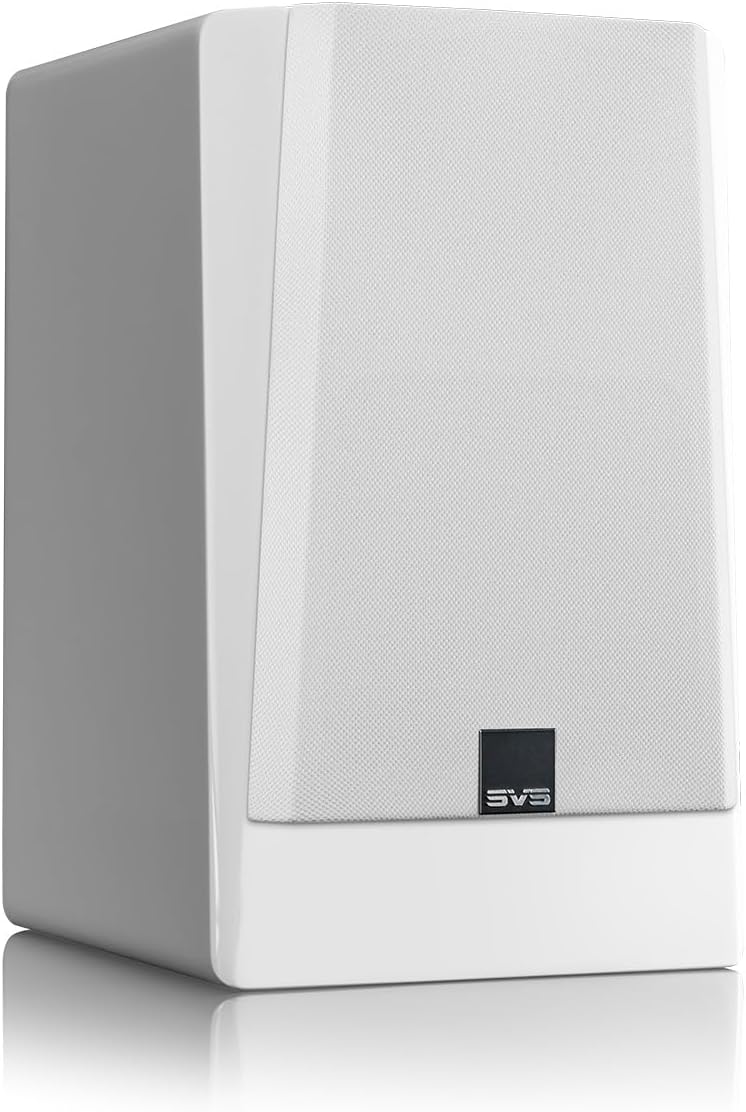
Figure 3: Rear panel connections for the SVS Prime Wireless Pro speaker.
4. Instruccions de funcionament
The SVS Prime Wireless Pro offers multiple ways to control your audio experience:
- Controls del panell frontal: Use the knobs and buttons on the front panel of the primary speaker to adjust volume, select input sources, and manage presets. The data-rich front panel interface provides visual feedback.
- Comandament IR: Utilize the included IR remote control for convenient adjustments from a distance.
- Smartphone/Desktop App: The dedicated SVS app provides comprehensive control over all speaker functions, including input selection, volume, EQ settings, and firmware updates.
- Comandaments de veu: Integrate with compatible voice assistants for hands-free control.

Figura 4: Controls i pantalla del panell frontal.
5. Connectivitat
The SVS Prime Wireless Pro offers extensive connectivity options:
- Transmissió sense fils:
- Wi-Fi: Stream lossless Hi-Res audio.
- Apple Airplay 2: For iPhones and iOS devices.
- Chromecast: For Android phones and other devices.
- Bluetooth with aptX: For high-quality wireless connection to various devices.
- Entrades per cable:
- HDMI (ARC/eARC): Connect directly to your TV for a superior soundbar replacement or compact home theater system.
- Line Level (RCA): Per a components d'àudio tradicionals.
- Òptic: For digital audio sources.
- 3.5 mm AUX: For portable devices.
- Ethernet: Per a una connexió de xarxa per cable estable.
- Sortida de subwoofer: Connect an external subwoofer for deeper, heart-pounding bass.

Figure 5: Wireless streaming options available.
6. Especificacions
| Característica | Especificació |
|---|---|
| Nom del model | Prime Wireless Pro |
| Número de model de l'article | PWPROWHT |
| Marca | SVS |
| Tipus d'altaveu | prestatgeria |
| Tipus de muntatge | Terra de peu |
| Potència de sortida màxima dels altaveus | 200 Watts (50 watts x 4) |
| Tipus de controlador d'àudio | Conductor dinàmic |
| Diàmetre del woofer | 5.25 polzades |
| Resposta de freqüència | 42000 Hz |
| Tecnologia de connectivitat | Auxiliary, Bluetooth, HDMI, Optical, RCA, Ethernet, Wi-Fi |
| Tecnologia de comunicació sense fils | Bluetooth, Wi-Fi (Airplay 2, Chromecast) |
| Mode de sortida d'àudio | estèreo |
| Configuració del canal de so envoltant | 2.0 |
| Mètode de control | Voice, Remote, App, Front Panel |
| Dimensions del producte | 16 "P x 12" W x 19" H |
| Pes de l'article | 28.9 lliures |
| Color | Piano Gloss White |
| Material | Alumini |
| Components inclosos | FEA-optimized cabinet and bracing eliminates resonances |
| Tipus de garantia | Complet |

Figura 6: Dimensions de l'altaveu.
7. Manteniment
To ensure the longevity and optimal performance of your SVS Prime Wireless Pro speakers, follow these maintenance guidelines:
- Neteja: Use a soft, dry cloth to gently wipe the speaker cabinets. Avoid abrasive cleaners, solvents, or harsh chemicals, as these can damage the finish.
- Grilles: The protective cloth grilles can be carefully removed for cleaning. Use a soft brush or vacuum cleaner with a brush attachment to remove dust. Ensure grilles are securely reattached after cleaning.
- Col·locació: Avoid placing speakers in direct sunlight, near heat sources, or in areas with high humidity. Ensure proper ventilation around the speakers.
- Connexions: Periodically check all cable connections (power, inter-speaker, audio inputs) to ensure they are secure and free from damage.
8. Solució De Problemes
If you encounter issues with your SVS Prime Wireless Pro speakers, refer to the following common troubleshooting steps:
- Sense energia:
- Ensure the power cable is securely connected to both the speaker and a working wall outlet.
- Verifiqueu que la presa de corrent funciona connectant-hi un altre dispositiu.
- Sense so:
- Check that the correct input source is selected on the speaker (via app, remote, or front panel).
- Increase the volume on both the speaker and your source device.
- Ensure all audio cables are securely connected and undamaged.
- If using wireless, check Wi-Fi/Bluetooth connection status.
- Problemes de connectivitat (Wi-Fi/Bluetooth):
- Ensure your router is working correctly and within range.
- Restart your router, source device, and the speakers.
- Try re-pairing Bluetooth devices or re-connecting to Wi-Fi via the app.
- So distorsionat:
- Reduce the volume on both the speaker and your source device.
- Check audio source quality and try a different source.
- Ensure speaker placement is not causing unwanted resonances.
For further assistance, please refer to the full user manual available on the SVS website or contact SVS customer support.
9. Garantia i Suport
Your SVS Prime Wireless Pro Powered Speaker System comes with a Garantia completa. For specific terms and conditions, please refer to the warranty documentation included in your package or visit the official SVS weblloc.
For technical support, product inquiries, or service requests, please contact SVS customer support through their official weblloc web o la informació de contacte que es proporciona a la Guia d'inici ràpid.