
1. Introducció
This manual provides essential information for setting up, operating, and maintaining your DOOGEE X98 Pro smartphone. Please read it carefully to ensure proper use and to maximize the device's performance and longevity.

Figura 1: Mésview of DOOGEE X98 Pro key features.
2. Contingut del paquet
Verifiqueu que tots els elements siguin presents al paquet del producte:
- DOOGEE X98 Pro Mobile Phone
- Cable USB-Type C
- Protective Film (pre-applied or in box)
- SIM Card Pin Ejector
- Carregador 5V/2A
- Manual d'usuari (aquest document)
3. Disseny del dispositiu
Familiarize yourself with the physical components of your DOOGEE X98 Pro.

Figure 2: Rear design of the DOOGEE X98 Pro.
The device features a minimalist design with precision-engineered rounded edges for a comfortable grip. Key components include:
- Botó d'encesa: Situat al lateral, s'utilitza per encendre/apagar el dispositiu o activar/reposar la pantalla.
- Botons de volum: Located near the power button, used to adjust media and call volume.
- Port USB tipus C: A la part inferior, per a la càrrega i la transferència de dades.
- Presa d'auriculars de 3.5 mm: Per connectar auriculars amb cable.
- Dual Rear Camera Module: Located on the back, includes the 12MP AI main camera and 2MP portrait camera with triple LED flash.
- Càmera frontal: Located at the top of the display, an 8MP AI Beautify camera.
- Safata de targeta SIM/SD: On the side, for inserting Nano SIM cards and a microSD card.
4. Configuració
4.1. Inserting SIM and SD Cards
- Localitza la safata de la targeta SIM al lateral del telèfon.
- Insert the SIM ejector pin into the small hole on the tray to open it.
- Traieu la safata amb cura.
- Place your Nano SIM card(s) and/or microSD card into the designated slots on the tray. Ensure the gold contacts face downwards. The phone supports dual Nano SIMs or one Nano SIM and one microSD card up to 1TB.
- Empenyeu suaument la safata cap al telèfon fins que encaixi al seu lloc.
4.2. Engegada inicial
- Press and hold the Power button on the side of the phone until the DOOGEE logo appears.
- Seguiu les instruccions que apareixen a la pantalla per completar la configuració inicial, inclosa la selecció d'idioma, la connexió Wi-Fi, la configuració del compte de Google i la configuració de seguretat.
4.3. Carregant la bateria
Before first use, it is recommended to fully charge the device. Use the provided 5V/2A charger and Type-C USB cable.
- Connect the Type-C end of the USB cable to the phone's charging port.
- Connect the USB-A end of the cable to the power adapter.
- Connecteu l'adaptador de corrent a una presa de corrent.
- L'indicador de càrrega apareixerà a la pantalla.
The 4200mAh battery supports 10W fast charging.
5. Instruccions de funcionament
5.1. Navegació bàsica
The DOOGEE X98 Pro runs on Android 12.0, offering an intuitive user experience. Navigation is primarily touch-based:
- Toca: Selecciona un element o obre una aplicació.
- Llisca: Scroll through lists, home screens, or app drawers.
- Pessigar: Apropa o allunya les fotos i web pàgines.
- Premsa llarga: Accedir a menús contextuals o moure icones.
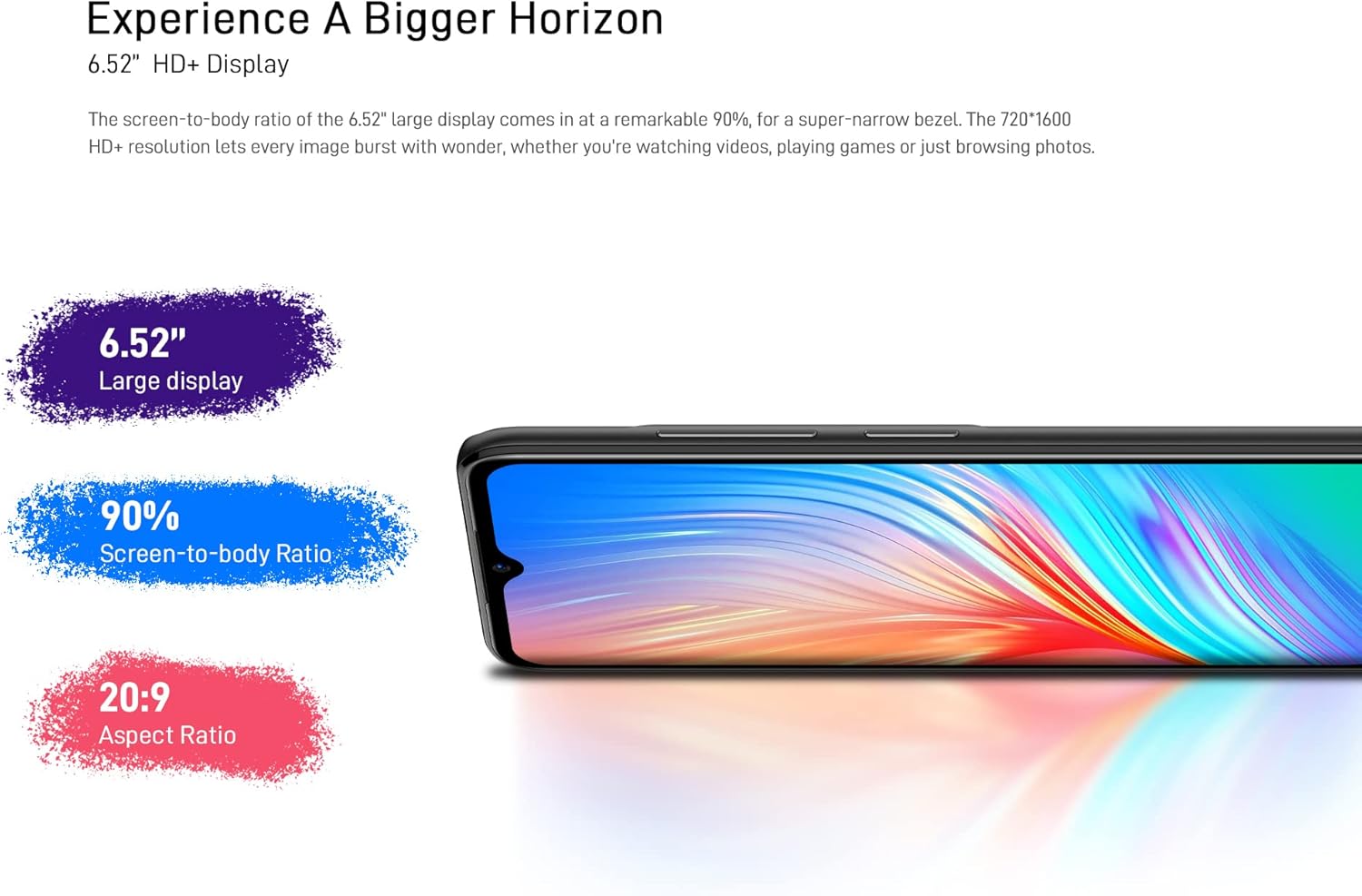
Figure 3: The 6.52-inch HD+ display.
5.2. Desbloqueig facial
The device supports face recognition for quick and secure unlocking.
- Vés a Configuració > Seguretat > Desbloqueig facial.
- Follow the on-screen prompts to register your face.
- Ensure good lighting conditions during registration for optimal performance.
5.3. Ús de la càmera
The DOOGEE X98 Pro features a 12MP AI Dual Rear Camera and an 8MP Front Camera.
Rear Camera (12MP AI Dual Camera)

Figure 4: Rear camera specifications.
Obriu l'aplicació Càmera per accedir als diversos modes:
- Foto: Standard mode for capturing still images. Features include AI Beauty, HDR, and a 78.1° visual angle with F1.8 aperture.
- Retrat: Utilizes the 2MP portrait camera for depth effects.
- Mode nocturn: Enhances clarity in low-light conditions.
- càmera lenta: Grava vídeos a càmera lenta.

Figura 5: Example of Night Mode photography.
Front Camera (8MP AI Beautify)
The 8MP front camera is designed for clear selfies and video calls, featuring AI Beautify mode.
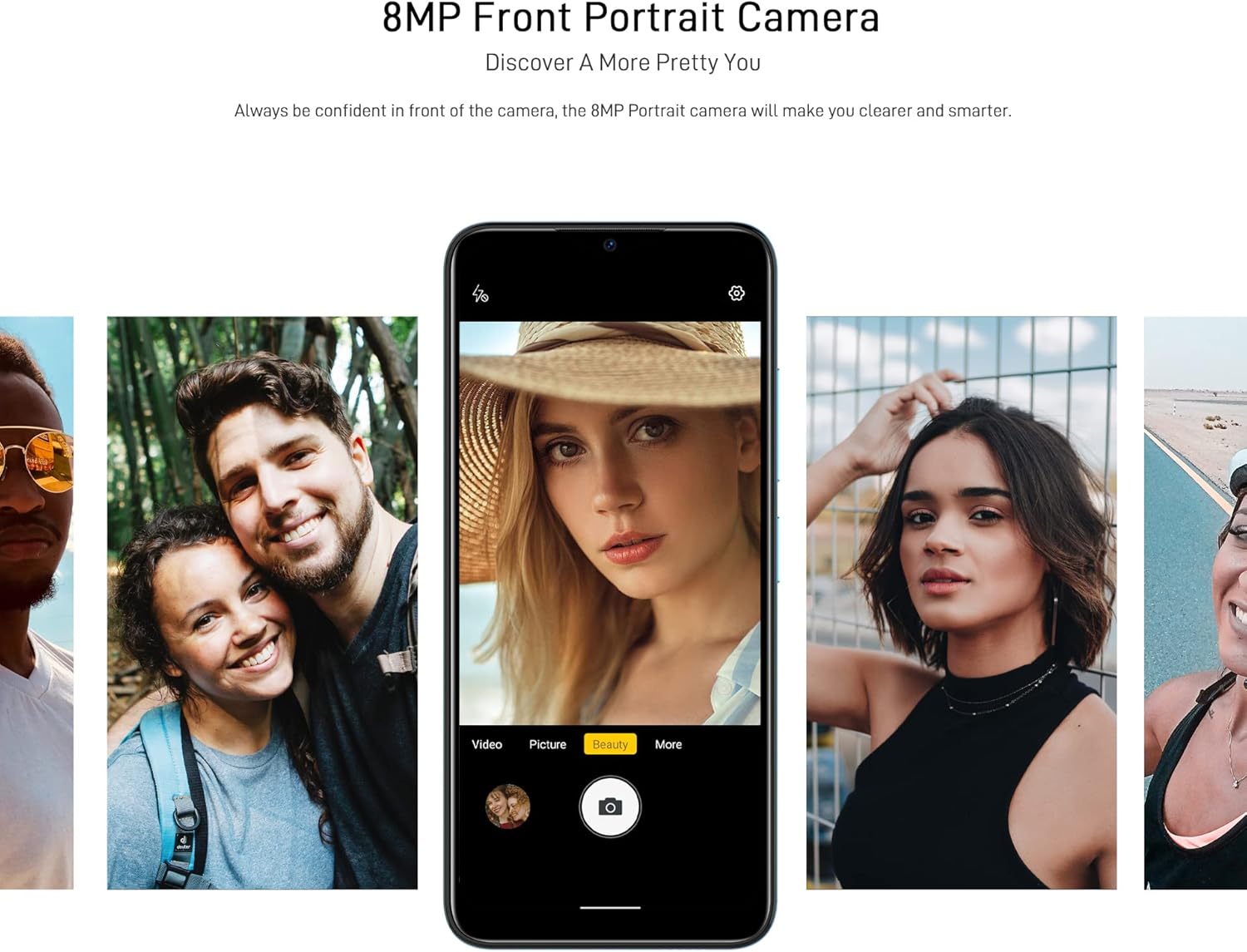
Figure 6: Front camera in use for portraits.
5.4. Connectivitat
- Wi-Fi: Connecteu-vos a xarxes sense fil mitjançant Configuració > Xarxa i Internet > Wi-Fi. Supports 2.4G (b/g/n).
- Bluetooth: Emparella amb altres dispositius Bluetooth mitjançant Configuració > Dispositius connectats > Bluetooth. Supports BT5.0.
- Dades mòbils: Activa o desactiva les dades mòbils a través de Configuració > Xarxa i Internet > Xarxa mòbil. Supports 2G/3G/4G LTE.
- GPS: The device supports GPS, Glonass, Galileo, and Beido for accurate navigation.
- OTG: On-The-Go (OTG) functionality allows connecting USB peripherals like flash drives.
5.5. Gestió de l'emmagatzematge
The phone comes with 64GB of internal storage, expandable up to 1TB using a microSD card. To manage storage, go to Configuració > Emmagatzematge.
6. Manteniment
6.1. Neteja del dispositiu
Feu servir un drap suau i sense borrissol per netejar la pantalla i la carcassa del telèfon. Eviteu utilitzar productes químics agressius o materials abrasius.
6.2. Actualitzacions de programari
Comproveu regularment si hi ha actualitzacions del sistema per assegurar-vos que el dispositiu tingui les funcions i els pegats de seguretat més recents. Aneu a Configuració > Sistema > Actualització del sistema.
6.3. Cura de la bateria
- Eviteu exposar el telèfon a temperatures extremes.
- No deixeu que la bateria es descarregui completament amb freqüència.
- Feu servir només el carregador i el cable originals o compatibles certificats.
7. Solució De Problemes
If you encounter issues with your DOOGEE X98 Pro, try the following solutions:
- El dispositiu no s'encén: Assegureu-vos que la bateria estigui carregada. Connecteu el carregador i espereu uns minuts abans d'intentar tornar-lo a engegar.
- Les aplicacions es bloquegen o es bloquegen: Close the app and reopen it. If the issue persists, restart the phone. Clear the app's cache via Configuració > Aplicacions > [Nom de l'aplicació] > Emmagatzematge i memòria cau > Esborra la memòria cau.
- Poca durada de la bateria: Reduce screen brightness, disable unused features like Wi-Fi or Bluetooth, and close background apps. Check battery usage in Configuració > Bateria per identificar aplicacions que consumeixen molta energia.
- Problemes de connectivitat (Wi-Fi/Bluetooth/Dades mòbils): Toggle the respective connection off and on. Restart your phone or the router/paired device.
- Face Unlock not working: Ensure your face is well-lit and unobstructed. Re-register your face if necessary.
For persistent issues, consider performing a factory reset (Configuració > Sistema > Opcions de restabliment > Esborra totes les dades (restabliment de fàbrica)). Avís: Això esborrarà totes les dades del telèfon. Fes una còpia de seguretat de les dades importants abans de continuar.
8. Especificacions
Detailed technical specifications for the DOOGEE X98 Pro:
| Característica | Especificació |
|---|---|
| Model | X98 Pro |
| Sistema operatiu | Android 12.0 |
| Processador | MediaTek Helio G25 Octa Core, 2.3 GHz, 12nm |
| GPU | IMG-GE8320, up to 650 MHz |
| RAM | 4 GB |
| Emmagatzematge intern | 64 GB |
| Emmagatzematge ampliable | TFlash/microSD card up to 1TB |
| Mostra | 6.52-inch HD+ Waterdrop Screen, 720*1600 resolution, 90% screen-to-body ratio |
| Càmera posterior | 12MP SONY AI Dual Camera (f/1.8, 78.1° visual angle) + 2MP Portrait Camera, Triple LED Flash |
| Càmera frontal | 8MP AI Beautify Camera |
| Bateria | 4200mAh, 10W Type-C Fast Charge |
| Targeta SIM | Dual Nano SIM (or 1 Nano SIM + 1 microSD) |
| Bandes de xarxa | 2G GSM, 3G, 4G LTE |
| Wi-Fi | 2.4G (b/g/n) |
| Bluetooth | BT5.0 |
| Navegació | GPS, Glonass, Galileo, Beido |
| Sensors | Face Unlock, G-sensor, Proximity Sensor, Ambient Light Sensor, Compass (Magnetic), Geomagnetism |
| Ports | Type-C, 3.5mm Headphone Jack |
| Dimensions | 165.3 mm x 76.3 mm x 8.8 mm |
| Pes | 205 g (inclosa la bateria) |

Figure 7: MediaTek Helio G25 Octa-core Processor.

Figure 8: Optimized performance for gaming.
9. Informació de seguretat
Si us plau, observeu les següents pautes de seguretat:
- No desmunteu, repareu ni modifiqueu el dispositiu vosaltres mateixos.
- Eviteu exposar el dispositiu a temperatures extremes, llum solar directa o humitat elevada.
- Use only approved accessories (charger, cable, etc.).
- Mantingueu el dispositiu allunyat de l'aigua i altres líquids.
- Desfeu-vos del dispositiu i de la bateria de manera responsable d'acord amb la normativa local.
10. Garantia i Suport
For warranty information, please refer to the warranty card included in your product package or visit the official DOOGEE website. For technical support or service inquiries, please contact DOOGEE customer service through their official channels.