
1. Introducció
The Potensic ATOM SE is a lightweight and portable GPS drone designed for both beginners and advanced users. It features a 4K camera with advanced stabilization, intelligent flight modes, and extended flight time, making it ideal for capturing aerial footage.
Característiques principals:
- Lleuger i portàtil: Weighs less than 249g, compliant with Class C0 certification, and features a foldable design for easy transport.
- Temps de vol ampliat: Equipped with two intelligent batteries, each providing 31 minutes of flight, totaling 62 minutes.
- 4K EIS Camera: Features a 1/3" 12 MP CMOS sensor for 12 MP photos and UHD 4K/30fps videos, enhanced by ShakeVanish technology for vibration reduction.
- Intelligent Flight Control: SurgeFly system offers Video, Normal, and Sport flight modes, with Sport mode reaching speeds up to 16 m/s in 2.8 seconds.
- Long-Range Transmission: PixSync 2.0 technology provides smooth HD video transmission up to 4 km (13,120 feet) with low latency.
- High-Precision GPS: Enables intelligent return-to-home functions (low battery, signal loss) and advanced flight modes via the PotensicPro app (Follow Me, Waypoint Flight, Circle Flight).
- Resistència al vent: Capable of withstanding Level 5 winds for stable flight and clear imaging.
2. Contingut del paquet
Verifiqueu que tots els elements siguin presents al vostre paquet:
- Potensic ATOM SE Drone
- Control remot
- Intelligent Flight Batteries (x2)
- Hèlixs (conjunt de recanvi)
- Cable de càrrega USB-C
- RC Cables (Micro USB, USB-C, Lightning)
- Tornavís
- Maleta de transport personalitzada
- Manual d'usuari (aquest document)

Image: All components of the Potensic ATOM SE package, including the drone, remote controller, two batteries, spare propellers, charging cables, screwdriver, and carrying case.
3. Vol de dronview
Familiarize yourself with the drone's components before operation.
- Hèlixs: Provide lift and thrust.
- Motors: Drive the propellers.
- Camera & Gimbal: Captures photos and videos, with ShakeVanish stabilization.
- Bateria de vol intel·ligent: Powers the drone.
- Indicadors d'estat: LEDs indicating drone status.
- Braços plegables: Allow for compact storage.

Imatge: Un primer pla view of the Potensic ATOM SE drone's camera and gimbal system, highlighting the 12 MP Sony CMOS sensor and ShakeVanish technology for image stabilization.
4. Remote Controller Overview
The remote controller allows you to control the drone and access its features.
- Sticks de control: For flight direction and altitude.
- Titular del telèfon: Secures your smartphone for FPV viewing.
- Antenes: Per a la transmissió del senyal.
- Botó d'encesa: To turn the controller on/off.
- Return-to-Home Button: Initiates automatic return to takeoff point.
- Botó foto/vídeo: To capture images or start/stop recording.

Image: A user holding the Potensic ATOM SE remote controller with a smartphone mounted, displaying the drone's live FPV feed, illustrating the PixSync 2.0 HD transmission system.
5. Informació de la bateria
Charging the Intelligent Flight Battery:
- Connect the USB-C charging cable to the battery.
- Connecteu l'altre extrem del cable a un adaptador de corrent USB (no inclòs).
- The battery indicator lights will show the charging status. All lights solid indicate a full charge.
Installing the Intelligent Flight Battery:
- Assegureu-vos que el drone estigui apagat.
- Insert the fully charged battery into the battery compartment on the drone until it clicks securely into place.
6. Configuració
Instal·lació de l'hèlix:
- Identify the correct propellers (marked A or B) for each motor.
- Attach the propellers to the corresponding motor shafts and secure them with the provided screws using the screwdriver. Ensure they are firmly attached but do not overtighten.
Descàrrega i connexió de l'aplicació:
- Descarrega't el PotensicPro app from your device's app store (compatible with iOS 11+ and Android 7.0+).
- Mount your smartphone onto the remote controller's phone holder.
- Use one of the provided adapter cables (Micro USB, USB-C, or Lightning) to connect your smartphone to the remote controller.
- Power on the remote controller, then the drone.
- Open the PotensicPro app and follow the on-screen instructions to connect to the drone.
7. Funcionament
Llista de comprovació prèvia al vol:
- Ensure batteries for both drone and controller are fully charged.
- Check that propellers are correctly installed and undamaged.
- Verify that the drone arms are unfolded and locked.
- Ensure you are in an open area, away from obstacles, people, and restricted airspace.
- Confirm GPS signal acquisition before takeoff for stable flight and RTH functionality.
Enlairament i aterratge:
- Enlairament automàtic: In the PotensicPro app, tap the 'Auto Takeoff' button. The drone will ascend to a safe height and hover.
- Enlairament manual: Push both control sticks down and outwards to start the motors. Then, push the left stick up to ascend.
- Aterratge automàtic: In the PotensicPro app, tap the 'Auto Landing' button. The drone will descend and land automatically.
- Aterratge manual: Gently pull the left control stick down to descend. Once landed, push both control sticks down and inwards to stop the motors.
Modes de vol:
The SurgeFly flight control system offers three modes:
- Mode de vídeo: Optimized for smooth, cinematic footage with reduced speed and responsiveness.
- Mode normal: Mode de vol estàndard, equilibrant velocitat i estabilitat.
- Mode esportiu: Provides maximum speed (up to 16 m/s) and agility for dynamic flight.

Image: The Potensic ATOM SE drone in flight, demonstrating its SurgeFly technology and ability to reach speeds of up to 16 m/s in 2.8 seconds.
Intelligent Flight Functions (via PotensicPro App):
- Tornada a casa (RTH): The drone automatically returns to its takeoff point. This can be activated manually via the controller button or automatically triggered by low battery or signal loss.
- Segueix-me: The drone tracks and follows the remote controller or connected smartphone.
- Vol de punt de referència: Plan a flight path by setting multiple waypoints on the map, and the drone will fly along the designated route.
- Vol en cercle: The drone flies in a circular path around a designated point of interest.
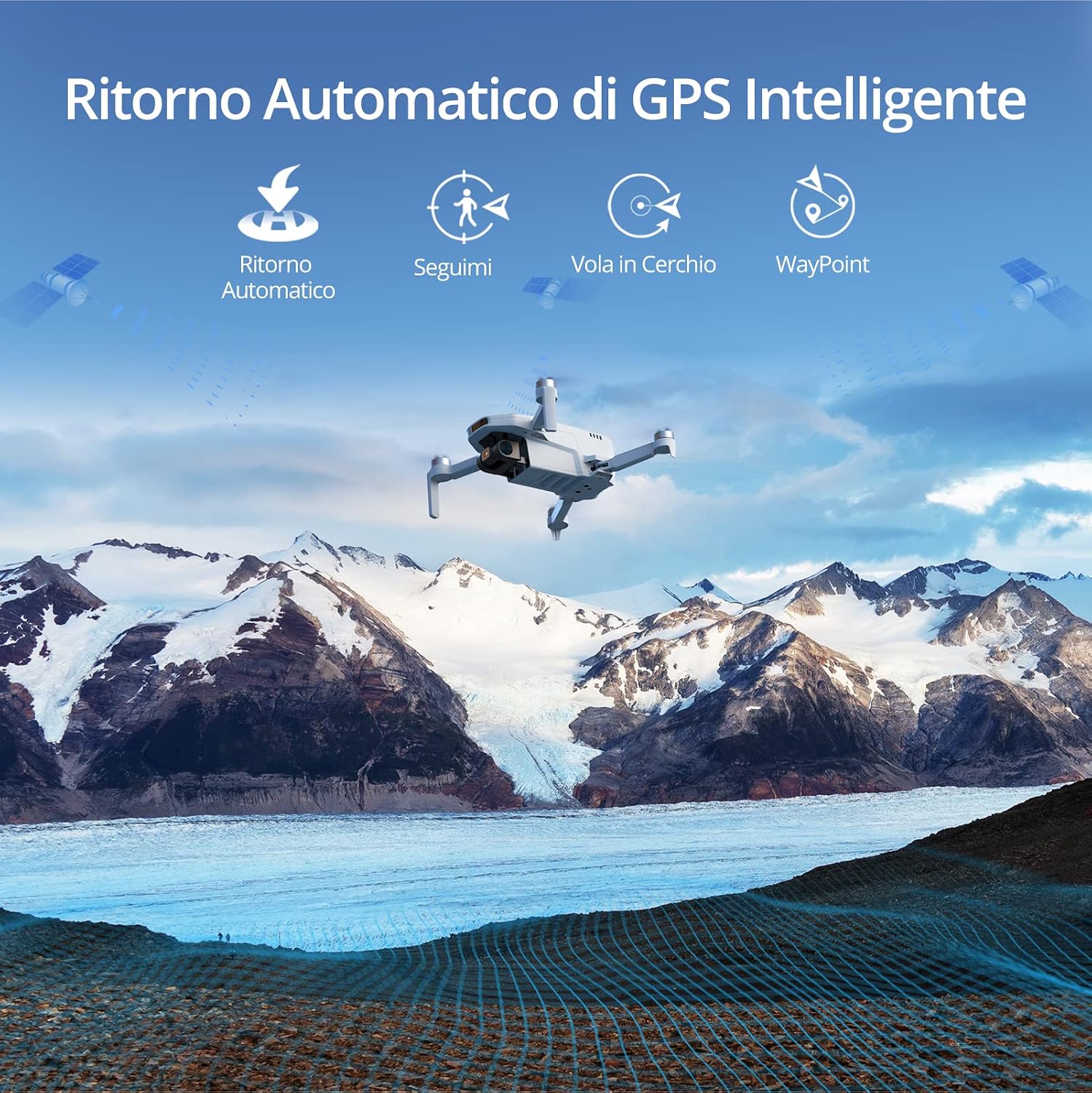
Image: The Potensic ATOM SE drone flying over a scenic mountain landscape, illustrating its intelligent GPS features such as Automatic Return, Follow Me, Circle Flight, and Waypoint navigation.
Funcionament de la càmera:
- Captura de fotos: Press the dedicated photo button on the remote controller or in the app to take a 12 MP photo.
- Gravació de vídeo: Press the dedicated video button on the remote controller or in the app to start/stop 4K/30fps video recording.
- Control de cardán: Use the gimbal dial on the remote controller to adjust the camera's tilt angle.
8. Manteniment
Actualitzacions de firmware:
The drone and remote controller firmware can be updated via FOTA (Firmware Over-The-Air) using the PotensicPro app. It is recommended to keep the firmware updated for optimal performance and new features.
- Ensure both drone and controller are powered on and connected to the app.
- Follow the app's instructions for firmware updates.
- For camera-related firmware updates, ensure a micro SD card (not included) is inserted into the drone.
Neteja i emmagatzematge:
- Clean the drone and remote controller with a soft, dry cloth after each use.
- Eviteu exposar el dron a l'aigua o a la humitat.
- Store the drone and accessories in the provided carrying case in a cool, dry place.
- For long-term storage, charge the batteries to approximately 50-60% to prolong their lifespan.
9. Solució De Problemes
Problemes comuns i solucions:
- El dron no s'encén: Assegureu-vos que la bateria estigui completament carregada i instal·lada correctament.
- Sense alimentació FPV: Check the connection between your smartphone and the remote controller. Ensure the PotensicPro app is open and connected to the drone.
- Vol inestable: Calibrate the drone's compass and IMU as instructed in the app. Ensure you are flying in an open area with strong GPS signal. Check for damaged propellers.
- Mala qualitat d'imatge/vídeo: Ensure the camera lens is clean. Check for sufficient lighting. Update camera firmware if available.
- Drone not responding to controller: Re-pair the remote controller with the drone as per app instructions. Ensure both devices are powered on.
10. Especificacions
| Característica | Detall |
|---|---|
| Marca | Potensic |
| Nom del model | Potensic ATOM SE |
| Pes de l'enlairament | <249 g |
| Temps de vol màxim | 31 minutes per battery (62 minutes total with 2 batteries) |
| Sensor de càmera | 1/3" 12 MP CMOS |
| Resolució fotogràfica | 12 MP |
| Resolució de vídeo | 4K/30fps UHD |
| Estabilització d'imatge | EIS (ShakeVanish Technology) |
| Interval màxim de transmissió | 4 km (13,120 feet) with PixSync 2.0 |
| Max Speed (Sport Mode) | 16 m/s |
| GPS | Integrated High-Precision GPS |
| Resistència al vent | Nivell 5 |
| Compatibilitat d'aplicacions | iOS 11+, Android 7.0+ |
11. Safety Guidelines and Regulations
Operating a drone requires adherence to local regulations and safety practices. The Potensic ATOM SE is classified as a C0 UAS (Unmanned Aircraft System).
| Categoria | Requirement/Guideline |
|---|---|
| Classe UAS | C0 |
| Pes de l'enlairament | <250 g |
| Flight Scenario | May fly over people but not over crowds; fly within visual line of sight, with the remote pilot intervening at all times. |
| Qualificació | Llegiu atentament el manual d'usuari. |
| Registre d'operadors | Sí |
| Altitud de vol | Below 120m above ground level. |
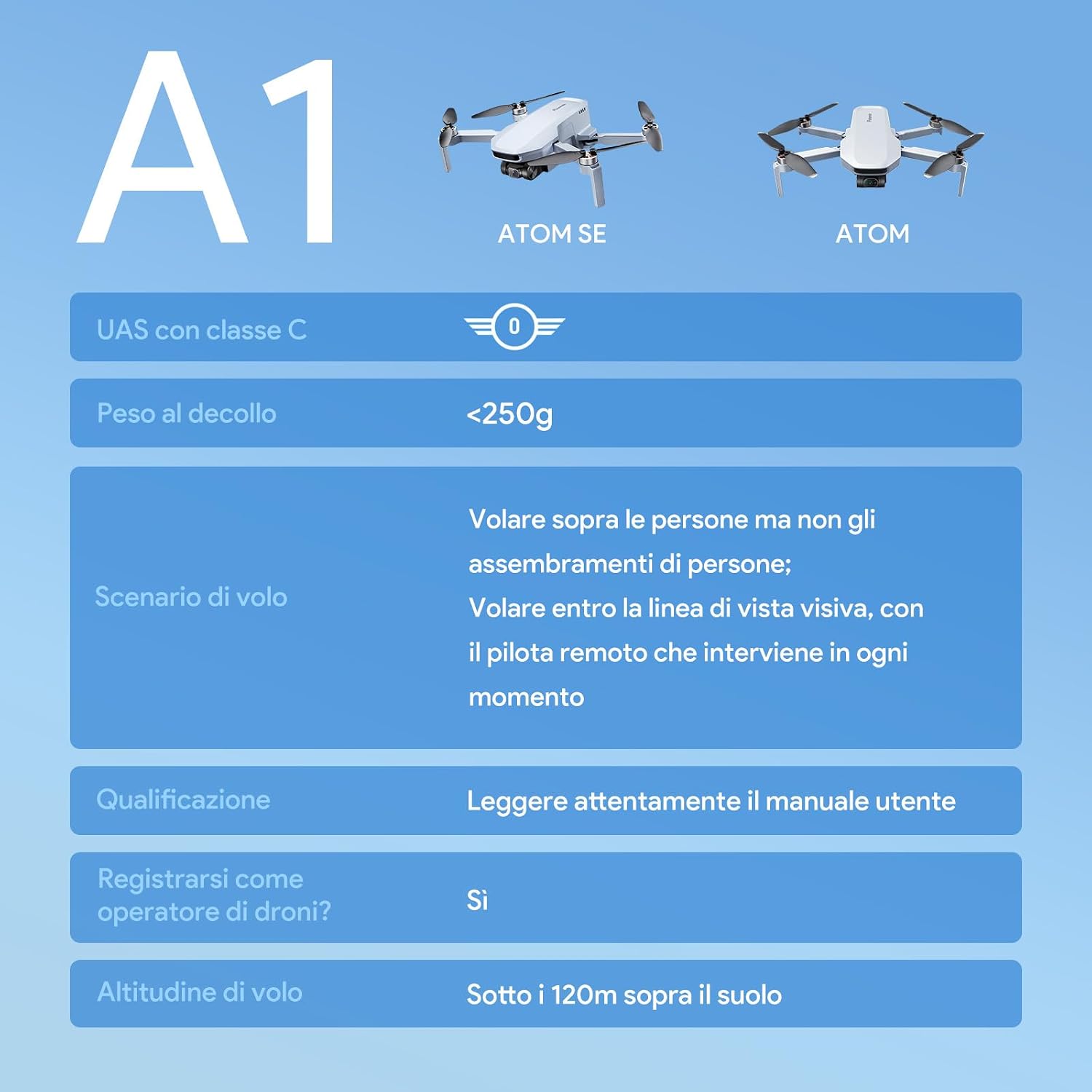
Image: A table detailing the A1 classification for the Potensic ATOM SE, including takeoff weight, flight scenarios, pilot qualification, operator registration, and maximum flight altitude.
Consells generals de seguretat:
- Always fly in open areas, away from buildings, trees, and power lines.
- Maintain a safe distance from people and animals.
- Do not fly in adverse weather conditions (strong winds, rain, snow).
- Respect privacy and avoid flying over private property without permission.
- Mantingueu sempre el dron dins de la vostra línia de visió.
12. Garantia i Suport
Potensic provides a standard warranty for the ATOM SE drone. For detailed warranty information, please refer to the official Potensic weblloc o contacteu amb el servei d'atenció al client.
If you encounter any issues or have questions regarding your Potensic ATOM SE drone, please contact Potensic customer support through their official channels. Keep your purchase receipt as proof of purchase for warranty claims.