
Introducció
This manual provides detailed instructions for the setup, operation, and maintenance of your LFF Atomic Clock Model LWC204. This digital clock features a large, easy-to-read display, atomic time synchronization, and a wireless sensor for indoor and outdoor temperature readings. Please read this manual thoroughly before use to ensure proper functionality and longevity of your device.
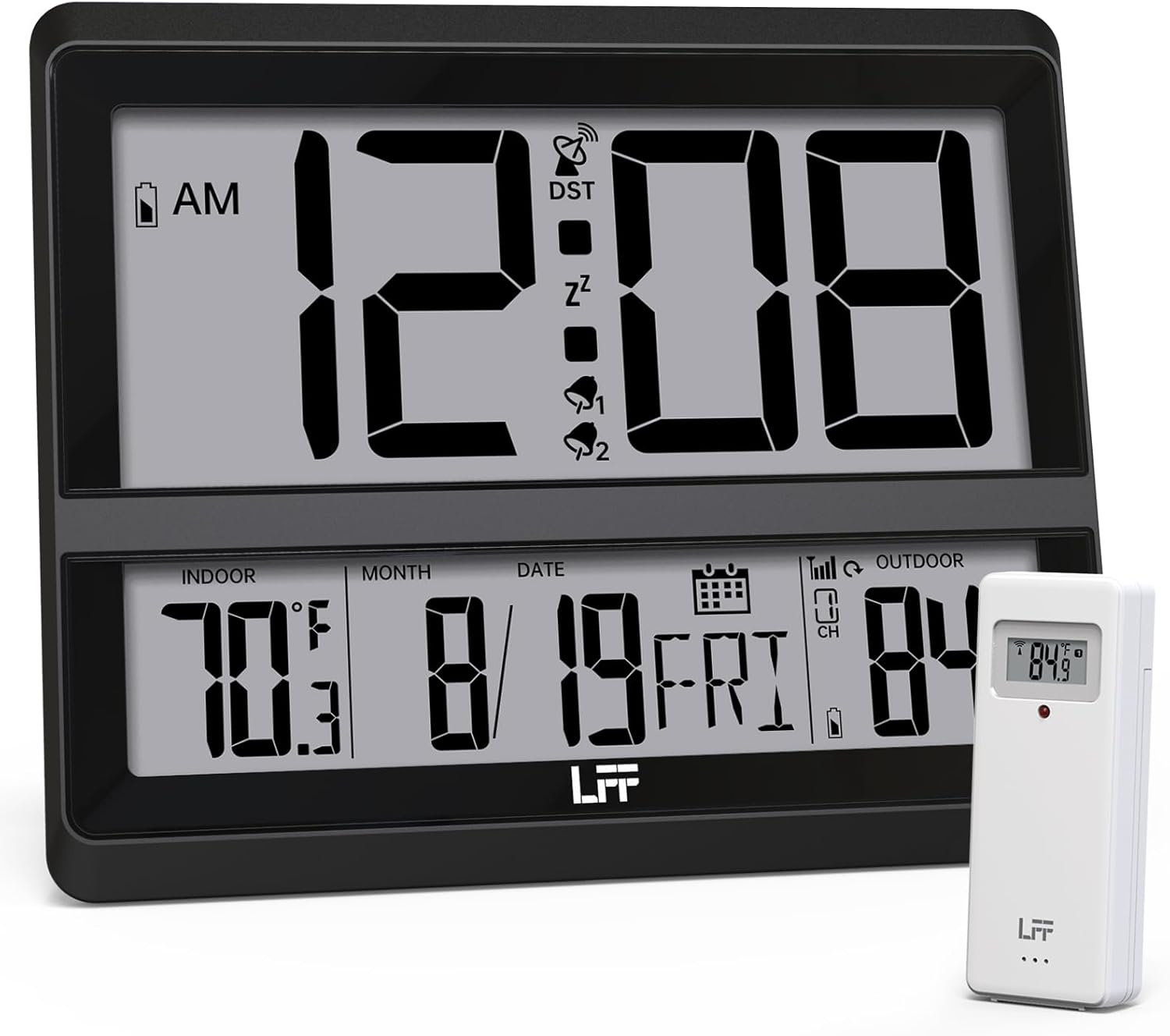
Image: The LFF Atomic Clock main unit with its wireless outdoor temperature sensor.
Contingut del paquet
- LFF Atomic Clock Main Unit
- Sensor de temperatura exterior sense fil
- Manual d'instruccions (aquest document)
- Bracket for table standing
Note: Batteries are not included. The main clock unit requires 3x AA batteries, and the outdoor sensor requires 2x AAA batteries.
Producte acabatview
Familiarize yourself with the main components and controls of your LFF Atomic Clock.

Image: Front display and rear button layout of the LFF Atomic Clock.
Característiques de la pantalla:
- Visualització de l'hora: Large digits for current time (12/24 Hour format).
- Indicador AM/PM: Per al format de 12 hores.
- DST Symbol: Indicates Daylight Saving Time is active.
- RCC Reception Icon: Shows status of atomic time signal reception.
- Alarm Icons (Zz, 1, 2): Indicate active alarms and snooze function.
- Temperatura interior: Current temperature inside (°C/°F).
- Temperatura exterior: Current temperature from wireless sensor (°C/°F).
- Date & Weekday: Month, Day, and Day of the Week.
- Indicador de bateria baixa: For both main unit and outdoor sensor.
Botons posteriors:
- Botó SET: Entra al mode de configuració.
- Botó ALARMA: Accedeix a la configuració de l'alarma.
- CHANNEL Button: Cycles through outdoor sensor channels (if multiple sensors are used).
- DOWN/WAVE/°C/°F Button: Decreases values in setting mode, manually initiates atomic signal search (WAVE), or switches temperature units.
- UP/ALARM Button: Increases values in setting mode, or activates/deactivates alarm.
Configuració
1. Instal·lació de la bateria
- Sensor exterior:
- Obriu el compartiment de la bateria a la part posterior del sensor exterior sense fil.
- Introduïu 2 piles AAA, respectant la polaritat correcta (+/-).
- Tanqueu el compartiment de la bateria de manera segura.
- Note: For temperatures below -4°F (-20°C), Lithium batteries are recommended for the outdoor sensor.
- Unitat de rellotge principal:
- Open the battery compartment on the back of the main clock unit.
- Introduïu 3 piles AA, respectant la polaritat correcta (+/-).
- Tanqueu el compartiment de la bateria de manera segura.

Image: Battery compartments for the main clock and outdoor sensor.
2. Sincronització i configuració inicials
Upon battery installation, the clock will automatically begin searching for the WWVB atomic time signal and attempt to connect with the outdoor sensor.
- The RCC Reception Icon will flash during the atomic signal search. This process may take several minutes or up to 24 hours depending on signal strength.
- The outdoor temperature should appear on the display within a few minutes after the sensor batteries are installed. If not, press the CANAL button on the main unit to cycle through channels or press the reset button on the outdoor sensor.
3. Manual Settings (if needed)
If the atomic signal is not received or you wish to adjust settings manually:
- Configuració de la zona horària:
- Manteniu premut el botó SET button for 3 seconds to enter time zone setting.
- Utilitza el UP/ALARM or DOWN/WAVE/°C/°F buttons to select your time zone (e.g., PST, MST, CST, EST).
- Premeu SET per confirmar i passar a la configuració següent.
- Format 12/24 hores:
- After time zone, the hour format will flash. Use UP/ALARM or DOWN/WAVE/°C/°F to select 12-hour or 24-hour format.
- Premeu SET per confirmar.
- Manual Time and Date Setting:
- Continueu prement SET to cycle through Year, Month, Day, Hour, Minute settings.
- Ús UP/ALARM or DOWN/WAVE/°C/°F per ajustar cada valor.
- Premeu SET per confirmar cada configuració.
- Horari d'estiu (DST):
- After setting the time, the DST setting will flash. Use UP/ALARM or DOWN/WAVE/°C/°F to enable or disable DST.
- Premeu SET per sortir del mode de configuració.

Image: The clock automatically corrects time daily via WWVB signal.
4. Outdoor Sensor Placement
- Place the wireless outdoor sensor within 330 feet (100 meters) of the main unit.
- Choose a shaded location to avoid direct sunlight, which can affect temperature accuracy.
- Ensure the sensor is protected from direct rain and snow.
- Avoid placing the sensor near large metal objects or electrical appliances that may interfere with the wireless signal.

Image: Wireless range of 330 feet for the outdoor sensor.
Instruccions de funcionament
1. Modes de visualització
- The clock continuously displays time, indoor temperature, outdoor temperature, date, and day of the week.
- Premeu el botó DOWN/WAVE/°C/°F button to switch between Celsius (°C) and Fahrenheit (°F) for temperature display.
2. Funció d'alarma
- Configuració de l'alarma:
- Premeu el botó ALARMA button once to display Alarm 1 time. Press again for Alarm 2.
- While an alarm time is displayed, press and hold the ALARMA button for 3 seconds to enter alarm setting mode. The hour will flash.
- Ús UP/ALARM or DOWN/WAVE/°C/°F per ajustar l'hora. Premeu ALARMA per confirmar.
- The minute will flash. Use UP/ALARM or DOWN/WAVE/°C/°F per ajustar el minut. Premeu ALARMA per confirmar i sortir de la configuració de l'alarma.
- Activació/desactivació de l'alarma:
- Premeu el botó ALARMA button to display Alarm 1 or Alarm 2.
- Premeu el botó UP/ALARM button to toggle the alarm ON or OFF. The corresponding alarm icon (1 or 2) will appear/disappear on the display.
- Funció de posposar:
- Quan soni l'alarma, premeu el botó DORMITAR button (usually located on top or a dedicated button) to activate snooze. The alarm will sound again after approximately 5-10 minutes.
- Per aturar l'alarma completament, premeu qualsevol altre botó (per exemple, ALARMA, SET).
3. Manual Atomic Signal Search
If you wish to manually initiate a search for the WWVB atomic time signal, press and hold the DOWN/WAVE/°C/°F button for 3 seconds. The RCC Reception Icon will flash, indicating the search is in progress.
Manteniment
- Neteja: Wipe the clock and sensor with a soft, dry cloth. Do not use abrasive cleaners or solvents.
- Substitució de la bateria: When the low battery indicator appears on the display for either the main unit or the outdoor sensor, replace the batteries promptly to ensure continuous operation and accurate readings. Refer to the "Battery Installation" section for details.
- Emmagatzematge: Si guardeu el dispositiu durant un període prolongat, traieu totes les piles per evitar fuites.
Resolució de problemes
| Problema | Causa possible | Solució |
|---|---|---|
| No hi ha cap pantalla a la unitat principal. | Les bateries estan esgotades o instal·lades incorrectament. | Comproveu la polaritat de les piles i substituïu-les per piles AA noves. |
| Outdoor temperature not displayed or incorrect. |
|
|
| Atomic time signal not received (RCC icon flashing or not displayed). |
|
|
| Time is incorrect after atomic synchronization. | Configuració incorrecta de la zona horària. | Adjust the time zone setting as described in the "Manual Settings" section. |
Especificacions
| Característica | Detall |
|---|---|
| Número de model | LWC204 |
| Tipus de visualització | LCD digital |
| Font d'alimentació (unitat principal) | 3x piles AA (no incloses) |
| Font d'alimentació (sensor exterior) | 2x piles AAA (no incloses) |
| Rang de temperatura interior | De 32 °F a 122 °F (de 0 °C a 50 °C) |
| Interval de temperatura exterior | -58 °F a 158 °F (-50 °C a 70 °C) |
| abast sense fils | Fins a 100 metres (330 peus) a l'aire lliure |
| Format horari | Seleccionable de 12/24 hores |
| Dimensions (unitat principal) | 7.48" W x 8.66" H (approx.) |
| Opcions de muntatge | Wall Mount or Tabletop (bracket included) |
Garantia i Suport
LFF products are designed for reliability and performance. For specific warranty information, please refer to the warranty card included with your purchase or contact LFF customer support.
For technical assistance or further inquiries, please visit the official LFF website or contact their customer service department. Contact details are typically available on the product packaging or the brand's official online presence.