
Introducció
Thank you for choosing the Dpofirs Portable MP3 Player. This device is designed to provide high-quality, lossless audio playback in a compact and durable form factor. This manual will guide you through the setup, operation, and maintenance of your new MP3 player.
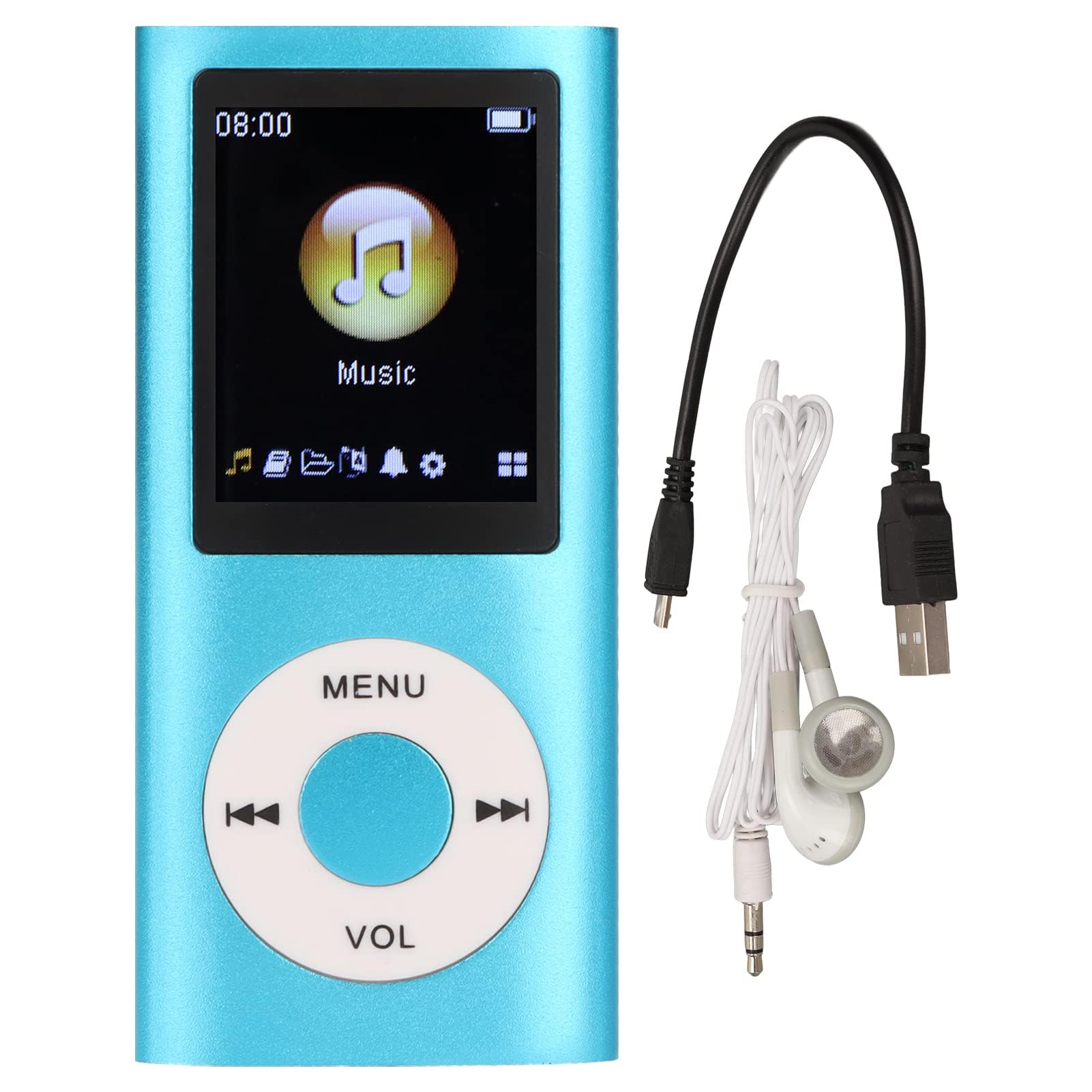
Image: The Dpofirs Portable MP3 Player, featuring a blue aluminum alloy casing and a circular control pad. A person is visible in the background, enjoying music with headphones.
Contingut del paquet
Si us plau, comproveu el paquet per veure si hi ha els elements següents:
- 1 x Dpofirs MP3 Player
- 1 x cable de càrrega
- 1 x Auriculars
Característiques clau
- Qualitat de so sense pèrdues: Admet els formats d'àudio MP3, WMA, FLAC, APE, AAC, OGG i ACELP.
- Memòria ampliable: Supports up to 64GB memory card (not included). MYMAHDI memory cards are recommended.
- Interfície fàcil d'utilitzar: Easy navigation for selecting songs, creating playlists, and managing playback.
- Llarga vida útil de la bateria: Fins a 8 hores de reproducció contínua amb una càrrega completa.
- Disseny durador: Constructed from premium aluminum alloy for enhanced durability.
- Modes de reproducció: Supports sequential and random playback, and sleep shutdown function.
Configuració
1. Càrrega del dispositiu
Abans del primer ús, carregueu completament el reproductor MP3.
- Connect the provided charging cable to the MP3 player's charging port.
- Connecteu l'altre extrem del cable a un adaptador de corrent USB (no inclòs) o al port USB d'un ordinador.
- The device will indicate charging status. A full charge typically takes approximately 2 hours.
Important: Ensure the charging cable is functioning correctly. If the device does not charge, try a different USB port or adapter.
2. Inserció d'una targeta de memòria
The MP3 player requires a memory card for storing music.
- Locate the memory card slot on the side of the MP3 player.
- Gently insert a microSD card (up to 64GB, not included) into the slot until it clicks into place.
- Per treure-la, empenyeu lleugerament la targeta fins que surti.
Nota: A memory card is not included with the player. MYMAHDI brand memory cards are recommended for optimal performance.
3. Connexió dels auriculars
Connect the provided earphones or your preferred 3.5mm audio headphones to the headphone jack on the MP3 player.
Instruccions de funcionament
1. Encendre/apagar
- To power on, press and hold the power button (usually the Play/Pause button or a dedicated power button) until the screen lights up.
- Per apagar l'aparell, premeu i manteniu premut el botó d'engegada de nou fins que la pantalla s'apagui.
2. Navegació bàsica
The MP3 player features a circular control pad with several buttons:
- MENÚ: Accediu al menú principal o torneu a la pantalla anterior.
- VOL (+/-): Ajusteu el nivell de volum.
- Reproduir/pausa: Inicia o posa en pausa la reproducció.
- Següent/Anterior: Skip to the next track or go back to the previous track. Long press to fast forward/rewind.
3. Transferència de música Files
To transfer music to your MP3 player:
- Connect the MP3 player to your computer using the charging cable.
- The player should appear as a removable disk drive on your computer.
- Arrossegueu i deixeu anar la vostra música files (MP3, WMA, FLAC, APE, AAC, OGG, ACELP) into the player's memory card folder.
- Expulseu el dispositiu de l'ordinador de manera segura abans de desconnectar el cable.
4. Reproducció de música
- From the main menu, navigate to the "Music" or "Audio" section.
- Navega per la teva música per artista, àlbum, gènere o totes les cançons.
- Seleccioneu una cançó per començar la reproducció.
- Use the Play/Pause, Next/Previous, and VOL buttons to control playback.
5. Playback Options
- Llistes de reproducció: Create and manage custom playlists directly on the device.
- Aleatori/Repetir: Toggle between sequential playback, shuffle, and repeat modes.
- Sleep Shutdown: Set a timer for the device to automatically power off.
Manteniment
- Mantingueu el dispositiu sec. La humitat pot danyar els circuits interns.
- Eviteu temperatures extremes.
- Clean the device with a soft, dry cloth. Do not use harsh chemicals or cleaning agents.
- Protegiu la pantalla de les ratllades.
- Guardeu el dispositiu en un lloc segur quan no l'utilitzeu.
Resolució de problemes
El dispositiu no s'encén:
- Ensure the battery is charged. Connect the player to a power source and allow it to charge for at least 30 minutes.
- Try pressing and holding the power button for an extended period (5-10 seconds).
Cannot hear any sound:
- Check if the earphones are properly connected to the headphone jack.
- Increase the volume using the VOL+ button.
- Test with a different pair of earphones to rule out faulty headphones.
- Assegureu-vos l'àudio fileEls fitxers no estan corruptes i tenen un format compatible.
Música files are not recognized:
- Ensure the memory card is properly inserted and recognized by the device.
- Comproveu que la música files are in one of the supported formats (MP3, WMA, FLAC, APE, AAC, OGG, ACELP).
- Try reformatting the memory card (this will erase all data) and re-transferring the music.
- Ensure the memory card is not full.
El dispositiu es bloqueja o deixa de respondre:
- Premeu i manteniu premut el botó d'engegada durant uns 10-15 segons per forçar un reinici.
- If available, use a small pin to press the reset button (if present on the device).
Especificacions
| Marca | Dpofirs |
| Número de model | Dpofirs5yhtvp70d23123-13 |
| Material | Aliatge d'alumini |
| Bateria | Bateria de liti de 200 mAh integrada |
| Temps de càrrega | Aprox. 2 hores |
| Temps de reproducció | Fins a 8 hores (completament carregat) |
| Suport per a targetes de memòria | Up to 64GB (microSD, not included) |
| Formats d'àudio compatibles | MP3, WMA, FLAC, APE, AAC, OGG, ACELP |
| Tecnologia de connectivitat | Auxiliary, Bluetooth, Wi-Fi (Note: Bluetooth/Wi-Fi functionality not detailed in product description, focusing on core MP3 player features) |
| Color | Blau |
| País d'origen | Xina |
Garantia i Suport
Specific warranty information for this product is not provided in the available documentation. Please refer to the retailer's return policy or contact the seller directly for details regarding warranty coverage.
For technical support or further assistance, please contact Dpofirs customer service through the platform where you purchased the product.