
Rii K18S IT
Rii Mini i18S Wireless + Bluetooth Keyboard
Manual d'usuari
1. Introducció
The Rii Mini i18S is a compact, versatile keyboard featuring both 2.4G wireless and Bluetooth connectivity. It integrates a large touchpad and LED backlighting, making it suitable for a wide range of devices including Smart TVs, TV Boxes, Tablets, Smartphones, Consoles, and PCs. This manual provides detailed instructions for setup, operation, maintenance, and troubleshooting to ensure optimal use of your device.

Figure 1: Rii Mini i18S keyboard demonstrating its dual wireless and Bluetooth connectivity.
2. Contingut del paquet
Si us plau, comproveu el paquet per veure si hi ha els elements següents:
- Rii Mini i18S Wireless + Bluetooth Keyboard
- USB RF 2.4 GHz Receiver
- Cable de càrrega USB
- Cable d'extensió USB
- Manual d'usuari (aquest document)
3. Producte acabatview
The Rii Mini i18S features a QWERTY layout keyboard. It has a large multi-touch touchpad, and dedicated multimedia keys. It is designed for comfortable and efficient input across various platforms.
3.1 Característiques clau
- Connectivitat dual: 2.4G Wireless and Bluetooth 4.0.
- Large Touchpad: High sensitivity with multi-touch gestures.
- Il·luminació de fons LED: Two selectable colors (blue, green) for use in low-light conditions.
- Bateria recarregable: Built-in lithium polymer battery.
- Controls multimèdia: Dedicated keys for media playback.
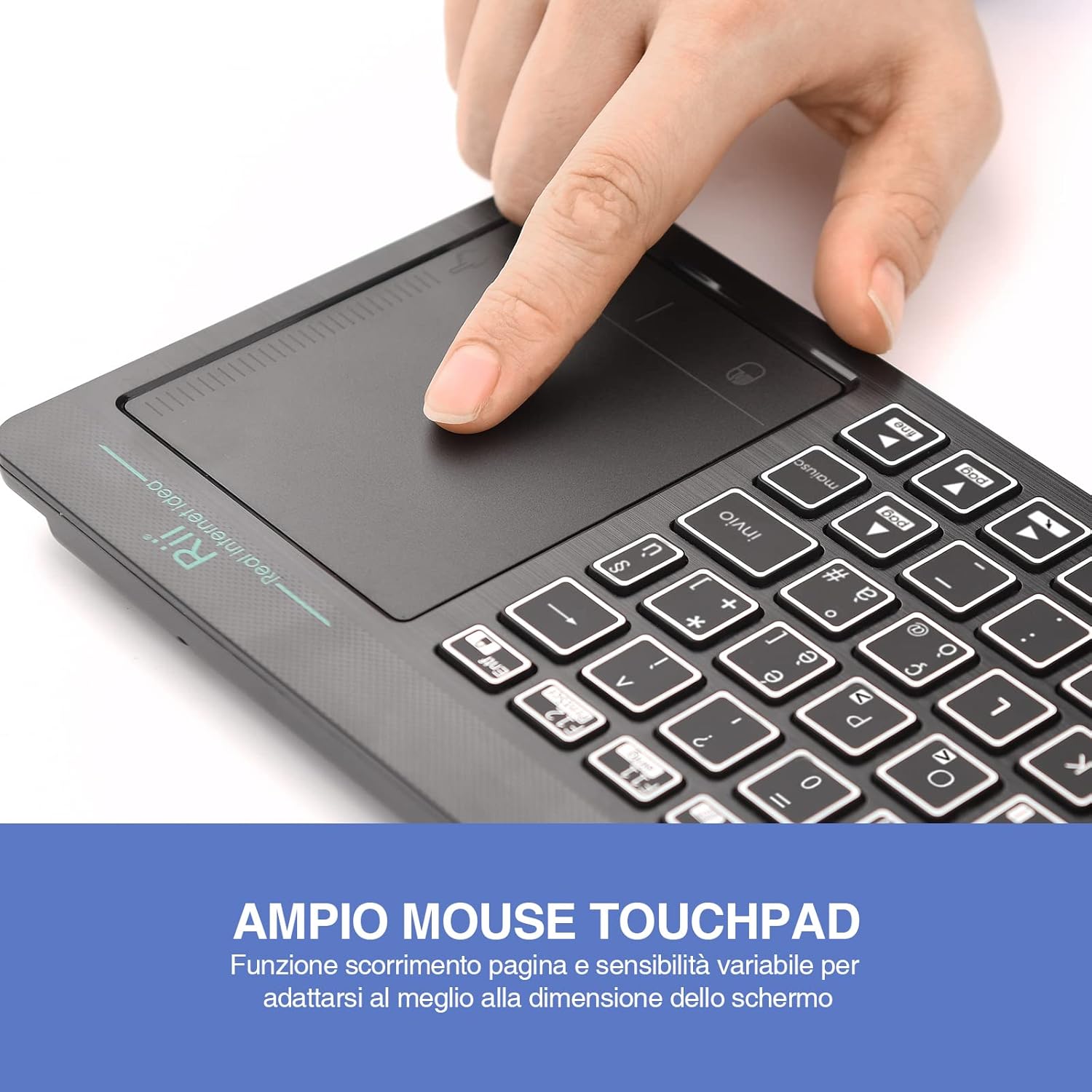
Figure 2: The large, sensitive touchpad of the Rii Mini i18S, supporting multi-touch gestures.

Figure 3: The Rii Mini i18S keyboard showcasing its two-color LED backlighting (blue and green).
4. Configuració
4.1 Càrrega del teclat
Before initial use, fully charge the keyboard. Connect the provided USB charging cable to the keyboard's microUSB port and the other end to a USB power source (e.g., computer USB port, USB wall adapter).
- The charging indicator LED will illuminate during charging.
- The LED will turn off or change color when fully charged.
- Capacitat de la bateria: 400 mAh.
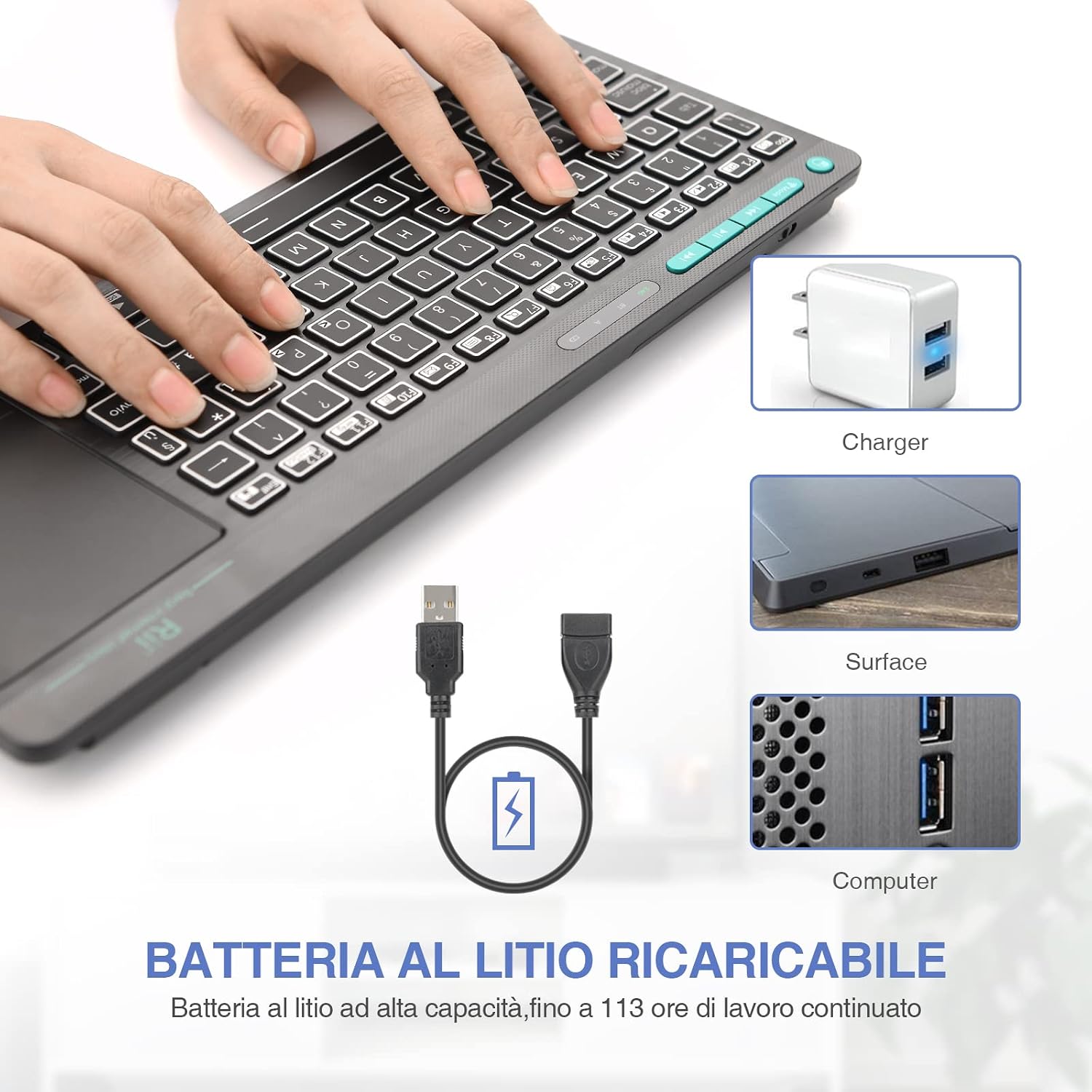
Figure 4: The Rii Mini i18S keyboard being charged using the included USB cable, connected to a power source.
4.2 Connexió sense fil 2.4G
For 2.4G wireless connection, use the included USB receiver.
- Locate the USB receiver in the back compartment of the keyboard.
- Insert the USB receiver into an available USB port on your device (Smart TV, PC, TV Box, etc.).
- Premeu el botó MODE button on the keyboard until the 2.4G indicator LED is active.
- The keyboard should automatically connect to your device. If not, try pressing Fn + RF tornar a emparellar.

Figure 5: The USB wireless receiver stored securely in the back compartment of the Rii Mini i18S keyboard.
4.3 Connexió Bluetooth
For Bluetooth connection, ensure your device has Bluetooth enabled.
- Premeu el botó MODE button on the keyboard until the BT indicator LED is active.
- Al dispositiu, vés a la configuració de Bluetooth i cerca dispositius nous.
- Select "Rii Mini i18S" from the list of available devices to pair.
- Seguiu les indicacions de la pantalla per completar el procés de vinculació.
The dual connection technology allows you to manage up to two devices simultaneously: one via Bluetooth and one via 2.4G wireless.

Figure 6: The Rii Mini i18S keyboard demonstrating its dual mode connectivity, shown here connected to a tablet.
5. Instruccions de funcionament
5.1 Funcions bàsiques del teclat
The keyboard features a standard QWERTY layout. All keys function as labeled. Use the Fn key in combination with other keys for special functions (e.g., multimedia controls).
- MAJÚSCULES ACTIVADES: Press to toggle uppercase/lowercase. An indicator LED will show its status.
5.2 Touchpad Functions
The integrated touchpad supports various gestures:
- Toc amb un sol dit: Feu clic amb el botó esquerre.
- Toc amb dos dits: Clic dret.
- Desplaçament amb dos dits: Drag two fingers up or down to scroll pages.
- Arrossegament amb un sol dit: Mou el cursor.
- Left Mouse Button: A physical left mouse button is also available on the top-left side of the keyboard for convenience.
Control de retroiluminació 5.3
The keyboard features LED backlighting with two selectable colors.
- Premeu el botó tecla d'icona de bombeta to cycle through backlight colors (blue, green) or turn it off.
5.4 Tecles multimèdia
Utilitza el Fn key in conjunction with the F1-F12 keys (or other labeled keys) to access multimedia functions such as volume control, play/pause, and track skipping.
6. Manteniment
6.1 Neteja
To clean the keyboard, use a soft, dry cloth. For stubborn dirt, slightly dampNetegeu el drap amb aigua o una solució de neteja suau. Eviteu utilitzar productes químics agressius o materials abrasius.
6.2 Cura de la bateria
- Eviteu exposar el teclat a temperatures extremes.
- Charge the keyboard regularly, even if not in frequent use, to maintain battery health.
- The keyboard features a programmable standby mode (3 minutes or 2 hours) to conserve battery life.
7. Solució De Problemes
7.1 El teclat no respon
- Comproveu la bateria: Ensure the keyboard is charged. Connect it to a power source.
- Comprova la connexió:
- For 2.4G Wireless: Ensure the USB receiver is properly inserted and the keyboard is in 2.4G mode. Try a different USB port.
- For Bluetooth: Ensure Bluetooth is enabled on your device and the keyboard is in Bluetooth mode. Re-pair the device if necessary.
- Reinicia: Turn the keyboard off and on again. Restart your connected device.
7.2 Touchpad Not Working Correctly
- Clean Touchpad: Ensure the touchpad surface is clean and free of debris.
- Sensibilitat: Adjust touchpad sensitivity if available in your device's settings.
7.3 La retroiluminació no funciona
- Comproveu la bateria: Low battery might disable backlighting. Charge the keyboard.
- Toggle: Press the light bulb icon key to ensure it's not turned off.
8. Especificacions
| Model | K18S IT |
| Connectivitat | 2.4 GHz RF Wireless, Bluetooth 4.0 |
| Interval d'operació | Up to 10 meters (2.4 GHz RF), Up to 8 meters (Bluetooth) |
| Disposició del teclat | QWERTY (Italian layout) |
| Touchpad Resolution | Fins a 1000 DPI |
| Colors de contrallum | Blue, Green (selectable) |
| Tipus de bateria | Polímer de liti recarregable |
| Capacitat de la bateria | 400 mAh |
| Port de càrrega | MicroUSB (5V 350mA) |
| Dimensions (L x A x A) | 31.7 x 12.3 x 1.8 cm |
| Pes | 340 g |
| Sistema operatiu compatible | Windows (XP/Vista/7/8/10/11), Mac OS, Linux (Ubuntu 11.04+), Android (2.3+), iOS, Raspbian, PlayStation (PS3/PS4/PS5), Xbox (360/One/S/X), Fire TV |
| Certificacions | CE, RoHS, FCC |
9. Garantia i Suport
Rii products are designed for reliability and performance. For warranty information and technical support, please refer to the official Rii weblloc web o poseu-vos en contacte amb el vostre distribuïdor local. Conserveu el rebut de compra per a reclamacions de garantia.
Oficial weblloc: www.riitek.com
Ask a question about this manual
Ask about setup, troubleshooting, compatibility, parts, safety, or missing instructions. Manuals+ will review the question and use this page’s manual context to help answer it.