
1. Introducció
Welcome to the user manual for your new artfone G6 4G LTE Dual-LCD Flip Phone. This guide provides essential information on setting up, operating, and maintaining your device. Designed for ease of use, the artfone G6 features large buttons, clear dual displays, and an SOS emergency function, making it ideal for seniors.
2. Contingut del paquet
Marqueu la casella per als elements següents:
- artfone G6 4G LTE Dual-LCD Flip Phone
- Cable USB
- Bateria
- Charging Dock (if included with your specific package)
- Manual d'usuari (aquest document)
3. Producte acabatview
The artfone G6 is a user-friendly flip phone with several key features:
- Dual LCD Displays: An internal 2.4-inch QVGA screen and an external display for quick notifications.
- Botons grans: 15mm large buttons for easy dialing and navigation.
- Botó d'emergència SOS: Located on the back for quick access to emergency contacts.
- Potent llanterna LED: Integrated for convenience in low-light conditions.
- Port de càrrega USB-C: Modern and reversible for easy charging.
- Presa d'auriculars de 3.5 mm: Per a una escolta privada.
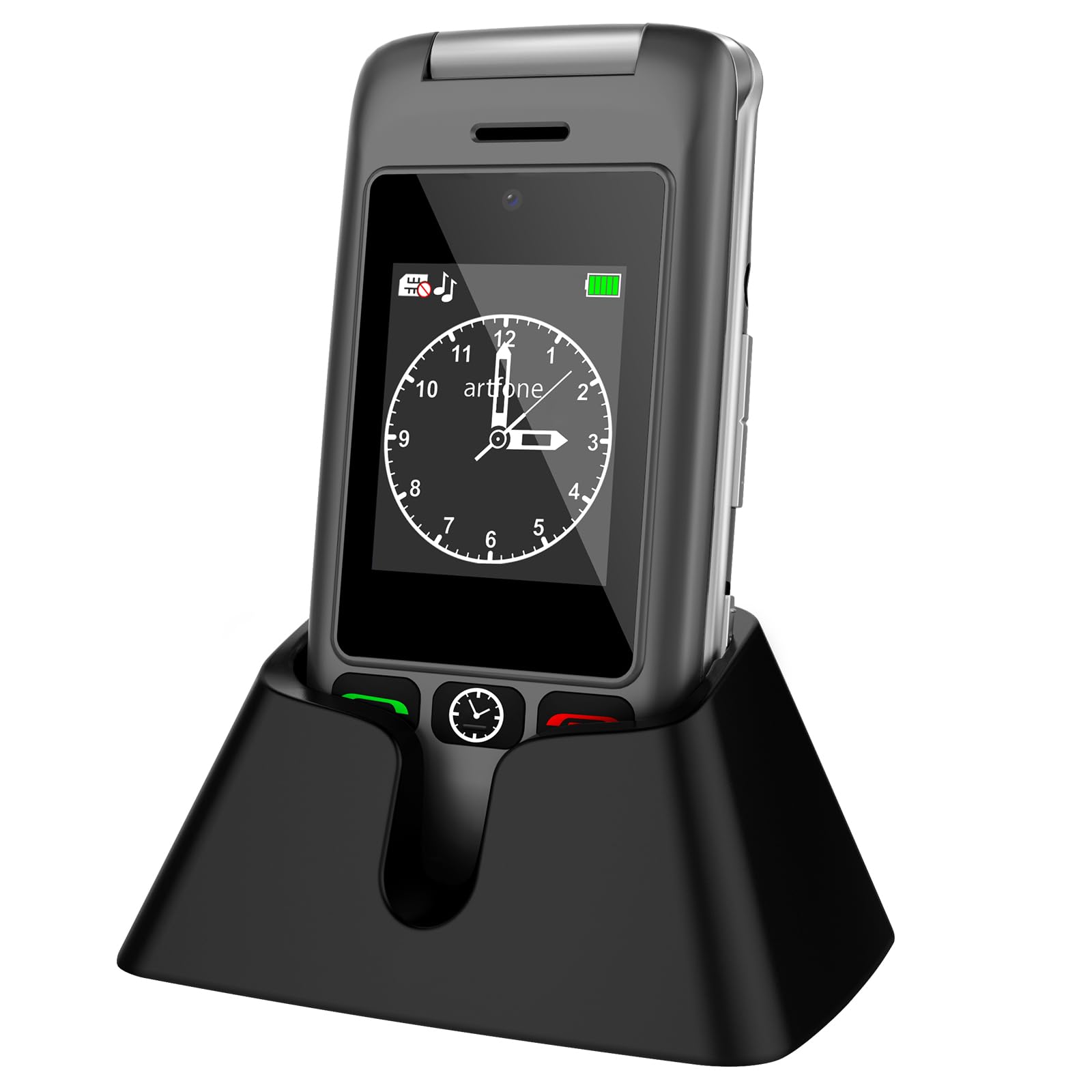
Image: artfone G6 Flip Phone in Gray, shown both open and in its charging dock.

Image: artfone G6 Flip Phone opened, displaying the large, easy-to-read keypad.

Image: artfone G6 Flip Phone illustrating its dual display feature, showing both the internal and external screens.
4. Configuració
4.1 Instal·lació de la targeta SIM i la bateria
- Obriu amb cura la tapa posterior del telèfon.
- Insert the Nano SIM card into the designated slot, ensuring the gold contacts face downwards and the notched corner aligns correctly.
- Col·loca la bateria al seu compartiment, alineant els contactes.
- Torneu a col·locar la coberta posterior fins que sentiu un clic i que quedi ben fixada al seu lloc.
Video: Instructions on how to insert the SIM card and battery into a flip phone. This video demonstrates the process clearly.
4.2 Engegada/apagada
- To power on, press and hold the red 'End Call' button until the screen lights up.
- To power off, press and hold the red 'End Call' button until the power-off options appear, then select 'Power off'.
4.3 Selecció de la llengua
Upon first use or after a factory reset, you may need to select your preferred language. Navigate through the menu using the directional keys and confirm your selection (English, German, French, Italian, Spanish are supported).
5. Funcionament bàsic
5.1 Fer i rebre trucades
- Per fer una trucada: Dial the number using the keypad and press the green 'Call' button.
- Per rebre una trucada: Press the green 'Call' button when the phone rings.
- Per finalitzar una trucada: Press the red 'End Call' button.
5.2 Funció d'emergència SOS
The SOS button allows you to quickly contact pre-set emergency numbers. To set up:
- Go to 'Settings' > 'SOS Settings'.
- Add up to 5 emergency contact numbers.
- When activated, the phone will loudly alert and dial these numbers one by one until a connection is made.

Image: artfone G6 Flip Phone showing the dedicated SOS emergency button on the back of the device.
5.3 Llanterna
To activate the powerful LED flashlight, press and hold the dedicated flashlight button on the side of the phone. Release to turn it off.
5.4 Ràdio FM
The phone includes an FM radio function. Access it through the main menu. Headphones may be required for optimal reception.
6. Especificacions
| Característica | Detall |
|---|---|
| Marca | artfone |
| Nom del model | G6 |
| Sistema operatiu | Nucleus OS |
| RAM | 4 GB |
| Capacitat d'emmagatzematge | 32 GB (expandable up to 64 GB with MicroSD) |
| Mida de la pantalla | 2.4 Inches (internal) |
| Resolució | 240 x 320 |
| Tecnologia cel·lular | 4G, LTE |
| Tipus de targeta SIM | Nano SIM (Single Slot) |
| Connectivitat | Bluetooth |
| Capacitat de la bateria | 1000 mAh d'ions de liti |
| Temps de conversa | Fins a 5 hores |
| Temps d'espera | Fins a 24 hores |
| Resolució de la càmera posterior | 2 megapíxels |
| Conector d'auriculars | 3.5 mm |
| Port de càrrega | USB-C |
| Pes | 100 grams |
7. Solució De Problemes
If you encounter any issues with your artfone G6, please try the following common solutions:
- El telèfon no s'encén: Ensure the battery is correctly inserted and charged. Connect the phone to the charger for at least 30 minutes.
- Sense senyal de xarxa: Check if the SIM card is properly inserted. Ensure you are in an area with network coverage. Contact your service provider if the issue persists.
- Qualitat de trucada baixa: Ensure the volume is adjusted correctly. Move to an area with better signal strength.
- La bateria s'esgota ràpidament: Reduce screen brightness, close unused applications, or limit background data usage. Ensure the phone is not exposed to extreme temperatures.
- Els botons no responen: Restart the phone. If the issue continues, contact customer support.
8. Garantia i Suport
Your artfone G6 comes with a 2 any de garantia from the date of purchase. This warranty covers manufacturing defects under normal use. It does not cover damage caused by misuse, accidents, unauthorized repairs, or normal wear and tear.
For technical support, warranty claims, or further assistance, please contact artfone customer service through the retailer where you purchased the device or visit the official artfone weblloc per obtenir informació de contacte.