
1. Introducció
Gràcies per la compraasing the WZATCO C6 Projector. This manual provides essential information for the safe and efficient operation of your device. Please read it thoroughly before use and retain it for future reference.
2. Informació de seguretat
Per garantir un funcionament segur i evitar danys, observeu les precaucions següents:
- Do not block the ventilation openings. Ensure adequate airflow around the projector.
- Eviteu l'exposició directa dels ulls a la lent del projector quan elamp està activat.
- Do not place the projector in unstable locations.
- Mantingueu el projector allunyat de l'aigua o altres líquids.
- Feu servir només l'adaptador de corrent que s'inclou amb el projector.
- No intenteu obrir ni reparar el projector vosaltres mateixos. Poseu-vos en contacte amb personal de servei qualificat.
3. Contingut del paquet
Si us plau, comproveu que tots els articles estiguin presents al vostre paquet:
- WZATCO C6 Projector
- Cable d'alimentació
- Control remot
- Cable HDMI
- Manual d'usuari
4. Producte acabatview
Familiarize yourself with the various parts and connections of your WZATCO C6 Projector.

A detailed diagram illustrating all input/output ports on the rear of the WZATCO C6 projector, including HDMI, USB, VGA, AV, and audio jack, along with the top panel controls for focus, keystone correction, and menu navigation.
4.1 Connexions del panell posterior
- IR: Receptor d'infrarojos per a control remot.
- Conector d'àudio de 3.5 mm: Per connectar dispositius d'àudio externs o auriculars.
- DE: Composite video input.
- USB1 / USB2: Per connectar dispositius d'emmagatzematge USB.
- HD-1 / HD-2: HDMI inputs for connecting various devices.
- VGA: VGA input for computer connection.
- Ventilació: Air vents for cooling.
- Font d'alimentació: Per connectar el cable d'alimentació.
4.2 Controls del panell superior
- Focus: Ajusta la nitidesa de la imatge.
- Clau clau: Corregeix la distorsió trapezoïdal de la imatge.
- Font (S): Selecciona la font d'entrada.
- On/Off: Botó d'encesa.
- Left-Up-Right-Down: Botons de navegació.
- Menu (M): Accedeix al menú de configuració del projector.
- Enter/Play/Pause: Confirms selections or controls media playback.
- Tornada: Torna al menú o pantalla anterior.
5. Configuració
5.1 Col·locació
Place the projector on a stable, flat surface or mount it securely. Ensure the projector is positioned at an appropriate distance from the screen or wall to achieve the desired image size. Avoid placing it in direct sunlight or near heat sources.

The WZATCO C6 projector, in its black finish, is shown set up on a table, ready for use in a home environment.
5.2 Connexió d'alimentació
- Connect the power cable to the 'Power Supply' port on the rear of the projector.
- Connecteu l'altre extrem del cable d'alimentació a una presa de corrent adequada.
5.3 Connexió de dispositius
The WZATCO C6 projector supports various input sources:
- HDMI: Connect your laptop, game console, or streaming device to one of the 'HD-1' or 'HD-2' ports using an HDMI cable.
- USB: Insert a USB flash drive into the 'USB1' or 'USB2' port to play media files directament.
- VGA: Connect a computer using a VGA cable to the 'VGA' port.
- DE: Use an AV cable to connect older devices to the 'AV' port.
- Sortida d'àudio: Connect external speakers or headphones to the '3.5mm Audio Jack'.
5.4 Ajust de l'enfocament i la distorsió trapezoidal
- Focus: Rotate the 'Focus' knob on the top of the projector until the image appears sharp and clear.
- Clau clau: If the projected image appears trapezoidal (wider at the top or bottom), adjust the 'Keystone' knob to correct the distortion and make the image rectangular.
6. Funcionament
6.1 Engegada/apagada
- Encès: Press the 'On/Off' button on the projector or the remote control.
- Apagar: Press the 'On/Off' button again. The projector will go through a shutdown sequence. Do not unplug the power cable until the fan stops.
6.2 Selecció de la font
After powering on, press the 'Source' button on the projector or remote control to cycle through available input sources (HDMI1, HDMI2, USB1, USB2, AV, VGA). Select the source corresponding to your connected device.
6.3 Projecció bàsica
The WZATCO C6 projector supports native 1080P resolution and can accept 4K input, projecting a clear image up to 300 inches.

This image illustrates the WZATCO C6 projector's capability to project a large 200-inch screen at 1080P resolution, demonstrating its use with a smartphone as a source.

This graphic demonstrates the WZATCO C6 projector's resolution capabilities, supporting native 1080P and up to 4K input, with a visual comparison against 720P.
6.4 Navegació de menús
Press the 'Menu' button to access the projector's settings. Use the navigation buttons (Left, Up, Right, Down) to move through options and 'Enter' to select. Adjust settings such as picture mode, sound, and display options as needed.
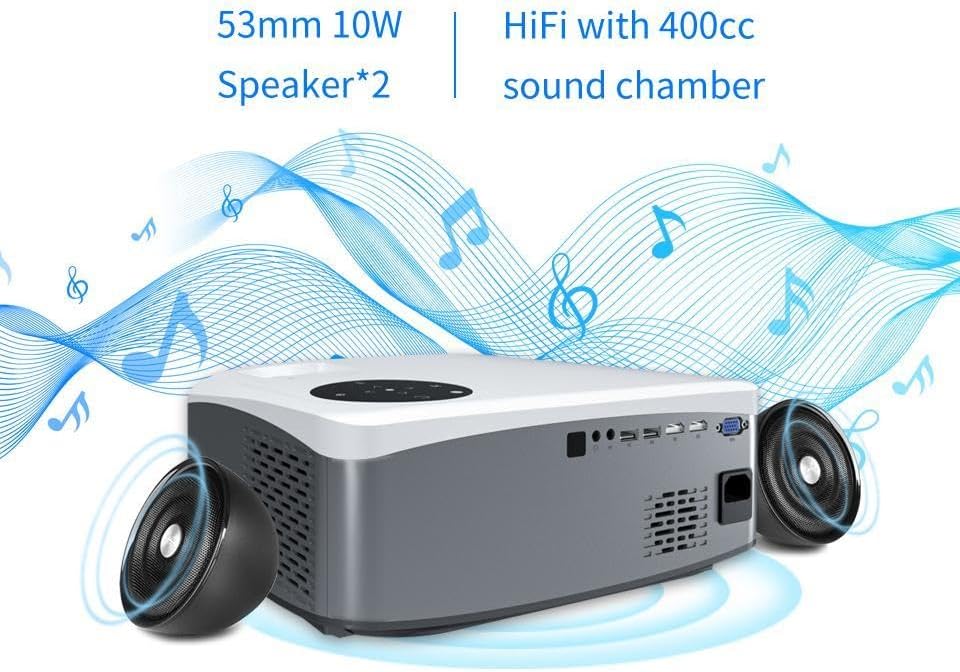
This image showcases the WZATCO C6 projector's integrated audio system, featuring 53mm 10W speakers and a 400cc sound chamber for enhanced sound quality.
7. Manteniment
7.1 Neteja de la lent
Use a soft, lint-free cloth specifically designed for optical lenses to gently wipe the projector lens. Do not use abrasive cleaners or excessive force, as this can scratch the lens.
7.2 Ventilació
Regularly check and clean the projector's ventilation openings to prevent dust buildup, which can lead to overheating. Use a soft brush or compressed air to clear any obstructions.
7.3 Lamp La vida
The WZATCO C6 projector utilizes an LED light source with an impressive operational life of up to 50,000 hours, minimizing the need for lamp substitució.

The WZATCO C6 projector features a long-lasting RGB 3LED light source with an operational life of up to 50,000 hours, ensuring extended use.
8. Solució De Problemes
Si teniu problemes amb el projector, consulteu els problemes i solucions més comuns següents:
- Sense imatge:
- Assegureu-vos que el projector estigui encès.
- Check that the input source is correctly selected.
- Verify that all cables are securely connected.
- Imatge borrosa:
- Adjust the 'Focus' knob until the image is clear.
- Assegureu-vos que la distància de projecció estigui dins del rang recomanat.
- Imatge trapezoïdal:
- Adjust the 'Keystone' knob to correct the image shape.
- Sense so:
- Comproveu la configuració del volum tant al projector com al dispositiu connectat.
- Ensure external speakers are properly connected if used.
- El control remot no funciona:
- Substituïu les piles del comandament a distància.
- Assegureu-vos que no hi hagi obstacles entre el comandament a distància i el receptor d'infrarojos del projector.
9. Especificacions
| Característica | Especificació |
|---|---|
| Marca | WZATCO |
| Tecnologia de connectivitat | HDMI, 3.5 mm Jack, USB |
| Factor de forma | Escriptori |
| Tipus de muntatge | Freestanding, Table Mount |
| Dispositius compatibles | Laptop, Smartphone, Game Console |
| Vida operativa de la font de llum | 50,000 hores |
| Mida màxima de la imatge | 300 polzades |
| Interfície del maquinari | HDMI |
| ASIN | B0BKTND3BJ |
10. Garantia i Suport
The WZATCO C6 Projector comes with a standard manufacturer's warranty. Please refer to the warranty card included in your package for specific terms and conditions. For technical support or service inquiries, please contact your retailer or visit the official WZATCO weblloc per obtenir informació de contacte.


