
Introducció
This manual provides instructions for the safe and proper use of your Paladone Minecraft Drowned Zombie Mini Icon Light. This icon light is designed to provide ambient lighting and features a design inspired by the Drowned character from the Minecraft game. Please read these instructions carefully before use and retain them for future reference.

Image: The Paladone Minecraft Drowned Zombie Mini Icon Light shown in its retail packaging, indicating it is an officially licensed product.
Contingut del paquet
Verifiqueu que tots els elements siguin presents al paquet:
- 1 x Paladone Minecraft Drowned Zombie Mini Icon Light
- Aquest manual d'instruccions
Note: 2x AA batteries are required for operation and are not included.
Configuració
- Unpack the Icon Light: Carefully remove the Drowned Zombie Mini Icon Light from its packaging.
- Localitzeu el compartiment de la bateria: The battery compartment is located on the underside of the icon light's base.
- Instal·leu les bateries: Open the battery compartment cover. Insert 2x AA batteries (not included), ensuring correct polarity (+/-) as indicated inside the compartment. Close the battery compartment cover securely.
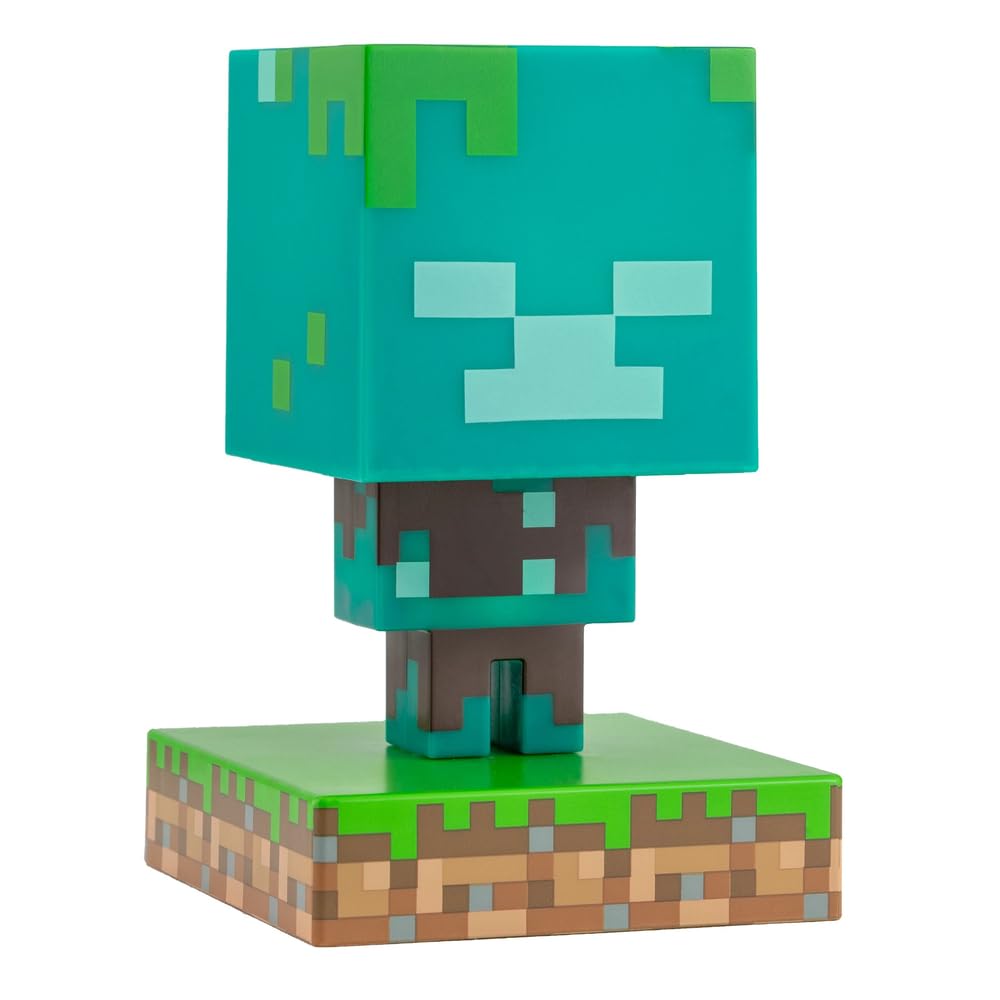
Image: The Drowned Zombie Mini Icon Light positioned on a desk, ready for use. This image shows the light in its unlit state.
Instruccions de funcionament
The Drowned Zombie Mini Icon Light features a simple push-button operation.
- Encès: Press the push-button switch, typically located on the base of the unit, to turn the light on. The icon light will illuminate with an ocean blue and green glow.
- Apagar: Press the push-button switch again to turn the light off.

Image: The Drowned Zombie Mini Icon Light illuminated, casting a green and blue light, demonstrating its operational state.
Manteniment
- Neteja: To clean the icon light, gently wipe it with a soft, dry cloth. Do not use abrasive cleaners or immerse the unit in water.
- Substitució de la bateria: When the light dims or stops functioning, replace the batteries. Follow the "Setup" instructions for battery installation. Always replace all batteries at the same time with new ones of the same type.
- Emmagatzematge: If storing the icon light for an extended period, remove the batteries to prevent leakage and potential damage.
Resolució de problemes
| Problema | Causa possible | Solució |
|---|---|---|
| La llum no s’encén. |
|
|
| La llum és tènue. | Les bateries estan baixes. | Substituïu-les per piles AA noves. |
Especificacions
- Número de model: PP7999MCFV2
- Marca: Paladone
- Font d'alimentació: 2x piles AA (no incloses)
- Tipus de font de llum: LED
- Tipus d'interruptor: Pulsador
- Color de l'ombra: Blau, Verd
- Tipus de material: Sintètic
- Ús interior/exterior: Interior
- Dimensions (aproximades): 11.8 cm (4.5 inches) tall
- Voltage: 120 Volts (internal LED system, battery powered)
- El producte és sense fil: Sí
Informació de la garantia
This product is sold without a manufacturer's warranty. Please refer to your retailer's return policy for any issues within the applicable return period.
Suport
For further assistance or inquiries, please visit the official Paladone store or contact your retailer.
Paladone Store: https://www.amazon.com/stores/Paladone/page/7EA214DF-E4BD-42C9-AA12-8186BCE0F31D