
1. Producte acabatview
This Hama USB-C to Lightning charging cable is designed for efficient charging and high-speed data synchronization of Apple iPhones, iPads, and iPods. It supports fast charging when used with a compatible fast charger and offers data transfer speeds up to 480 Mbps.
Contingut del paquet
- 1x Hama USB-C to Lightning Charging Cable (1.5m, White)
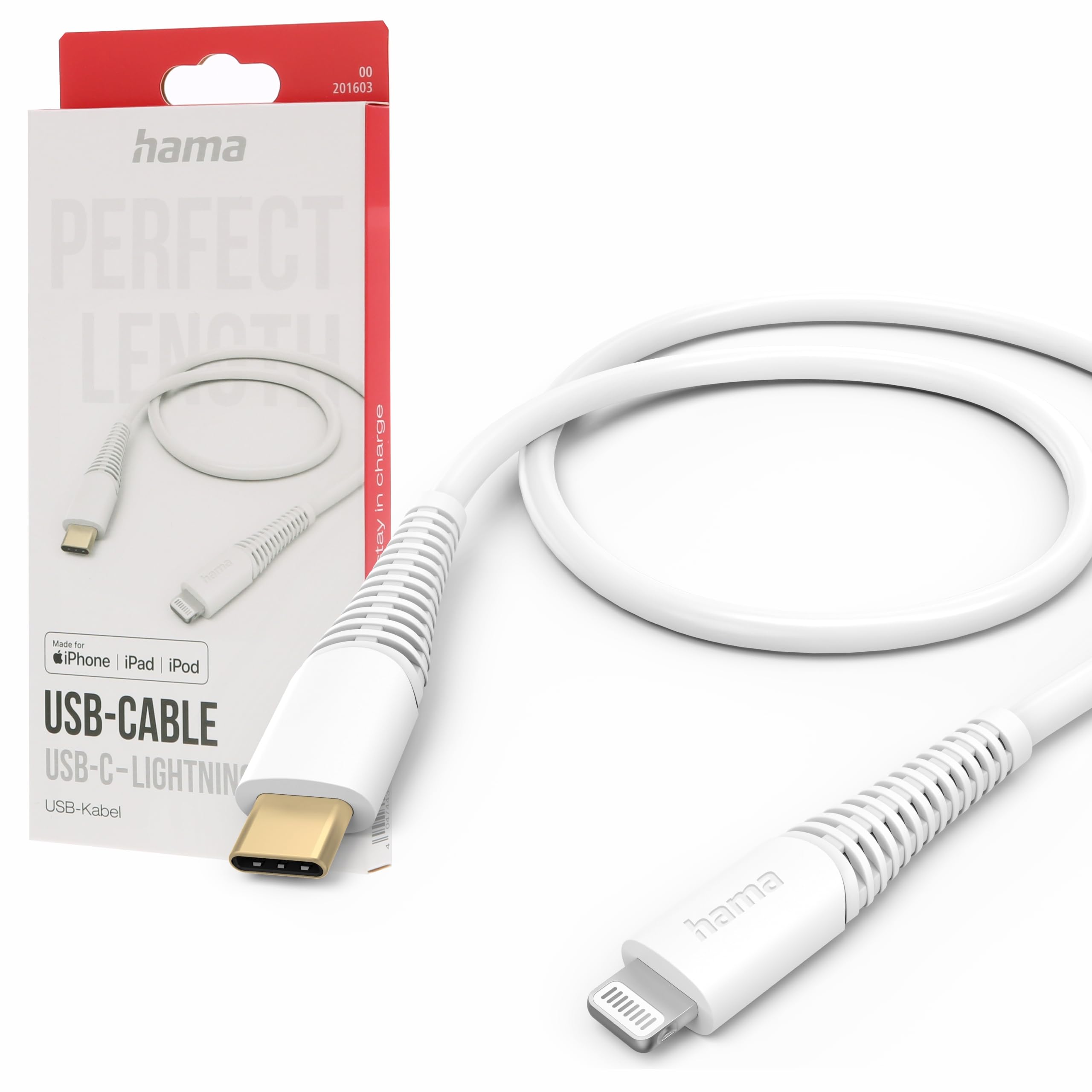
Image: The Hama USB-C to Lightning Charging Cable, white, with a USB-C connector on one end and a Lightning connector on the other.
2. Instruccions de configuració
To begin using your Hama USB-C to Lightning cable, follow these simple steps:
- Identificació de connectors: Locate the USB-C connector (smaller, oval-shaped) and the Lightning connector (flat, reversible) on the cable.
- Connectar a la font d'alimentació/ordinador: Insert the USB-C connector into a compatible USB-C power adapter (for charging) or a USB-C port on your computer (for charging and data transfer).
- Connecta't a un dispositiu Apple: Insert the Lightning connector into the charging port of your iPhone, iPad, or iPod. Ensure a firm connection.
Your device should now begin charging or be recognized by your computer for data transfer.
3. Instruccions de funcionament
Carregant el teu dispositiu
This cable supports fast charging for compatible Apple devices. For optimal charging speed, use a USB-C power adapter that supports Power Delivery (PD) or other fast charging protocols.
- Connect the USB-C end of the cable to a wall charger or power bank.
- Connect the Lightning end to your Apple device.
- The device's screen will indicate that it is charging.
Transferència de dades
The cable facilitates high-speed data transfer up to 480 Mbps, allowing you to sync photos, videos, music, and other files between your Apple device and a computer.
- Connect the USB-C end of the cable to a USB-C port on your computer.
- Connect the Lightning end to your Apple device.
- Your computer should recognize the device, allowing you to access its storage for data transfer.
4. Cura i Manteniment
To ensure the longevity and optimal performance of your Hama charging cable, please follow these care guidelines:
- Eviteu la flexió extrema: Do not excessively bend or crimp the cable, especially near the connectors, as this can damage the internal wires.
- Mantenir sec: Protect the cable from moisture and liquids. Do not use it in wet environments.
- Netegeu suaument: If necessary, clean the cable and connectors with a soft, dry cloth. Avoid using harsh chemicals or abrasive materials.
- Emmagatzema correctament: When not in use, store the cable in a clean, dry place, ideally coiled loosely to prevent tangling and damage.
- Material: The exterior material is Polychlorure de vinyle (PVC), which is durable but can be damaged by sharp objects or extreme heat.
5. Solució De Problemes
El dispositiu no es carrega
- Comproveu les connexions: Ensure both the USB-C and Lightning connectors are fully and securely inserted into their respective ports.
- Verifica la font d'alimentació: Confirm that the USB-C power adapter or computer port is functional and providing power. Try a different power source if available.
- Inspeccionar el cable: Check the cable for any visible damage, such as cuts or frayed wires. If damaged, discontinue use.
- Prova amb un altre dispositiu/cable: Try charging a different Apple device with this cable, or try charging your device with a different, known-working cable to isolate the issue.
Problemes de transferència de dades
- Connexions segures: Ensure the cable is firmly connected to both your computer and Apple device.
- Computer Port: Try connecting the USB-C end to a different USB-C port on your computer.
- Device Trust: On your Apple device, ensure you have tapped 'Trust This Computer' when prompted.
- Programari/Controladors: Ensure your computer's operating system and iTunes (if applicable) are up to date.
6. Especificacions tècniques
| Número de model | 00201603 |
| ASIN | B0BL1CGYP6 |
| Longitud | 1.5 metres |
| Color | Blanc |
| Tipus de connector | USB tipus C, Lightning |
| Connector Gènere | Mascle a Mascle |
| Velocitat de transferència de dades | 480 megabits per segon |
| Corrent màxima | 3 Amperes |
| Volum màximtage | 20 Volts |
| Característica especial | High Speed Charging and Data Transfer |
| Dispositius compatibles | Smartphones (Apple iPhones, iPads, iPods), Power Banks, Laptops, Speakers, Tablets |
| Material exterior | Clorur de polivinil (PVC) |
| Dimensions del producte (L x A x A) | 19.5 x 9 x 1.5 cm |
| Pes de l'article | 47.82 grams |
| Compliment | CE |
7. Garantia i Suport
Hama products are manufactured with high quality standards. This product includes a Disponibilitat de recanvis durant 1 any des de la data de compra.
For technical support, warranty claims, or further assistance, please contact Hama customer service through their official weblloc web o el distribuïdor on es va comprar el producte. Si us plau, conserveu el comprovant de compra per a la garantia.
Per a més informació, visiteu el lloc web oficial de Hama. weblloc: www.hama.com