
Teslong Single Lens
Teslong Wireless Endoscope User Manual
Model: Single Lens
1. Introducció
Thank you for choosing the Teslong Wireless Endoscope. This 1080P HD WiFi Inspection Camera is designed to provide clear visual inspection in hard-to-reach areas. Featuring a 7mm borescope camera with a detachable semi-rigid cable and IP67 waterproof rating, it is ideal for various applications including automotive repair, industrial mechanical inspection, drain checking, and pipeline inspection. This manual provides detailed instructions for setup, operation, maintenance, and troubleshooting to ensure optimal performance and longevity of your device.

Figure 1.1: Teslong Wireless Endoscope with smartphone holder.
2. Informació de seguretat
Please read all safety warnings and instructions before using this product to prevent electric shock, fire, or serious injury.
- Do not use the device in explosive atmospheres, such as in the presence of flammable liquids, gases, or dust.
- Keep the camera probe and cable away from heat sources and sharp objects.
- Assegureu-vos que el dispositiu estigui completament carregat abans d'utilitzar-lo per evitar interrupcions durant la inspecció.
- The camera probe is IP67 waterproof, but the main unit (handle) is not. Do not submerge the main unit in water.
- No intenteu desmuntar ni modificar el dispositiu. Les reparacions només les ha de realitzar personal qualificat.
- Mantenir fora de l'abast dels nens.
3. Contingut del paquet
Verifiqueu que tots els elements siguin presents al vostre paquet:
- Teslong Wireless Endoscope Main Unit (WF200L5S7MM)
- Semi-rigid Inspection Cable with 7mm Camera Probe
- Cable de càrrega USB tipus C
- Manual d'usuari (aquest document)
- Accessories (Hook, Magnet, Mirror)
4. Producte acabatview
The Teslong Wireless Endoscope features an ergonomic design for comfortable single-handed operation. It includes a detachable semi-rigid cable for easy storage and interchangeability.

Figure 4.1: Ergonomic design of the Teslong WF200 Wireless Endoscope.
Components clau:
- Unitat principal: Handheld device with power button, brightness adjustment dial, and phone holder.
- Sonda de càmera: 7mm diameter, 2.0 Megapixels HD CMOS sensor with 8 adjustable LED lights.
- Semi-rigid Cable: Flexible yet firm cable for navigating tight spaces.
- Llanterna incorporada: Provides additional illumination on the main unit.
- Port USB-C: Per carregar la bateria interna.

Figure 4.2: The built-in LED flashlight on the main unit provides additional illumination.
5. Guia de configuració
5.1 Càrrega del dispositiu
Before first use, fully charge the endoscope. The built-in 2000mAh rechargeable battery provides up to 4 hours of continuous working time.
- Connect the provided USB Type-C charging cable to the charging port on the main unit.
- Connecteu l'altre extrem del cable a un adaptador de corrent USB estàndard (no inclòs) o a un port USB de l'ordinador.
- The charging indicator light will show the charging status. Once fully charged, the light will change (refer to device indicators for specific behavior).
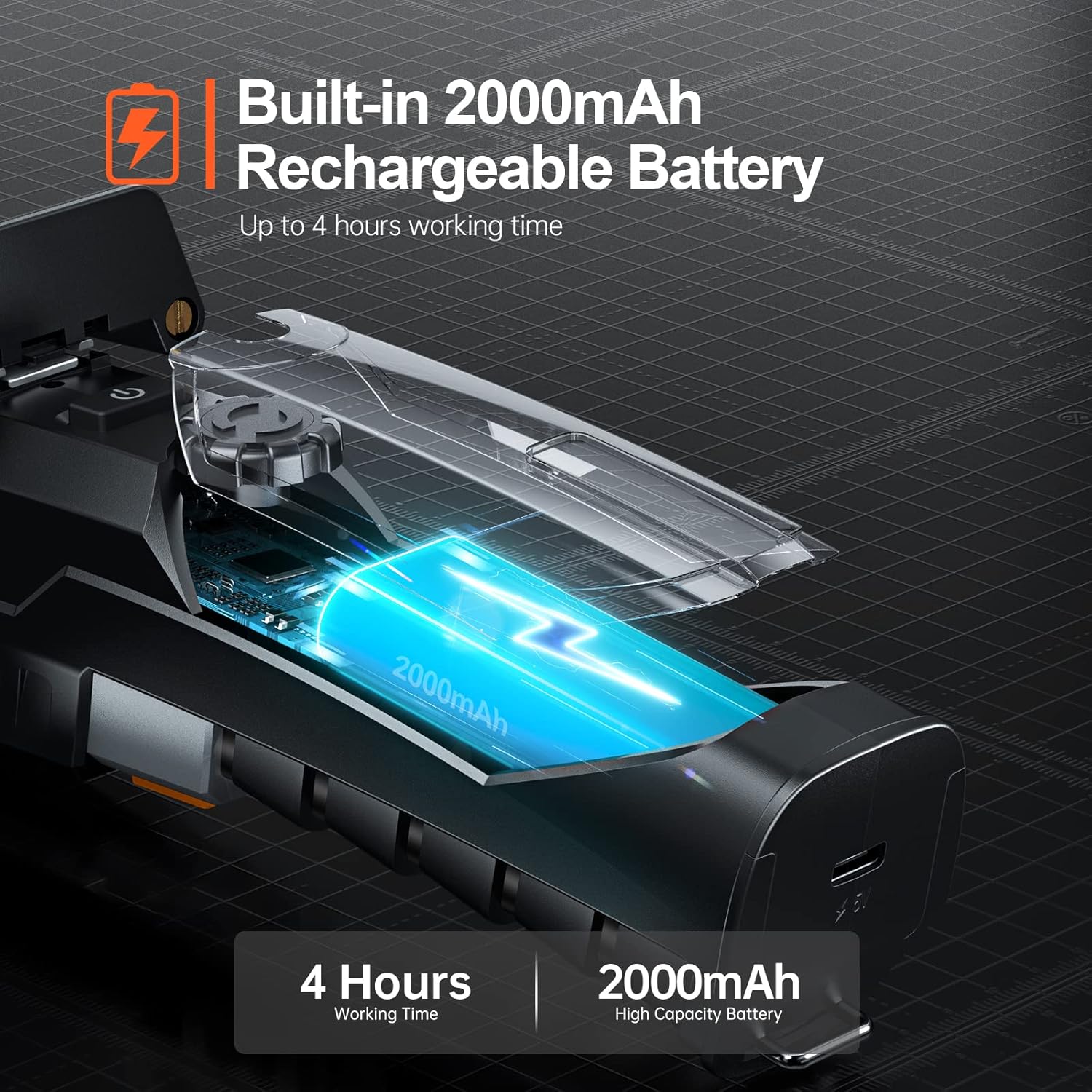
Figure 5.1: The endoscope features a 2000mAh high-capacity battery for extended use.
5.2 Installing the "Smart Endoscope" App
The Teslong Wireless Endoscope requires the "Smart Endoscope" app for operation. It is compatible with Android (7.0+) and iOS (10.0+) devices.
- Scan the QR code provided in the quick start guide or search for "Smart Endoscope" on the App Store (for iOS) or Google Play Store (for Android).
- Descarregueu i instal·leu l'aplicació al vostre telèfon intel·ligent o tauleta.
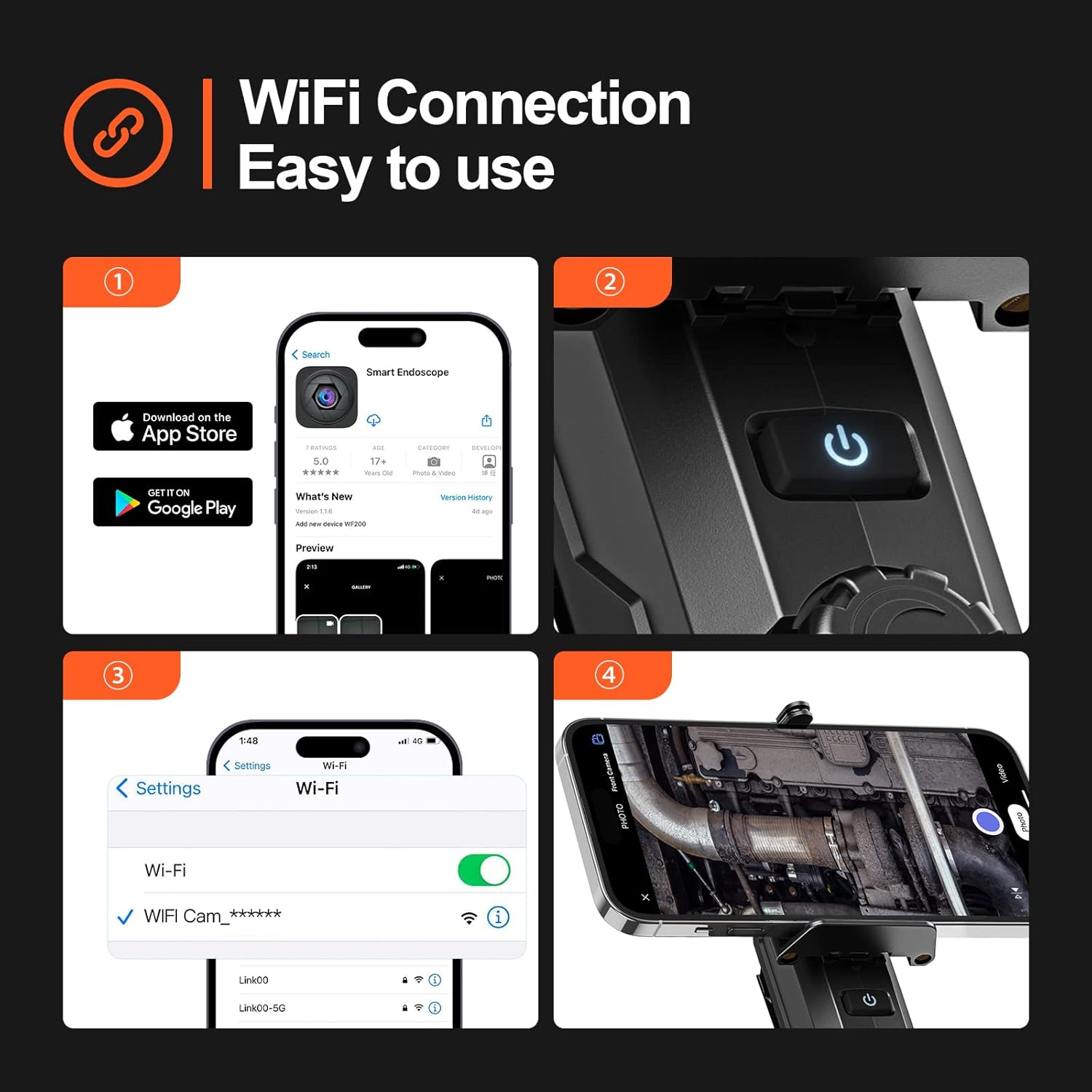
Figure 5.2: Step-by-step guide for app installation and WiFi connection.
5.3 Connexió mitjançant Wi-Fi
Once the app is installed, connect your device to the endoscope's Wi-Fi network.
- Power on the Teslong Wireless Endoscope by pressing and holding the power button on the main unit.
- Al teu telèfon intel·ligent o tauleta, vés a la configuració del Wi-Fi.
- Locate and select the Wi-Fi network named "WF_Cam_******" (the asterisks will be replaced by a unique device ID).
- Once connected, open the "Smart Endoscope" app. The camera feed should now be visible.
5.4 Attaching the Inspection Cable
The semi-rigid inspection cable is detachable for convenience and versatility.
- Align the connector of the inspection cable with the port on the main unit.
- Gently push and twist the connector clockwise until it clicks securely into place.
- To detach, twist counter-clockwise and pull.
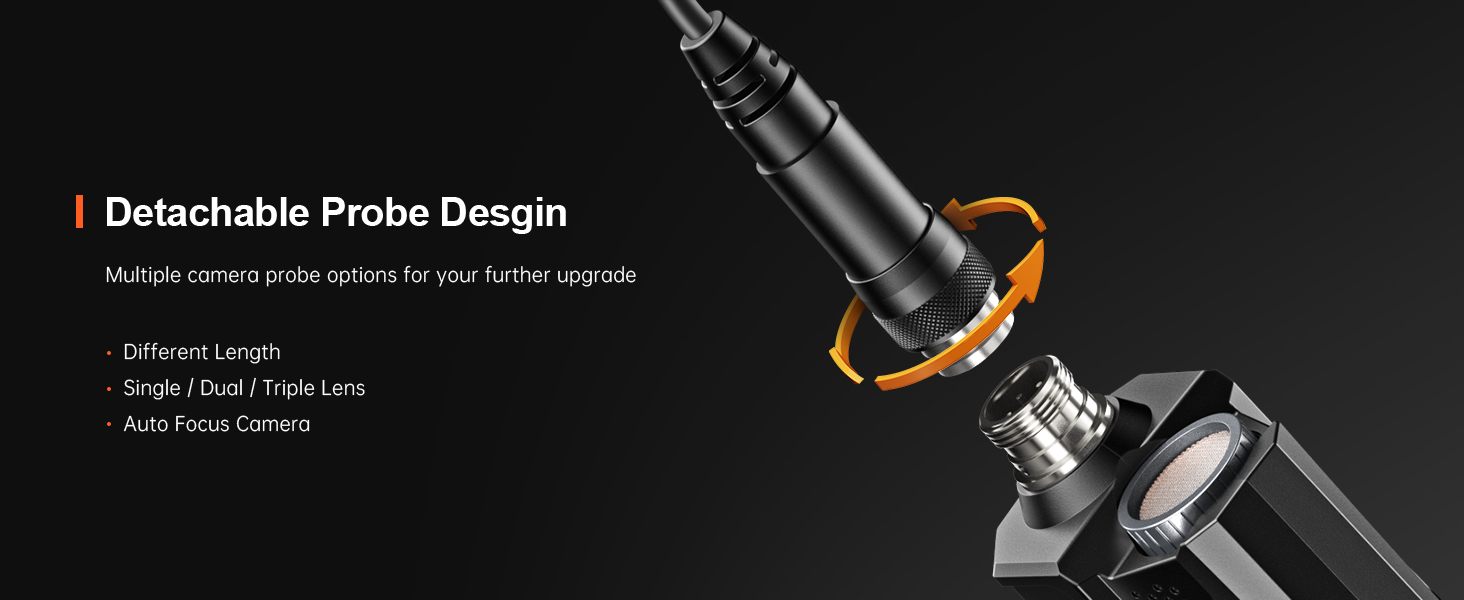
Figure 5.3: The detachable probe design allows for easy storage and future upgrades.
6. Instruccions de funcionament
6.1 Engegada/apagada
- Encès: Press and hold the power button on the main unit until the indicator light illuminates.
- Apagar: Premeu i manteniu premut el botó d'engegada de nou fins que l'indicador lluminós s'apagui.
6.2 Ajust dels llums LED
The camera probe is equipped with 8 adjustable LED lights to illuminate dark inspection areas.
- Rotate the brightness adjustment dial on the main unit to increase or decrease the intensity of the LED lights. There are three adjustable brightness levels.
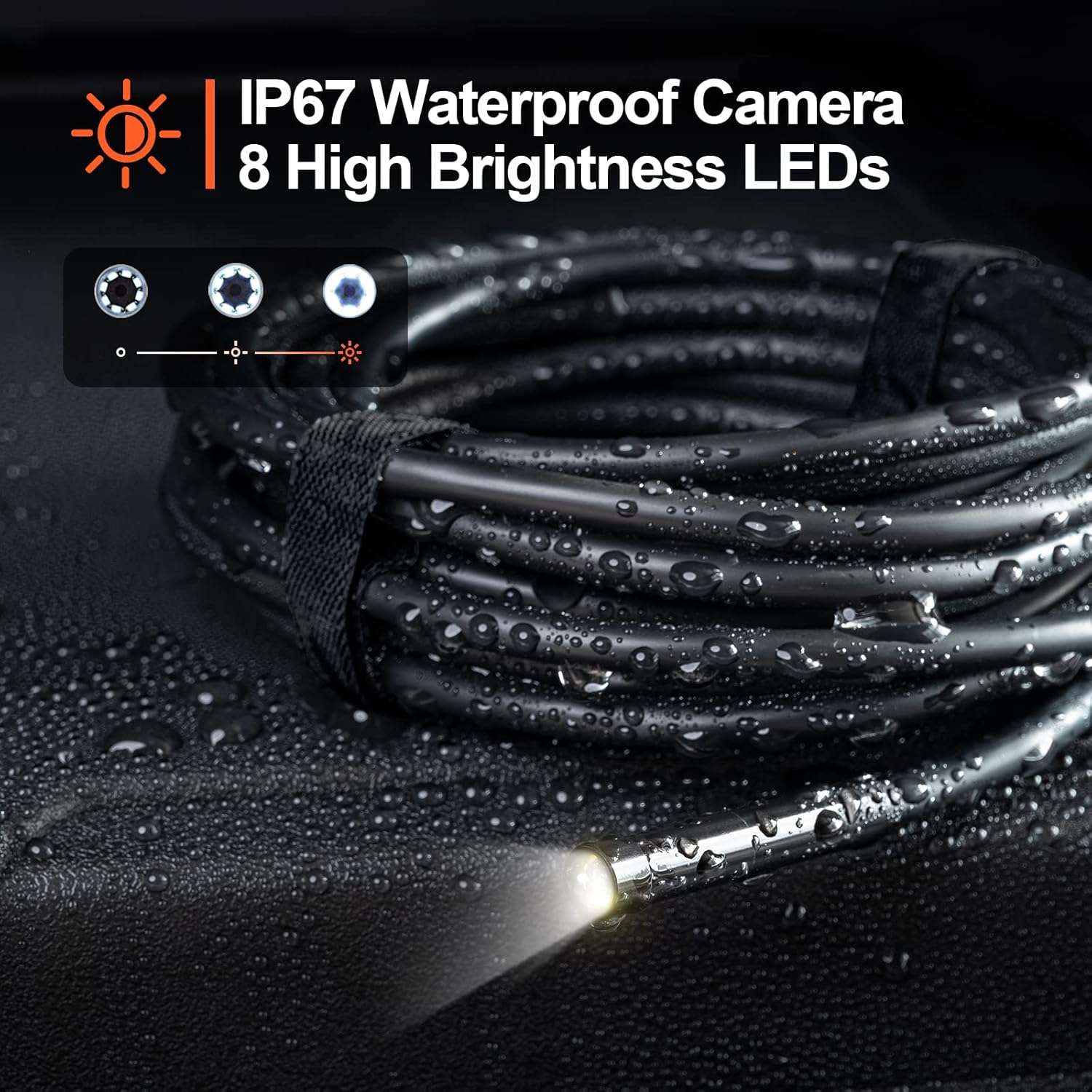
Figure 6.1: The camera probe features 8 high-brightness LEDs and is IP67 waterproof.
6.3 Captura d'imatges i vídeos
Use the "Smart Endoscope" app to capture high-resolution images and videos.
- Fent fotos: In the app interface, tap the camera icon to capture a still image. Images are saved in JPEG format.
- Gravació de vídeos: Tap the video camera icon to start recording. Tap it again to stop. Videos are saved in MP4 format.
- Captured media will be stored directly on your connected smartphone or tablet.

Figura 6.2: View the inspection feed on your iPhone, iPad, or Android smartphone/tablet.
6.4 Using Accessories (Hook, Magnet, Mirror)
The endoscope comes with useful accessories that can be attached to the camera probe for enhanced functionality.
- Ganxo: Useful for retrieving small objects from hard-to-reach places.
- Imant: Ideal for picking up metallic items like screws or keys.
- Mirall: Provides a side view for inspecting areas that are not directly in front of the camera.
To attach an accessory, carefully slide it onto the tip of the camera probe until it is secure.

Figure 6.3: Included accessories: Hook, Magnet, and Mirror for versatile inspections.
7. Manteniment
7.1 Neteja
- After each use, especially in dirty or wet environments, clean the camera probe and cable with a soft, damp tela.
- For stubborn dirt, a mild detergent can be used, but ensure no liquid enters the main unit.
- No utilitzeu netejadors abrasius ni dissolvents.
- Ensure the camera lens is clean for clear images. Use a lens cleaning cloth if necessary.
7.2 Emmagatzematge
- Store the endoscope in a cool, dry place, away from direct sunlight and extreme temperatures.
- Detach the inspection cable from the main unit for compact storage.
- Keep the device and accessories in their original packaging or a protective case to prevent damage.
8. Solució De Problemes
| Problema | Causa possible | Solució |
|---|---|---|
| El dispositiu no s'encén. | Bateria baixa. | Carregueu el dispositiu completament amb el cable USB-C proporcionat. |
| No image on the app. | Wi-Fi not connected or incorrect network selected. | Ensure your phone is connected to the "WF_Cam_******" Wi-Fi network. Restart the app and the endoscope. |
| La imatge és borrosa o fosca. | Camera lens is dirty; insufficient lighting. | Clean the camera lens. Adjust the LED brightness using the dial on the main unit. |
| Wi-Fi connection is unstable. | Interference from other Wi-Fi networks; too far from the device. | Move closer to the endoscope. Try to minimize other Wi-Fi devices nearby. |
| L'aplicació es bloqueja o es bloqueja. | App version outdated; phone operating system issues. | Update the "Smart Endoscope" app to the latest version. Restart your smartphone/tablet. |
9. Especificacions
| Característica | Detall |
|---|---|
| Model | Single Lens (WF200D7L5) |
| Resolució de la càmera | 2.0 Megapixels (1920x1080p) |
| Diàmetre de la sonda | 7 mm / 0.28 polzades |
| Longitud del cable | 16.5ft (approx. 5 meters) |
| Classificació impermeable | IP67 (només sonda de càmera) |
| Llums LED | 8 LED ajustables |
| Capacitat de la bateria | Polímer de liti de 2000 mAh |
| Temps de treball | Fins a 4 hores |
| Port de càrrega | USB tipus C |
| Connectivitat | Wi-Fi |
| Sistema operatiu compatible | Android 7.0+/iOS 10.0+ |
| Format d'imatge | JPEG |
| Format de vídeo | MP4 |
| Dimensions del paquet | 22 x 21.1 x 4.9 cm |
| Pes del paquet | 0.58 quilos |
10. Garantia i Suport
Teslong provides a 12 mesos de garantia per a aquest producte, que cobreix els defectes de fabricació des de la data de compra.
Exclusions de garantia:
- Damage caused by improper use, accident, abuse, neglect, or unauthorized modification.
- Desgast normal.
- Danys causats per desastres naturals o actes de Déu.
Atenció al client:
If you encounter any issues or have questions regarding your Teslong Wireless Endoscope, please contact our customer support team. Refer to the contact information provided on the Teslong official weblloc web o la documentació de la compra.
For more information and product updates, visit the official Teslong store: Teslong Store on Amazon
Ask a question about this manual
Ask about setup, troubleshooting, compatibility, parts, safety, or missing instructions. Manuals+ will review the question and use this page’s manual context to help answer it.