
1. Introducció
Thank you for choosing the ZACO A11s Pro Robot Vacuum and Mop Cleaner. This device is designed to provide efficient and automated cleaning for your home, combining powerful vacuuming with effective mopping capabilities. Featuring advanced laser navigation (LDS) and obstacle detection (TOF), the A11s Pro intelligently maps your home, ensuring thorough coverage and avoiding collisions. With 4000 Pa suction power and a long battery life of up to 150 minutes, it is suitable for various floor types, including hard floors and carpets, and is particularly effective at handling pet hair. This manual provides essential information for setup, operation, maintenance, and troubleshooting to ensure optimal performance of your robot cleaner.

Image 1.1: The ZACO A11s Pro Robot Vacuum and Mop Cleaner.
2. Instruccions de seguretat
Before using the ZACO A11s Pro, please read all safety instructions carefully to prevent injury or damage. Keep this manual for future reference.
- Aquest aparell el poden utilitzar nens a partir de 8 anys i persones amb capacitats físiques, sensorials o mentals reduïdes o amb manca d'experiència i coneixements si han rebut supervisió o instruccions sobre l'ús de l'aparell d'una manera segura i entenen els perills que comporta. .
- Els nens no jugaran amb l'aparell. La neteja i el manteniment dels usuaris no els han de fer els nens sense supervisió.
- Només feu servir l'adaptador de corrent original proporcionat pel fabricant.
- Do not use the robot in environments with open flames, flammable materials, or corrosive liquids.
- Ensure the charging dock is placed against a wall on a level surface, with adequate clear space around it.
- Remove any loose cables, small objects, or fragile items from the cleaning path before operation to prevent entanglement or damage.
- No submergiu el robot ni els seus components electrònics a l'aigua.
- Regularly clean the brushes and filters to maintain optimal performance and prevent blockages.
- Si el cable d'alimentació està danyat, l'ha de substituir el fabricant, el seu agent de servei o persones qualificades de manera similar per evitar perills.
3. Contingut del paquet
Desembaleu la caixa amb cura i assegureu-vos que tots els articles hi siguin presents i en bon estat. Si falta algun article o hi ha algun malmès, poseu-vos en contacte amb el servei d'atenció al client.
- ZACO A11s Pro Robot Vacuum and Mop Cleaner
- Base de càrrega
- Adaptador d'alimentació
- Escombraria
- Water Tank (for mopping)
- Raspalls laterals (2 parells)
- Filtre d'alta eficiència (preinstal·lat)
- Eina de neteja
- Manual d'usuari

Image 3.1: The ZACO A11s Pro with its various accessories, including brushes, charging dock, and cleaning tools.
4. Configuració
4.1 Col·locació de la base de càrrega
Place the charging dock against a wall in an open area, ensuring there is at least 0.5 meters (1.6 feet) of clear space on both sides and 1.5 meters (4.9 feet) in front. Connect the power adapter to the charging dock and plug it into a power outlet. Ensure the power cord is neatly arranged to prevent entanglement.
4.2 Càrrega inicial
Place the robot onto the charging dock. The robot will automatically align and begin charging. For first-time use, fully charge the robot for at least 6 hours. The indicator light on the robot will show charging status.
4.3 Descàrrega i connexió de l'aplicació
Download the ZACO app from your smartphone's app store (available for iOS and Android). Follow the in-app instructions to connect your ZACO A11s Pro to your home Wi-Fi network. This will enable advanced features like remote control, scheduling, and map management.
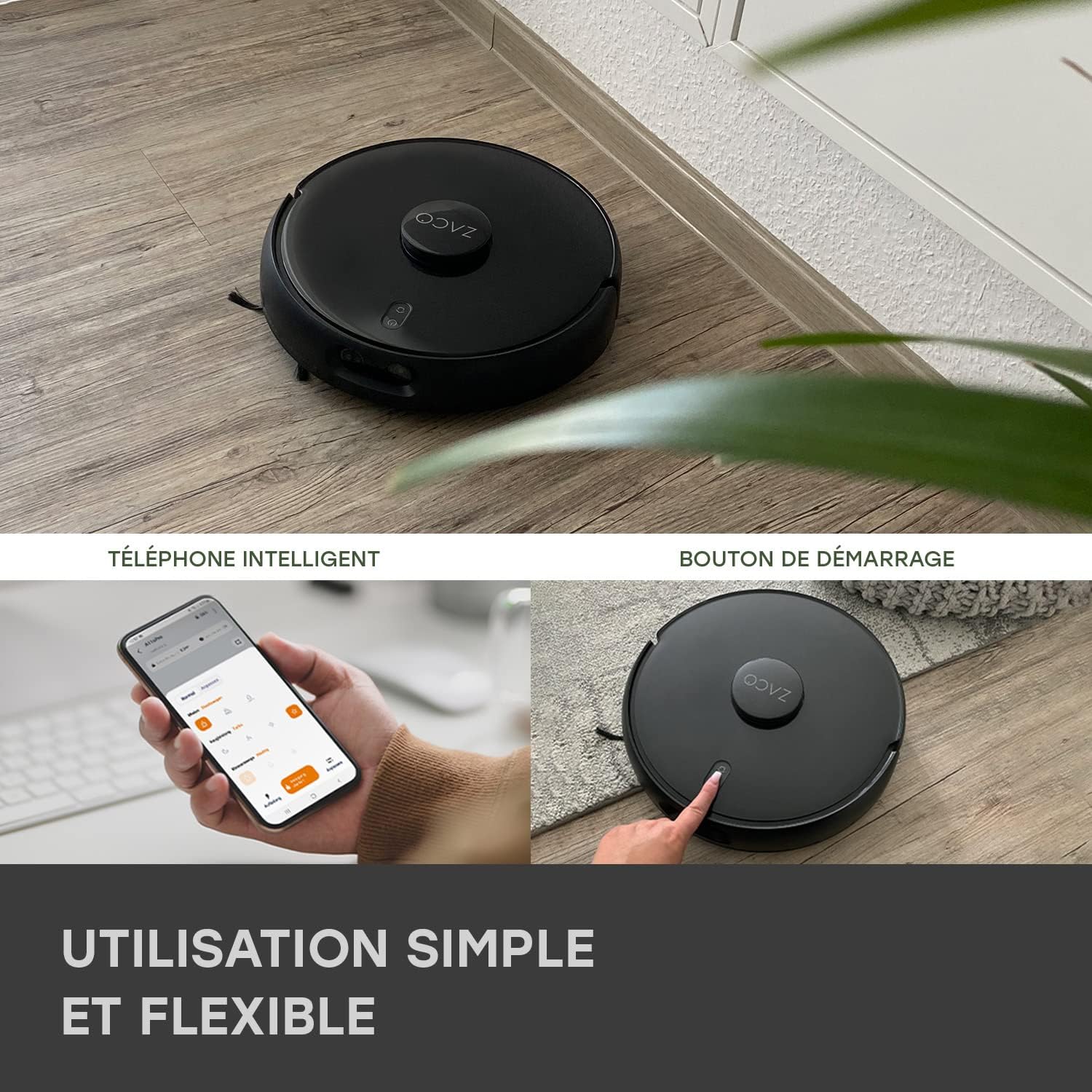
Image 4.1: The ZACO A11s Pro can be controlled via a smartphone app or by pressing the start button on the device.
4.4 Creació de mapes
For optimal navigation, allow the robot to complete a full cleaning cycle to create an initial map of your home. Ensure all doors are open to areas you wish to be mapped. The laser navigation system (LDS) will accurately scan and store the layout.

Image 4.2: The robot uses Laser Navigation (LDS) and Obstacle Detection (TOF) to map its environment and avoid obstacles.
5. Instruccions de funcionament
5.1 Inici/aturada de la neteja
- Inici manual: Press the power button on the robot once to start a cleaning cycle. Press again to pause.
- Control de l'aplicació: Open the ZACO app, select your robot, and tap 'Start' to begin cleaning. You can also pause or send the robot back to its charging dock via the app.
5.2 modes de neteja
The A11s Pro offers versatile cleaning modes:
- Només aspiradora: Use the dustbin for dry vacuuming. Ideal for carpets and general debris.
- Només fregona: Install the water tank and mopping pad for wet mopping. The active mopping function with ultrasonic vibration ensures effective cleaning of hard floors.
- Aspiradora i fregona: Use the combined dustbin/water tank for simultaneous vacuuming and mopping.

Image 5.1: The ZACO A11s Pro features an active mopping function with ultrasonic vibration, suitable for parquet, tile, and vinyl floors.
5.3 Scheduling and Zone Cleaning
Using the ZACO app, you can:
- Establir horaris de neteja per a hores i dies específics.
- Define virtual walls or no-go zones to restrict the robot from certain areas.
- Select specific rooms or areas for targeted cleaning.
5.4 Integració de l'assistent de veu
The ZACO A11s Pro is compatible with Amazon Echo and Google Home. Follow the instructions in the ZACO app to link your robot with your preferred voice assistant for convenient voice control.
6. Manteniment
Regular maintenance is crucial for the longevity and optimal performance of your robot cleaner. Always turn off the robot and disconnect it from the charging dock before performing any maintenance.
6.1 Neteja de les escombraries i els filtres
- Buidar la paperera després de cada cicle de neteja.
- Tap the filter to remove dust. Rinse the filter under running water if necessary, but ensure it is completely dry before re-installing. Replace the filter every 3-6 months depending on usage.
6.2 Raspall principal i raspalls laterals
- Remove the main brush and use the cleaning tool to cut and remove tangled hair or debris.
- Check side brushes for wear and tear. Replace them if they are bent or damaged.
6.3 Water Tank and Mopping Pad
- Empty any remaining water from the tank after each mopping session.
- Clean the mopping pad thoroughly. It can be hand-washed or machine-washed.
6.4 Sensors i contactes de càrrega
- Wipe the cliff sensors, obstacle detection sensors, and charging contacts on both the robot and the charging dock with a clean, dry cloth.
7. Solució De Problemes
If you encounter issues with your ZACO A11s Pro, refer to the following common problems and solutions:
| Problema | Causa possible | Solució |
|---|---|---|
| El robot no s'engega ni respon. | Bateria baixa; interruptor apagat; robot encallat. | Ensure robot is charged; check power switch; clear any obstructions. |
| Mal rendiment de succió. | Cubell de pols ple; filtre obstruït; raspalls enredats. | Buidar el contenidor de pols; netejar/substituir el filtre; netejar els raspalls principal i laterals. |
| El robot no pot trobar la base de càrrega. | Charging dock obstructed; robot too far from dock. | Ensure clear space around dock; manually place robot closer to dock. |
| Navigation errors or rooms not recognized. | Sensors dirty; new obstacles; map corruption. | Clean all sensors; remove new obstacles; reset map in app if necessary. |
| La funció de fregar no funciona. | Empty water tank; clogged water outlet; incorrect tank installed. | Fill water tank; clean water outlet; ensure mopping tank is correctly installed. |
| Problemes de connexió de l'aplicació. | Incorrect Wi-Fi password; router issues; robot offline. | Verify Wi-Fi password; restart router; re-pair robot with app. |
8. Especificacions
| Característica | Detall |
|---|---|
| Marca | ZACO |
| Número de model | A11s Pro |
| Color | Negre |
| Dimensions (L x A x A) | 35 x 35 x 9.5 cm (13.8 x 13.8 x 3.7 polzades) |
| Pes | 3.4 quilos (7.5 lliures) |
| Potència d'aspiració | 4000 Pa |
| Durada de la bateria | Fins a 150 minuts |
| Tipus de bateria | Ió de liti (1 inclòs) |
| Capacitat del dipòsit d'aigua | 550 mil·lilitres |
| Poder | 50 watts |
| Voltage | 14.4 Volts |
| Nivell de soroll | 65 decibels |
| Tipus de navegació | Laser Navigation (LDS) & Obstacle Detection (TOF) |
| Tipus de controlador | Control d'aplicacions |
| Compatibilitat de productes | Amazon Echo, Google Home, Telèfon intel·ligent |
| Recomanació de superfície | Carpets, Hard Floors, Parquet |
| Característiques especials | Hard floor brush, Pet hair cleaning |
9. Garantia i Suport
ZACO is committed to providing high-quality products and customer satisfaction. The ZACO A11s Pro comes with a commitment to spare parts availability for 2 years. For any questions, technical support, or warranty claims, please contact ZACO customer service. Our German support team is available to assist you.
For further assistance, please visit the official ZACO website or contact our support team directly via the contact information provided on our weblloc.