
AZDOME AZDOME M330
Manual d'usuari de la càmera de salpicader AZDOME M330
Your comprehensive guide to operating and maintaining your AZDOME M330 Dash Cam.
1. Producte acabatview
The AZDOME M330 is a compact 1080P Mini Dash Cam designed for vehicle security and recording. It features built-in WiFi for easy access via the AZDOME APP, smart voice control, fatigue driving reminders, and enhanced night vision capabilities. The device supports 24-hour parking mode and loop recording, ensuring continuous coverage.
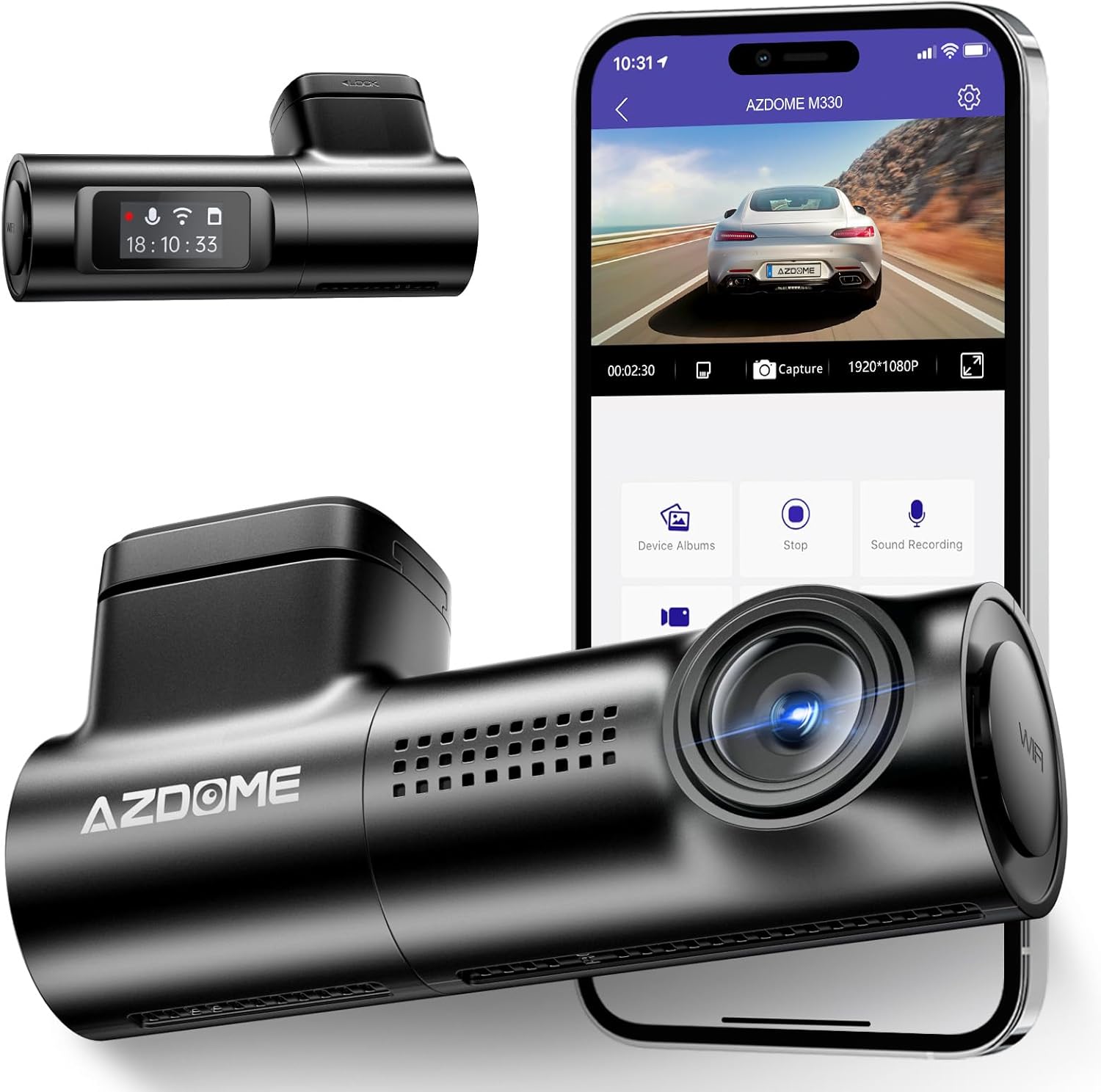
Figure 1: AZDOME M330 Dash Cam and companion app.
2. Què hi ha a la caixa
Upon unboxing your AZDOME M330 Dash Cam, verify that all components are present:
- AZDOME M330 Dash Cam x1
- Type-C car charger with 3.5m/12ft cable x1
- Adhesiu electrostàtic x2
- Clip de cable x5
- Eina de palanca x1
- Manual d'usuari x1

Figure 2: All components included in the AZDOME M330 package.
3. Guia de configuració
3.1. Inserció de la targeta SD
An SD card (not included) is required to store recordings. The AZDOME M330 supports up to 128GB. For reliable performance, a Class 10 or U3 micro SD card from a reputable brand like SanDisk is recommended. Format the SD card with the dash cam before first use and reformat monthly.

Figure 3: Location for SD card insertion on the dash cam.
3.2. Muntatge de la Dash Cam
The M330 dash cam comes with a 3M sticky mount for easy installation. Choose a location on your windshield that does not obstruct your view. The rotatable mount allows for perfect angle adjustment to ensure optimal recording coverage.

Figure 4: Dash cam mounted discreetly behind the rearview mirall.
Video 1: Demonstrates the installation process of the AZDOME M330 dash cam, including mounting and cable routing.
3.3. Connexió d'alimentació
Connect the Type-C car charger to the dash cam and plug the other end into your vehicle's cigarette lighter port. The dash cam requires continuous power to operate. For 24-hour parking mode, a hardwire kit (not included) is necessary.
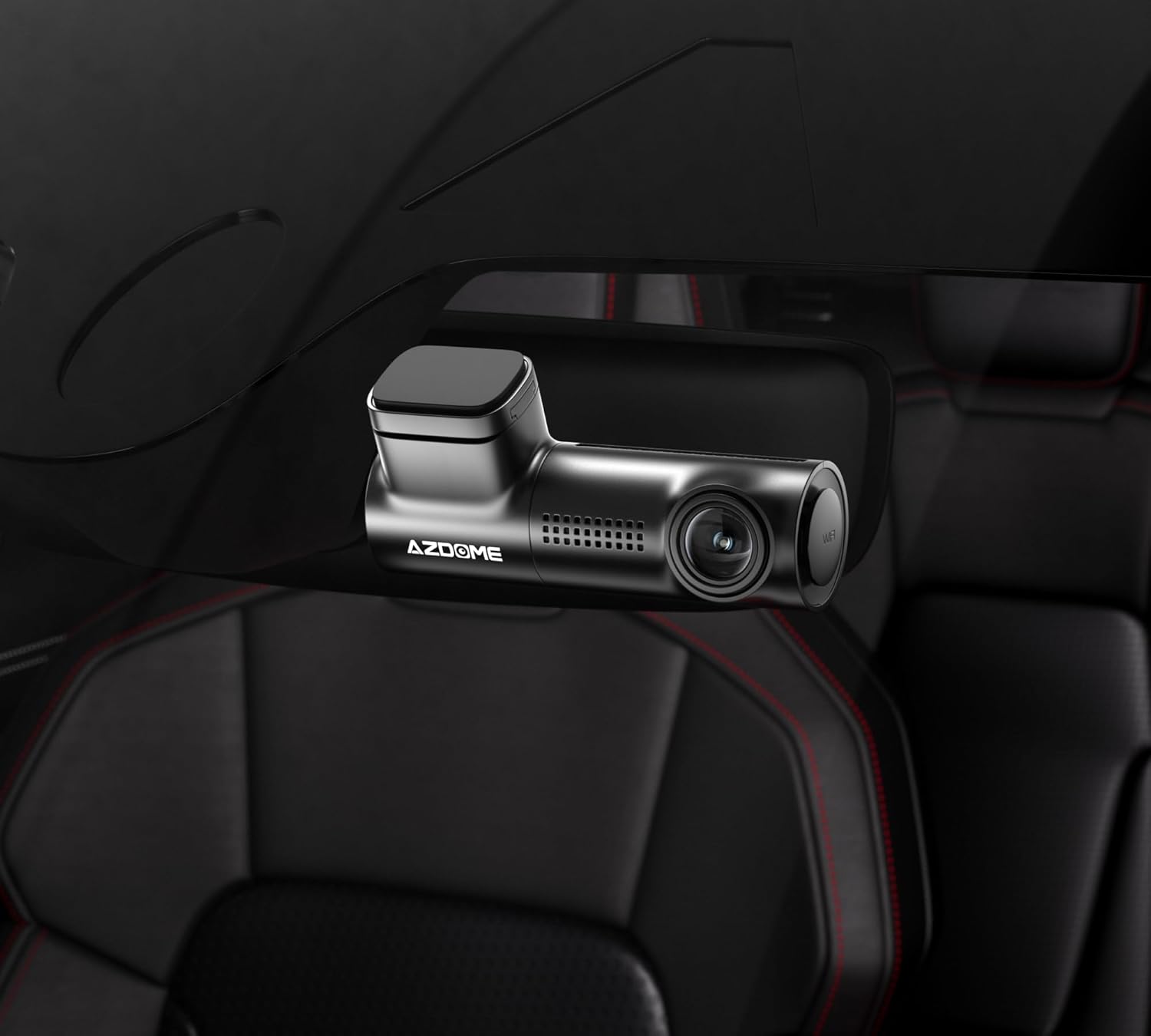
Figure 5: Dash cam connected to power source in a vehicle.
3.4. App Installation and WiFi Connection
Download the "AZDOME" app from your device's app store. The dash cam features built-in WiFi, allowing you to view, share, and download videos in real-time. Ensure your phone's cellular data is turned off when connecting to the dash cam's WiFi network to prevent connectivity issues.

Figure 6: Seamless integration with the AZDOME mobile application.
Vídeo 2: Acabatview of the AZDOME M330 dash cam's functions, including app connectivity and settings.
4. Instruccions de funcionament
4.1. Basic Recording and Loop Recording
Once powered on, the dash cam automatically begins recording. It features loop recording, which continuously records video in segments (e.g., 1, 2, or 3 minutes). When the SD card is full, the oldest unlocked fileLes s se sobreescriuen per fer espai per a noves gravacions.

Figure 7: G-sensor and loop recording ensure important footage is captured and saved.
4.2. Control de veu intel·ligent
The M330 dash cam supports 8 types of voice commands for hands-free operation, enhancing driving safety and convenience. Examples include "Take picture" and "Turn on WiFi".

Figure 8: Voice control allows for hands-free operation while driving.
4.3. Funcionalitat del sensor G
The built-in G-sensor detects sudden movements or collisions. In the event of an impact, the G-sensor automatically locks the current video segment to prevent it from being overwritten by loop recording. The sensitivity of the G-sensor can be adjusted via the AZDOME app settings (Low, Medium, High).
4.4. 24H Parking Mode
The M330 offers two parking modes for continuous surveillance when your vehicle is parked:
- Mode d'estacionament de detecció de col·lisions: The G-sensor detects impacts and records video.
- Mode d'estacionament temporal: The camera records continuously for 24 hours (requires a hardwire kit, not included).

Figure 9: The 24-hour parking monitor provides continuous surveillance.
4.5. Supervisió nocturna
Equipped with WDR (Wide Dynamic Range) technology and a 6-glass lens, the M330 delivers clear video recordings even in low-light conditions, ensuring visibility of road signs and license plates day or night.
5. Manteniment
To ensure optimal performance and longevity of your AZDOME M330 Dash Cam:
- Format de la targeta SD: Reformat your SD card monthly using the dash cam's settings to prevent data corruption and ensure smooth recording.
- Neteja: Gently wipe the lens and body of the dash cam with a soft, dry cloth. Avoid using abrasive cleaners or solvents.
- Temperatura: The dash cam is designed to operate in extreme weather conditions from -4°F to 158°F. However, prolonged exposure to direct sunlight in extremely hot conditions may affect performance.
6. Solució De Problemes
If you encounter issues with your AZDOME M330 Dash Cam, refer to the following common problems and solutions:
- La càmera del salpicader no s'encén: Ensure the car charger is securely plugged into both the dash cam and the vehicle's cigarette lighter port. Check if the vehicle's power outlet is active.
- La gravació s'atura inesperadament: This can be caused by a full or corrupted SD card. Format the SD card regularly. Ensure you are using a Class 10 or U3 micro SD card.
- Sensor G massa sensible/no prou sensible: Adjust the G-sensor sensitivity setting via the AZDOME app (Low, Medium, High) to match your driving conditions and preferences.
- Problemes de connectivitat Wi-Fi: When connecting to the dash cam's WiFi, ensure your phone's cellular data is temporarily disabled. This prevents your phone from trying to use mobile data instead of the dash cam's WiFi.
- Video Quality Issues (Choppy Video): Ensure your SD card is of sufficient speed (Class 10 or U3). Reformatting the card can also help.
- Longitud del cable d'alimentació: The included 3.5m/12ft cable is designed to be long enough for most installations, allowing for discreet routing along the headliner and A-pillar. If a longer cable is required for your specific vehicle, third-party options may be available.
7. Especificacions
| Característica | Detall |
|---|---|
| Dimensions del producte | 5.51 x 2.36 x 4.72 polzades |
| Pes de l'article | 7.4 unces |
| Número de model | AZDOME M330 |
| Bateries | Necessites 1 piles de ions de liti (incloses) |
| Tecnologia de connectivitat | Wi-Fi |
| Característiques especials | G-Sensor, Parking Monitor, Voice Control, Automatic Incident Detection, Built-In GPS |
| Color | Negre |
| Resolució de captura de vídeo | 1080p |
| Tipus de muntatge | Muntatge del parabrisa |
8. Garantia i Suport
The AZDOME M330 dashboard camera includes a 12-month warranty and 24/7 technical support. If you encounter any problems with the product or require after-sales service, please email AZDOME. The R&D team aims to provide feedback within 24 working hours.
For firmware updates, PDF user manuals, and camera accessories, AZDOME provides support. Contact information can typically be found in the included user manual or on the official AZDOME weblloc.
Ask a question about this manual
Ask about setup, troubleshooting, compatibility, parts, safety, or missing instructions. Manuals+ will review the question and use this page’s manual context to help answer it.