
Introducció
This manual provides detailed instructions for the setup, operation, maintenance, and troubleshooting of your MageGee Star98 Wired Mechanical Gaming Keyboard. This keyboard features a 98-key layout, Red mechanical switches, and customizable backlighting, designed for an enhanced typing and gaming experience.
Què hi ha a la caixa
- MageGee Star98 Mechanical Keyboard
- Cable USB
- Additional Red Keycaps (quantity may vary)
Instruccions de configuració
- Connecteu el teclat: Plug the provided USB cable into the USB port on the keyboard and then into an available USB port on your computer.
- Instal·lació del controlador: The keyboard is plug-and-play and does not require additional driver installation for basic functionality. Your operating system (Windows, Mac, Linux, Android) will automatically recognize the device.
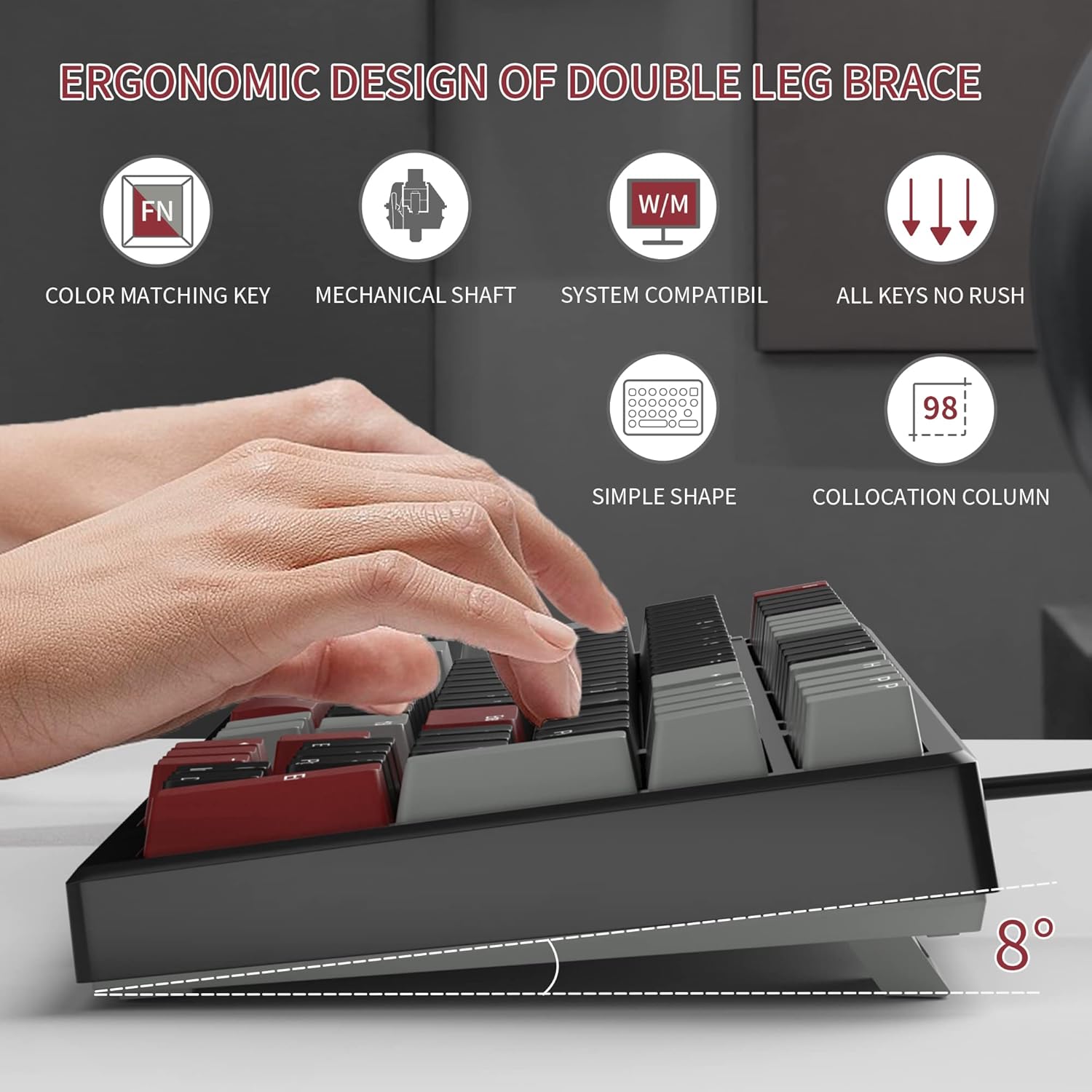
- Ajustar les potes inclinades: For ergonomic comfort, you can extend the adjustable tilt legs located on the underside of the keyboard.
Instruccions de funcionament
Característiques clau
- Disposició de 98 tecles: This compact layout retains most standard keyboard functionality while saving desk space.
- Interruptors mecànics vermells: Provides a fast response with tactile feedback for typing and gaming.
- Anti-fantasma: All 98 keys support anti-ghosting for simultaneous key presses.
- Disseny intercanviable en calent: Compatible with most 3-pin and 5-pin mechanical switches, allowing for customization.
- Il·luminació de fons: Features solid sea blue backlighting with multiple operational modes.
- Bloqueig de tecles WIN: Function to prevent accidental presses of the Windows key during gaming.
Modes de retroil·luminació
The keyboard's backlight has multiple operational modes. Refer to the keyboard's function key combinations (usually Fn + specific keys) for cycling through modes or turning the backlight off. Specific key combinations are typically printed on the keycaps or detailed in a quick start guide.
Interruptors intercanviables en calent
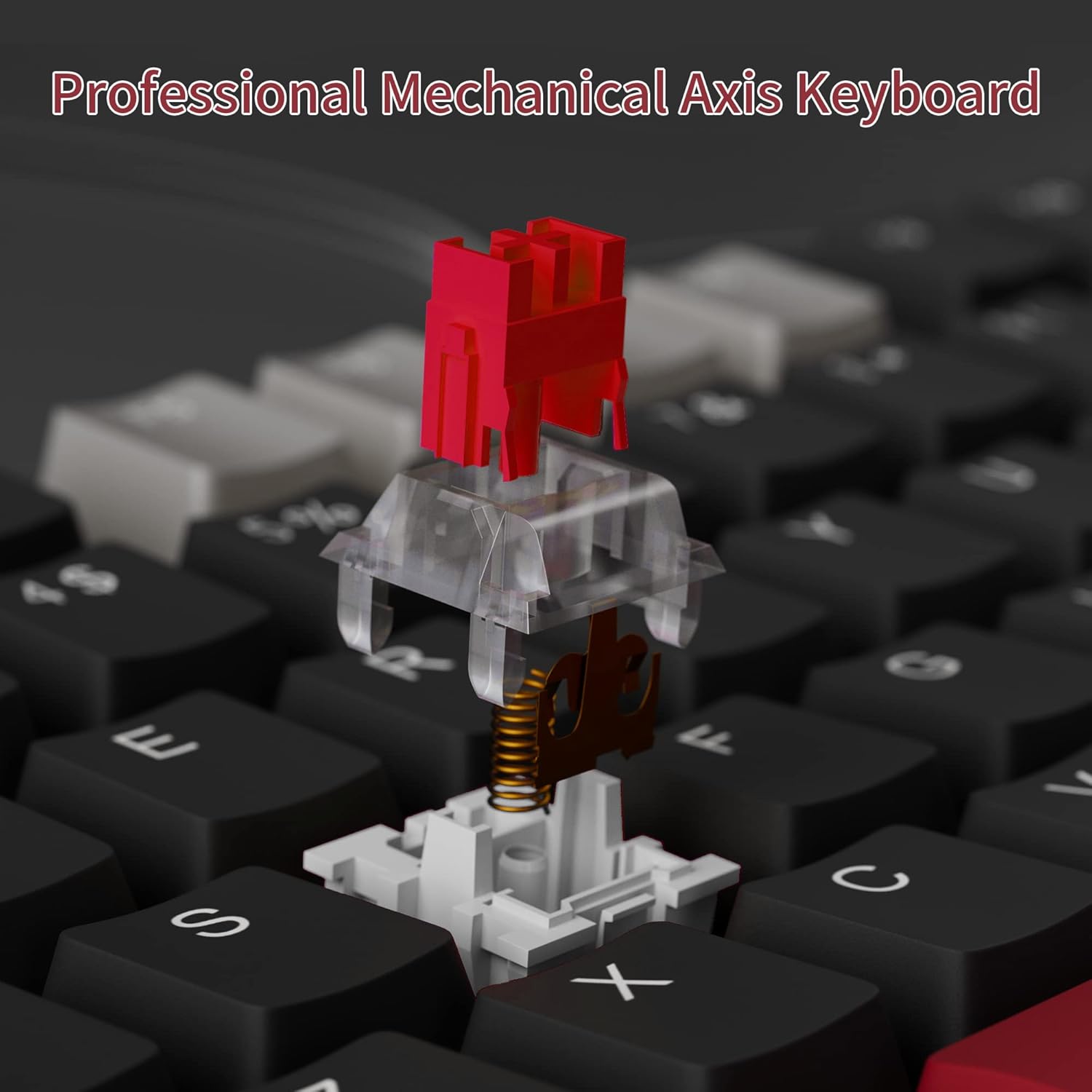
The MageGee Star98 keyboard features a hot-swappable design, allowing users to change mechanical switches without soldering. This feature supports most 3-pin and 5-pin switches available on the market.
- Treure la tapa de les tecles: Feu servir un extractor de tecles per treure suaument la tecla desitjada.
- Treure l'interruptor: Use a switch puller to carefully extract the mechanical switch from its socket.
- Insereix un nou interruptor: Alineeu els pins del nou interruptor amb els forats de la placa de circuit imprès i premeu fermament fins que encaixin al seu lloc. Assegureu-vos que els pins no estiguin doblegats.
- Substitueix la tapa de les tecles: Torneu a col·locar la tapa de la tecla a la nova tija de l'interruptor.


Manteniment
- Neteja de les tecles: Utilitzeu un suau, damp cloth to wipe down keycaps. For deeper cleaning, keycaps can be removed using a keycap puller and washed with mild soap and water, then thoroughly dried before reattaching.
- Neteja sota les tecles: Use compressed air to remove dust and debris from between the switches and under the keycaps.
- Cura del cable: Eviteu doblegar bruscament o estirar excessivament el cable USB per evitar danys.
Resolució de problemes
- El teclat no respon:
- Assegureu-vos que el cable USB estigui connectat correctament tant al teclat com a l'ordinador.
- Prova de connectar el teclat a un port USB diferent de l'ordinador.
- Prova el teclat en un altre ordinador per descartar problemes específics del sistema.
- Claus que no es registren o s'escriuen dues vegades:
- Remove the keycap and switch for the affected key. Inspect for any debris or bent pins on the switch.
- If the switch is damaged, replace it with a new one (utilizing the hot-swappable feature).
- Assegureu-vos que l'interruptor estigui completament col·locat a la seva base.
- Backlight not working or incorrect mode:
- Refer to the keyboard's function key combinations to cycle through backlight modes or turn it on/off.
- Assegureu-vos que el teclat rebi prou energia del port USB.
Especificacions
| Característica | Detall |
|---|---|
| Marca | MageGee |
| Model | Estrella 98 |
| Tecnologia de connectivitat | Amb cable (USB) |
| Descripció del teclat | Mecànica |
| Tipus de canvi | Interruptors vermells |
| Recompte de claus | 98 claus |
| Il·luminació de fons | Solid Sea Blue (Single Color) |
| Compatibilitat | Win2000, Win XP, Win ME, Vista, Win7, Win8, Win10, Android, Linux, Mac |
| Material | Acrilonitril butadiè estirè (ABS) |
| Pes de l'article | 2.16 lliures |
| Dimensions del paquet | 16.14 x 6.97 x 1.77 polzades |
Garantia i Suport
For warranty information and customer support, please refer to the official MageGee website or contact their customer service directly. Details are typically provided with the product packaging or on the manufacturer's weblloc.