
SURFOU N98
SURFOU Wireless Doorbell N98 Instruction Manual
Model: N98
Introducció
Thank you for choosing the SURFOU Wireless Doorbell N98. This manual provides detailed instructions for the installation, operation, and maintenance of your new doorbell system. Please read this manual thoroughly before use to ensure proper functionality and safety.
The SURFOU Wireless Doorbell N98 offers a reliable and convenient solution for your home, featuring a long wireless range, multiple melodies, adjustable volume, and a durable, waterproof design.
Contingut del paquet
Abans de la instal·lació, comproveu que tots els components estiguin presents al paquet:
- 2 x Plug-in Receivers
- 3 x Transmitters (Push Buttons)
- 3 x 12V23A Batteries (for transmitters)
- 1 x tornavís
- 4 jocs de cargols
- 4 x Double-sided Adhesive Tapes
- 1 x Manual d'usuari (aquest document)
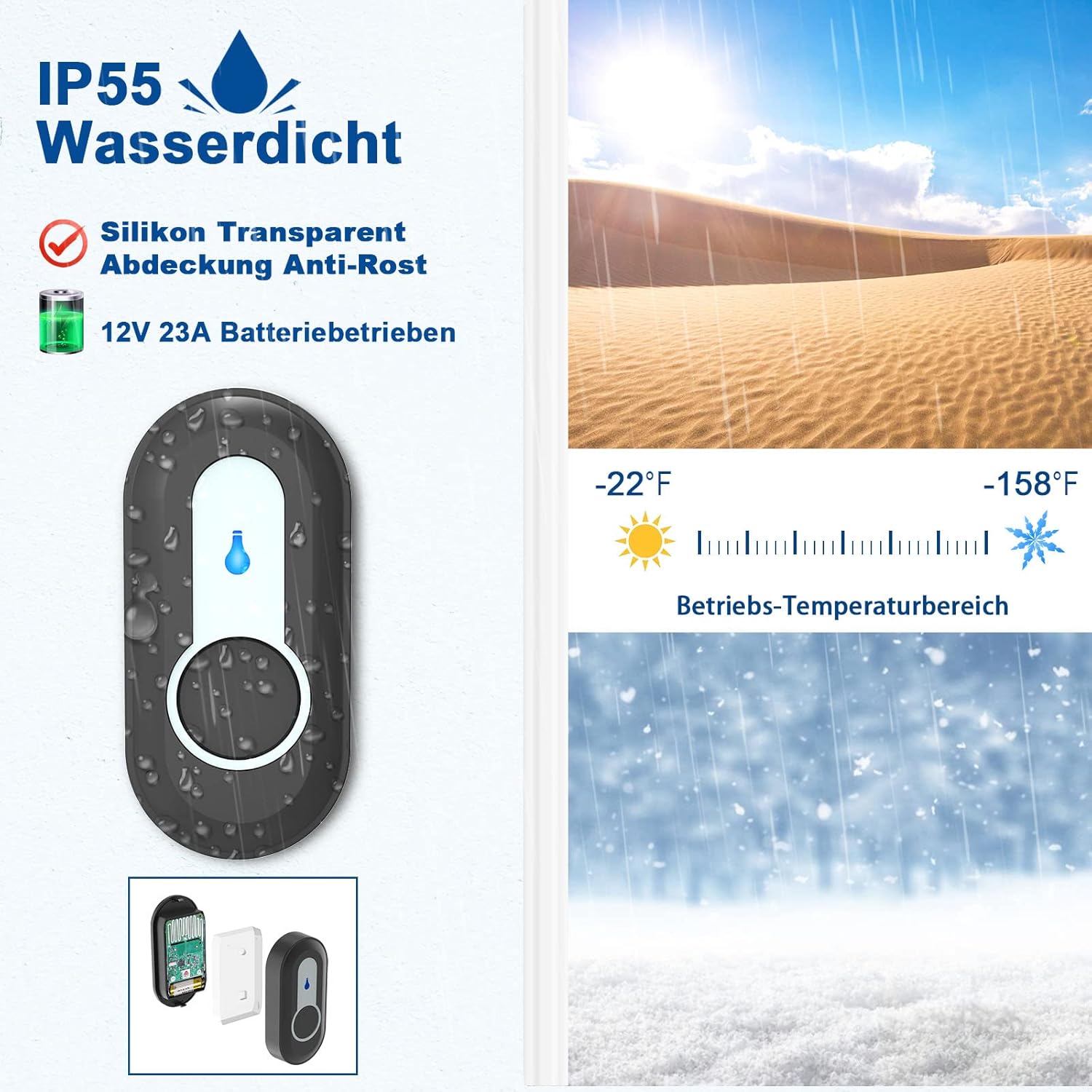
Image: Illustration of the SURFOU Wireless Doorbell N98 kit components, including receivers, transmitters, and installation accessories.
Configuració i instal·lació
1. Instal·lació del transmissor (botó)
- Insereix la bateria: Open the back cover of the transmitter and insert the provided 12V23A battery, ensuring correct polarity.
- Tria la ubicació: Select a flat, vertical surface near your door. Ensure the surface is clean and dry for optimal adhesion.
- Mètode d'instal·lació:
- Cinta adhesiva: Peel off one side of the double-sided adhesive tape and stick it to the back of the transmitter. Peel off the other side and firmly press the transmitter onto the desired location for at least 30 seconds.
- Cargols: For a more secure installation, use the provided screws. Mark the screw holes on the wall, drill pilot holes if necessary, and then secure the transmitter using the screws.
- Prova: Press the transmitter button to ensure it activates the receiver.

Image: Visual guide demonstrating the two installation methods for the transmitter: using double-sided adhesive tape or screws.
2. Instal·lació del receptor
- Connectar: Simply plug the receiver into any standard electrical outlet within range of the transmitter.
- Col·locació: Choose an outlet in a central location or where you are most likely to hear the chime. The compact design ensures it does not block adjacent outlets.

Image: The compact design of the receiver, showing it plugged into an outlet without obstructing the adjacent one.
Instruccions de funcionament
1. Pairing Transmitters with Receivers
Your doorbell kit comes pre-paired. If you need to re-pair or add new transmitters, follow these steps:
- Introduïu el mode de vinculació: Al receptor, premeu i manteniu premut el botó Botó de volum (usually indicated by a speaker icon) for 5-8 seconds until the receiver emits a "ding" sound and its LED indicator flashes. This indicates it is in learning mode.
- Send Signal: Quickly press the push button on the desired transmitter. The receiver will emit two "ding" sounds and its LED will flash, confirming successful pairing.
- Sortir del mode de vinculació: The receiver will automatically exit learning mode after 8 seconds if no further signal is received.

Image: Diagram illustrating the steps for pairing a transmitter with a receiver, showing the volume button, forward button, and the process of sending a signal from the push button.
2. Canvi de melodies
The doorbell offers 55 different melodies. To change the melody:
- Selecciona la melodia: On the receiver, press the Botó Endavant (usually indicated by a music note icon) to cycle through the available melodies. Each press will play the next melody.
- Set Melody: Once you find your preferred melody, stop pressing the button. The receiver will remember this selection.
Note: The doorbell features a memory function, retaining your last chosen melody even after a power outage.

Image: Receiver displaying icons for 55 different melodies and 5 volume levels, indicating customization options.
3. Ajust de volum
The doorbell has 5 adjustable volume levels, with a maximum of 110 dB.
- Ajustar el volum: On the receiver, press the Botó de volum (speaker icon) to cycle through the 5 volume levels.
- Mode silenciós: One of the volume levels is a silent mode (0 dB) where only the LED indicator flashes, providing a visual notification without sound.

Image: Receiver in silent mode (0 dB), showing only the LED indicator flashing, suitable for quiet environments or hearing-impaired users.
Manteniment
1. Battery Replacement (Transmitter)
The transmitter uses a 12V23A alkaline battery. When the LED indicator on the transmitter no longer lights up or the signal range decreases significantly, it's time to replace the battery.
- Open Transmitter: Use the provided screwdriver or a small flat-head screwdriver to carefully open the back cover of the transmitter.
- Substituïu la bateria: Remove the old battery and insert a new 12V23A alkaline battery, ensuring the positive (+) and negative (-) terminals are correctly aligned.
- Tancar la coberta: Tanqueu de manera segura la coberta posterior.
- Prova: Press the transmitter button to confirm it is working.

Imatge: Explosió view of the transmitter, showing the internal circuit board, battery compartment, LED indicator, and waterproof silicone ring.
2. Neteja
- Wipe the surfaces of the transmitter and receiver with a soft, dry cloth.
- No utilitzeu productes de neteja abrasius ni dissolvents, ja que poden danyar l'acabat o els components interns.
Resolució de problemes
| Problema | Causa possible | Solució |
|---|---|---|
| Receiver does not ring when transmitter is pressed. |
|
|
| Curt abast sense fil. |
|
|
| Melody or volume settings reset after power outage. | This model features a memory function. If settings reset, it might indicate a rare internal issue or a very brief power fluctuation. | Re-set your preferred melody and volume. If the issue persists, contact customer support. |
Especificacions
| Número de model | N98 |
| Marca | SURFOU |
| abast sense fils | Up to 400 meters (1300 feet) in open areas |
| Melodies | 55 melodies seleccionables |
| Nivells de volum | 5 adjustable levels (0 dB to 110 dB) |
| Classificació d'impermeabilitat (transmissor) | IP55 |
| Temperatura de funcionament | -30 °C a 70 °C (-22 °F a 158 °F) |
| Bateria del transmissor | 1 x 12V23A Alkaline battery |
| Alimentació del receptor | AC_DC (Plug-in) |
| Dimensions del producte (receptor) | Aprox. 7.2 x 7.2 x 6.7 cm |
| Product Weight (Kit) | Aprox. 301 grams |

Image: Diagram illustrating the extensive 400-meter (1300 feet) wireless coverage of the doorbell system in an unobstructed area, showing signal reach across a house and garden.

Image: Close-up of the IP55 waterproof transmitter, highlighting its durability against water splashes and its wide operating temperature range from -22°F to 158°F.
Garantia i Suport
For warranty information or technical support, please refer to the contact details provided with your purchase or visit the official SURFOU weblloc web. Conserveu el rebut de compra com a comprovant de compra per a qualsevol reclamació de garantia.
Ask a question about this manual
Ask about setup, troubleshooting, compatibility, parts, safety, or missing instructions. Manuals+ will review the question and use this page’s manual context to help answer it.