
Introducció
The PENTAX KF offers outstanding imaging performance in a compact body. Featuring dustproof, weather-resistant construction and dependable cold-proof performance down to temperatures as low as -10°C, it’s optimized for all types of outdoor photography. It incorporates a host of advanced functions and user-friendly features including a pentaprism-type optical viewfinder with a nearly 100% field of view and 0.95-times magnification and an in-body shake-reduction system with a 4.5-shutter-step compensation. Built with the photographer in mind, the grip, control buttons on the back panel and mode dials are contoured to offer optimum comfort and operability. The high-definition vari-angle LCD monitor makes it easier to compose images in a wide variety of applications, while the unique Night Vision Red Light LCD function minimizes eye strain and fatigue for nightscape and astrophotography.
Què hi ha a la caixa
Your PENTAX KF camera kit includes the following items:
- cable USB
- Bateria d'ions de liti
- Carregador de bateria
- Corretja
- Software (CD ROM)
- Endoll de CA
- Adaptador d'alimentació USB
- Ocular
- Hotshoe cover
- Body mount cover
Configuració
Follow these steps to prepare your PENTAX KF camera for first use:
- Carregueu la bateria: Insert the provided Lithium-ion Battery into the battery charger and connect it to a power source using the AC plug or USB power adapter. Ensure the battery is fully charged before first use.
- Introduïu la bateria: Open the battery compartment cover on the camera body and insert the fully charged battery, ensuring correct orientation.
- Insert an SD Card: Open the SD card slot cover and insert a compatible SD, SDHC, or SDXC memory card. Ensure the card is inserted correctly until it clicks into place.
- Connecteu la lent: Remove the body mount cover from the camera and the rear cap from the lens. Align the red dot on the lens with the red dot on the camera body, then twist the lens clockwise until it clicks securely into place.
- Enganxeu la corretja: Thread the camera strap through the strap lugs on the camera body for secure carrying.

Figure 1: PENTAX KF camera with the 18-55mm WR kit lens attached, showcasing el seu disseny compacte.
Instruccions de funcionament
Familiarize yourself with the basic operation of your PENTAX KF camera:
- Encès/apagat: Use the power switch located near the shutter button to turn the camera on or off.
- Marcador de mode: Rotate the mode dial on the top of the camera to select various shooting modes such as Auto, Program (P), Shutter Priority (Tv), Aperture Priority (Av), Manual (M), and Scene modes.
- Botó de l'obturador: Press the shutter button halfway to focus, then press fully to take a picture.
- Using the Vari-Angle LCD Monitor: The high-definition vari-angle LCD monitor can be rotated and tilted to compose shots from various angles, including low-angle, high-angle, and selfie positions. This is particularly useful for creative compositions and video recording.
- Autofocus (AF) Modes: The camera features various AF modes. Use the AF/MF switch on the lens or camera body to select between autofocus and manual focus. The camera's advanced autofocus system ensures sharp images.
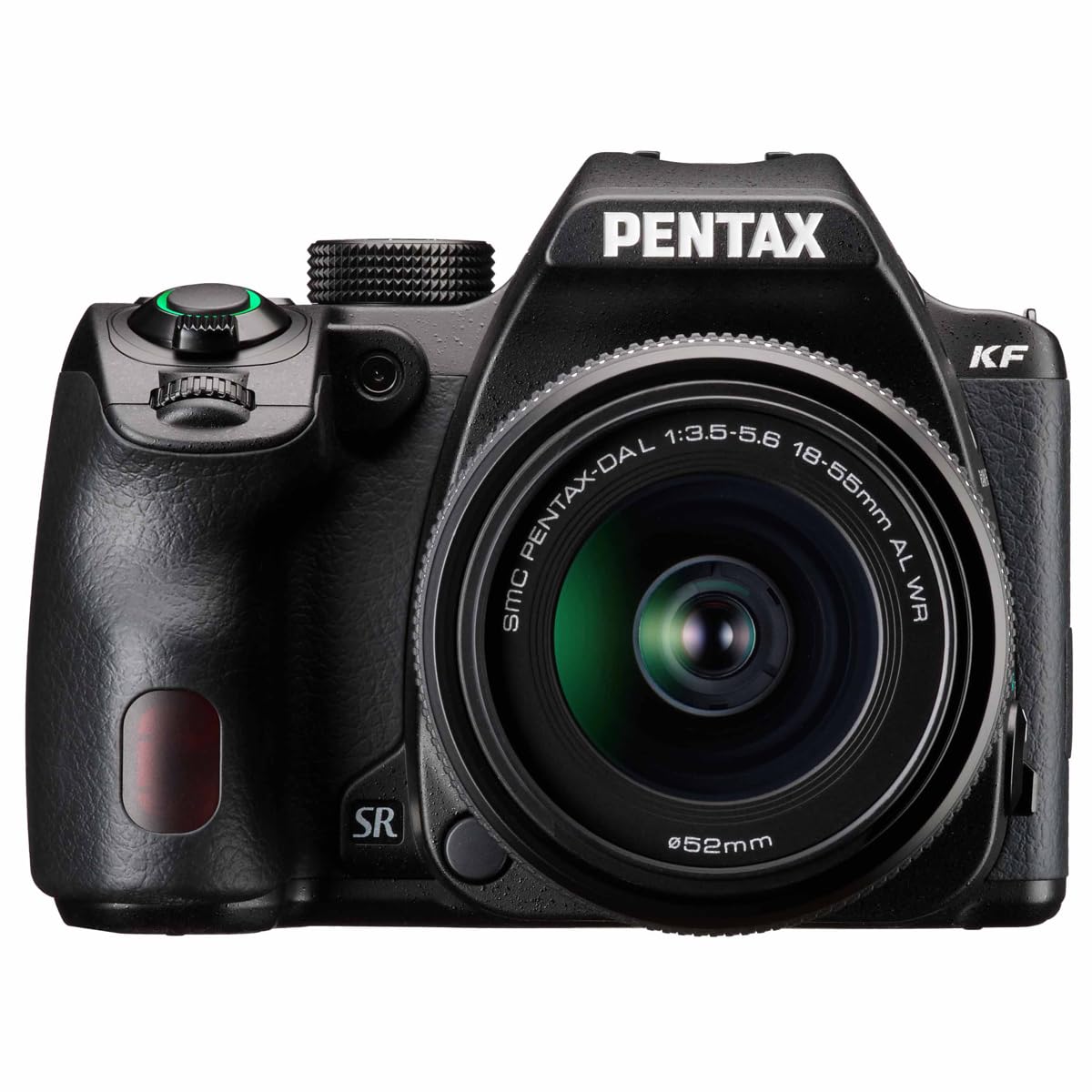
Figura 2: posterior view of the PENTAX KF, showing the vari-angle LCD monitor and control buttons for easy access to settings.

Figure 3: PENTAX KF camera with its built-in flash deployed, ready for low-light photography.
Característiques clau
- High-Resolution APS-C CMOS Sensor: Equipped with a 24.24 effective megapixel AA-filter-less APS-C CMOS sensor, the PENTAX KF delivers high-resolution images with fine detail. The wide ISO range from 100 to 102400 ensures excellent performance across various lighting conditions.
- Robust Dustproof and Weather-Resistant Design: The camera features a compact, dustproof, and weather-resistant construction, making it ideal for outdoor photography. Its dependable cold-proof performance down to -10°C (14°F) allows for reliable operation in harsh environments.
- Òptic Viewfinder with Glass Pentaprism: Experience clear and bright viewing through the optical viewfinder, which utilizes a glass pentaprism. It offers approximately 100% field-of-view and 0.95-times magnification for precise framing and focus confirmation.
- In-Body Shake Reduction (SR): The integrated SR mechanism provides a compensation effect of 4.5 shutter steps, effectively reducing camera shake. This system works with all PENTAX interchangeable lenses, ensuring sharp images even in challenging conditions.
- ASTROTRACER Functionality: When paired with the optional O-GPS2 GPS unit, the PENTAX KF can perform ASTROTRACER functions, enabling automatic tracking of celestial bodies for astrophotography without the need for an equatorial device.
- High-Definition Vari-Angle LCD Monitor: The vari-angle LCD monitor enhances usability by allowing flexible composition from various angles. It also includes a unique Night Vision Red Light LCD function, which minimizes eye strain during nightscape and astrophotography sessions.

Figura 4: Mésview of PENTAX KF's robust features, including cold-proof performance, weather-resistant body, optical viewfinder, and dustproof construction.
Vídeo 1: Presentació oficial del producte en vídeoasing the PENTAX KF APS-C Digital SLR Camera's design and features, including its optical viewfinder, weather-resistant body, and shake reduction system.
Especificacions
| Característica | Descripció |
|---|---|
| Muntatges compatibles | Pentax K |
| Tecnologia del sensor fotogràfic | CMOS |
| Resolució del sensor fotogràfic | 24 MP |
| Mida del sensor fotogràfic | APS-C |
| Interval ISO | 100-102400 |
| Estabilització d'imatge | Digital (In-body SR) |
| Resolució de vídeo | Full HD (1920x1080, 60i/50i/30p/25p/24p) |
| Mida de la pantalla | 3 polzades |
| Tipus de visualització | LCD, articulada |
| Viewcercador | Optical (Glass Pentaprism) |
| Punts d'enfocament automàtic | 39 |
| Tir continu | 4.5 FPS |
| Tecnologia de connectivitat | Wi-Fi |
| Pes de l'article | 1.47 quilos |
| Número de model | 01203 |
Manteniment
Proper maintenance ensures the longevity and optimal performance of your PENTAX KF camera:
- Neteja del cos de la càmera: Feu servir un drap suau i sec per netejar el cos de la càmera. Per a la brutícia persistent, netegeu suaumentampen the cloth with water and wipe gently. Avoid using organic solvents.
- Neteja de la lent: Use a lens brush to remove dust from the lens surface. For smudges, use a lens cleaning solution and a microfiber cloth, wiping gently in a circular motion from the center outwards.
- Neteja del sensor: Sensor cleaning should be performed with extreme care. If dust spots appear on your images, use the camera's built-in sensor cleaning function or consult a professional service center.
- Cura de la bateria: Store batteries in a cool, dry place when not in use. Avoid fully discharging the battery frequently to prolong its lifespan.
- Emmagatzematge: When storing the camera for extended periods, remove the battery and memory card. Store the camera in a dry, well-ventilated area, preferably in a camera bag with desiccant to prevent mold and mildew.
Resolució de problemes
Aquí teniu solucions a problemes comuns que podeu trobar:
- La càmera no s'encén: Assegureu-vos que la bateria estigui completament carregada i inserida correctament. Comproveu si els contactes de la bateria estan nets.
- Les imatges són borroses: Check the focus mode (Autofocus/Manual Focus) and ensure the lens is clean. Verify that the shutter speed is appropriate for the lighting conditions and subject movement. Utilize the in-body Shake Reduction.
- Error de la targeta de memòria: Ensure the memory card is inserted correctly. Try reformatting the card (this will erase all data) or use a different card.
- Flash Does Not Fire: Check the flash mode settings. Ensure the flash is not disabled or in a mode that prevents it from firing (e.g., Silent Mode).
- El monitor LCD no mostra: Check the display settings. Ensure the monitor is not turned off or in viewfinder-only mode.
Garantia i Suport
The PENTAX KF camera comes with a 1 any de garantia from the manufacturer, RICOH. For warranty claims, technical support, or service inquiries, please refer to the contact information provided in your product packaging or visit the official Pentax support weblloc.